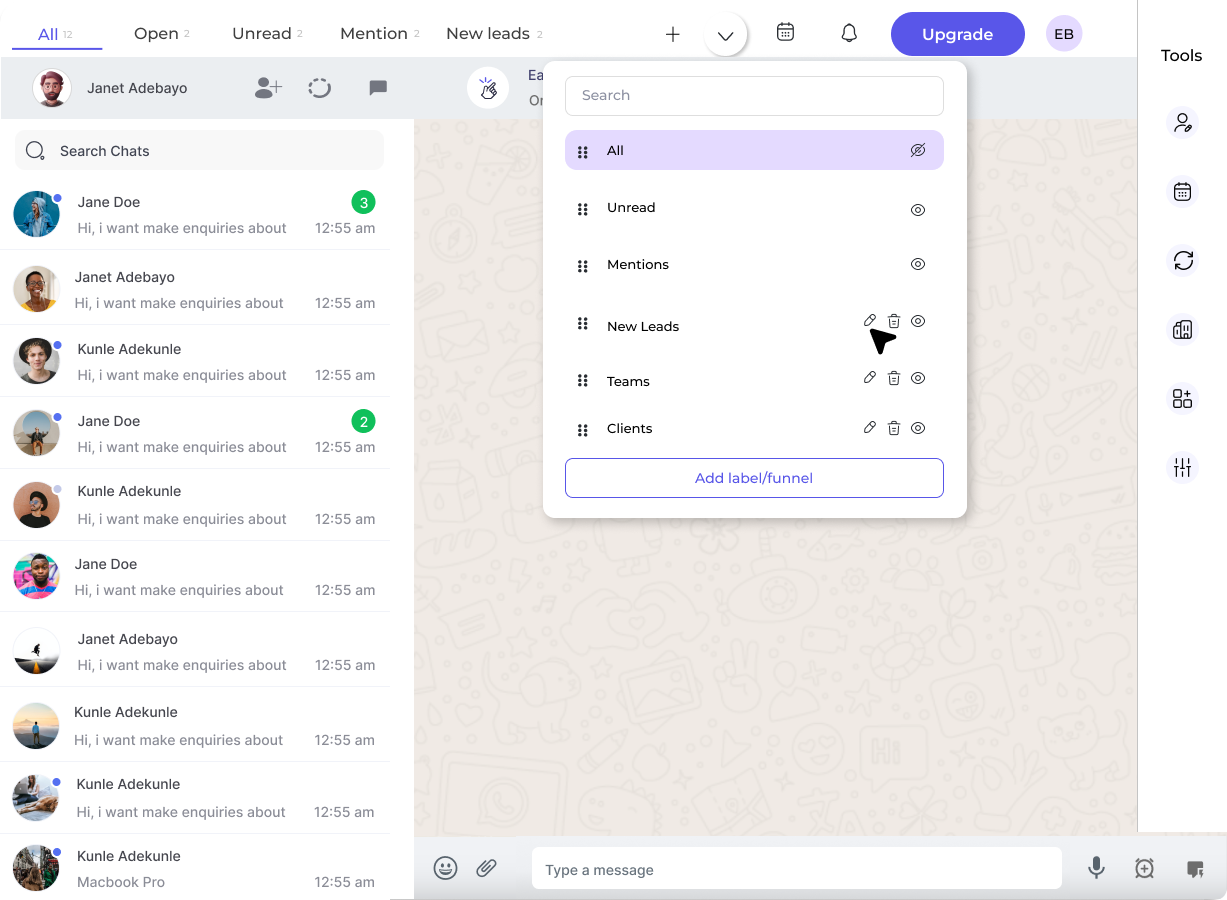
Accessing the Edit Function
1
Open Edit Label Dropdown
Click on the Edit Label dropdown to access label and funnel management options.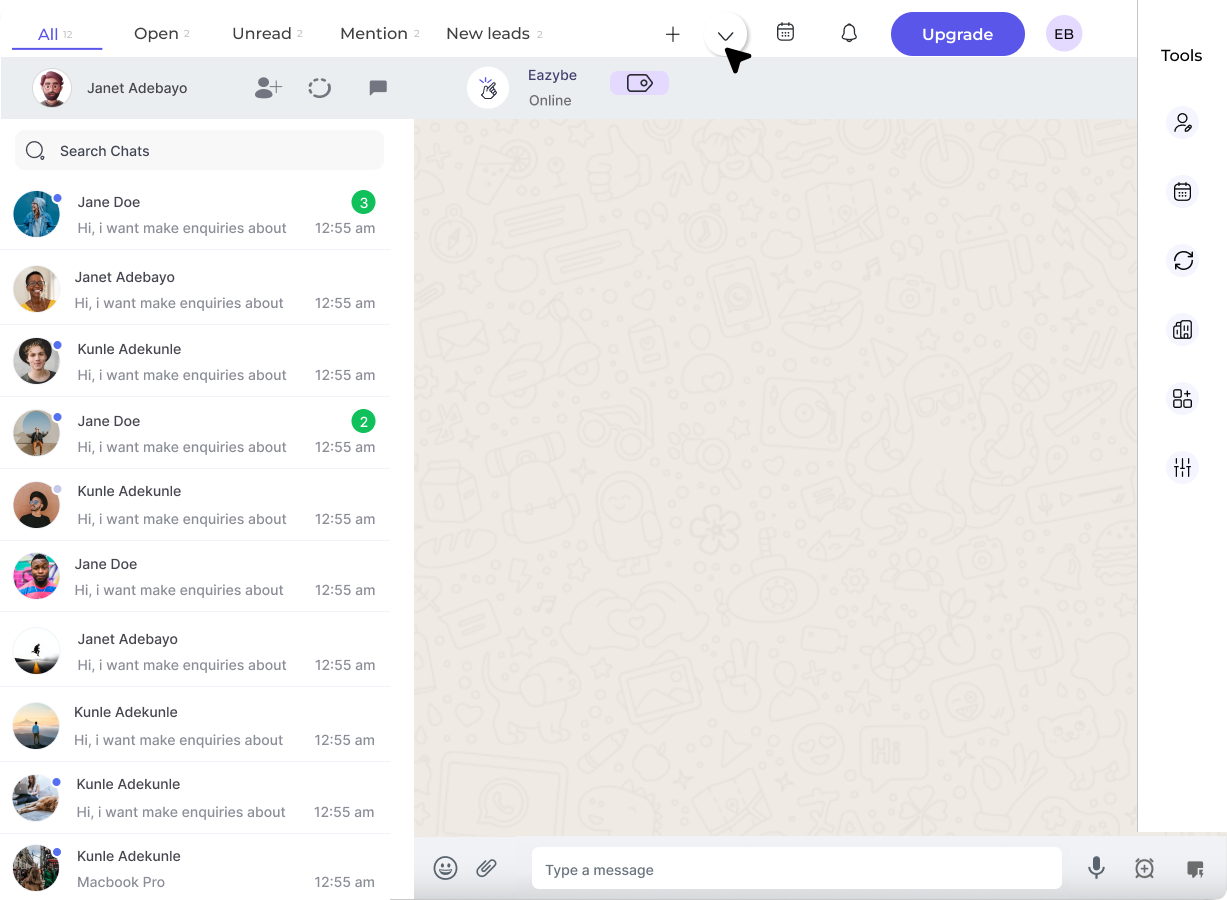
Managing Labels and Funnels
Reorder Labels
You can reorder the labels in the top bar by using the drag handles.1
Drag to Reorder
Use the dots on the sidebar and drag the required labels to your desired position.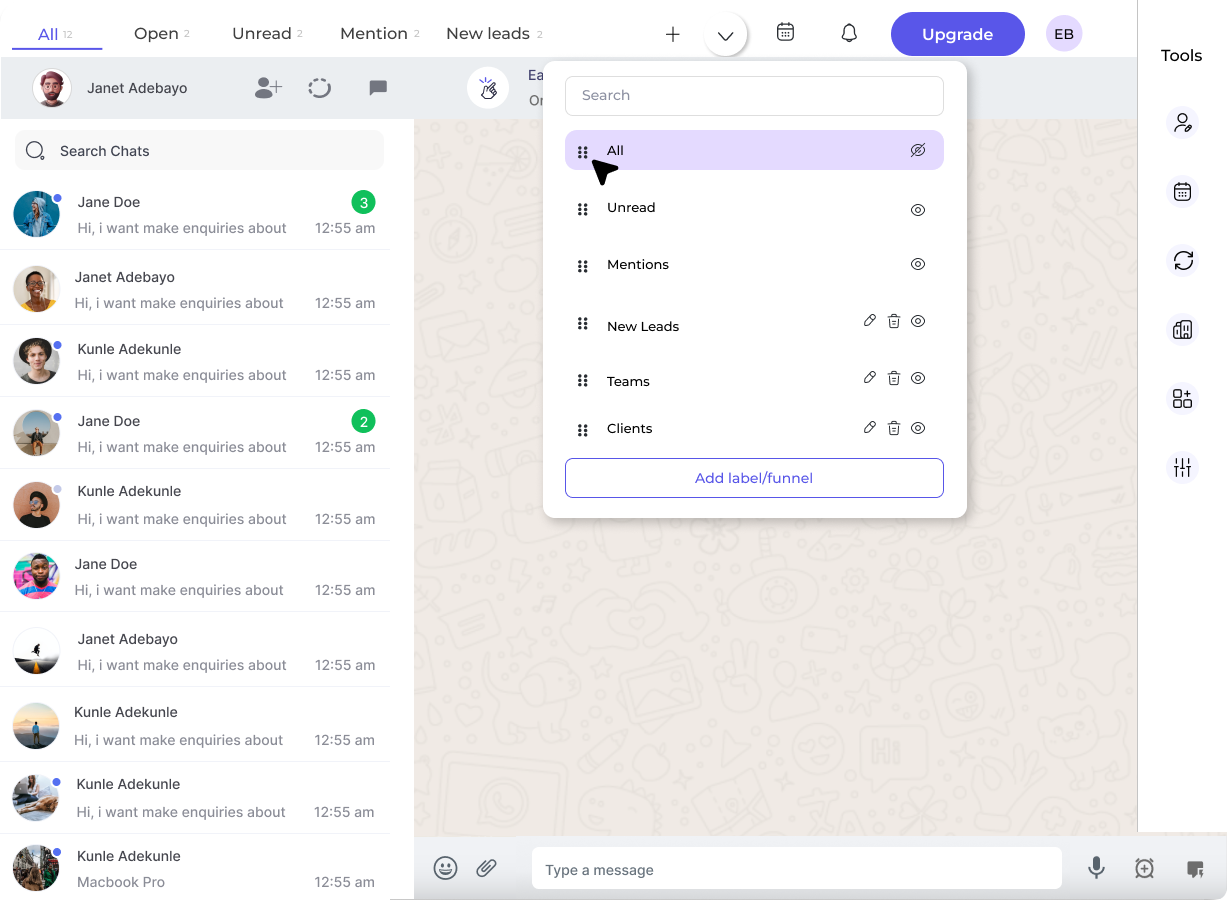
Toggle Visibility
Control which labels appear in the top navigation bar.1
Toggle Label Visibility
Click the eye button to toggle the visibility of labels on the top bar.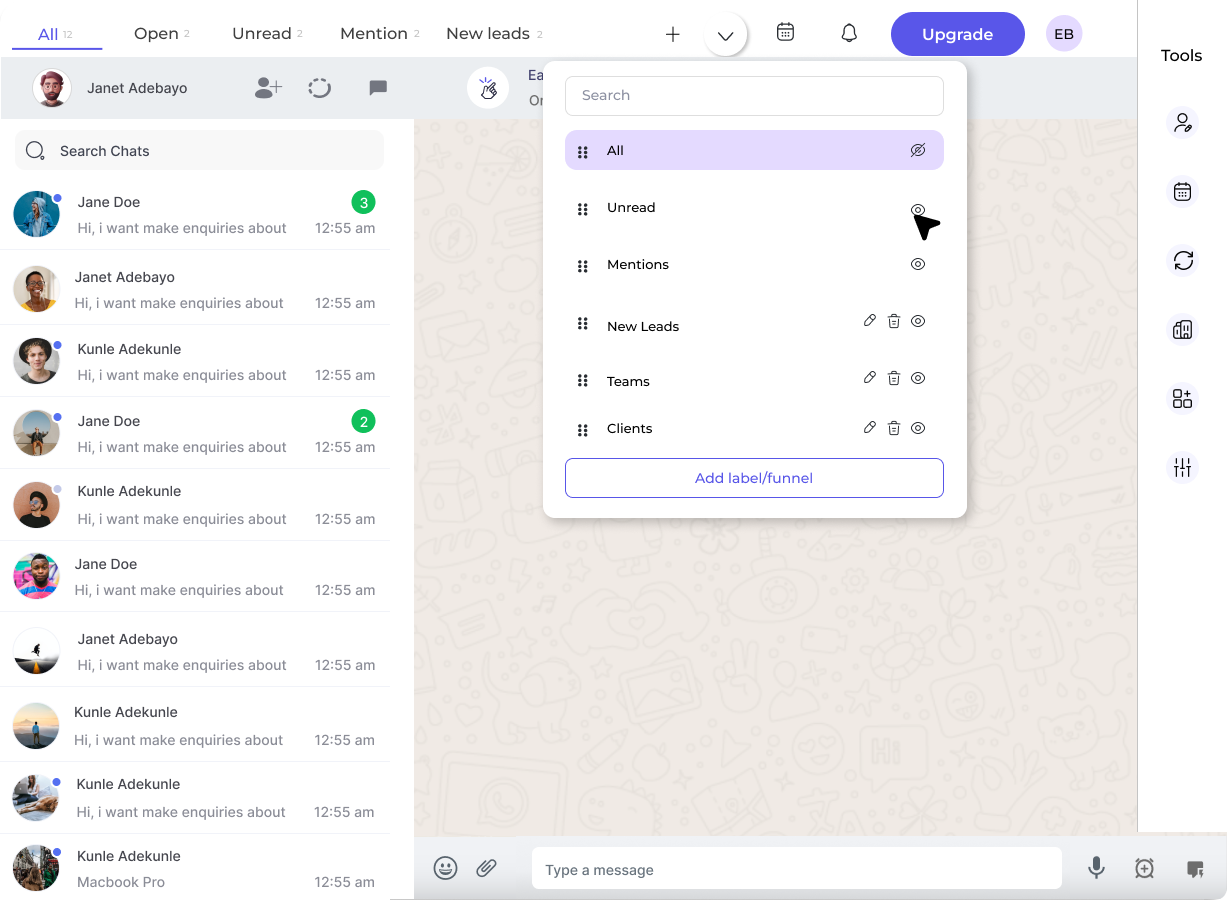
Create New Entry
Add new labels or funnels directly from the management panel.1
Add New Label/Funnel
Click on the Add Label/Funnel button to create a new entry.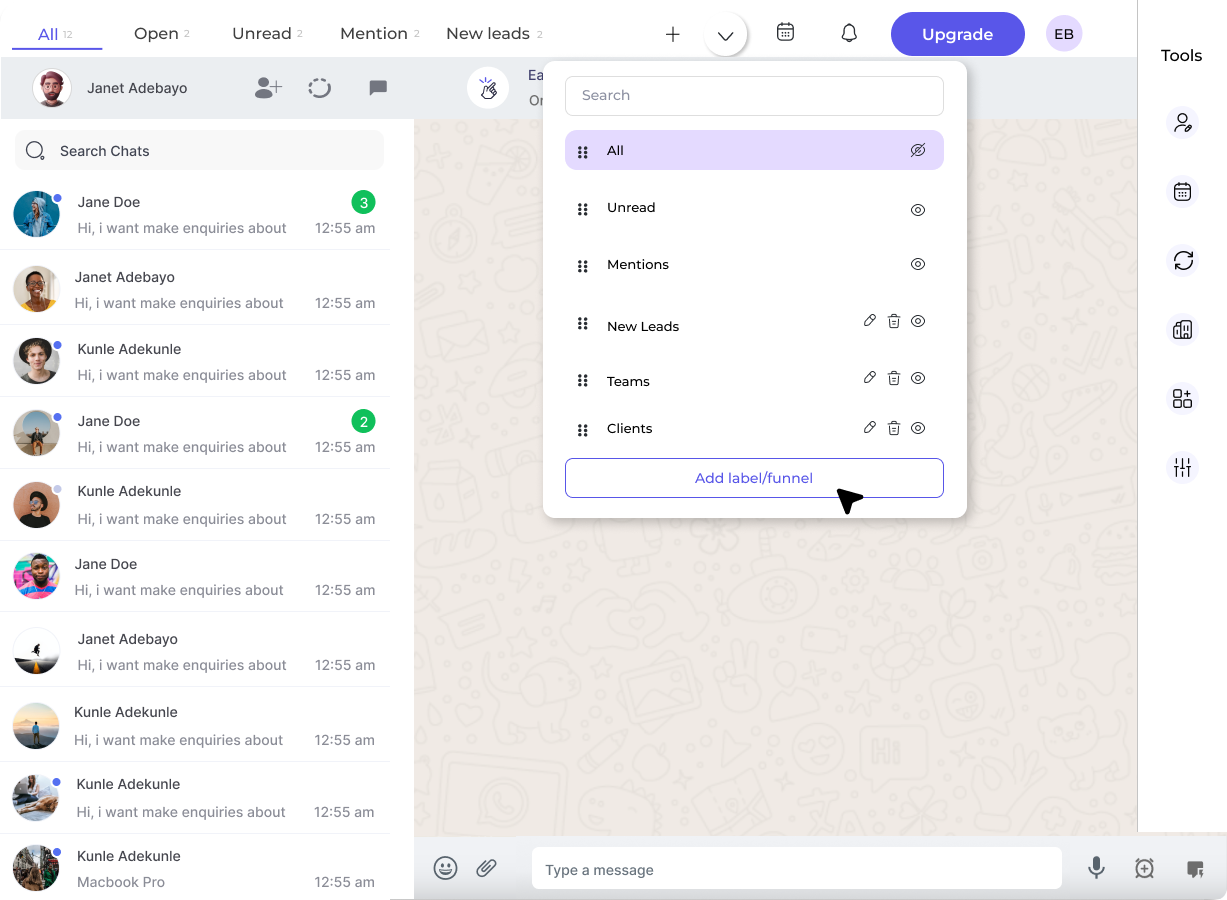
Edit or Delete Entries
Modify or remove existing labels and funnels.1
Edit or Delete
Click on the respective Edit or Delete buttons to modify or remove the label/funnel you’ve created.