

Getting Started
1
Install Eazybe Extension
Download and install the Eazybe Chrome Extension from the Chrome Web Store if you haven’t already.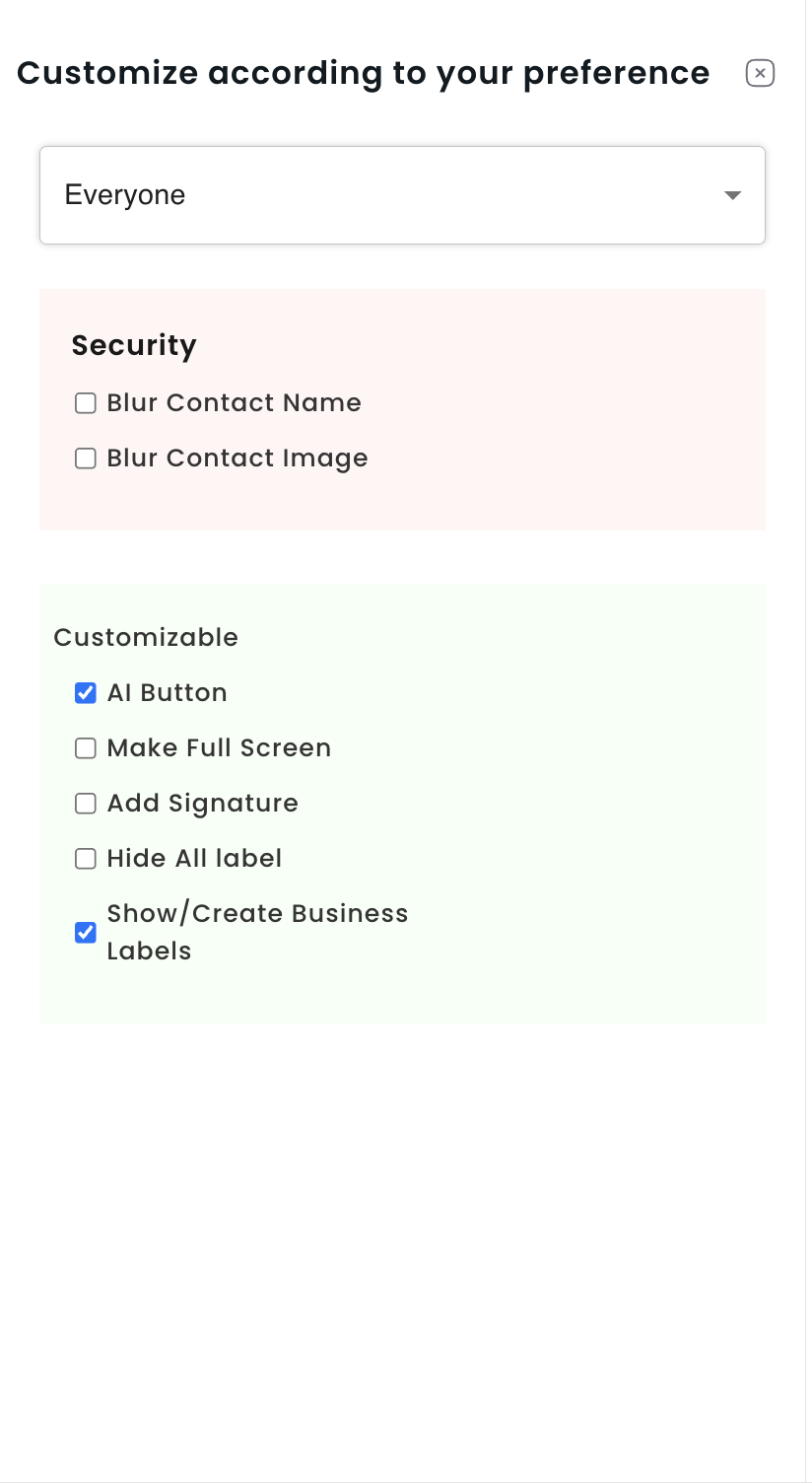
2
Access Settings
Open WhatsApp Web, navigate to the Eazybe sidebar at the bottom, and click Settings.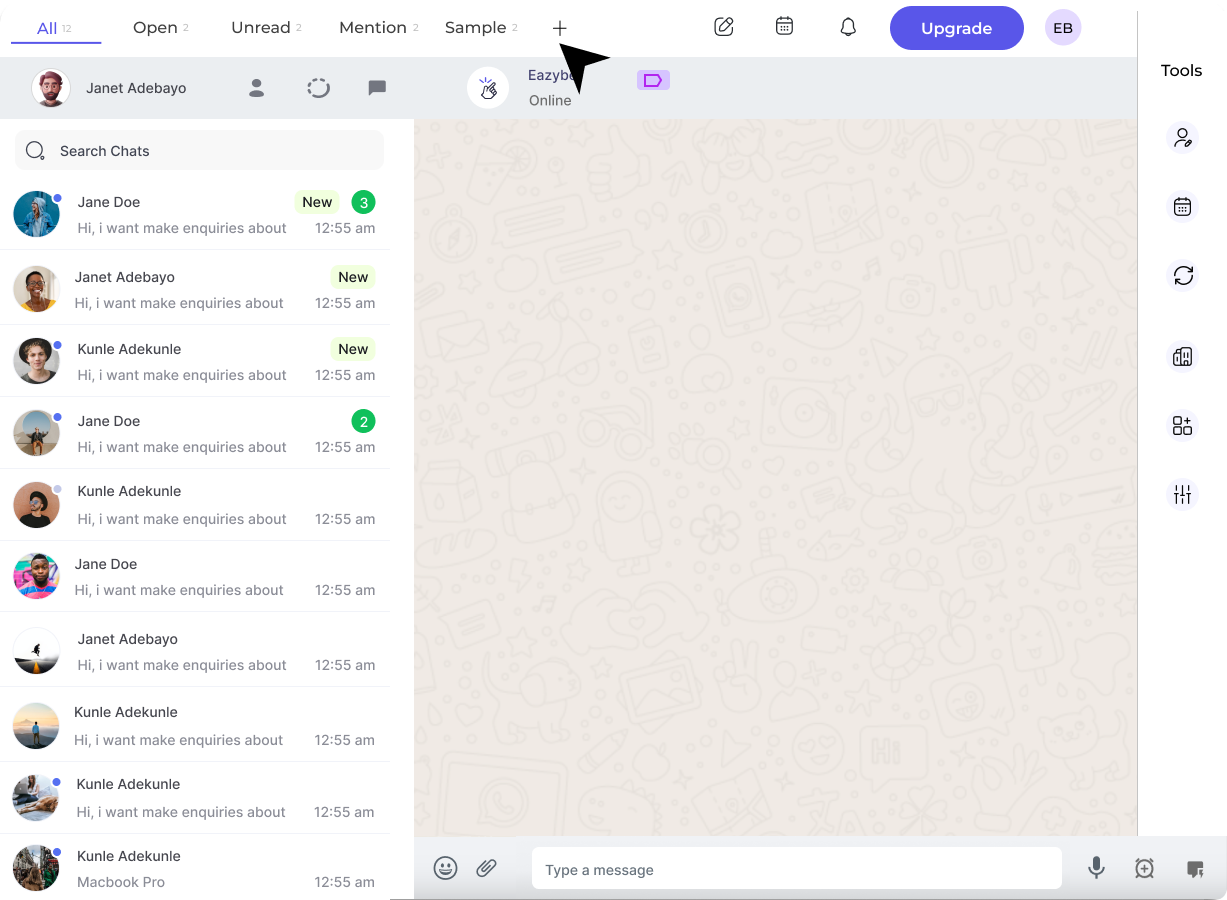
3
Enable Business Labels
Locate and activate the “Show/Create Business Labels” option to enable the feature.
Creating and Managing Labels
1
Create New Label
Click ”+ Create New Label”, enter a name, assign a color, and save your new label.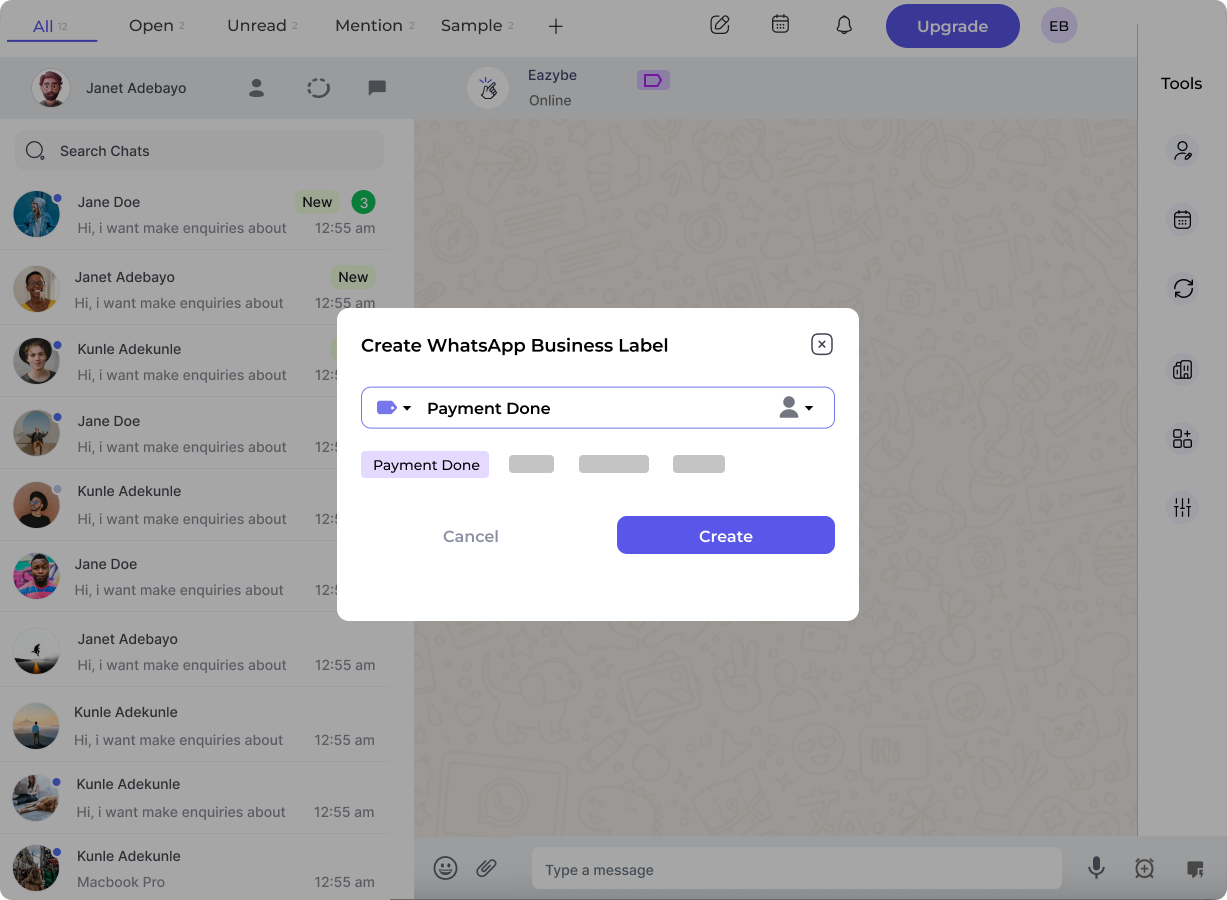
2
Assign Labels to Chats
Open a chat, click the Label Icon in the Eazybe toolbar, and select the appropriate labels for that conversation.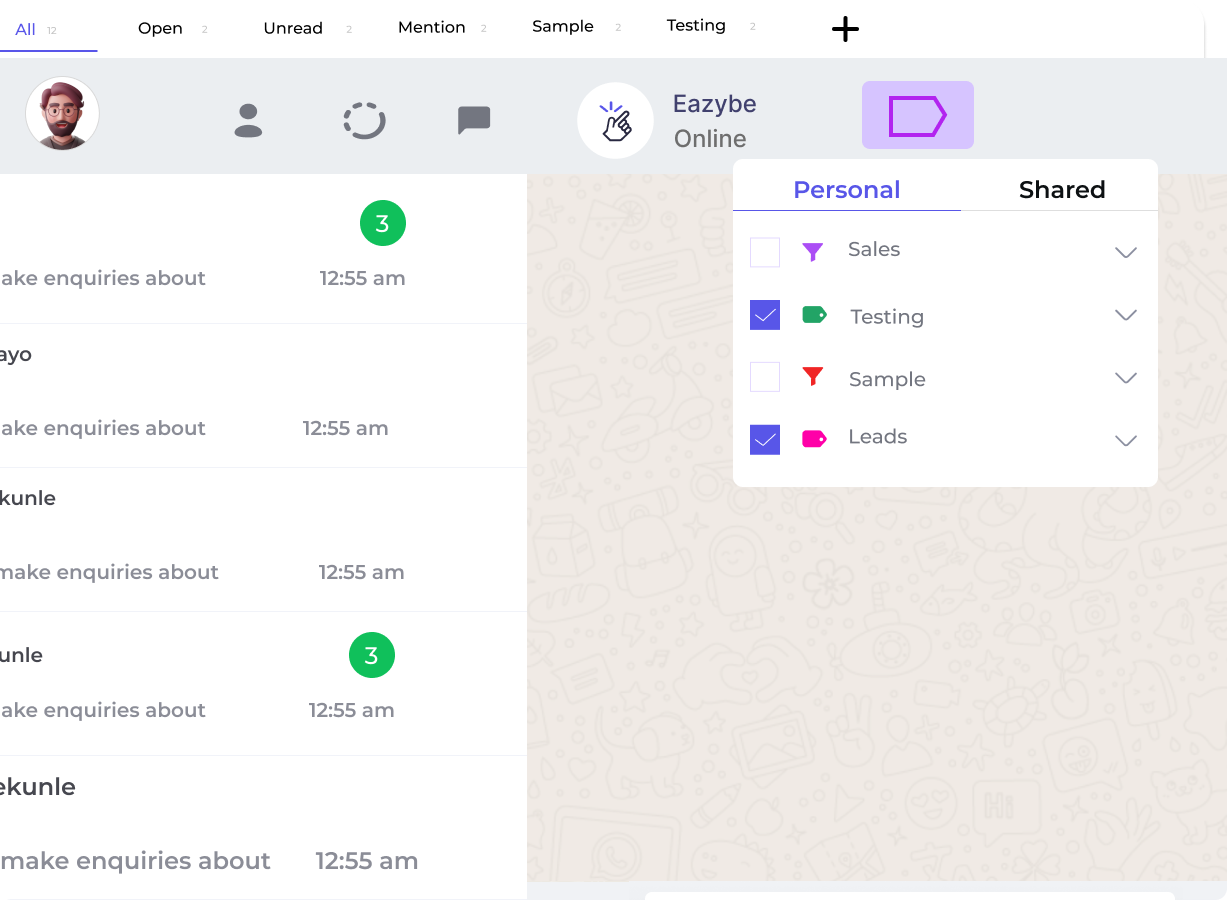
3
Filter Chats by Label
Use the Label Filter to quickly find conversations by specific categories, status, or priority.
4
Edit or Delete Labels
Modify labels via the edit icon or remove them via the delete icon in the Labels section.
Label Organization Tips
By Status
Create labels like “New Lead”, “In Progress”, “Completed” to track conversation status.
By Priority
Use labels like “High Priority”, “Medium”, “Low” to prioritize your responses.
By Category
Organize by “Sales”, “Support”, “Billing” to route conversations to the right team.
By Source
Track where leads come from with labels like “Website”, “Referral”, “Ad Campaign”.