

Video Tutorial
Creating a Label or Funnel
1
Click Add Label
Click the Add Label button to begin creating a new label or funnel.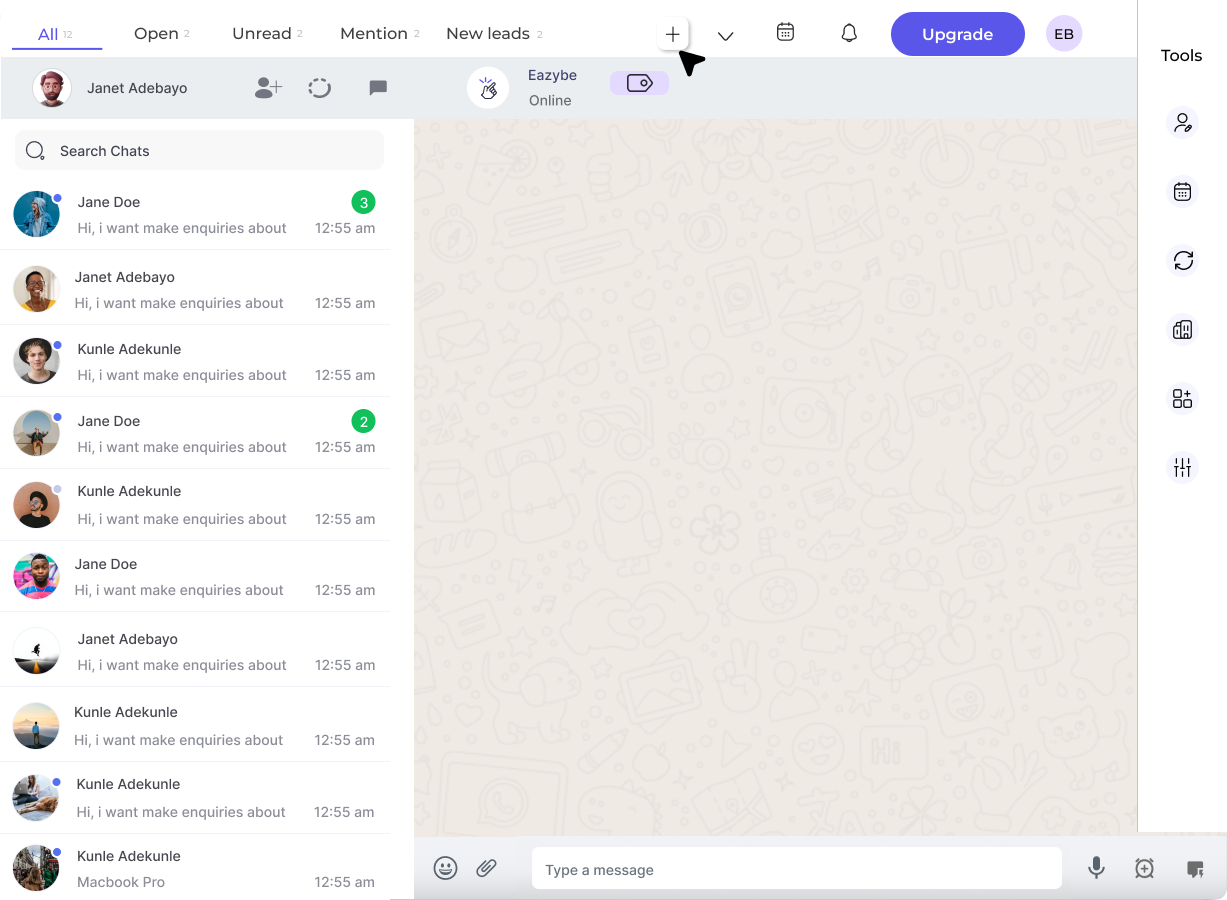
2
Select Label or Funnel
Choose whether you want to create a Label or a Funnel option.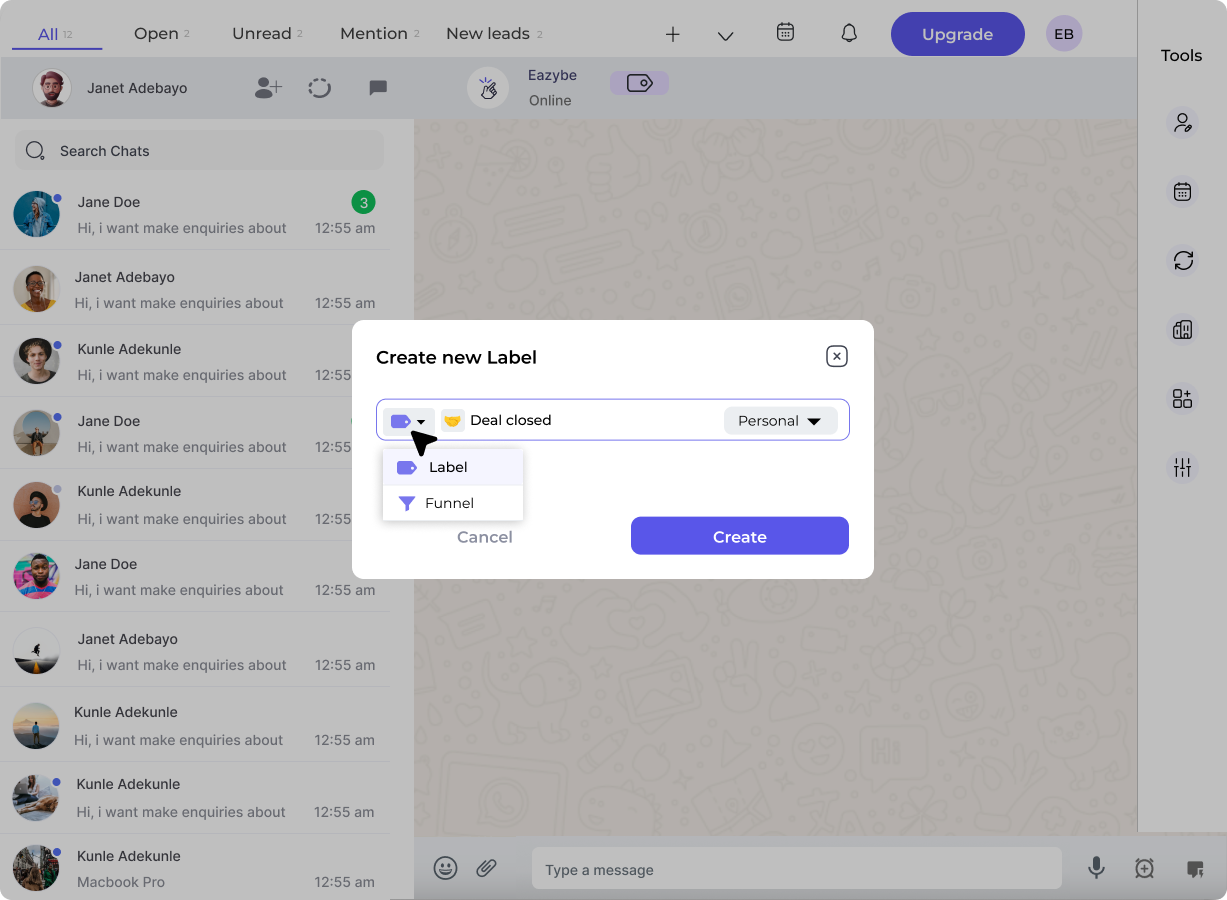
3
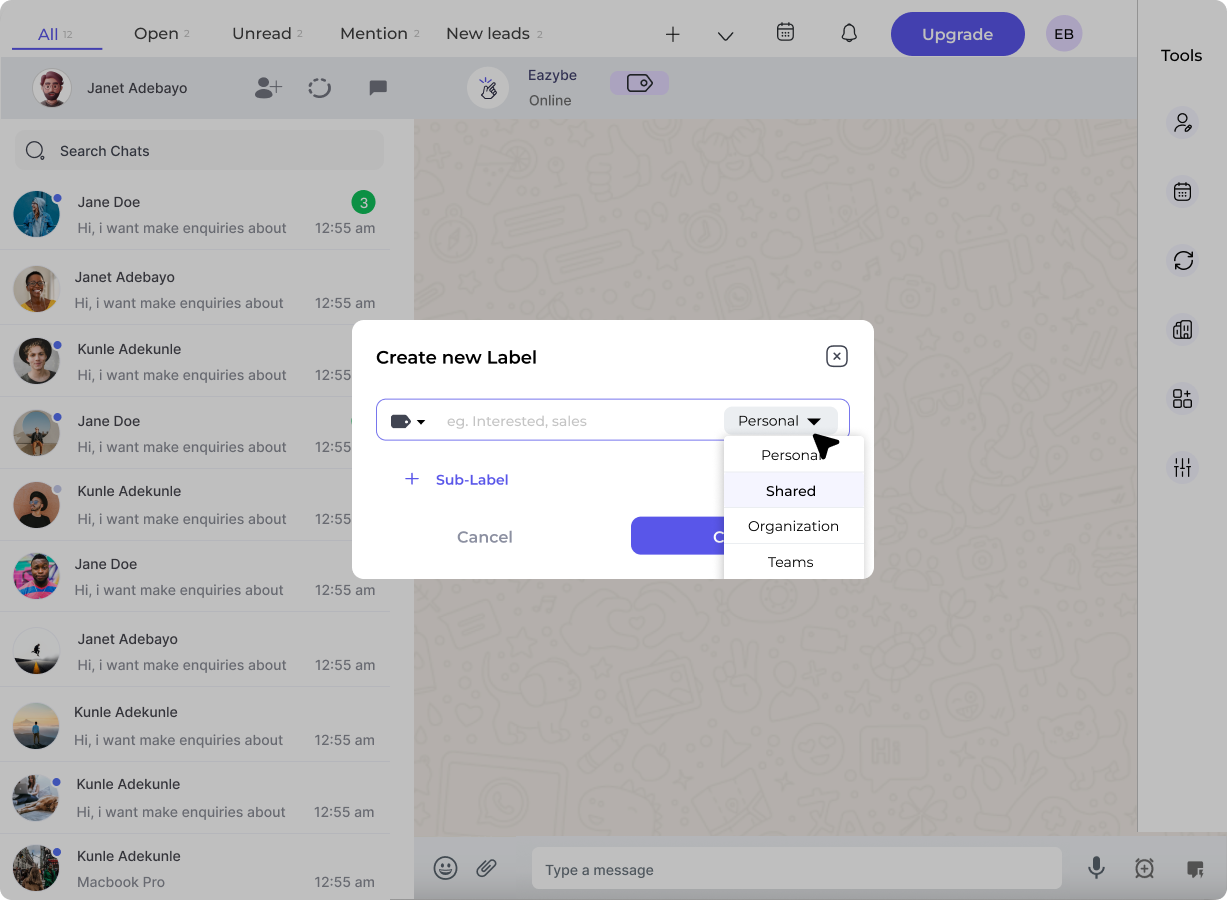
Choose Visibility
Select the visibility setting for your label or funnel:
- Personal: Restricted to you only
-
Shared: Accessible to your entire organization or team
4
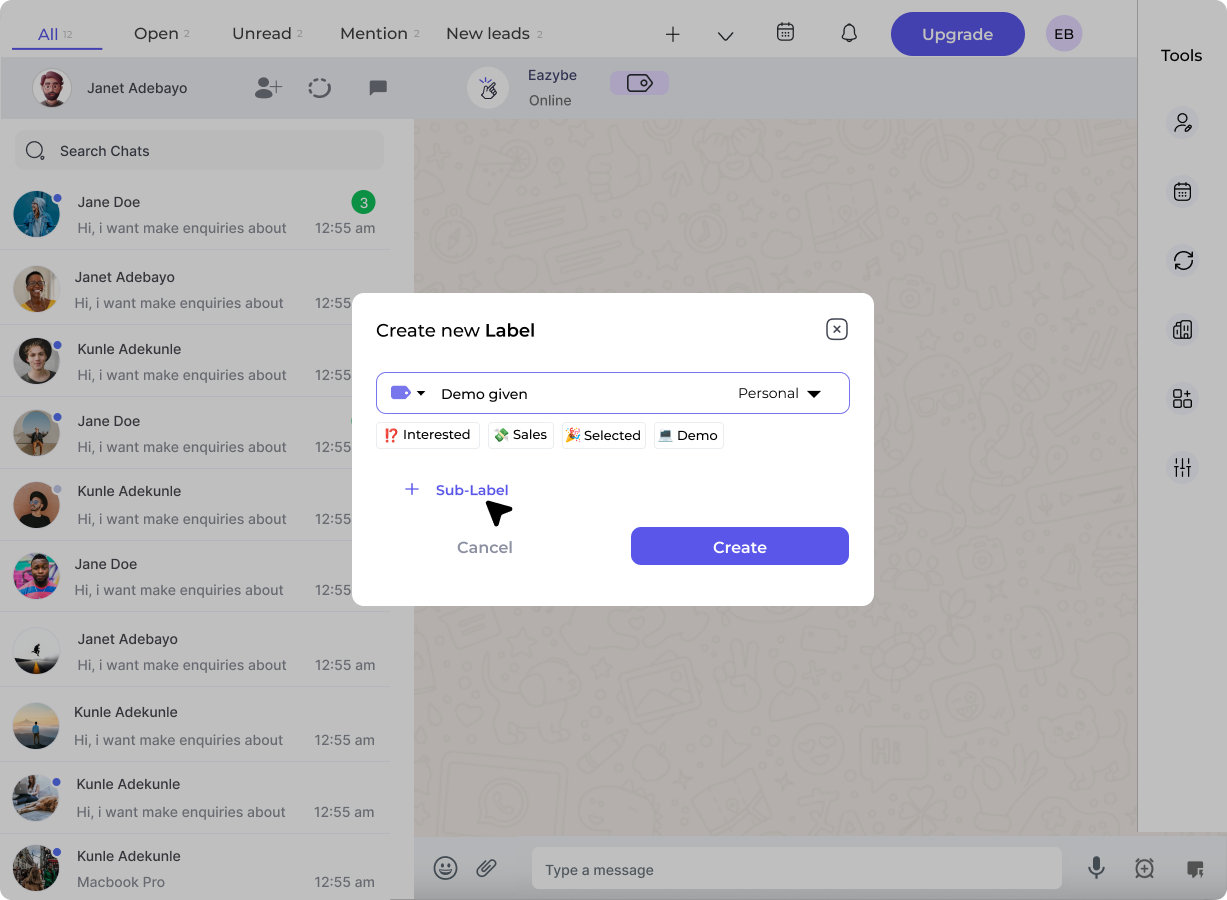
Add Sub-Labels or Stages
- For Labels: Add sub-labels to further categorize contacts
-
For Funnels: Add stages where contacts will move sequentially
5
Create the Label/Funnel
Click the Create button to save your new label or funnel.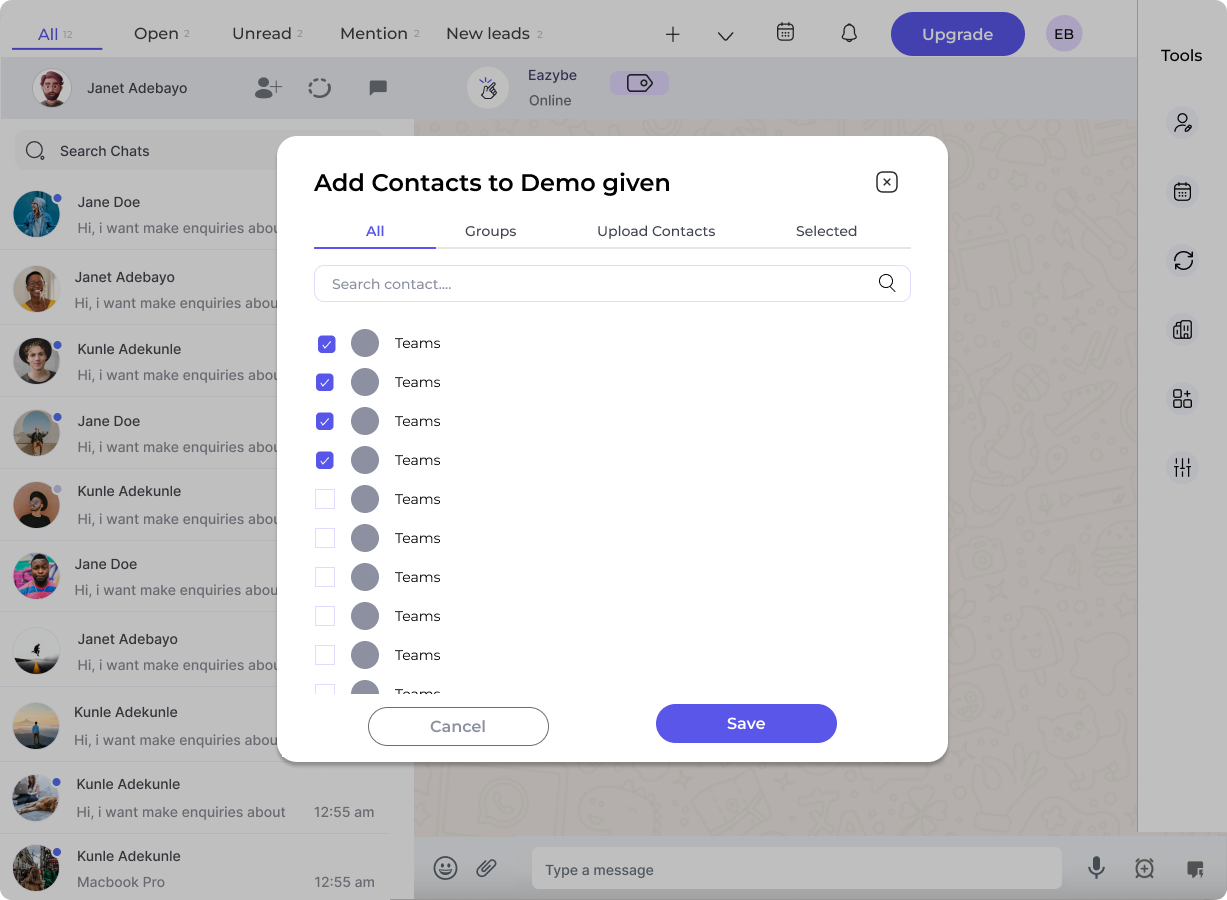
6
Add Contacts
A popup will appear where you can select and add contacts. Click Save when done.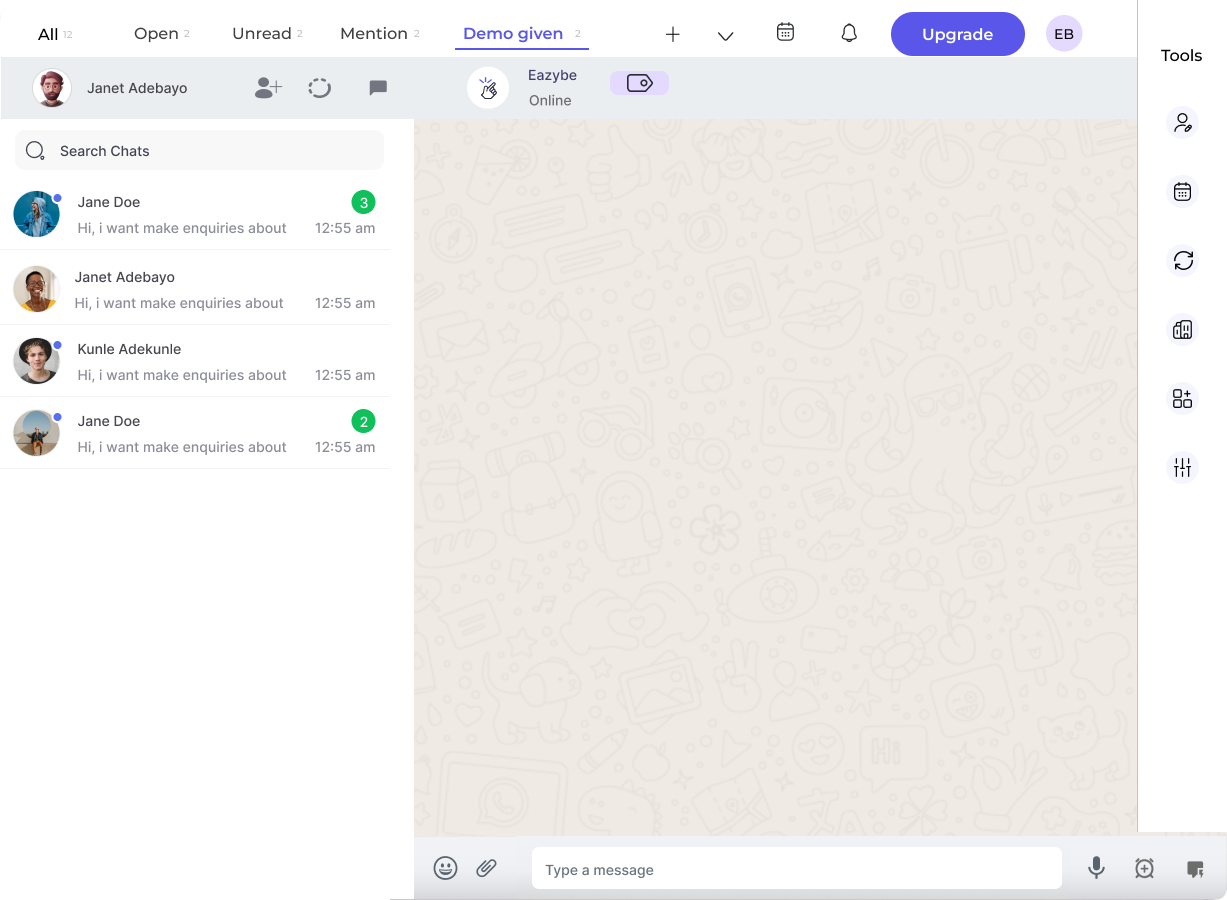
The newly created label or funnel will appear in the top navigation bar for easy access.
Labels vs Funnels
Labels
- Categorize contacts with sub-labels
- Contacts can have multiple labels
- Great for organizing by type, source, or category
Funnels
- Feature sequential stages
- Contacts move through stages one at a time
- Only one stage per contact at a time
- Ideal for sales pipelines or support workflows