

Enable activity backup
- Install the Eazybe Team Inbox package and connect your Salesforce account to Eazybe.
- In your Eazybe workspace, open Integrations → Salesforce → General.
- Under What gets saved to Salesforce, turn on Back up in activities. The setting confirms: Conversations are being backed up as completed tasks.
Installing Team Inbox does not automatically turn on activity backup. Enable the setting separately; it applies from the next backup run.
Find a saved conversation in Salesforce
- Open the associated Contact or Lead record in Salesforce.
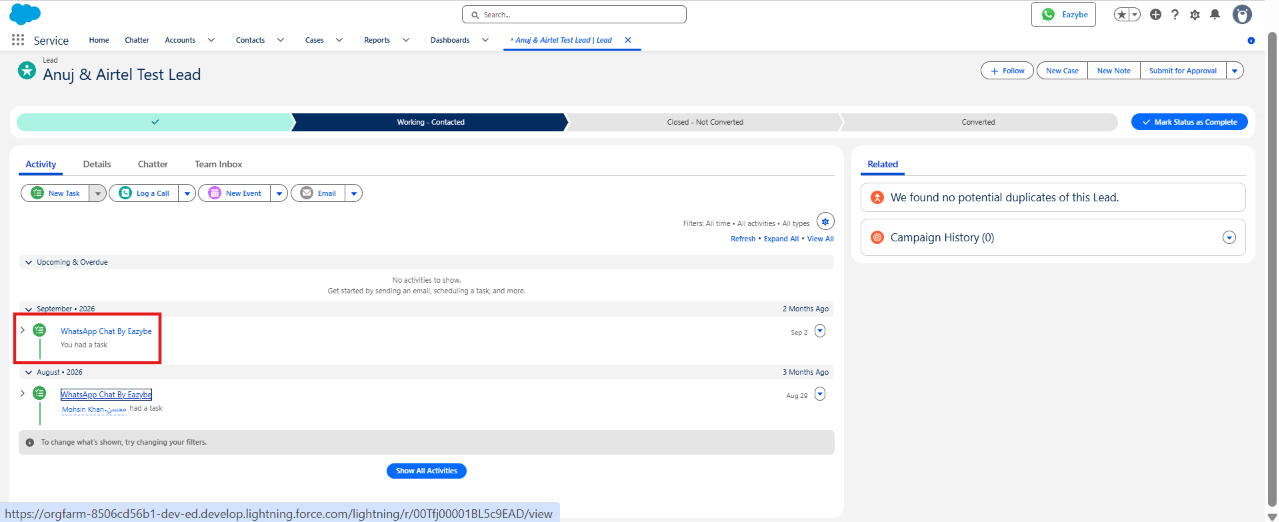
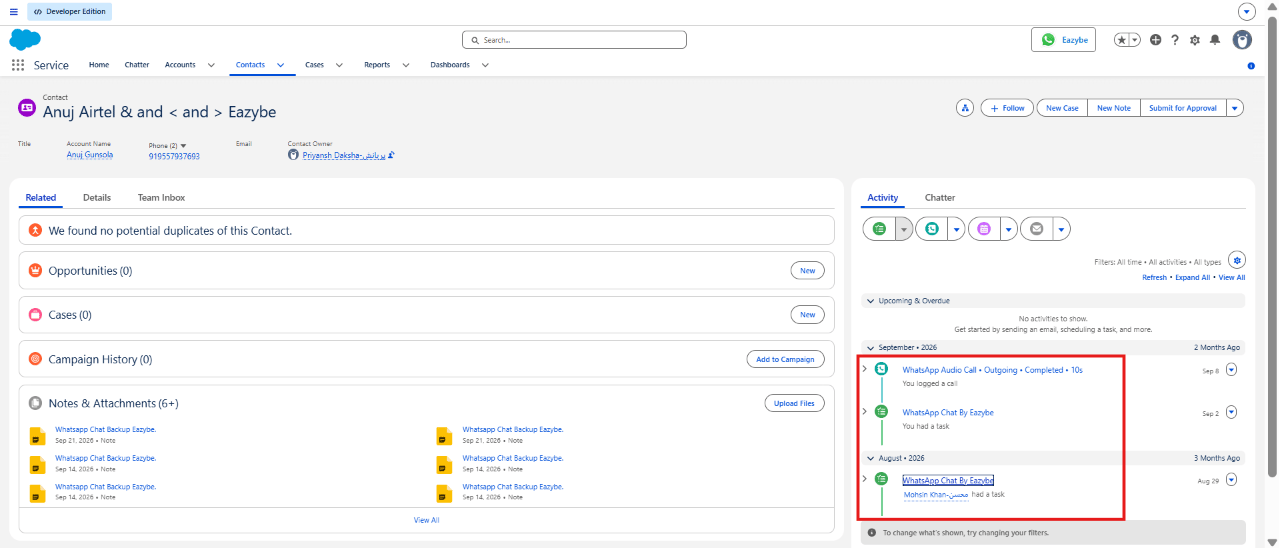
- Open Activity and find the WhatsApp Chat by Eazybe entry for the date you want.
- Open the completed Task and read the synced messages in Description.
How daily activities work
- 1:1 chats: Each conversation has a daily Task on the matching Contact or Lead. Different team members’ 1:1 conversations remain separate activities.
- Group chats: Eazybe saves the group conversation on associated participant Contact or Lead records. Multiple team members backing up the same group append to the same daily Task for each associated record. Group backup must also be enabled.
- Updates: Later backups append new messages to the existing daily Task. Long conversations can continue into additional Tasks.
- Date: The activity date is the backup day in the supplied timezone. Messages retain their own timestamps, so an activity can contain messages sent on earlier dates.