

Endpoint
Postman Collection
Access the API collection via the EazyBe shared Postman workspace.
Authentication
You need to obtain the Organization Auth Token from your EazyBe Workspace.1
Access EazyBe Workspace
Go to workspace.eazybe.com
2
Navigate to Organization Page
An admin needs to access the Organization page.
3
Copy Auth Token
The Organization Auth Token will be displayed on this page. Copy it for API use.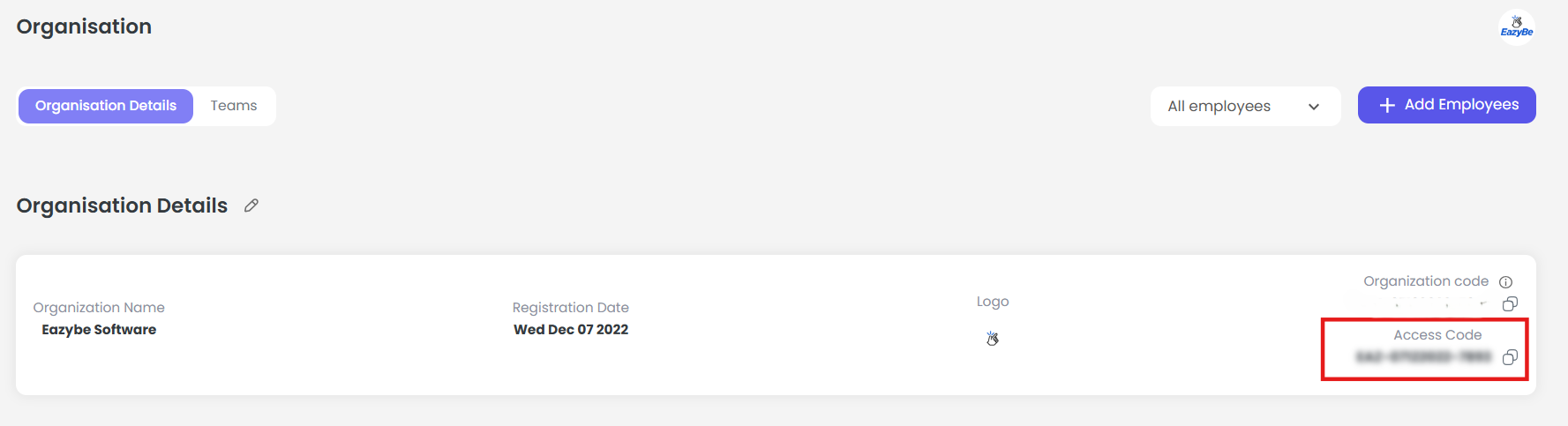
Request Payload
The API requires the following fields:Example Payload
Code Example (Node.js)
Response Status
Best Practices
Verify Sender
Ensure the sender email belongs to your organization
Avoid Spam
Do not use for mass messaging or spam activities
Valid Token
Maintain a valid Organization Auth Token
International Format
Use international phone number format (e.g., 919876543210)
If you have any questions or need further assistance, feel free to reach out to us at hey@eazybe.com. We’re happy to help!