Before you start, connect a WhatsApp Business number through Meta, approve a WhatsApp template, and add enough balance to your Eazybe wallet.
1
Open a new broadcast
Open Broadcasts, then select New broadcast. Eazybe opens the Create broadcast page.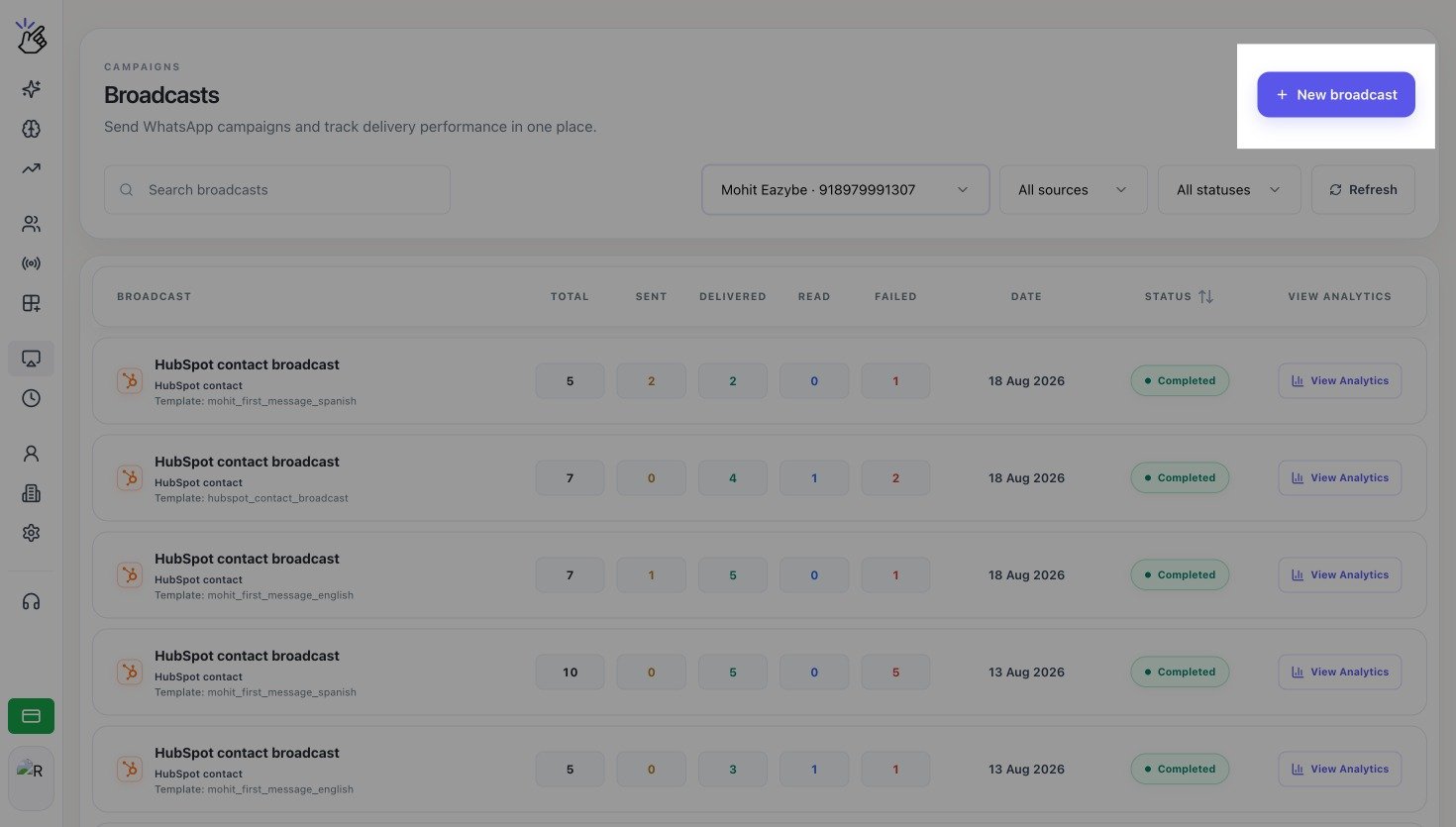
2
Choose the message
Complete the first section:
- Enter a Broadcast name. Only your team sees this name.
- Select the WhatsApp Business number in Send from.
- Select an approved template in Template message.
-
Check the Message preview on the right.
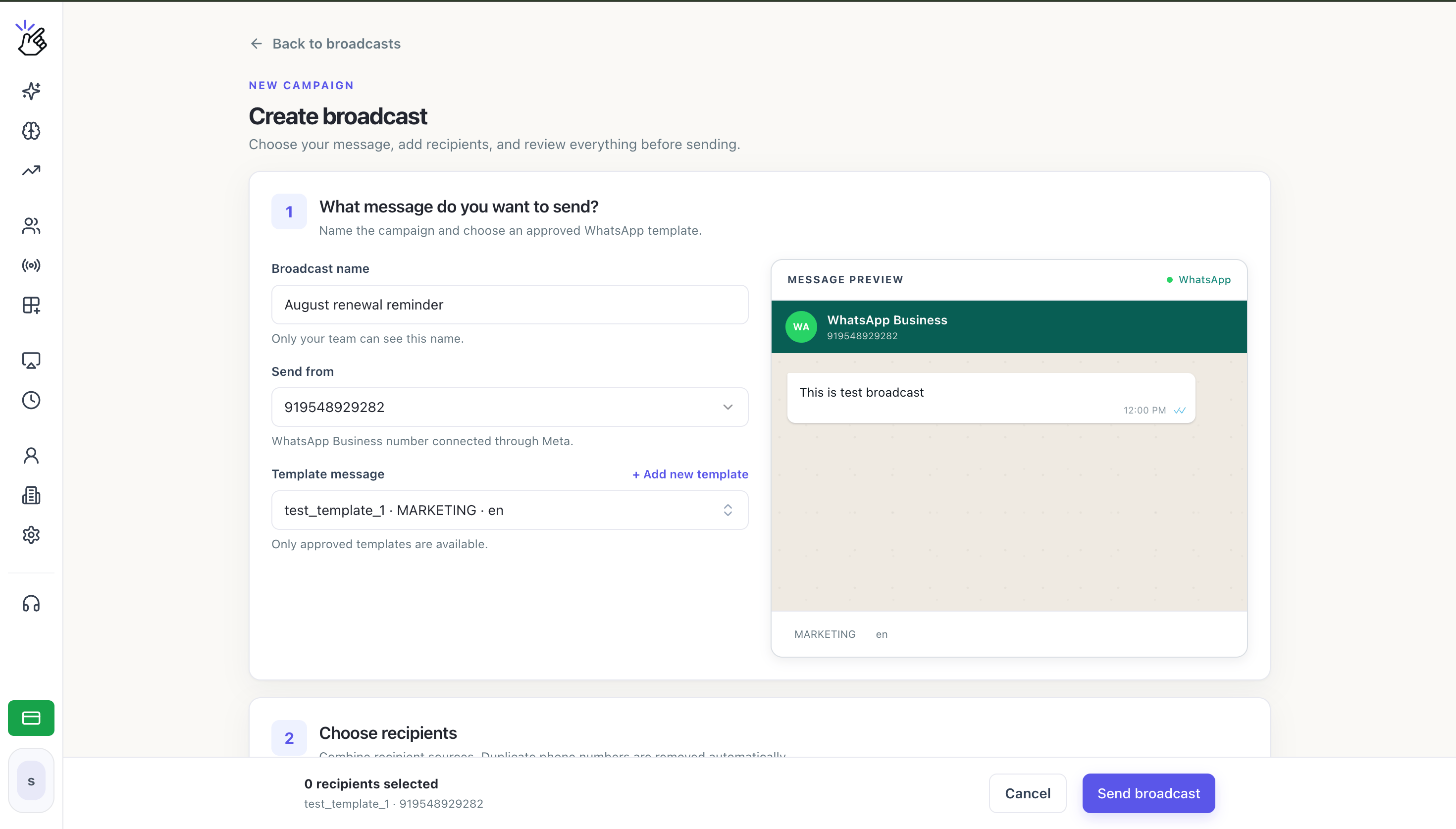
If the template you need is not listed, confirm that Meta has approved it. You can also select Add new template to start creating one.
3
Choose the recipients
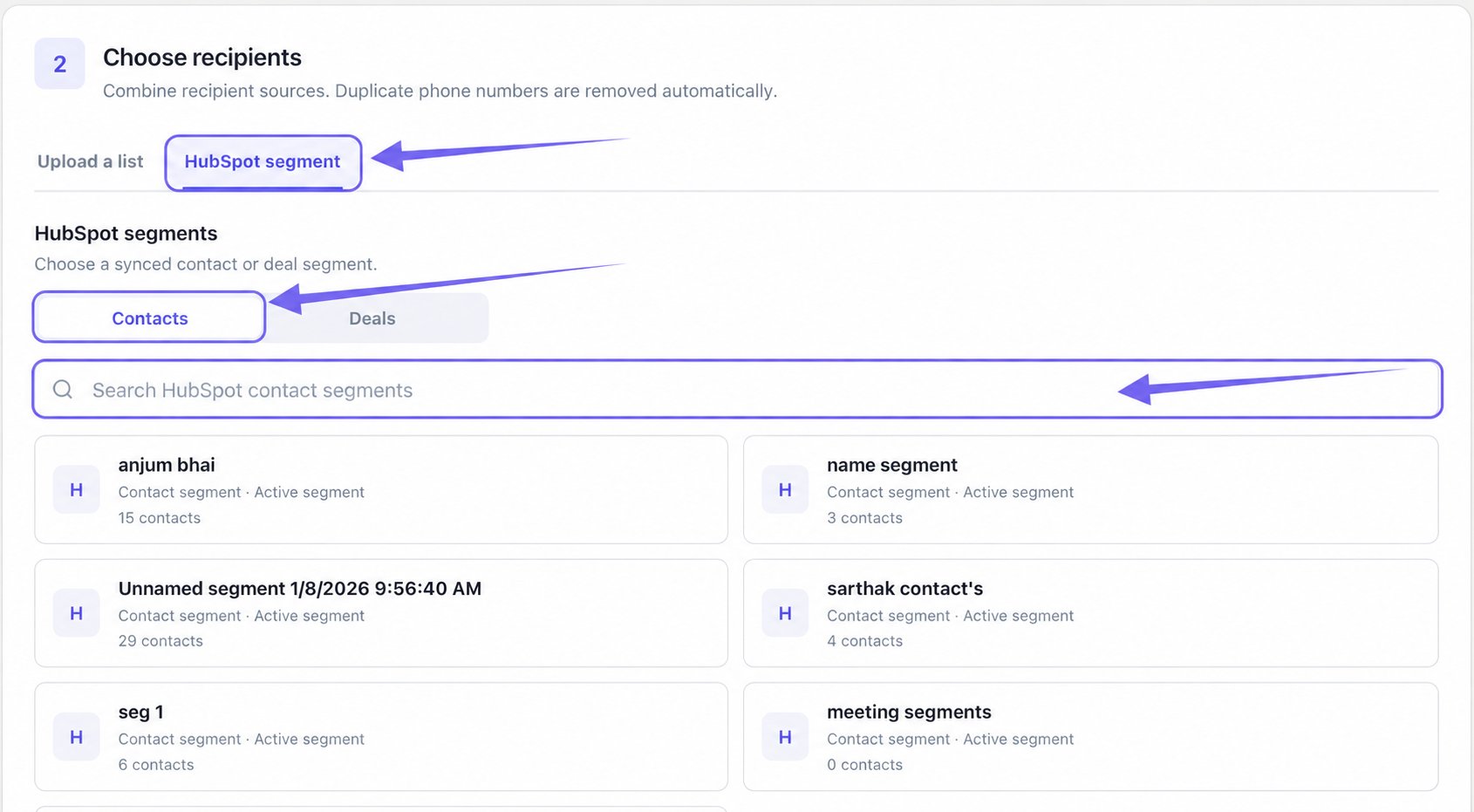
In Choose recipients, choose your recipient source:
- Upload a list to add a CSV or Excel file.
-
HubSpot segment to select a synced contact or deal segment. This tab appears only when HubSpot is connected.
Prepare the phone number and variable columns before uploading.
Choose a contact or deal segment and review its eligible contacts.
4
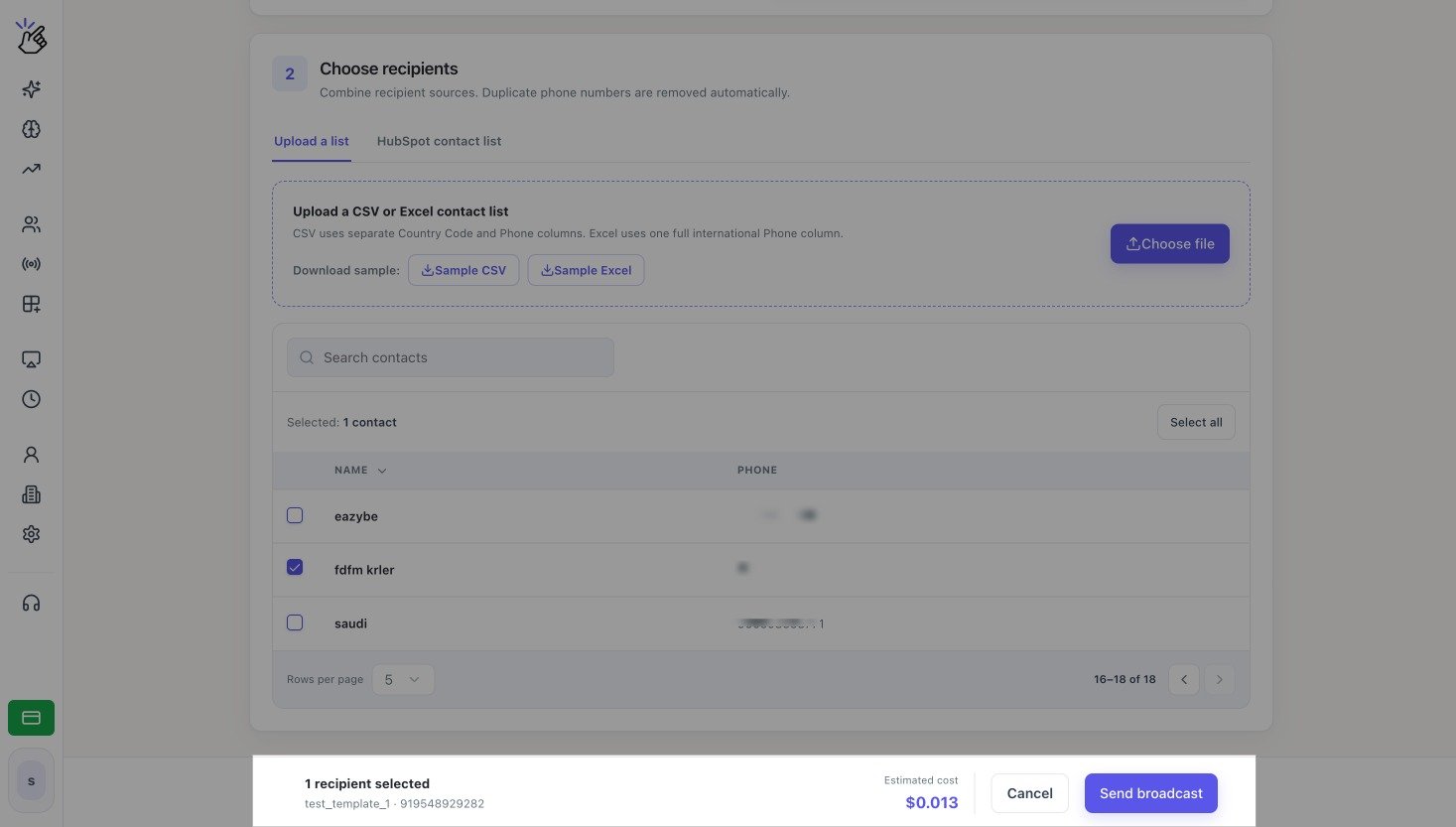
Review and send the broadcast
Select the contacts who should receive the message. In the footer, confirm the selected recipient count, sending number, template, and Estimated cost. Select Send broadcast when the details are correct.