

What is Coexistence?
Connect to Cloud API
Connect the WhatsApp Business App to the Cloud API seamlessly
Keep Using Business App
Continue using the Business App normally after connection
Sync Everything
Real-time message and contact synchronization
No Data Loss
Preserve chat history and contacts without any data loss
This is the safest method to migrate to Cloud API without losing data. You can use the same phone number across both the WhatsApp Business App and API.
Prerequisites
Before starting the onboarding process, ensure you meet all these requirements:WhatsApp Business Account
WhatsApp Business Account
You must have an existing WhatsApp Business account/number. Personal WhatsApp numbers are not supported.
App Version
App Version
WhatsApp Business App Version 2.24.17 or newer is required. Older versions will fail during QR-linking.
Phone Number Health
Phone Number Health
Your number must have:
- Regular WhatsApp activity
- No Meta restrictions
- No policy violations
- Active genuine usage for 3-7 days minimum
Facebook Business Page
Facebook Business Page
A Facebook Business Page with Admin Access is required.
Regional Restrictions
Regional Restrictions
Numbers from Nigeria or South Africa are not currently supported due to Meta regulations.
Number Eligibility
Number Eligibility
Your number must not be:
- Linked to another WhatsApp API provider
- Blocked by Meta
Setup Guide
1
Enter Email and Login
Enter your email address and log in with your account.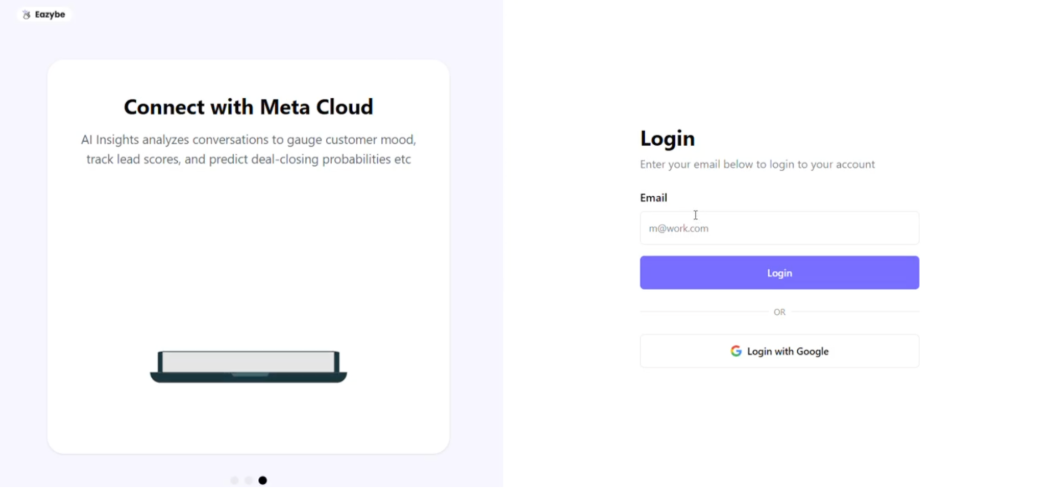
2
Enter OTP
Enter the OTP sent to your Gmail inbox.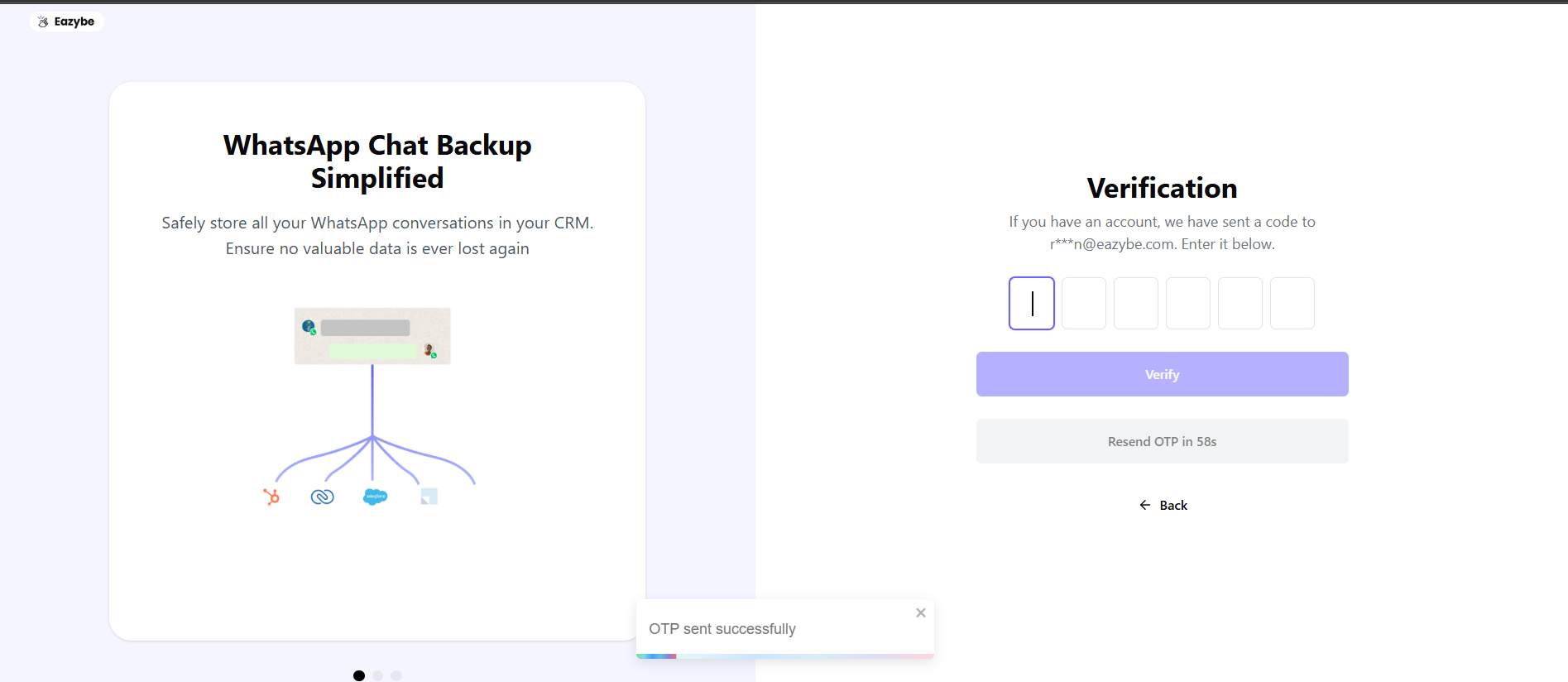
3
Add Number
Click Add Number to proceed with the embedded sign-up flow.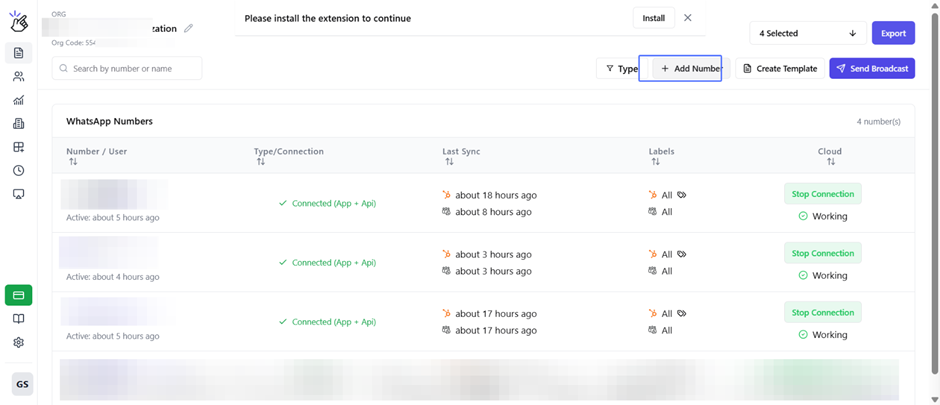
4
Facebook Login
Enter your Facebook login credentials, or click Continue as if your session is saved.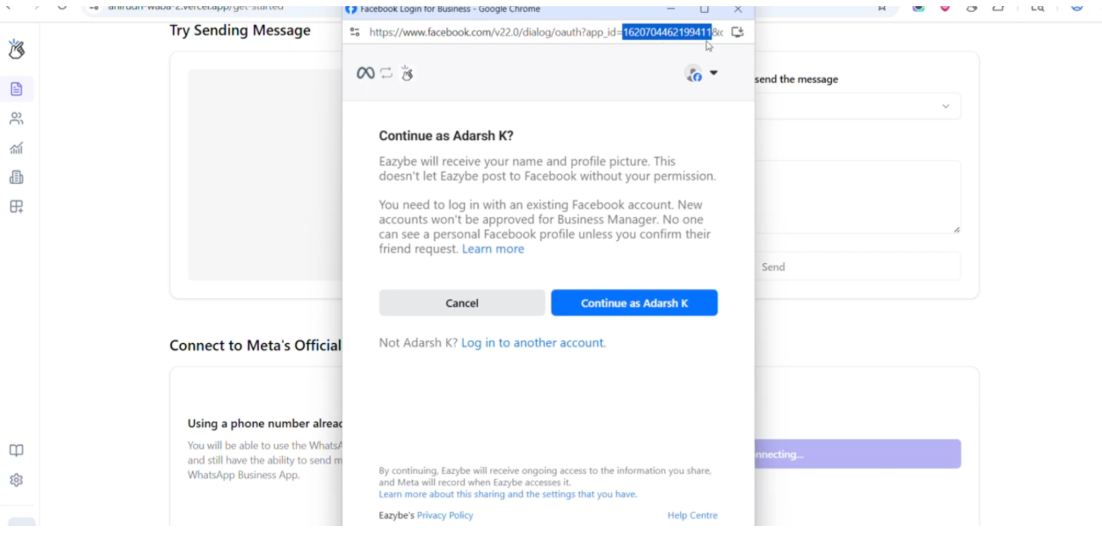
5
Grant Permissions
Click Continue on the permissions page to authorize the connection.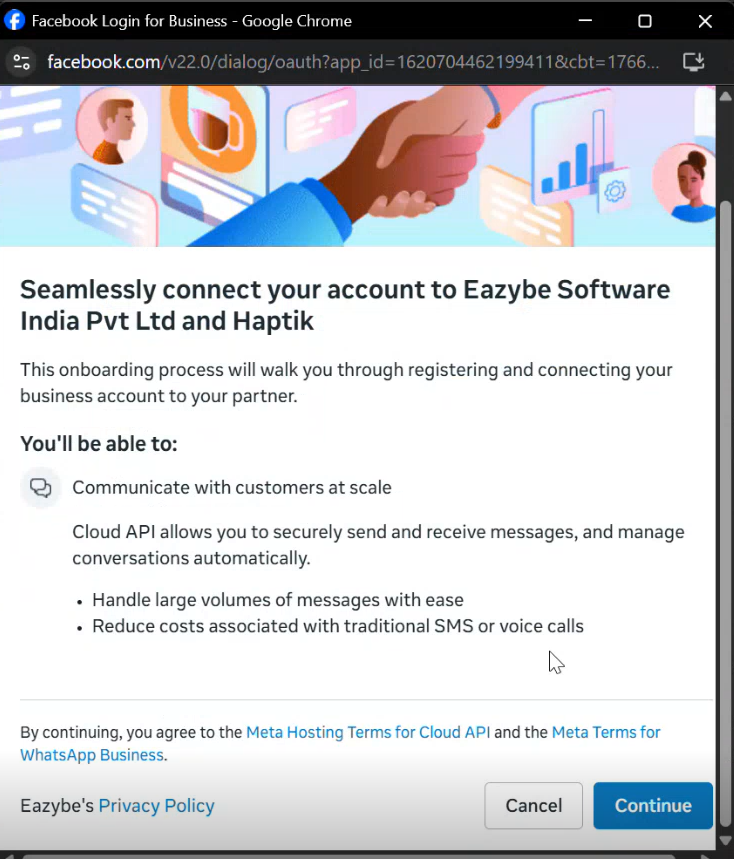
6
Fill Business Details
Complete the business details form with accurate information.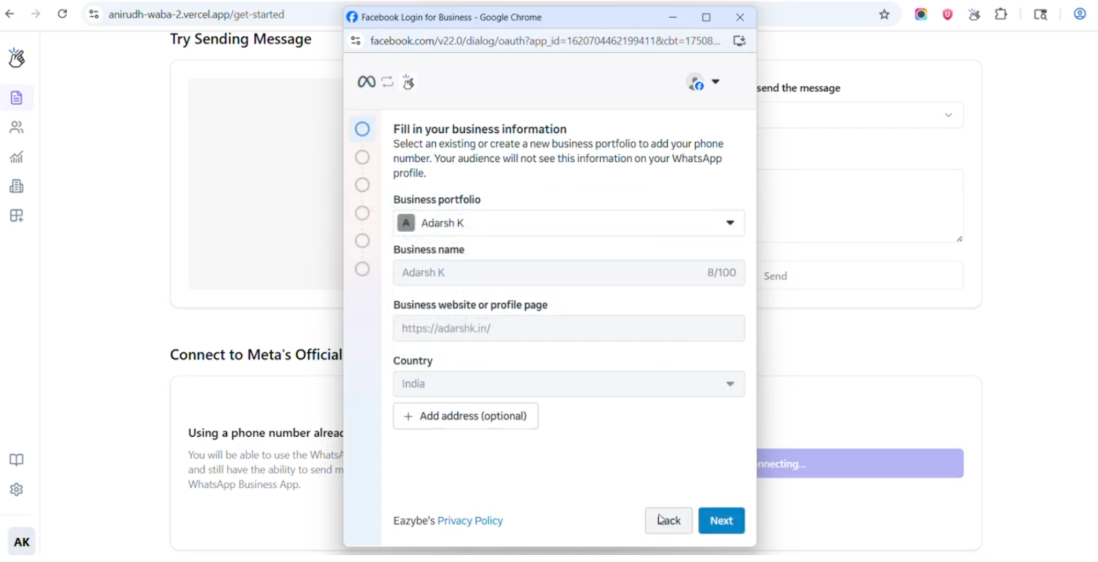
7
Create Business Portfolio
Create or choose your business portfolio.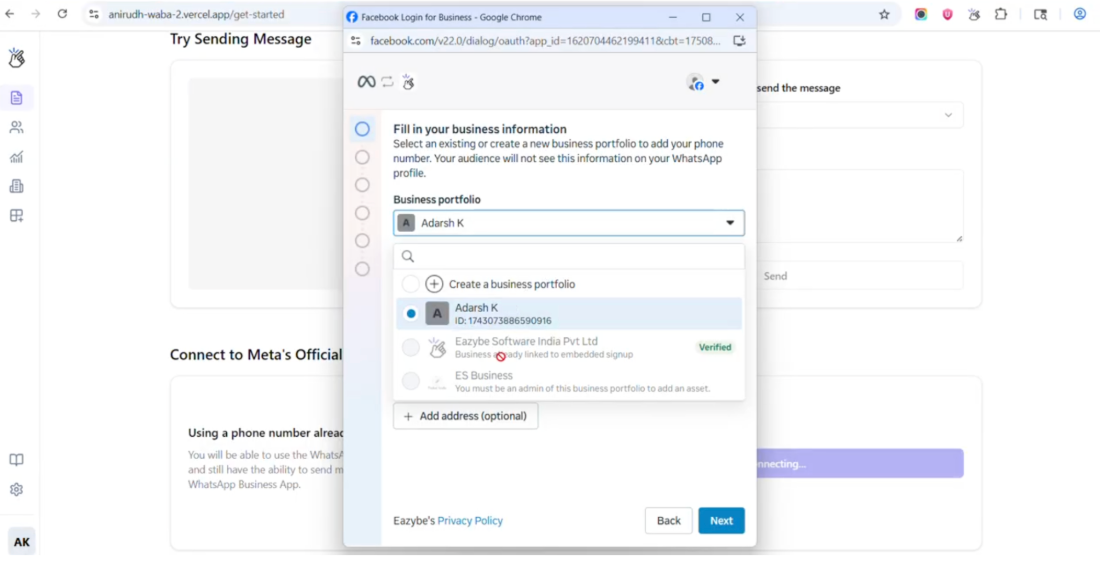
8
Choose Onboarding Method
Select your onboarding method:
- Connect existing WhatsApp business number
-
Start with new WhatsApp contact number
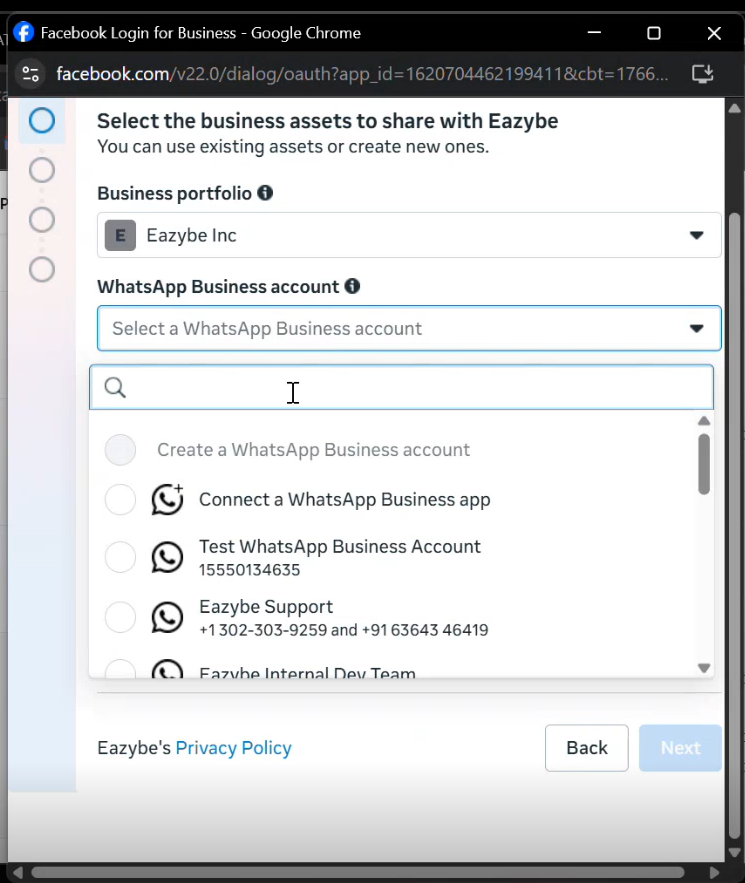
Constraints: Number must not be linked to any other partner, must be a new or existing WhatsApp Business number, and not blocked by Meta.
9
Enter Phone Number
Select your country code and enter your phone number.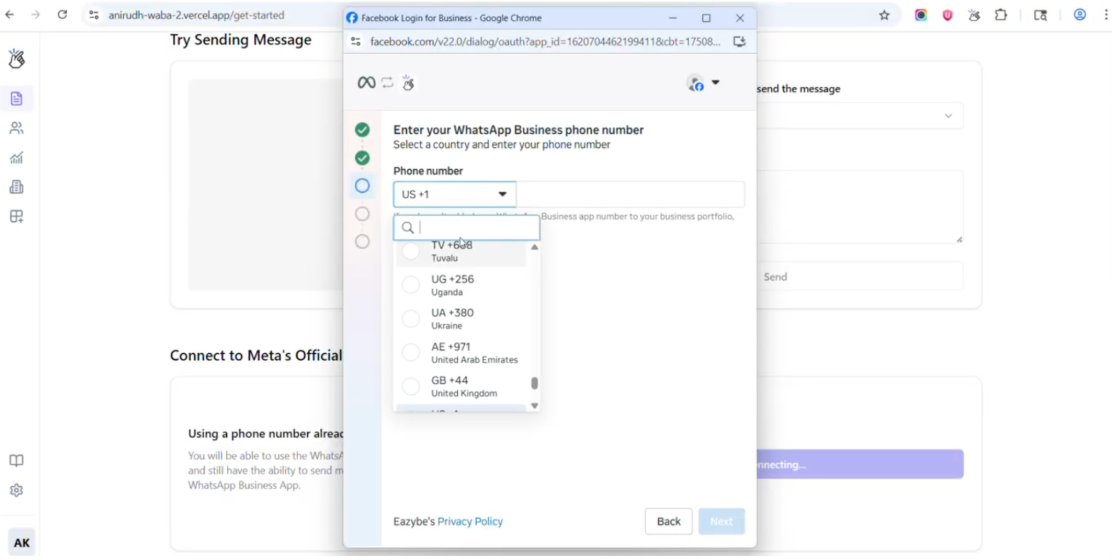
10
Scan QR Code
Scan the QR Code using your WhatsApp Business App.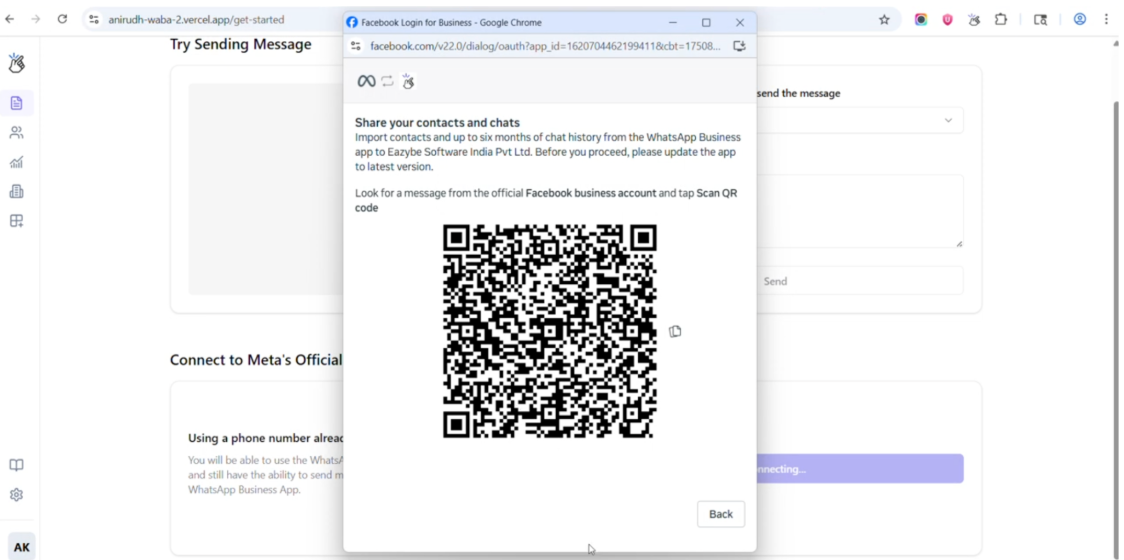
11
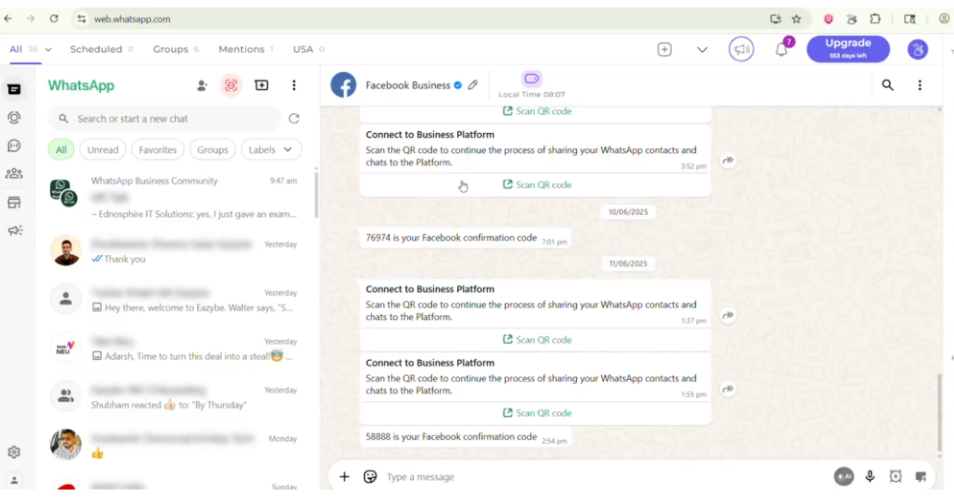
Import Chat History
Choose whether to import chat history:
- All contacts are imported automatically
- Optional: Up to 6 months of 1:1 chats
- Optional: Up to 2 weeks of media
-
Group chats are not imported
12
Verify Account
Wait for account verification. The connection process takes some time.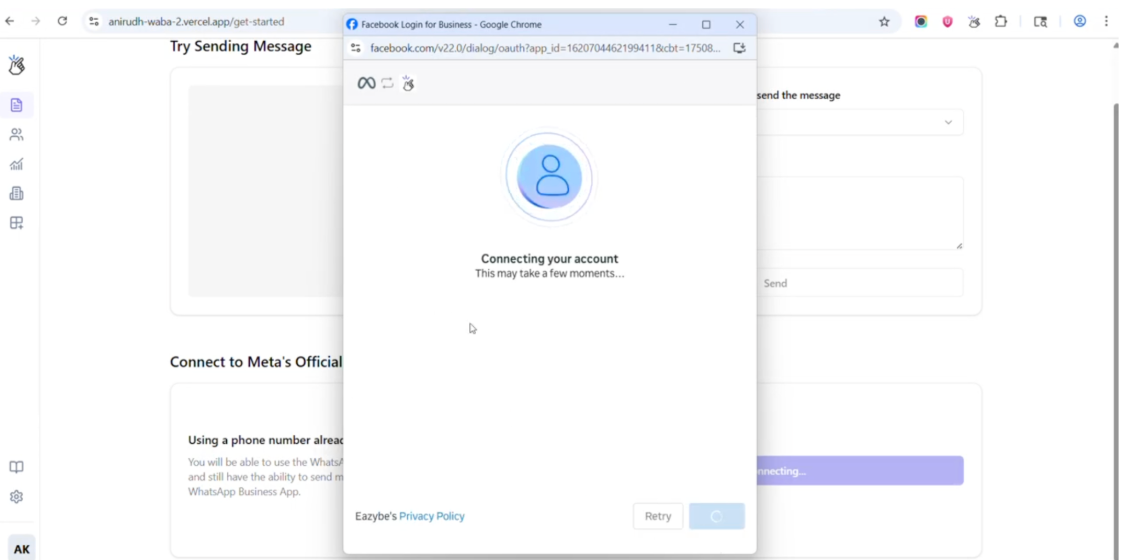
13
Complete Setup
Click Finish to complete the setup process.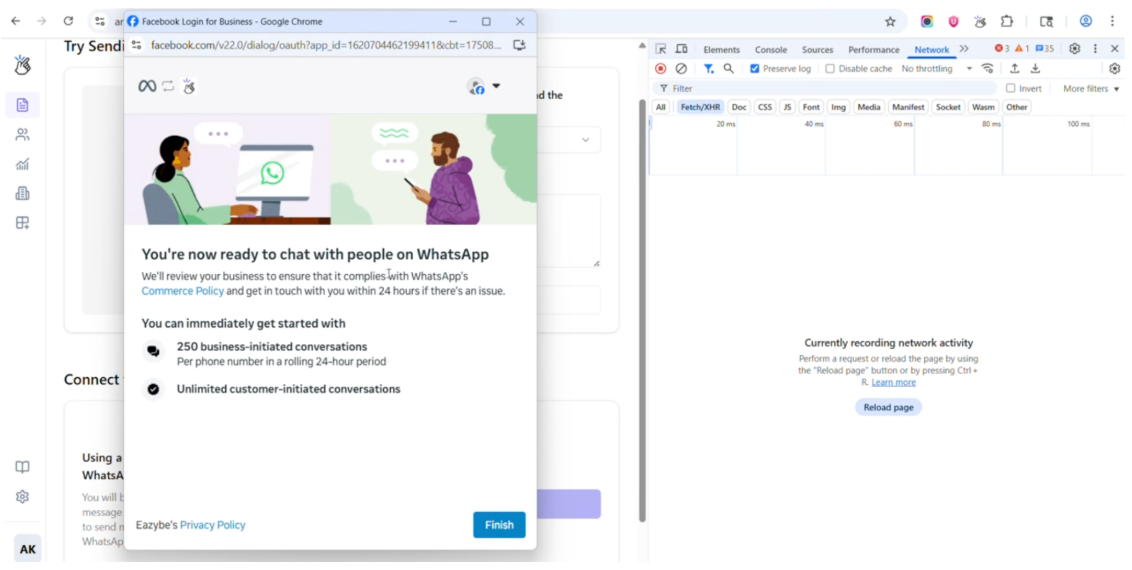
Troubleshooting
Integration Failed
Solution: Use another number that has active WhatsApp Business usage and no past violations.Chat History Did Not Import
1
Open WhatsApp Business App
Navigate to Settings > Business Tools > WhatsApp Business Platform
2
Disconnect
Tap Disconnect to remove the current connection
3
Restart Onboarding
Restart the Coex onboarding process from the beginning
If you manually skipped history import initially, you must fully offboard and onboard again to import chat history.
Number Has Meta Restrictions
Symptoms:- Instant failure
- QR code doesn’t complete scanning
- No “Connect to Business Platform” message appears
FAQs
Can I use a personal WhatsApp number?
Can I use a personal WhatsApp number?
No. Only WhatsApp Business App numbers are allowed for Coexistence.
Will my chats stay in my phone app?
Will my chats stay in my phone app?
Yes. Nothing is deleted from the WhatsApp Business App. All your chats remain intact.
Can I still use the WhatsApp Business App after Coex?
Can I still use the WhatsApp Business App after Coex?
Yes. You can continue using the WhatsApp Business App normally after setting up Coexistence.