Accessing the Settings Panel
1
Click the Settings Button
Click on the settings button on the right-side bar to open the settings panel.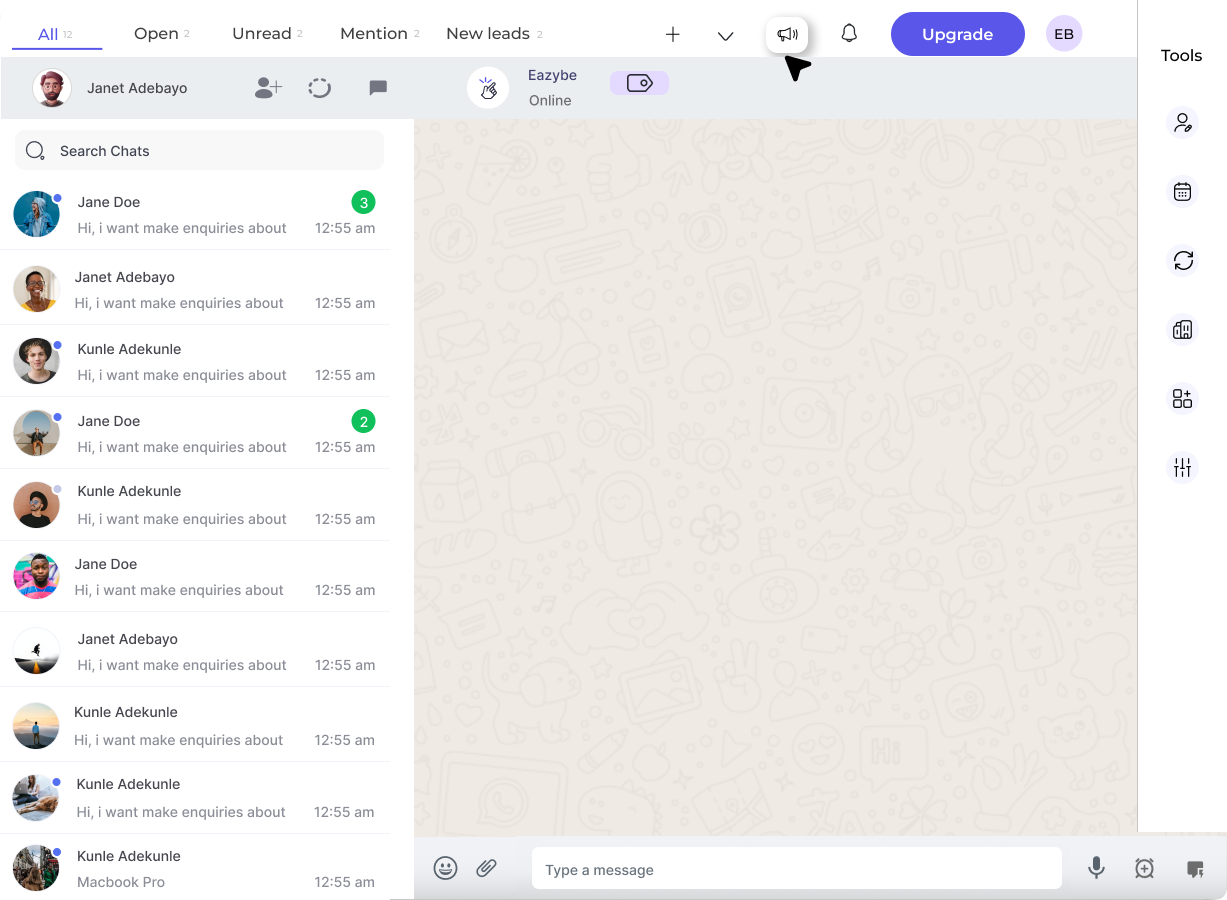
2
Select Setting Scope
You will see a list of sections. Admins can select whether settings apply to everyone or everyone except admin by clicking on the dropdown.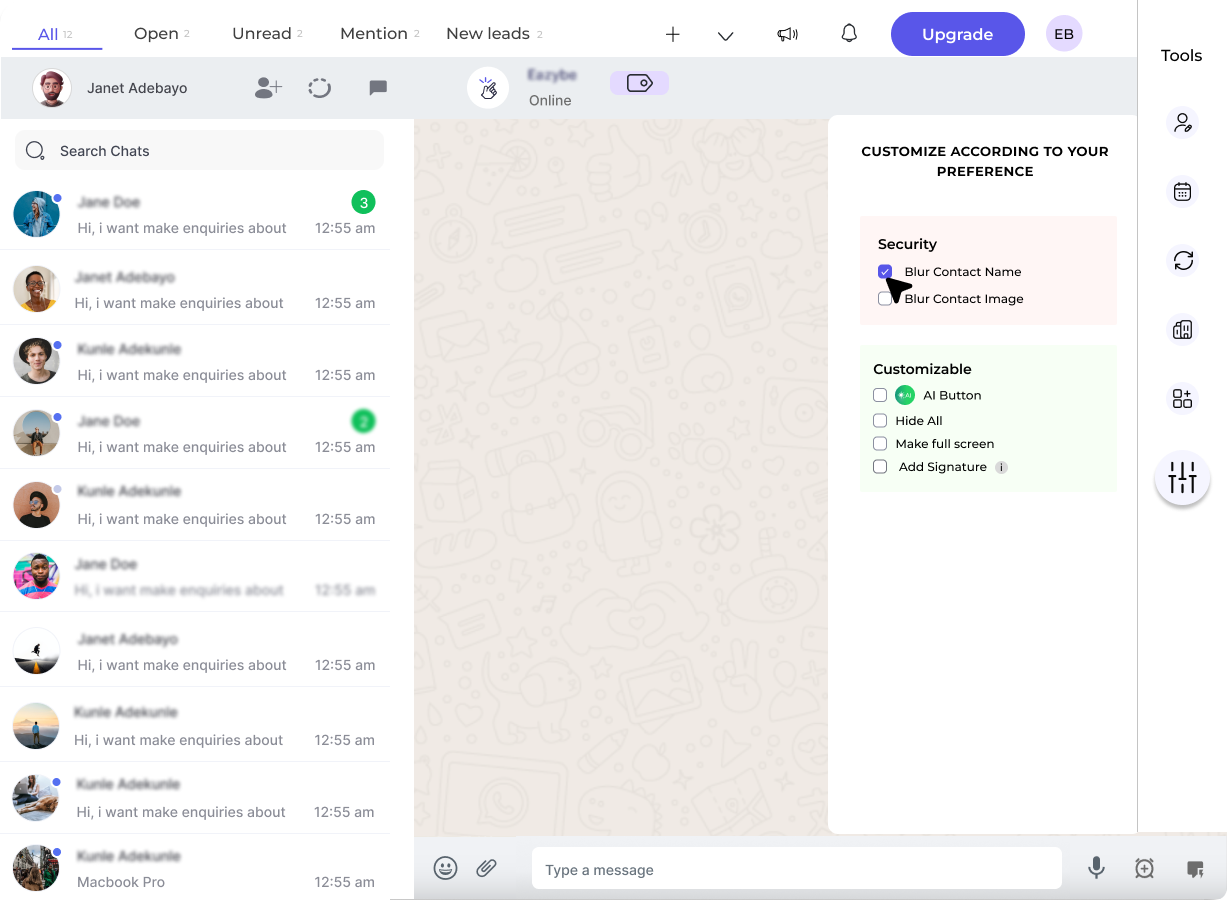
Security Settings
Blur Contact Name
Checking this checkbox will blur the contact name for all contacts.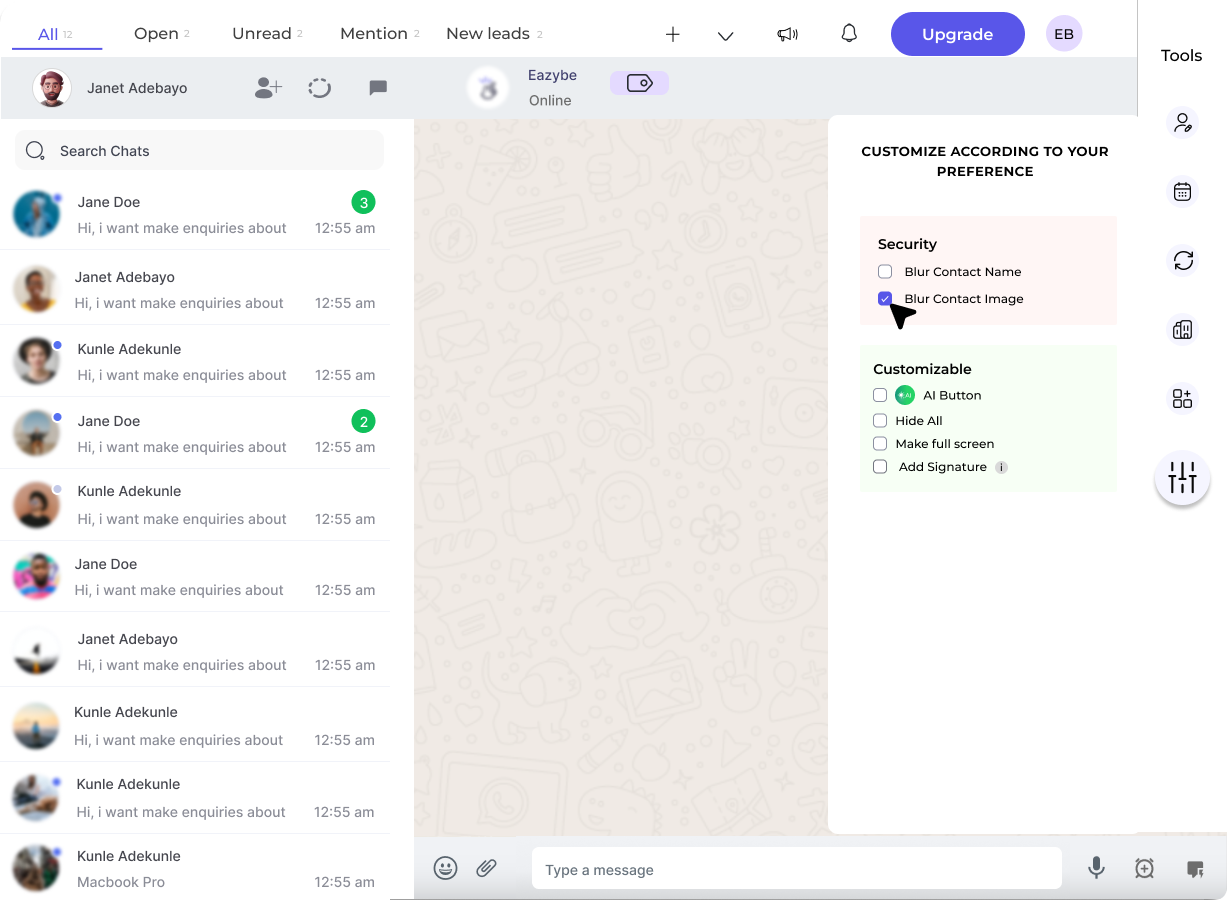
Blur Contact Image
Checking this checkbox will blur the profile picture of all contacts.Will blurred details be visible to others?
Will blurred details be visible to others?
No, blurred details won’t be visible to others after applying the settings.
What is the purpose of blurring?
What is the purpose of blurring?
This feature enhances privacy in chats and groups by hiding identifying information.
Where does the blurring apply?
Where does the blurring apply?
The blurring feature applies to individual chats, group chats, and about sections.
Can I blur specific contacts only?
Can I blur specific contacts only?
Currently, blurring settings apply universally to all contacts. You cannot selectively blur individual contacts.
Can I customize settings for admin vs. others?
Can I customize settings for admin vs. others?
Yes, you can customize settings for everyone or everyone except the admin using the dropdown selector.
Customizable Settings
AI Button
Checking this checkbox will enable the AI button in your interface.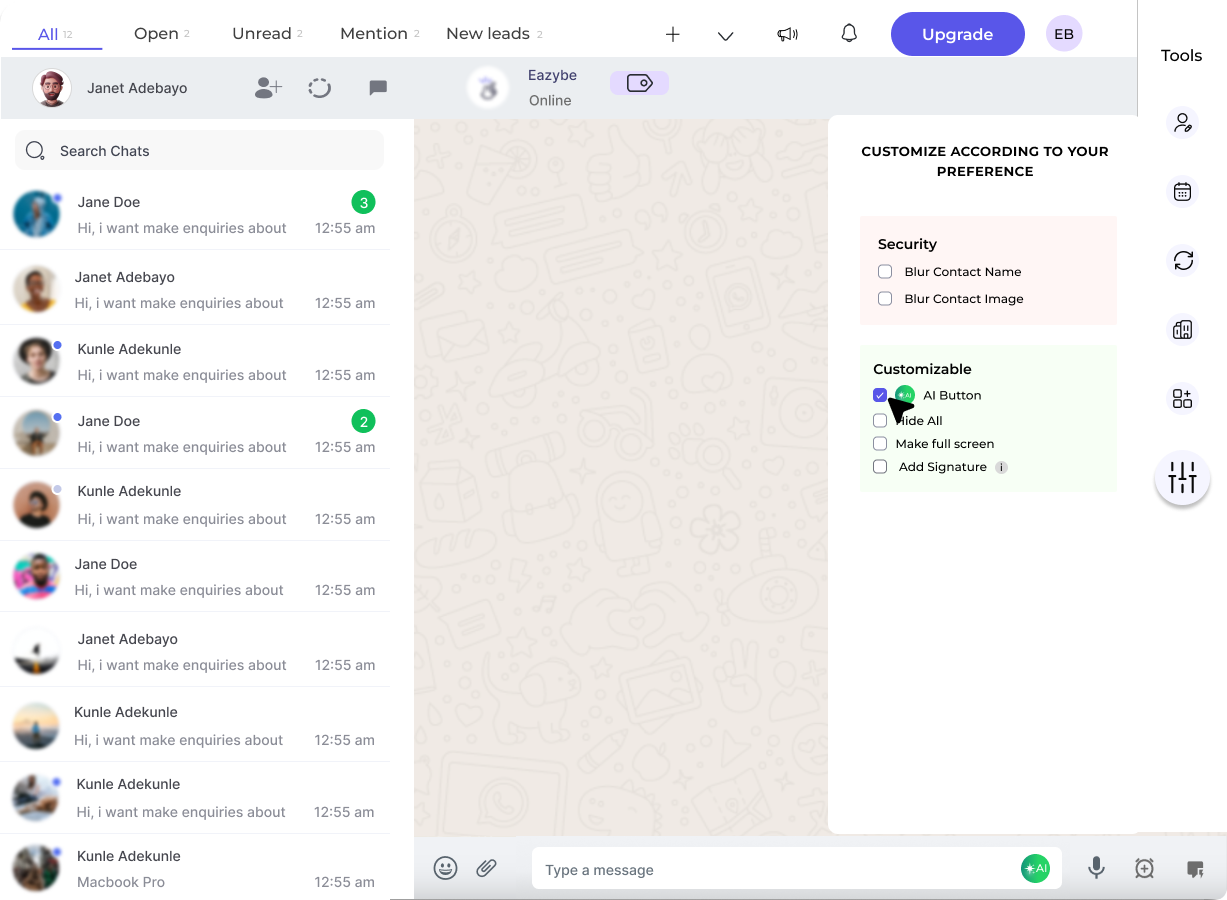
Make Full Screen
Checking this checkbox will make WhatsApp cover the entire screen for a distraction-free experience.Add Signature
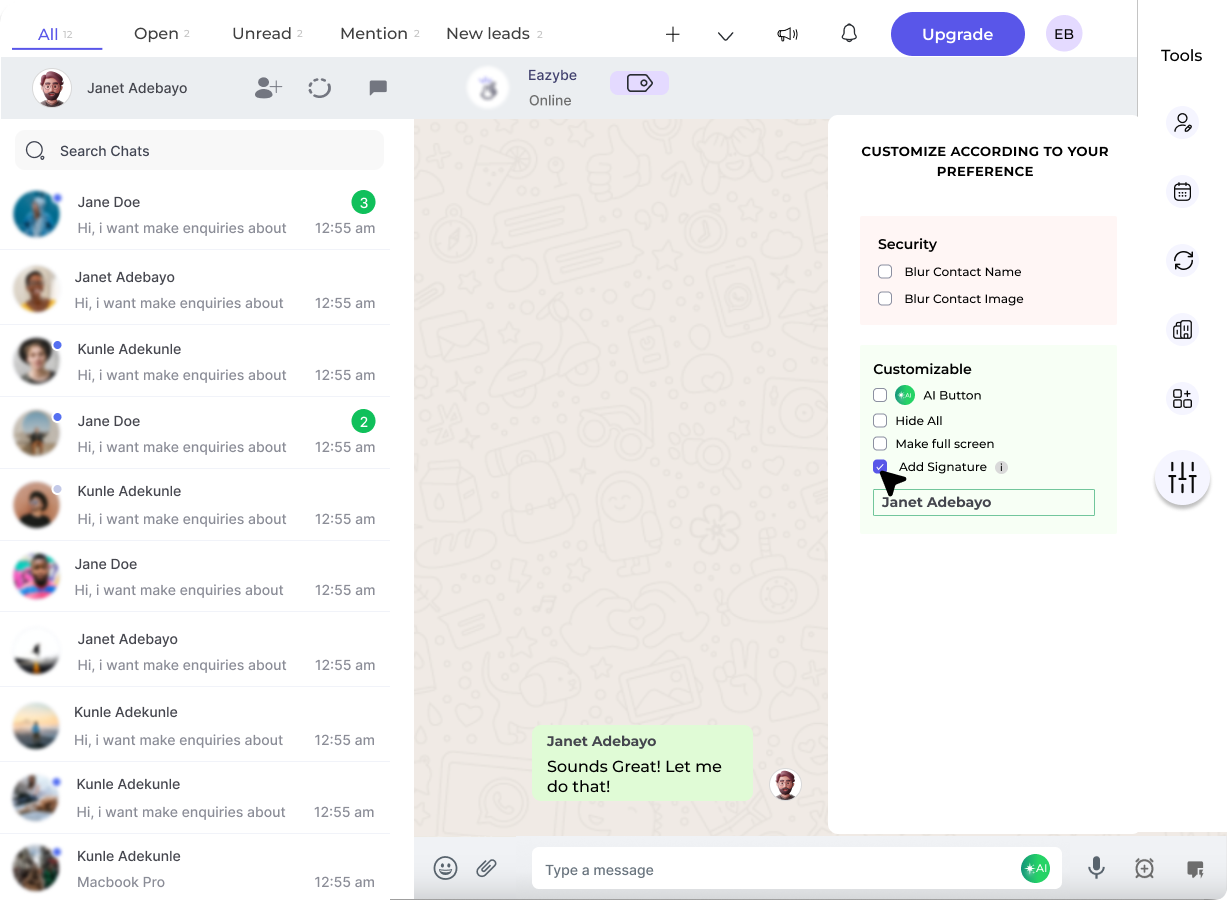
You can add a personalized signature that appears above every outgoing WhatsApp chat message.1
Enable Signature
Check the Add Signature checkbox to enable the feature.
2
Enter Your Signature
Enter your desired signature text in the text field.
3
Save Signature
Click the tick mark to save your signature.
Is there a character limit for signatures?
Is there a character limit for signatures?
There is no specified character limit for signature text. You can customize it as needed.
Do signatures apply to all messages?
Do signatures apply to all messages?
Signatures apply only to outgoing messages, not to incoming messages.
Can I use emojis in my signature?
Can I use emojis in my signature?
Emojis are not currently supported in signatures.
How do I disable my signature?
How do I disable my signature?
You can disable your signature by turning off the Add Signature checkbox.
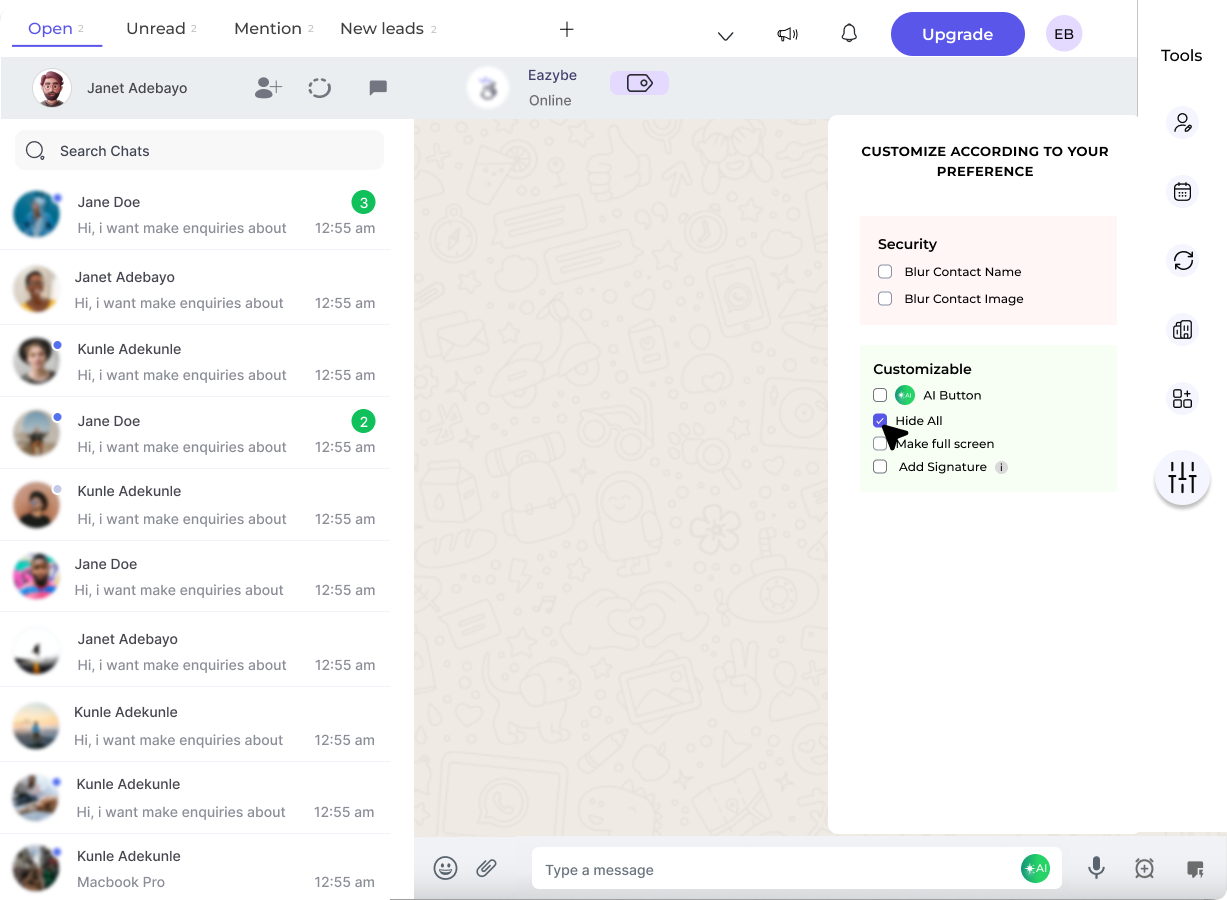
Hide All Label
You can hide the All label from the top bar by checking this checkbox.