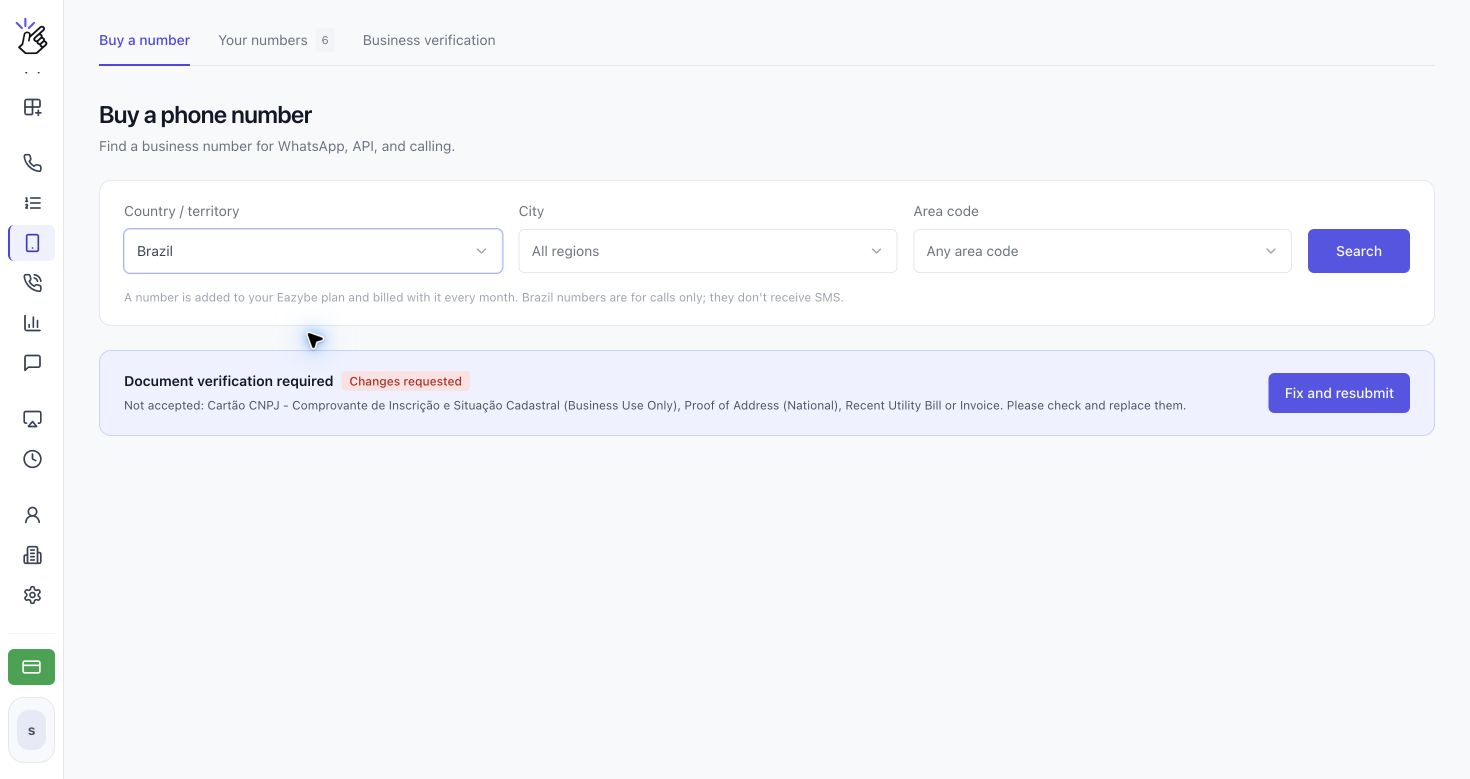
The form changes by country. The screenshots below show different countries to illustrate the flow; use the fields and document requirements displayed for your selected country. Placeholder names are examples to replace with your own details.
Submit Your Verification
1
Open Business verification
Open CALLS → Phone Numbers → Business verification. Click Verify a new country, then choose the country in the selector. You can also click Verify business from the Document verification required notice under Buy a number.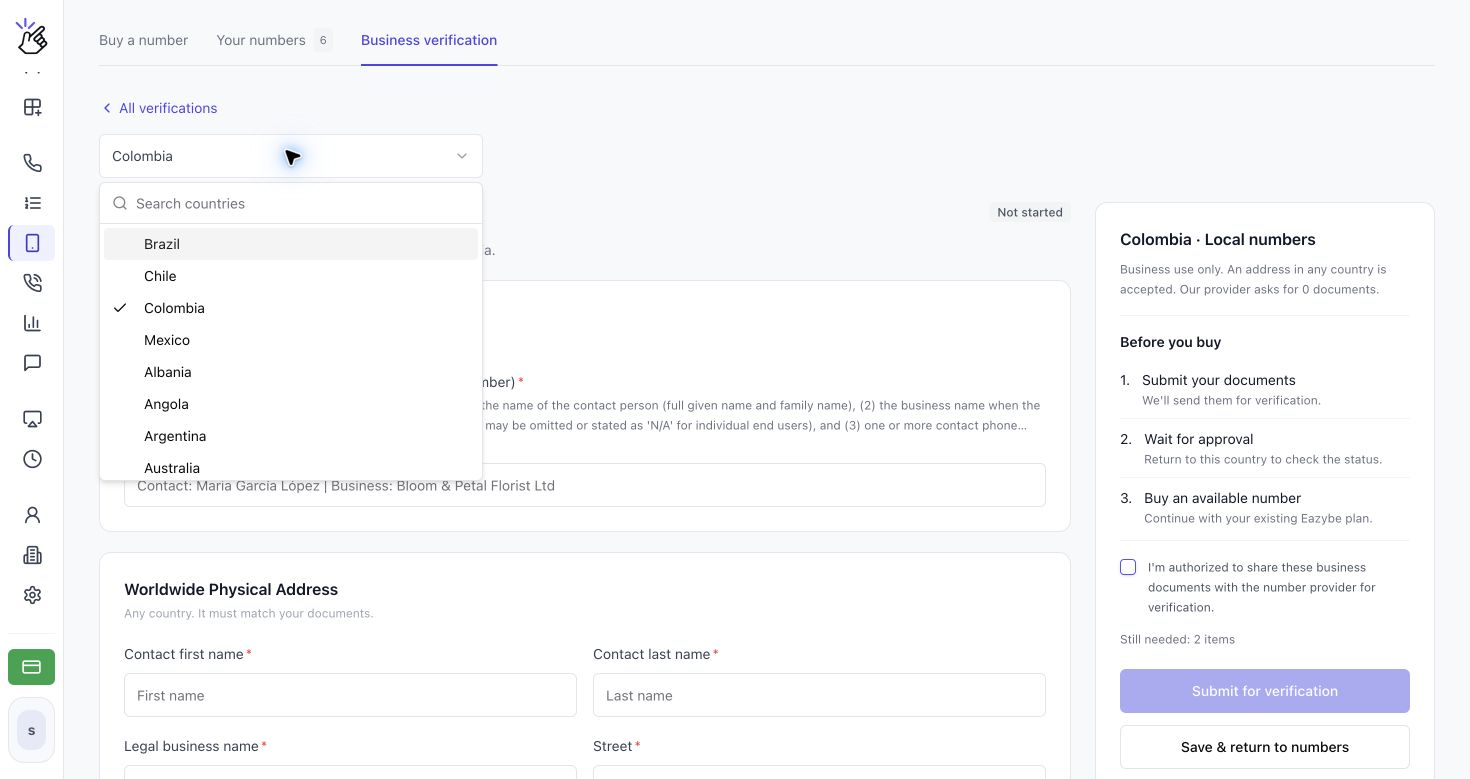
If the page says the country is not available yet because its identity check cannot be offered here, you cannot complete that country’s verification in Eazybe yet. Choose another available country.
2
Enter your business details
On Verify your business, complete the required fields under Business details using the information on your official documents. Click Show more under a requirement to read its full instructions. Fields marked with an asterisk are required.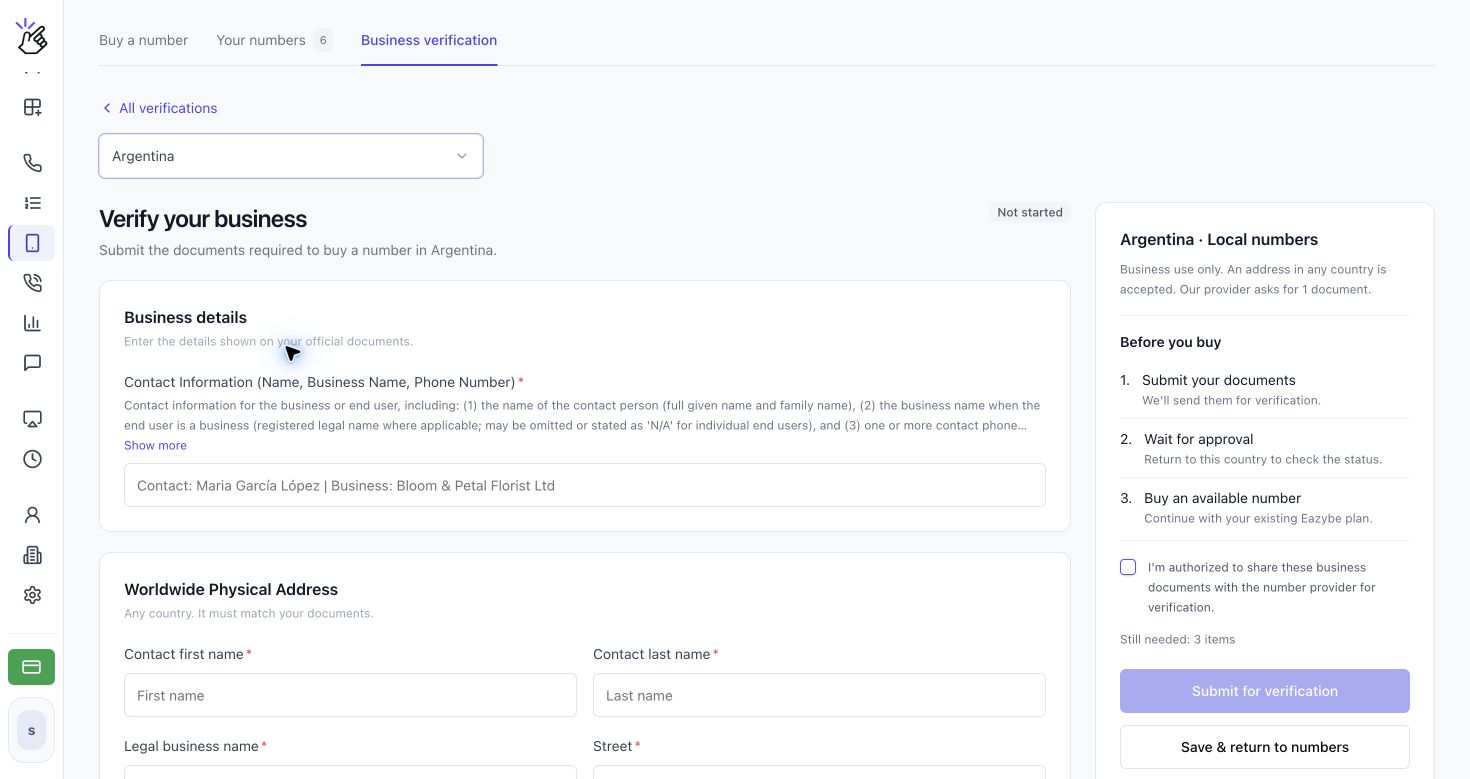
3
Add the address and upload the required documents
Complete the address section. If the form requires an address in the number’s country, use a matching local address; Brazil requires an address in Brazil and does not accept PO boxes. Where Worldwide Physical Address appears, the form accepts an address in any country that matches your documents.Under Required documents, read each requirement and click Upload next to it. Use clear PDF, JPG or PNG files, up to 10 MB per file. After uploading, use View to check a file or Replace to correct it.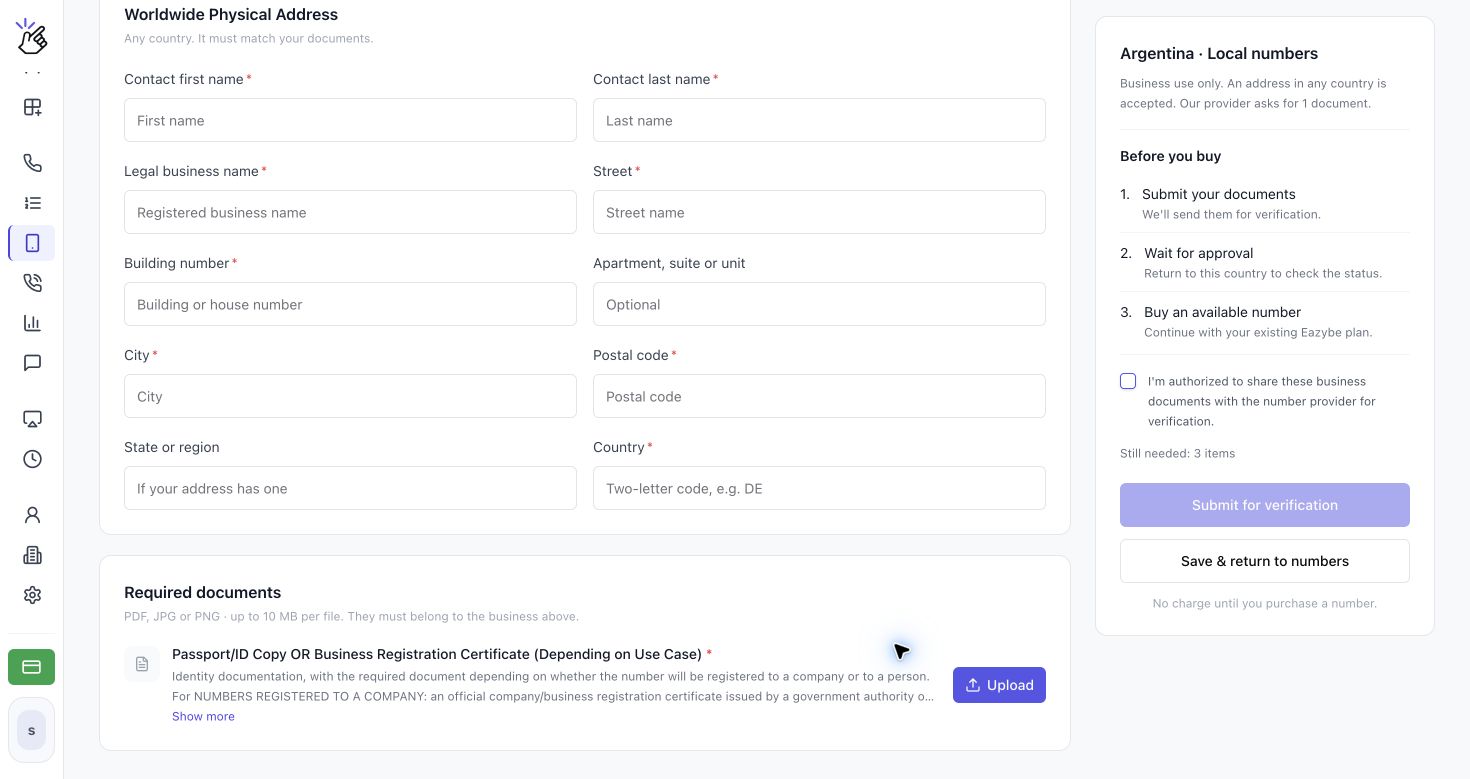
Some countries request details and an address without file uploads. Follow the form for your country rather than uploading the same documents for every country.
4
Review and submit your verification
Review Before you buy and any Still needed items. Once the required fields and documents are complete, select I’m authorized to share these business documents with the number provider for verification., then click Submit for verification. If you are correcting a rejected submission, the button says Submit again.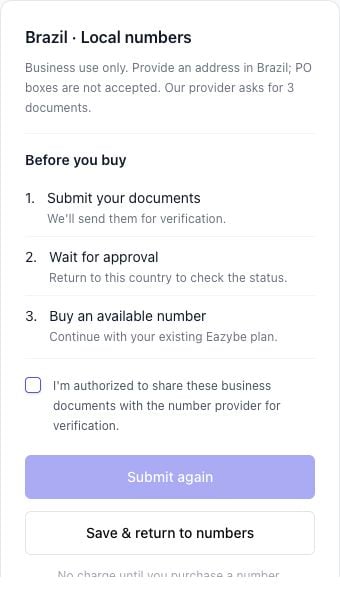
5
Track your request and return after approval
Open Business verification to see Verification requests. Filter by All countries, Under review, Action required, or Approved, or use Search business, country or ID. Open a request using its action button.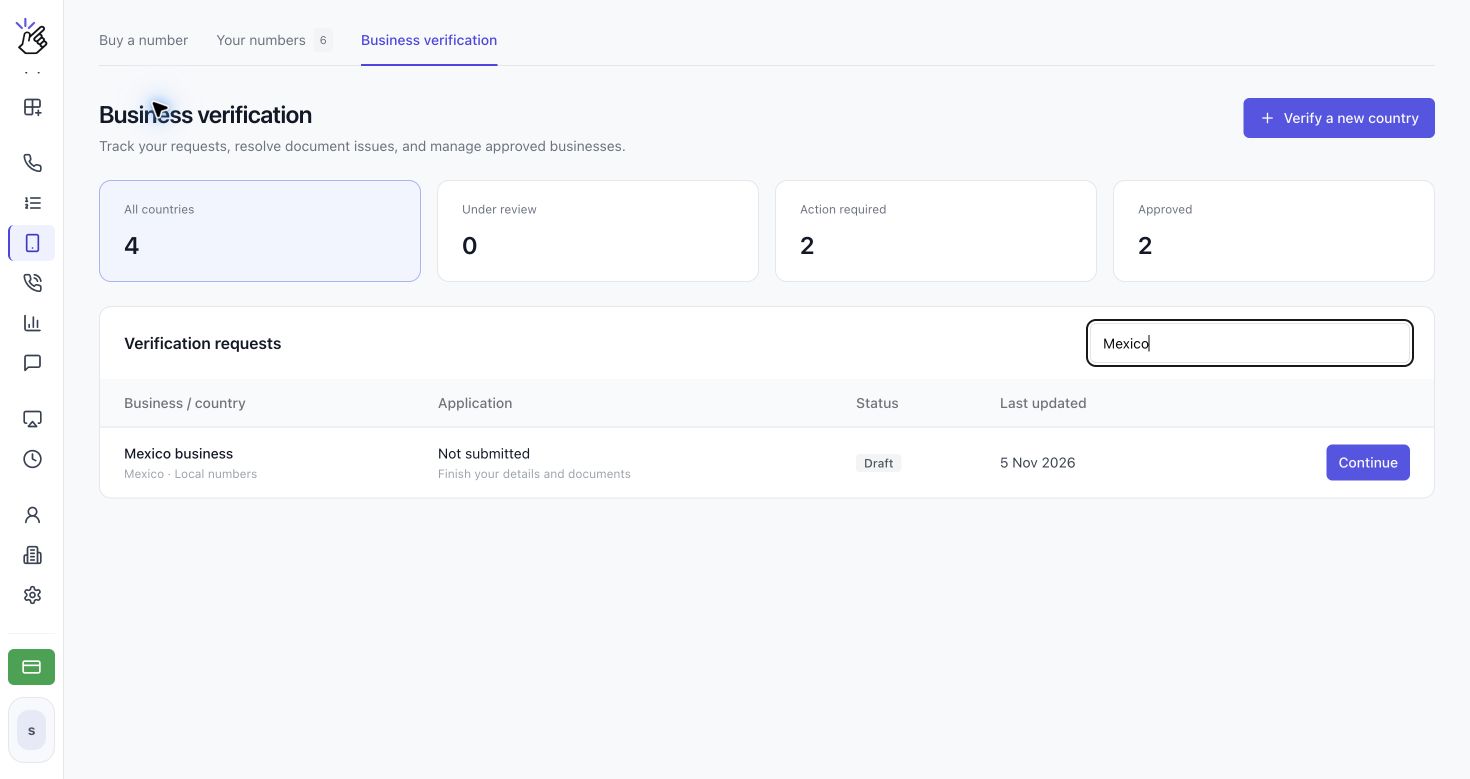
Prepare Documents for Brazil
The Brazil form currently requests the following. Read Show more for the latest accepted-document details before uploading.Understand Your Status
The Buy a number screen also shows the current verification status and the next action for that country.