

Method 1: Check the Cloud Icon
The cloud icon in the EazyBe extension will turn red when disconnection is successful.Method 2: Check Your Workspace
1
Open EazyBe Workspace
Navigate to your EazyBe Workspace dashboard.
2
Check Status Indicator
The status indicator will show Stopped.
3
Verify Button Text
The Cloud Connection button will display Restart WhatsApp.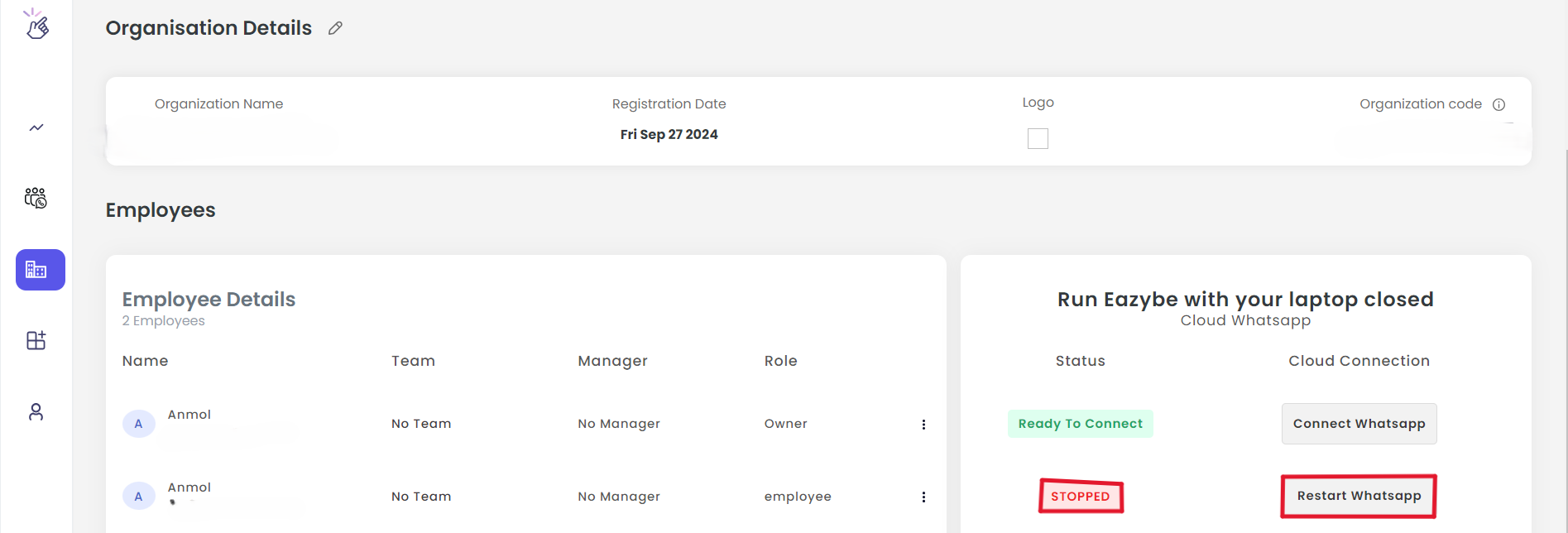
If you have any questions or need further assistance, feel free to reach out to us at hey@eazybe.com. We’re happy to help!