

Set up Cloud alerts
1
Open Cloud disconnect alerts
Open Eazybe Settings, select Disconnect Alerts, and choose the Cloud tab.The Disconnect alerts card describes the notification: Emailed when a Cloud connection loses its connection.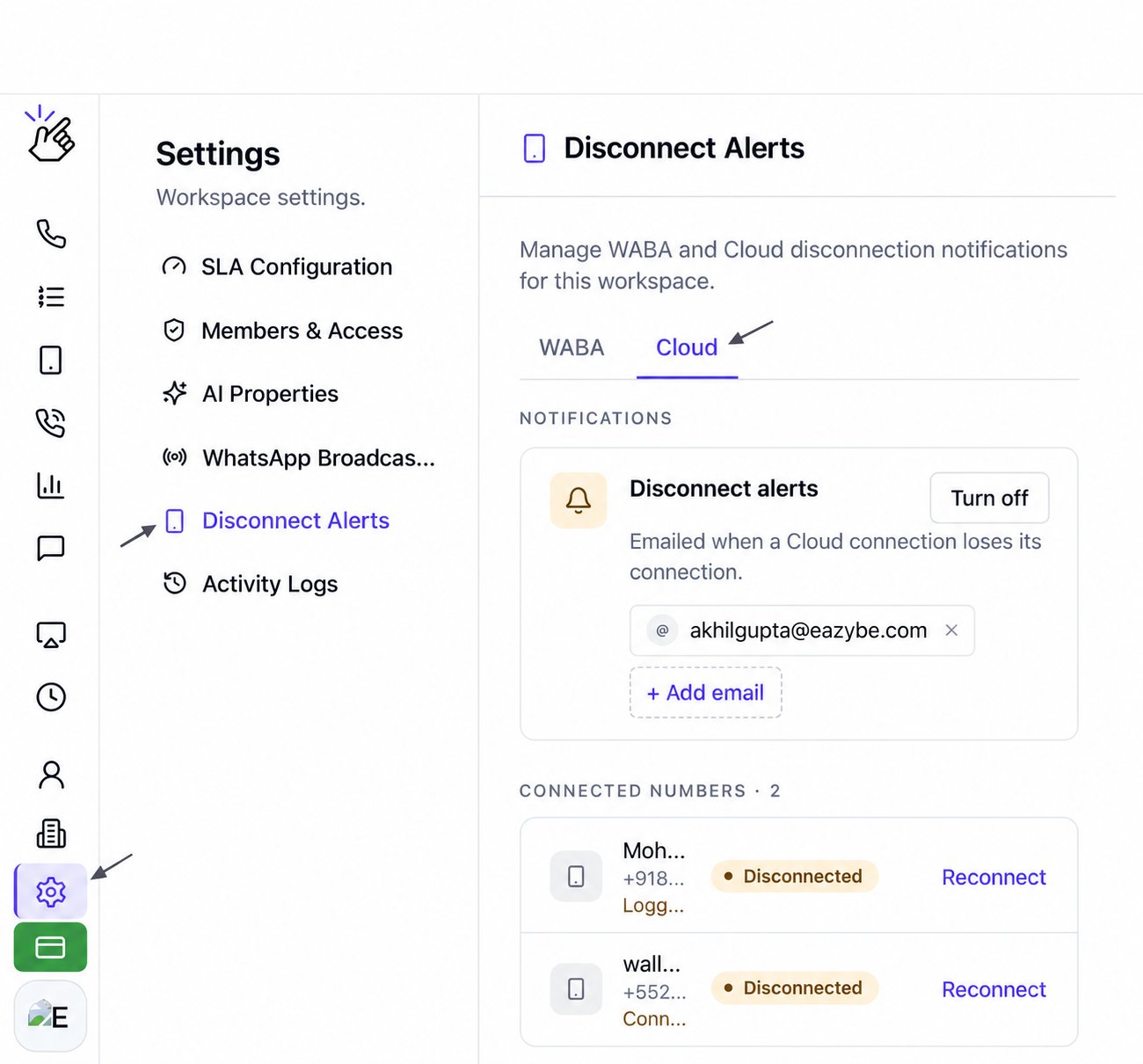
Check that Cloud is selected before managing recipients. WABA has its own tab and recipient list.
2
Check whether alerts are enabled
If the card shows Turn off, Cloud disconnect alerts are currently on. The email chips beneath the description show the saved recipients.Select Turn off only when you want to stop these notification emails.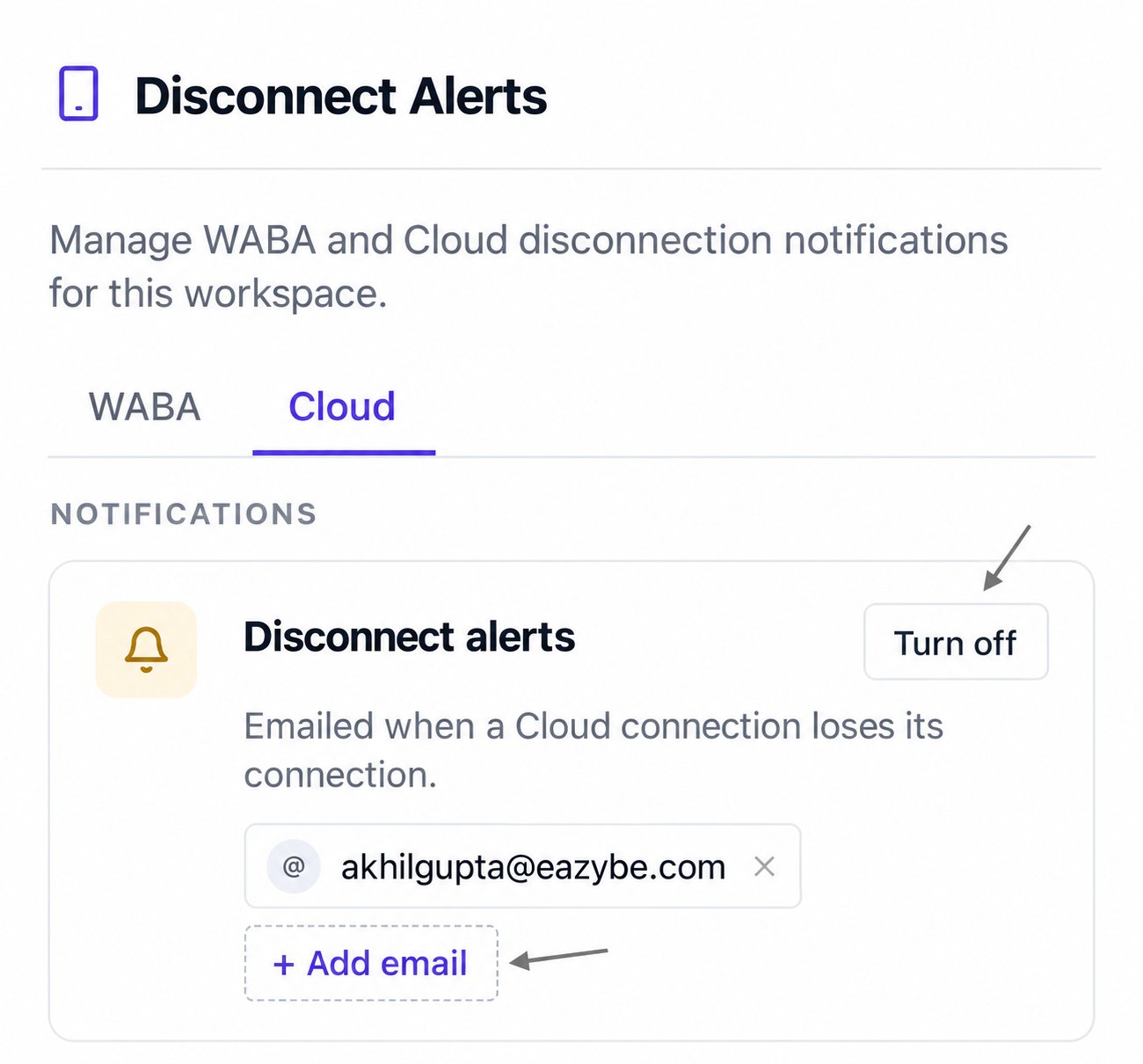
3
Add an email recipient
Select + Add email. You can choose a teammate under FROM YOUR WORKSPACE, or enter an email address in the recipient field and select Add.The arrows point to the email field and Add button. The button is disabled while the field is empty.Use an inbox monitored by the people responsible for restoring your Cloud connection. Review the email chips on the card after adding a recipient.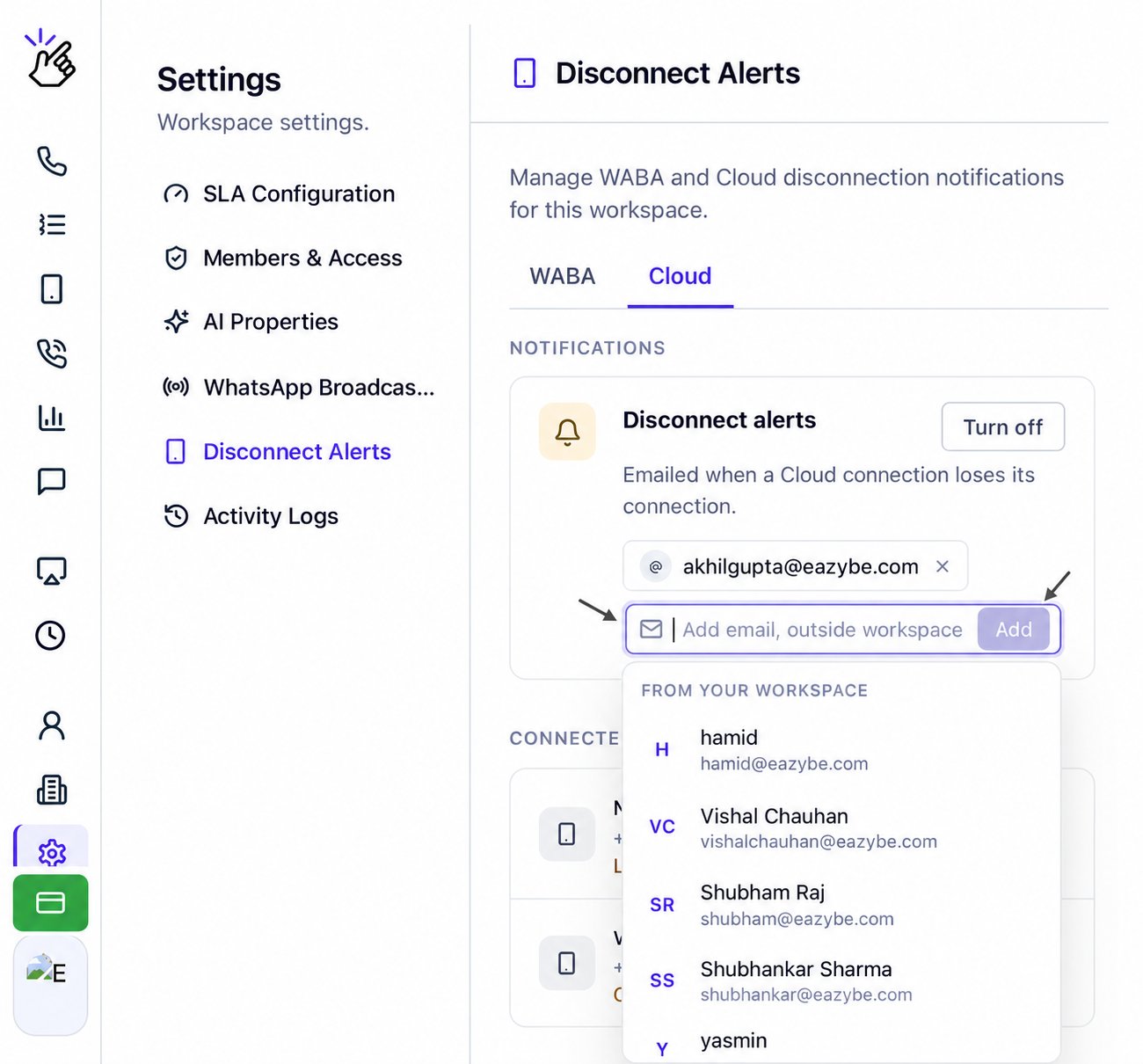
Review a disconnected Cloud connection
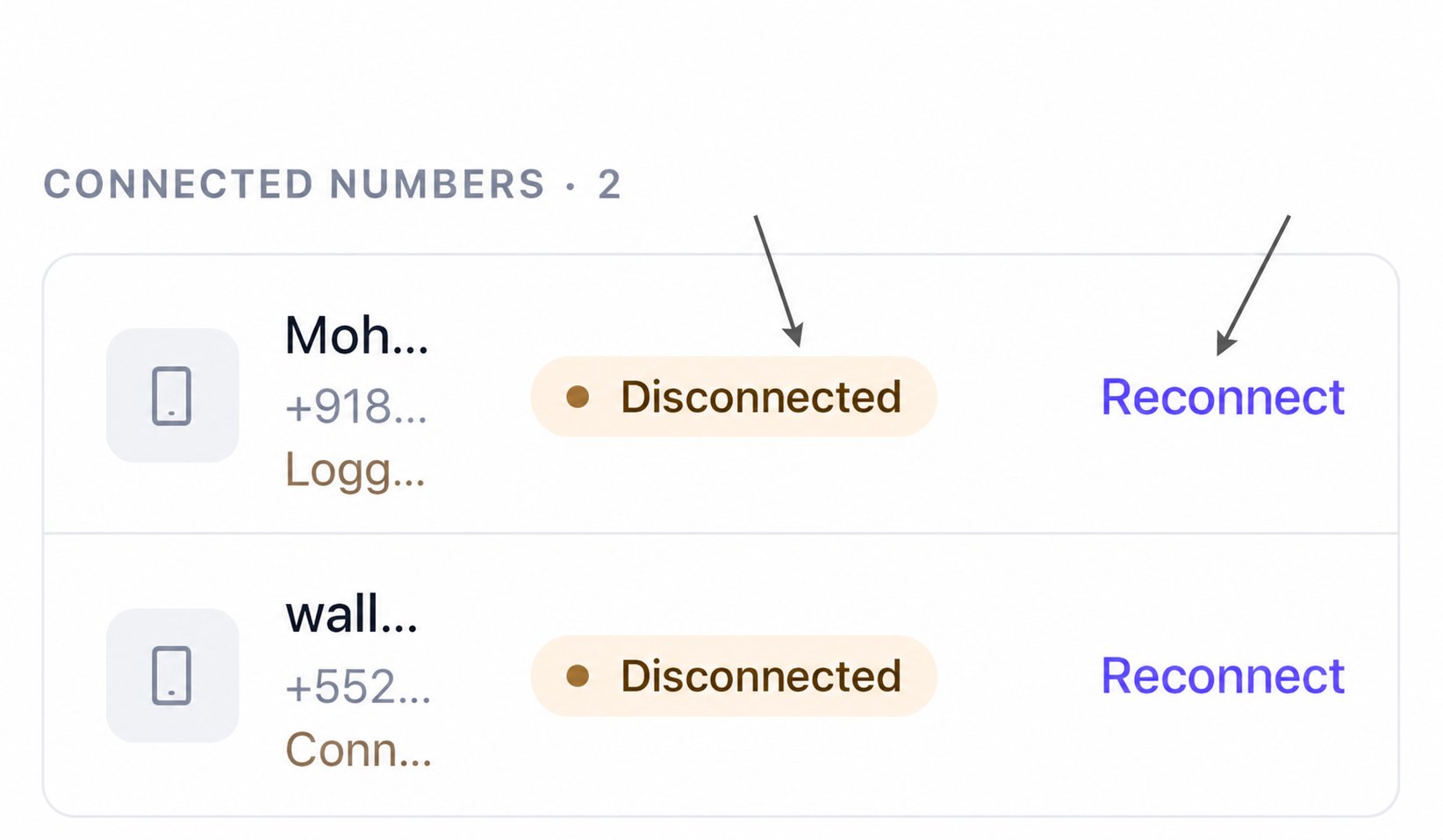
Below the notifications card, check CONNECTED NUMBERS. Entries can show a Disconnected badge, a reason, and a timestamp. Reasons visible in this view include Logged out on the phone or the session failed and Connection lost.The section title CONNECTED NUMBERS does not mean every listed connection is currently connected. Read the status badge beside the individual entry.
Manage recipients
Saved email addresses appear as chips. Use the × beside an address to remove that recipient, or + Add email to add someone else. Keep the Cloud tab selected while editing Cloud alert recipients.Frequently asked questions
Why am I seeing WhatsApp Business API alerts instead of Cloud alerts?
Why am I seeing WhatsApp Business API alerts instead of Cloud alerts?
Switch from WABA to Cloud at the top of Disconnect Alerts.
Where can I find the Reconnect action?
Where can I find the Reconnect action?
Look for the Disconnected badge in CONNECTED NUMBERS. The Reconnect link appears beside disconnected Cloud entries.
Why did nobody receive a disconnect alert?
Why did nobody receive a disconnect alert?
Confirm that the Cloud card shows Turn off, which means alerts are enabled. Check that the intended email address is listed, and ask the recipient to check their spam folder.