

This guide follows the new onboarding on dev. Screens after sign-in use the supplied prototype as a visual reference; sample names, numbers, prices, progress counts, and prototype-only buttons are illustrative. Follow the controls shown in your Eazybe app.
1
Sign in with your work email
Enter Work email and select Continue, or choose Continue with Google. If your admin invited you, use that same email address.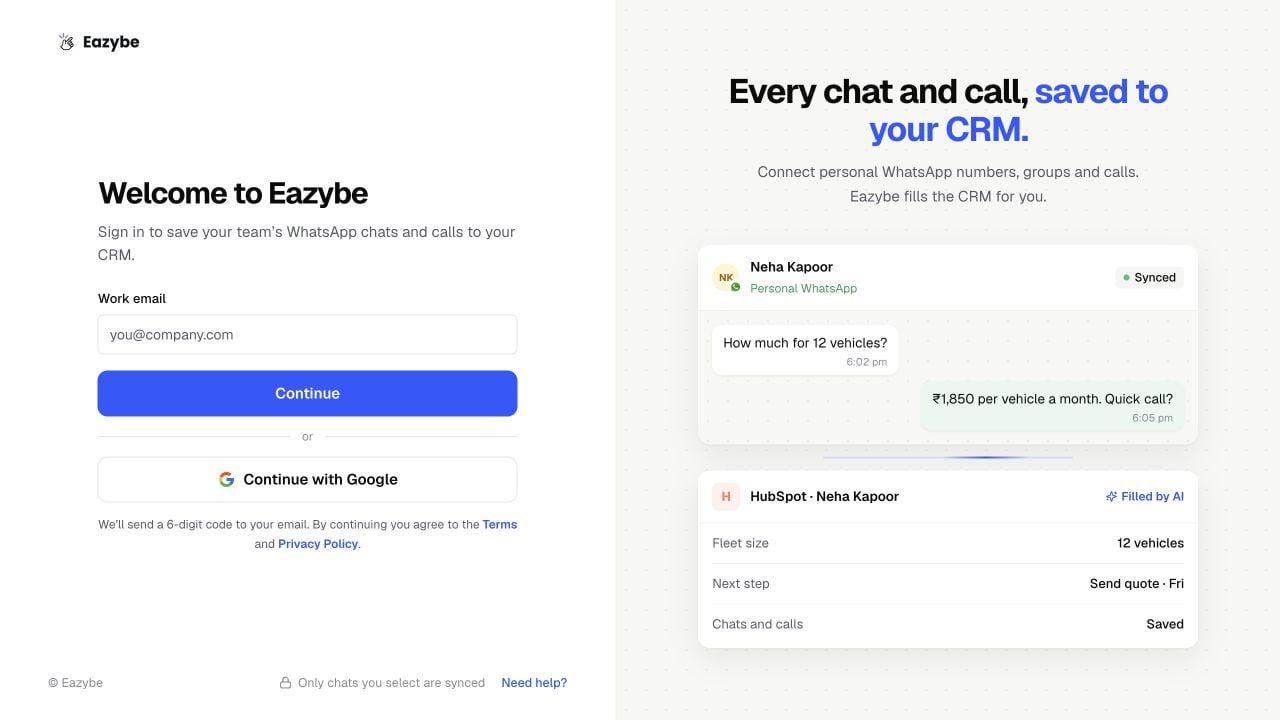
2
Verify your email
Enter the six-digit code from your email and select Verify. Use Send a new code if needed, or Back to correct your email. Google sign-in may not require this email-code screen.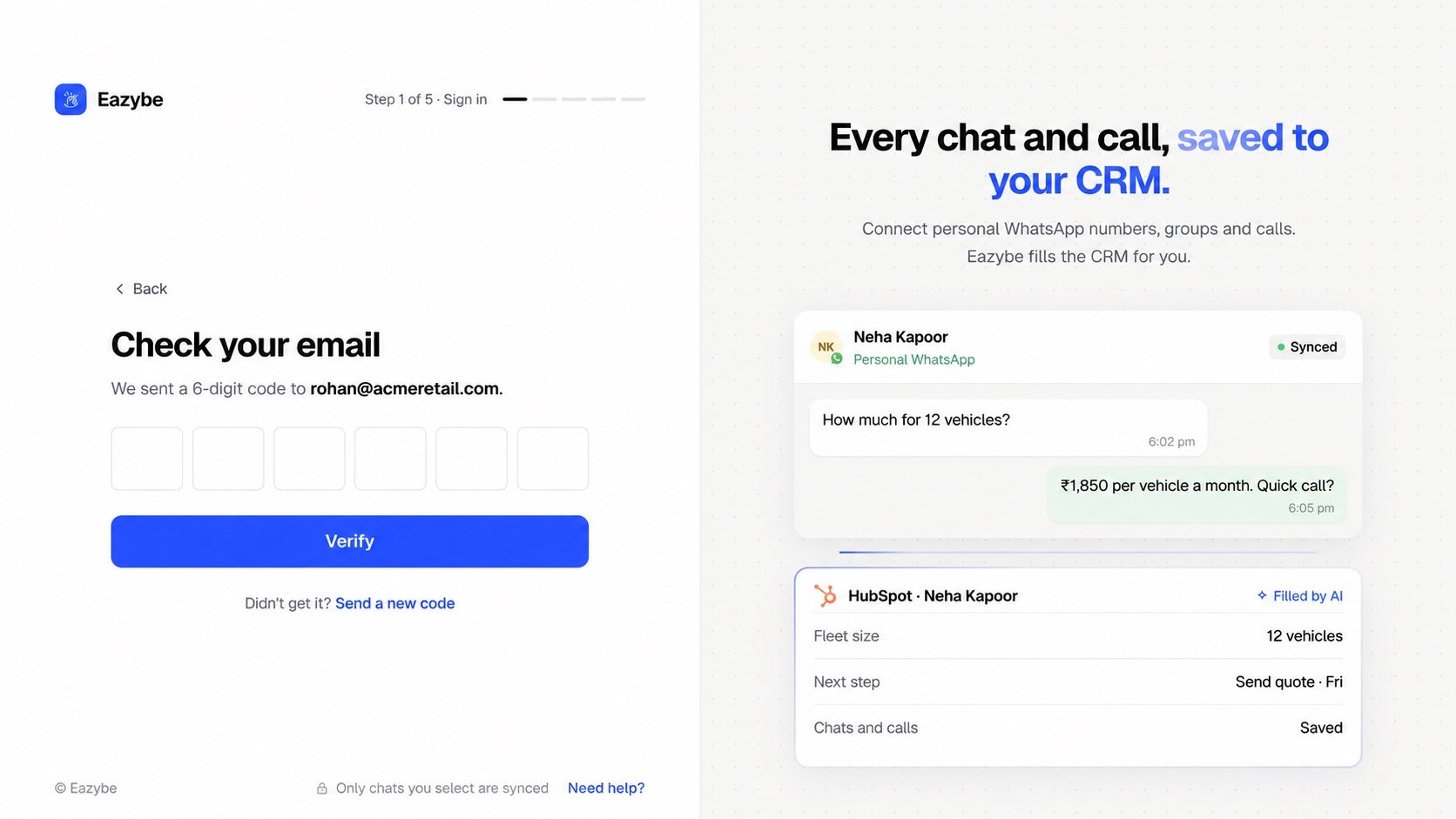
3
Add your work WhatsApp number
Enter Your name, choose the country code, and enter your WhatsApp number. Select Continue. This is the number used for alerts; adding it here does not connect WhatsApp chat sync.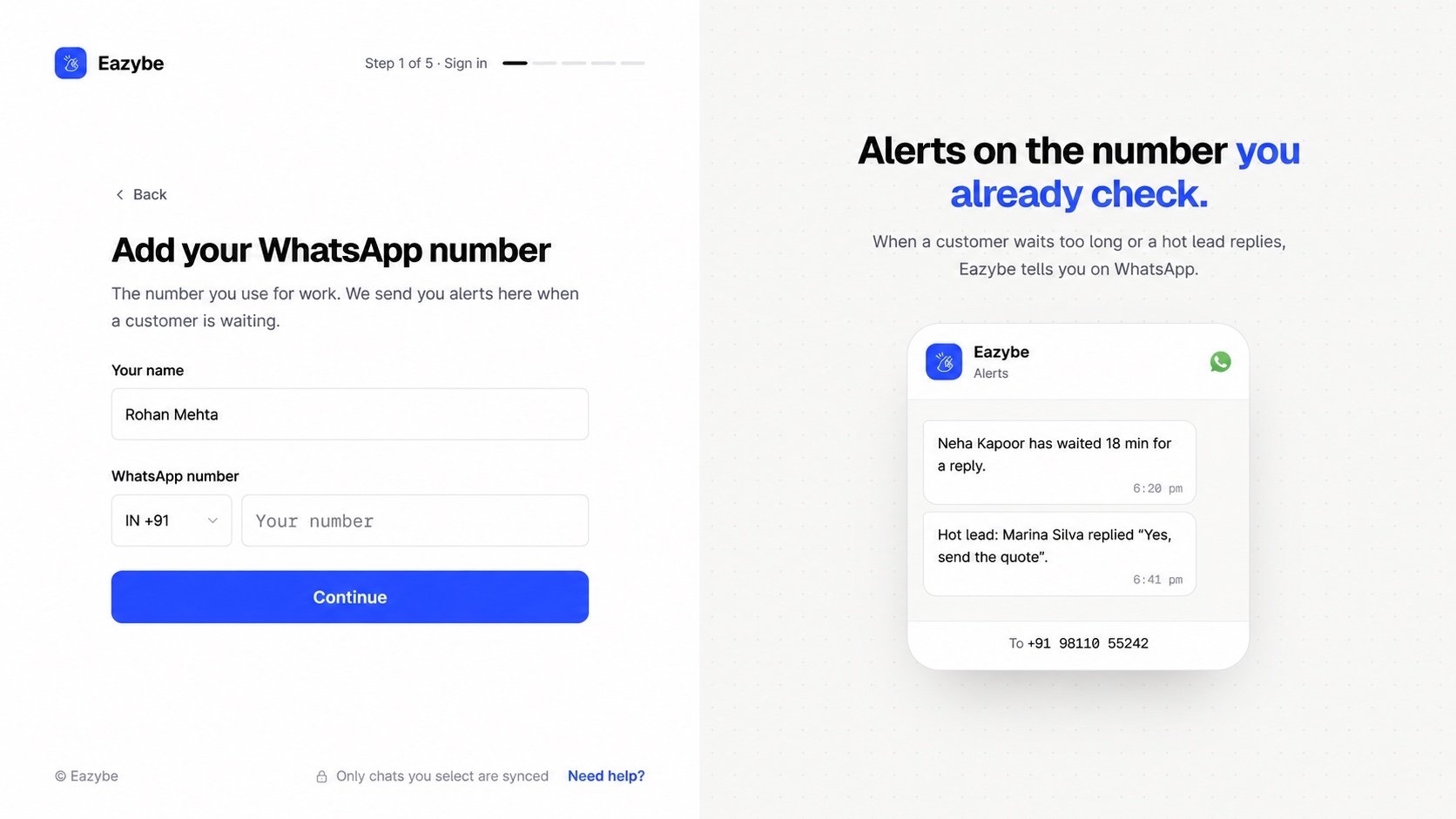
Create or join an organization
- Setting up for your company? Create your organization.
- Joining an existing team? Join with your admin’s code.