

1
Install the Eazybe extension first
You can install the Eazybe extension from either place: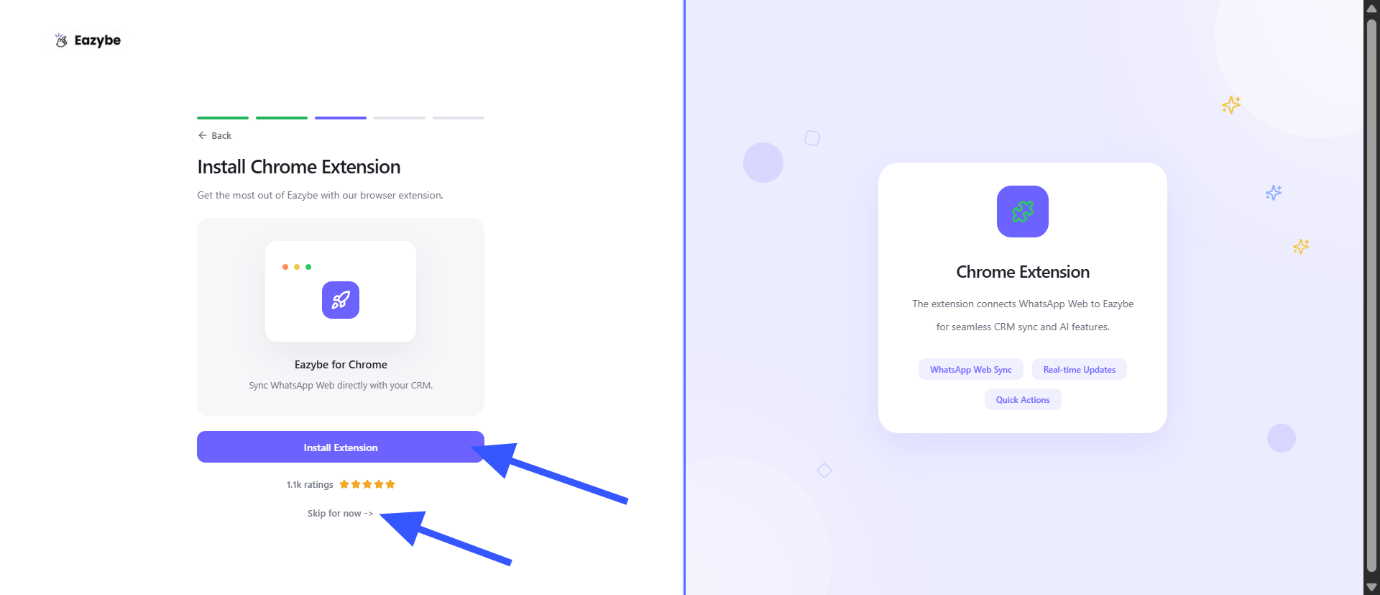
- From Eazybe: On the onboarding screen at app.eazybe.com, click Install Extension, as shown below. This opens the Chrome Web Store listing.
- From the Chrome Web Store: Open the Eazybe extension listing directly.
Although the general onboarding screen offers Skip for now, install the extension for this WhatsApp Web setup before continuing.
2
Sign in with the email your admin invited
Open WhatsApp Web and link your WhatsApp account if prompted. Sign in to the Eazybe extension with the same work email your admin used for the invitation.You can open the invitation email link or go directly to app.eazybe.com and sign in with that same email. The app sign-in screen is shown below; complete email verification if prompted.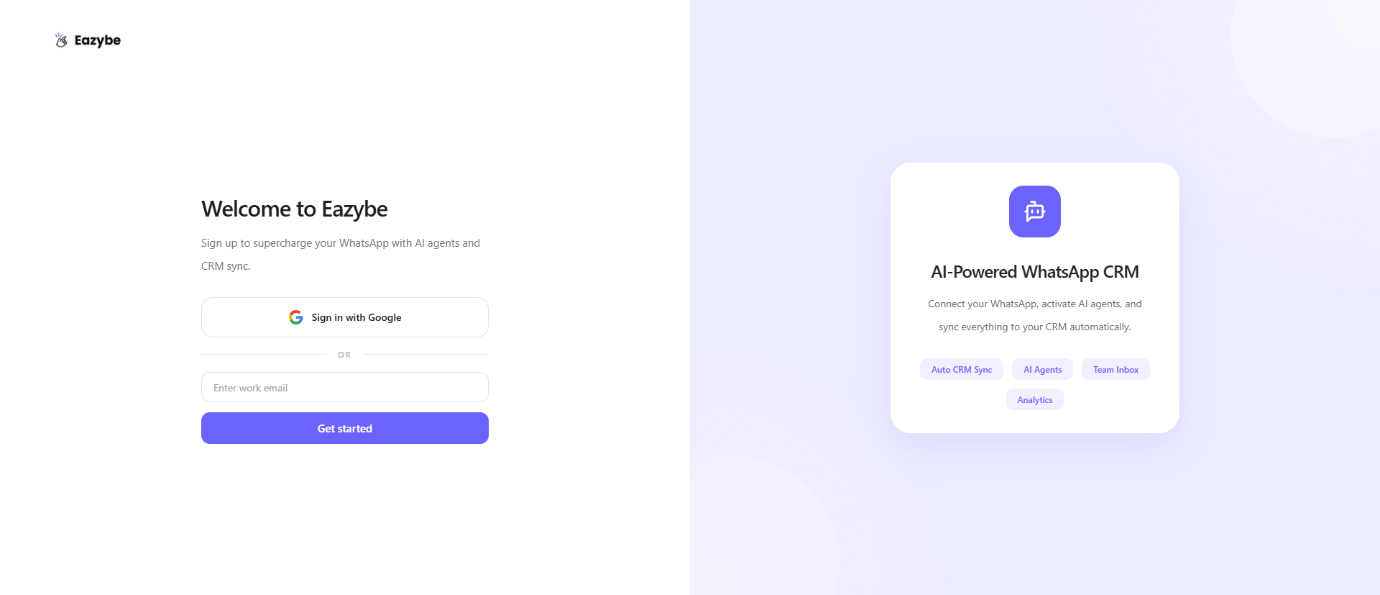
Signing in to WhatsApp and signing in to Eazybe are separate steps. Make sure Eazybe is signed in with your invited email address.
3
Open Join Organisation in the extension
Inside WhatsApp Web, click the Eazybe icon at the top of the right-hand toolbar to open My Account. In the Set Up your Team section, select Join Organisation.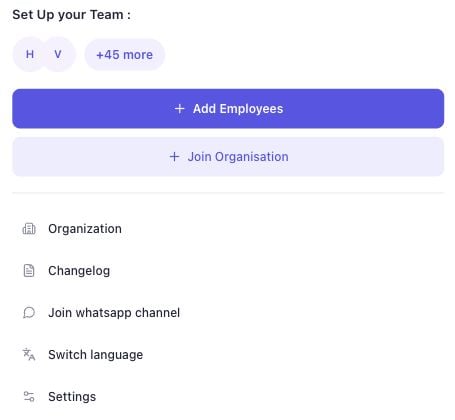
4
Paste your main organization's code
Ask your admin for the main organization’s code. Paste it into Organization Code, then select Join Organization.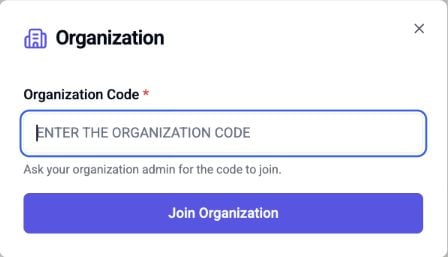
Connect your CRM
For HubSpot, Salesforce, or Zoho, if your admin has already connected the CRM, you should be mapped automatically. If you are not mapped, ask your admin to map your Eazybe account to the correct CRM user in the integration’s Settings → User Mapping. For other CRMs, you need to integrate your own CRM account even if your admin has connected theirs. Continue to CRM setup →Frequently asked questions
Can I join without opening the invitation email?
Can I join without opening the invitation email?
Yes. Install the extension, sign in with the invited email address, and use the organization code your admin shares. You can also sign in directly at app.eazybe.com.
What if the organization code does not work?
What if the organization code does not work?
Copy the code again without extra spaces. Ask your admin to confirm that it belongs to the main organization and that you are using the invited email address.
Should I create a new organization?
Should I create a new organization?
If you are joining an existing team, use your admin’s organization code. Creating a separate organization will not place you in your team’s main organization.
I joined, but my CRM is not connected. What should I do?
I joined, but my CRM is not connected. What should I do?
For HubSpot, Salesforce, or Zoho, ask your admin to check the CRM connection and your user mapping. For other CRMs, complete the integration using your own account.