

HubSpot, Salesforce, and Zoho
Employees should be mapped automatically when the admin has already connected the CRM. If mapping is missing, the admin completes these steps.1
Open your CRM's settings
In app.eazybe.com, open Integrations. Find HubSpot, Salesforce, or Zoho, then select Settings on the connected CRM card.If the card shows Connect, the admin needs to complete the CRM connection first.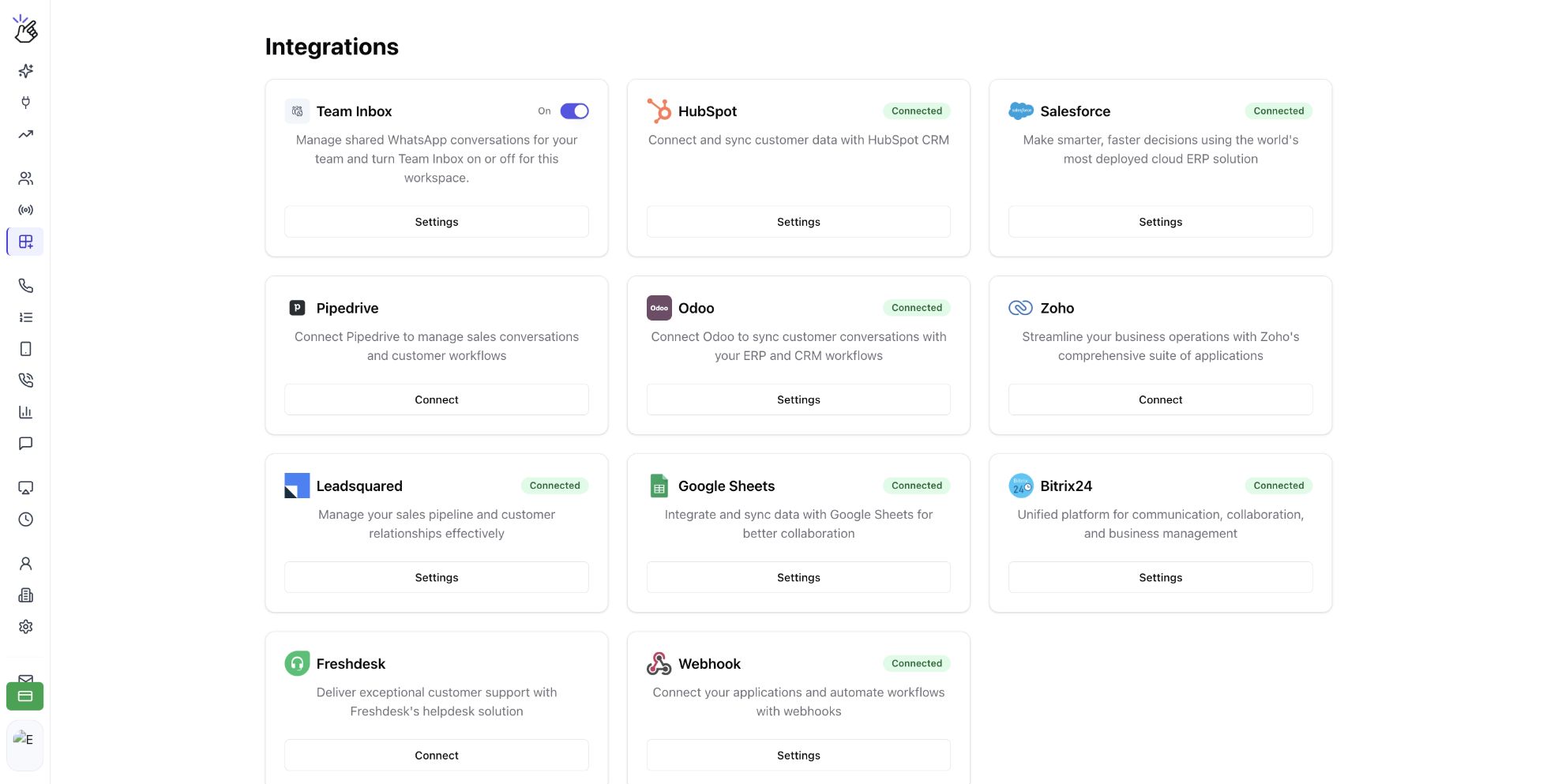
2
Find the employee in User Mapping
Open User Mapping. Find the employee by name or email. In HubSpot, you can use Unmapped and the employee search field to find accounts that still need mapping.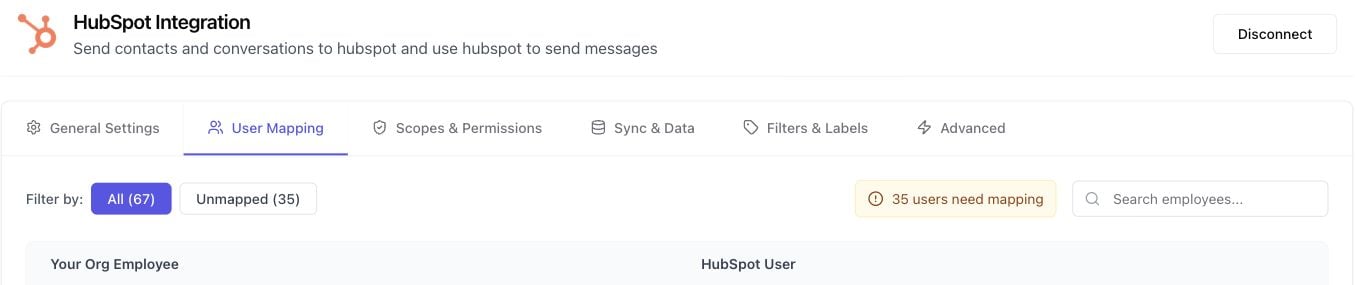
The screenshots show HubSpot as the example. Open the settings for the CRM your organization actually uses.
3
Map the employee to the correct CRM user
In the employee’s row, choose their matching CRM account. In HubSpot, this control is labelled Select HubSpot User. Confirm that the selected CRM user belongs to that employee, then check that their row shows the mapped user.
Other CRMs: connect your own account
Each employee completes their own integration. Open Integrations, select your CRM, and follow its connection flow using your own CRM account. Your admin’s connection does not replace this step. Use the integration guide for your CRM for its specific login, authorization, or configuration requirements. After connecting, return to Eazybe and confirm that your CRM is available.Frequently asked questions
I am in the organization but not mapped to HubSpot, Salesforce, or Zoho.
I am in the organization but not mapped to HubSpot, Salesforce, or Zoho.
Ask your admin to open Integrations, choose your CRM’s Settings, and check User Mapping. Give them the email address you use for Eazybe and the CRM account that should be linked to you.
Should I reconnect a CRM the admin has already connected?
Should I reconnect a CRM the admin has already connected?
For HubSpot, Salesforce, or Zoho, ask the admin to check your mapping first. For other CRMs, you need to complete your own integration.
Does joining an organization require a CRM?
Does joining an organization require a CRM?
No. Join your main organization first. Complete CRM setup only if your team uses a CRM with Eazybe.