

Understanding Your Messaging Setup
Your experience in the Team Inbox depends on how you’ve configured your WhatsApp integration:Extension-Only User
Uses Chrome extension to sync WhatsApp conversations without WABA connection
WABA-Only User
Uses Team Inbox as the primary interface for official WhatsApp Business API
Extension + WABA User
Operates both channels simultaneously for maximum flexibility
For Extension-Only Users
Your experience in the Team Inbox remains unchanged. Key features include:- Conversations sync directly from WhatsApp Web
- You can send and receive any type of message (text, media, etc.) at any time without restrictions
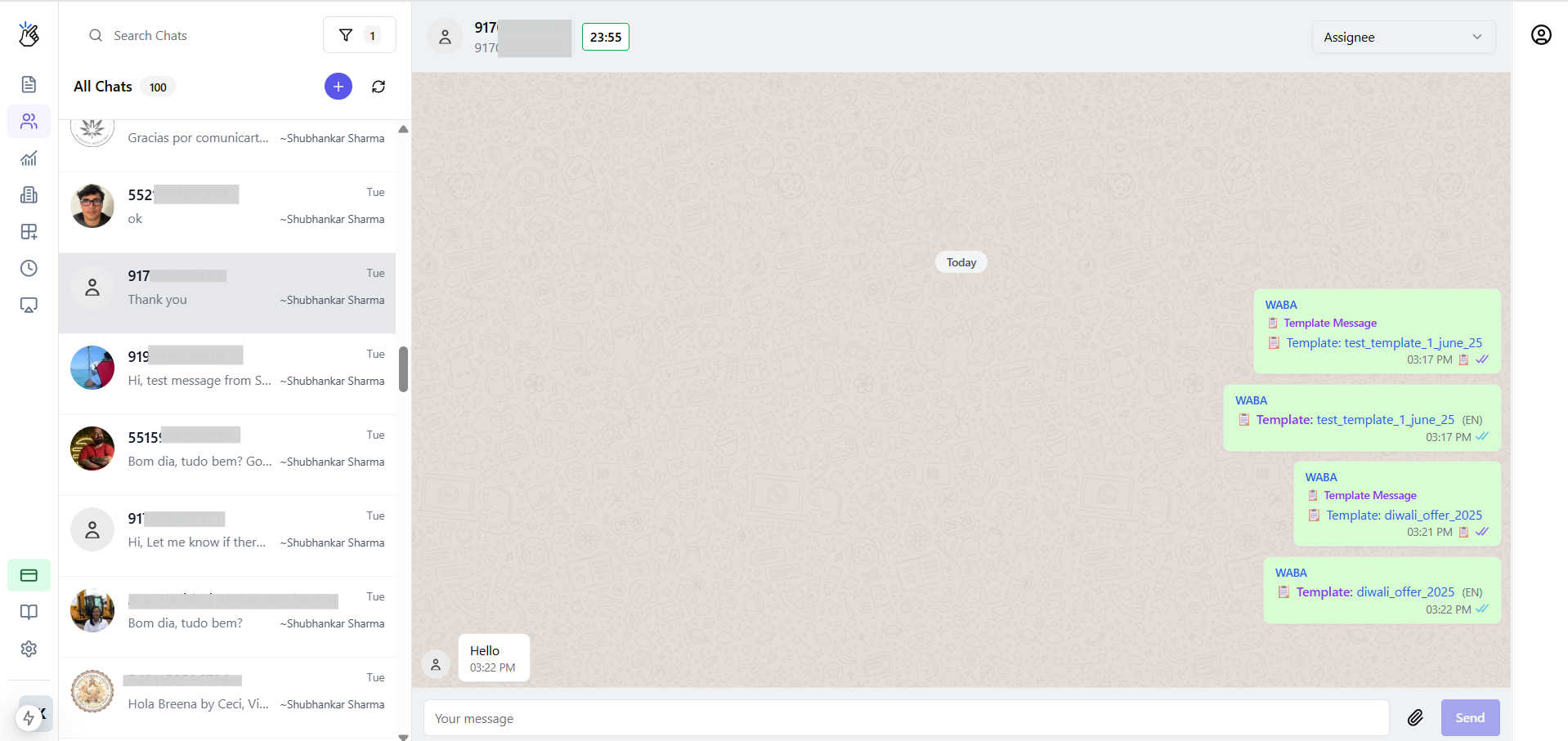
Key Concepts for WABA-Powered Messaging
The 24-Hour Customer Service Window
WhatsApp enforces specific messaging windows that determine how you can communicate with customers:Window OPEN
Window OPEN
When a customer messages you, a 24-hour window opens. The Team Inbox displays the time remaining (e.g., “15h 30m”). During this window, free-form messaging is allowed.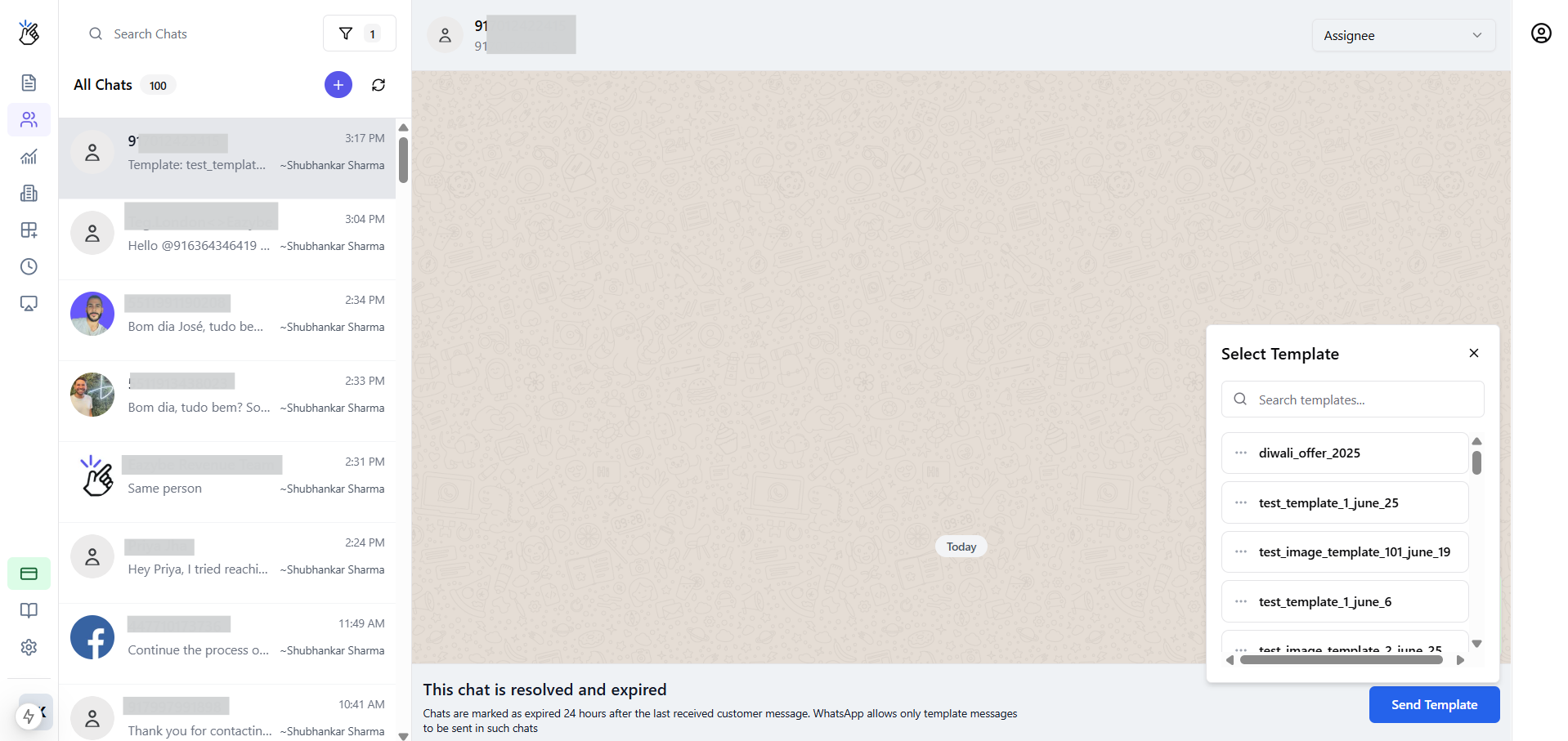
Window CLOSED
Window CLOSED
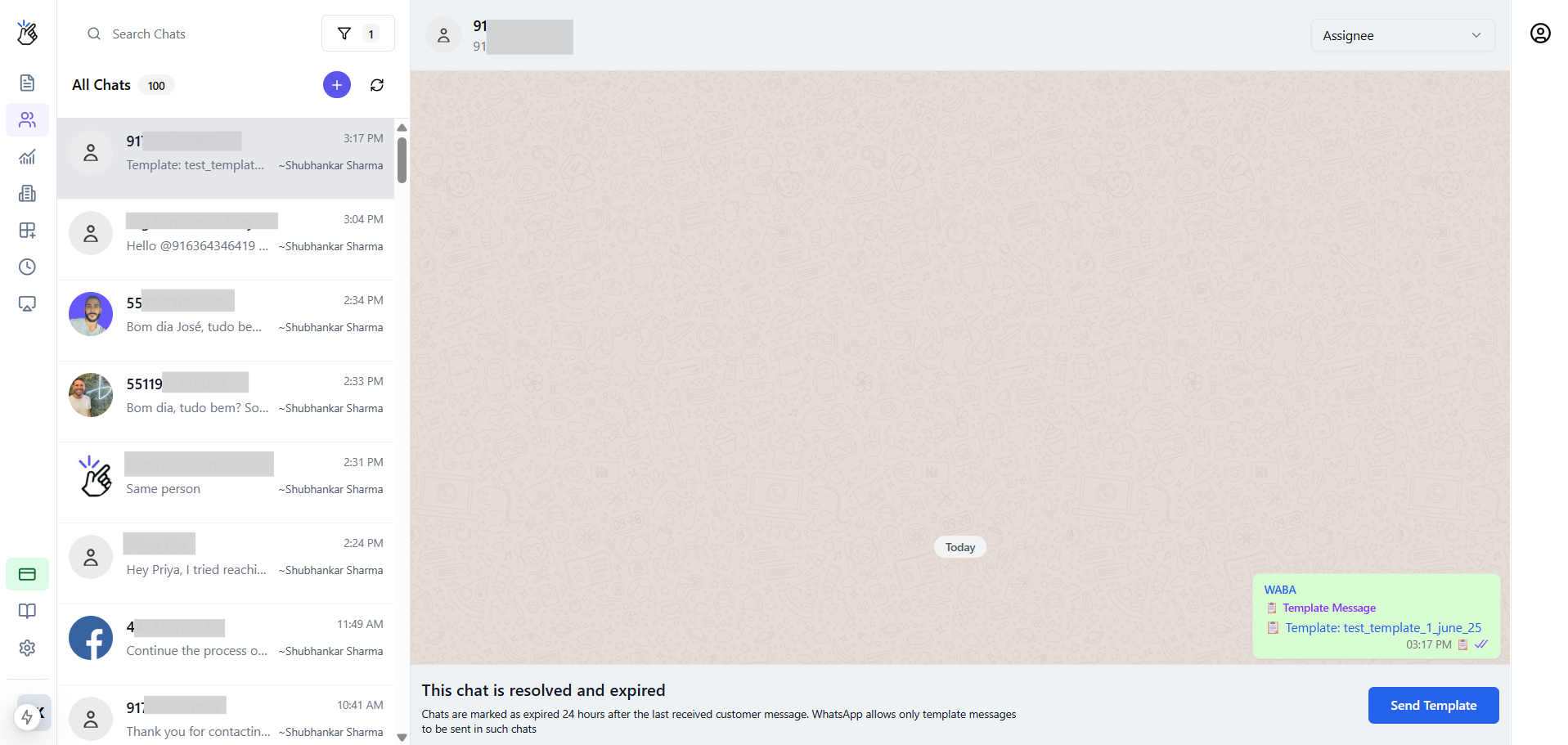
After 24 hours without customer interaction, the window closes. The display shows “This chat is resolved and expired.” Only template messages are permitted.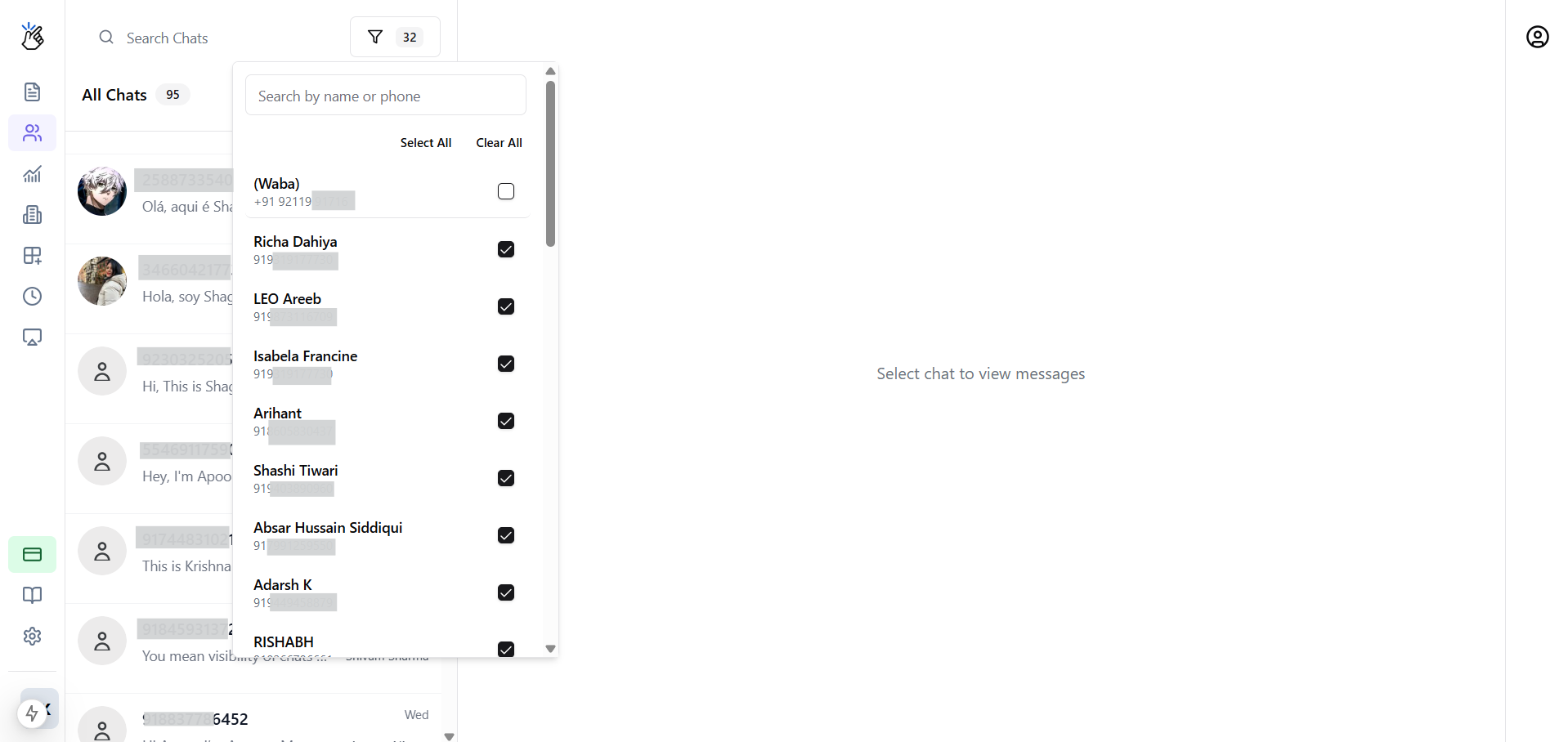
The Dynamic Message Composer
The message input area adapts automatically based on the window status:- Open window: Standard free-form composer for unrestricted messaging
- Closed window: “Send Template” button replaces the composer
Sending Message Templates
When the messaging window is closed, follow these steps to send a template:1
Click Send Template
Click the Send Template button in the message composer area.
2
Browse Templates
A pop-up appears displaying your approved templates list.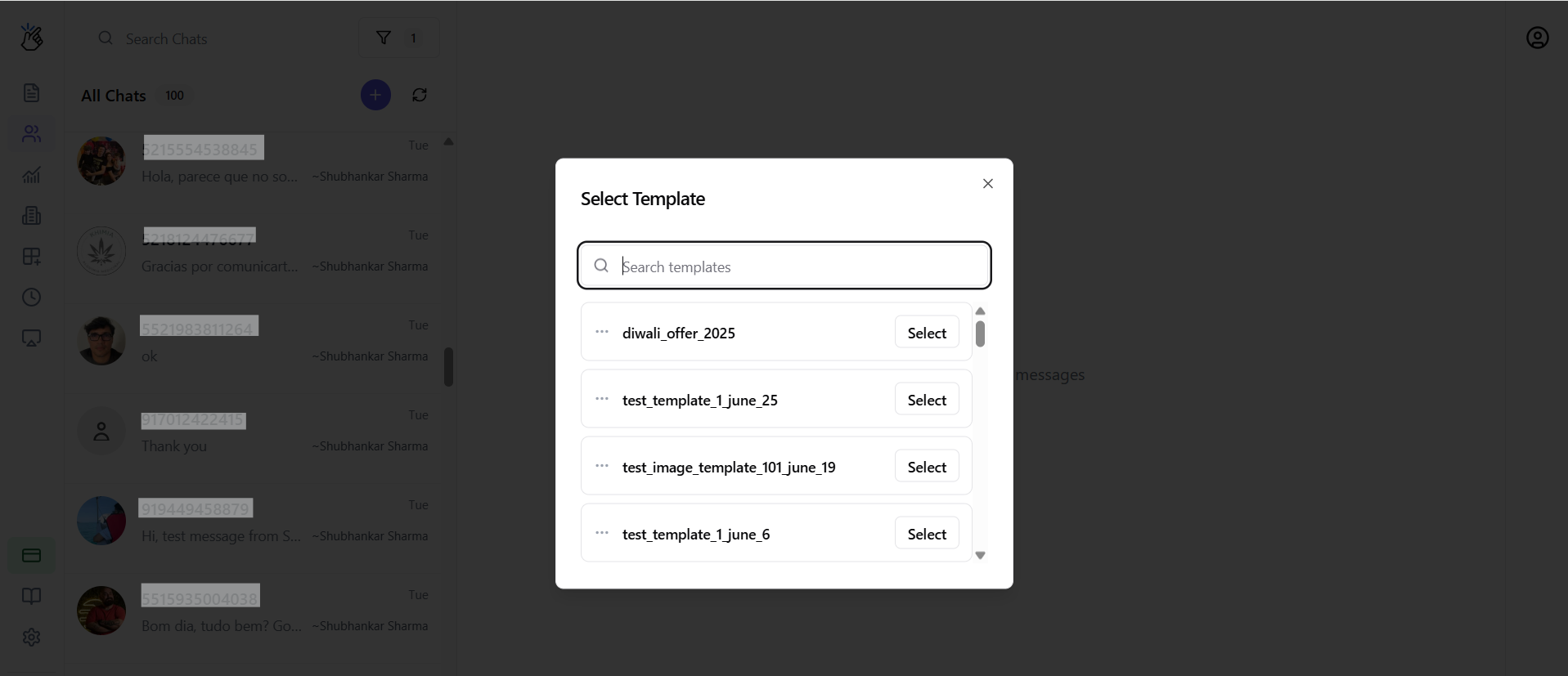
3
Review Template Details
View each template’s name, category, and language to select the appropriate one.
4
Send Template
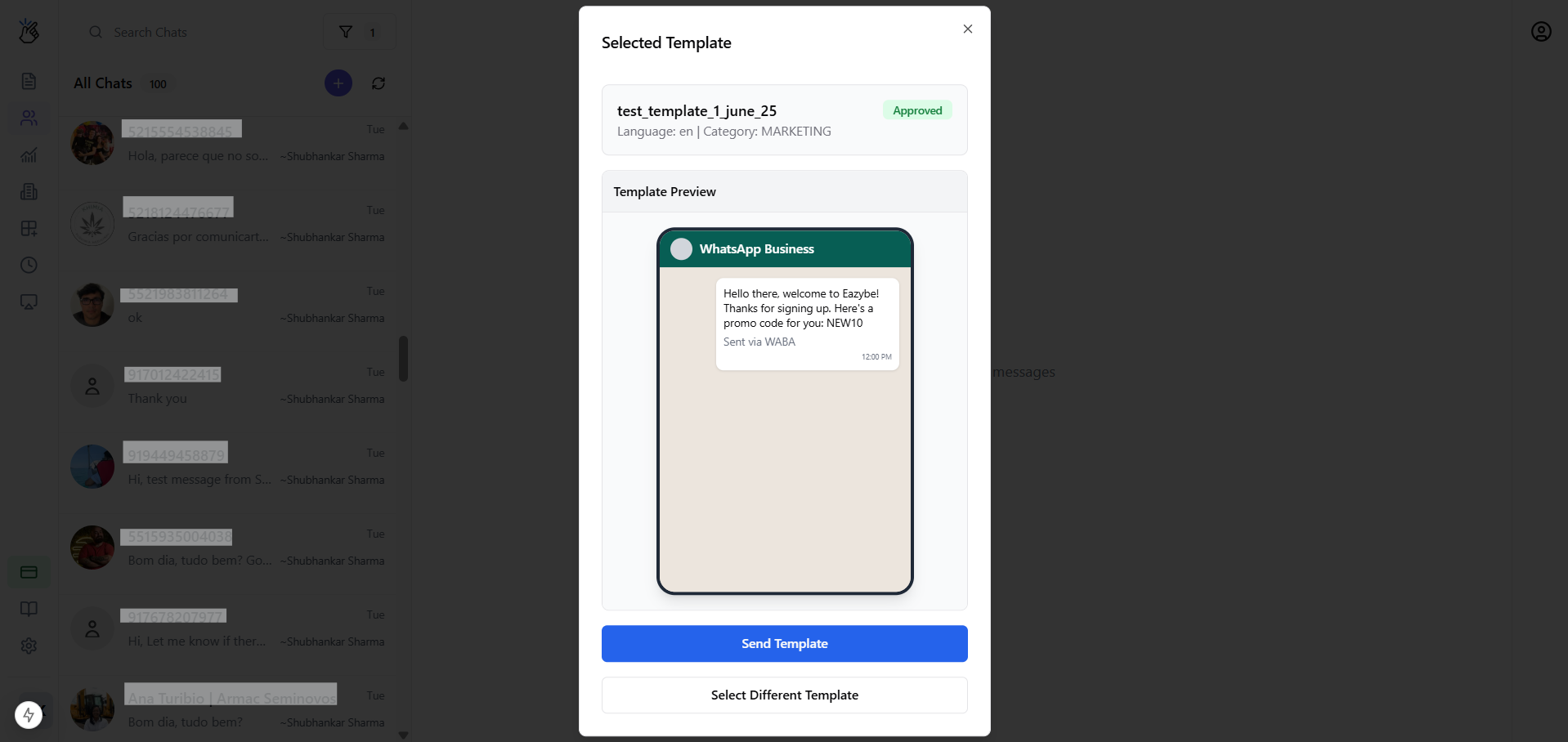
Select your desired template to send it to the customer.
How Messaging Works for Your Specific Setup
Scenario A: WABA-Only User
As a WABA-only user, all your messaging follows WhatsApp Business API rules.
- Starting conversations: Requires selecting a Message Template
- Replying to customers: Depends on window status—free-form if open, templates only if closed
Scenario B: Dual User (Extension + WABA)
Using Different Numbers
When your extension and WABA use different phone numbers:- Team Inbox separates conversations by number filter
- Extension-synced chats: Message freely anytime without restrictions
- WABA chats: Follow WABA rules (24-hour window, templates)
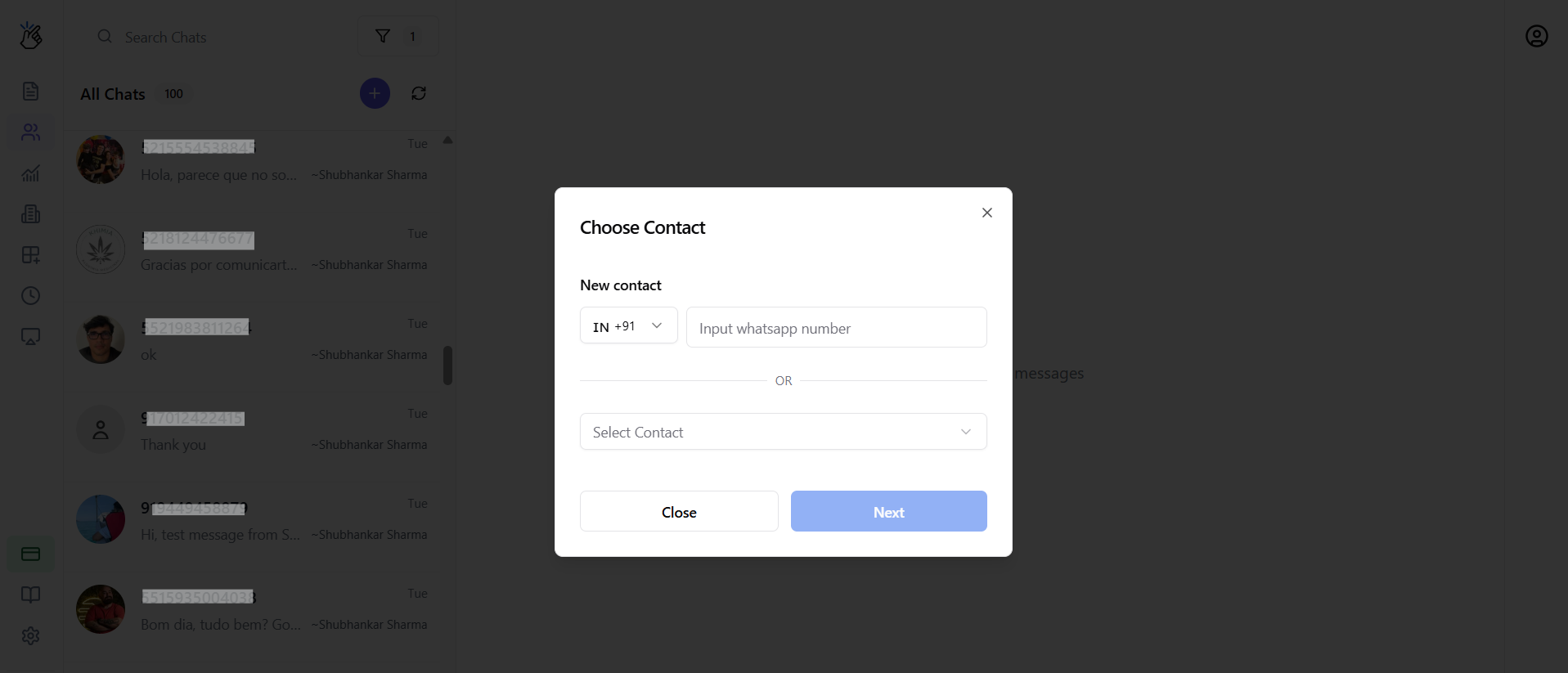
- New chats: Prompt appears to choose contact and select sending number
Using the Same Number
When both channels share the same phone number:- Conversations merge into single threads
- All messages follow WABA messaging rules