

Requirements: access to the Team Inbox. The brief is written for every type of WhatsApp number: Personal WhatsApp, WhatsApp Business App, and WhatsApp Business API (WABA). Group chats receive the same brief as direct conversations.
What the Brief Records
Alongside these, the chat also shows the properties specific to your business. See AI Properties.
Where to Find It
Open a chat in the Team Inbox and open the User Profile panel on the right. The brief sits in that panel, below the AI properties.Viewing AI Insights
1
Open Team Inbox
Click on “Team Inbox” in the navigation menu.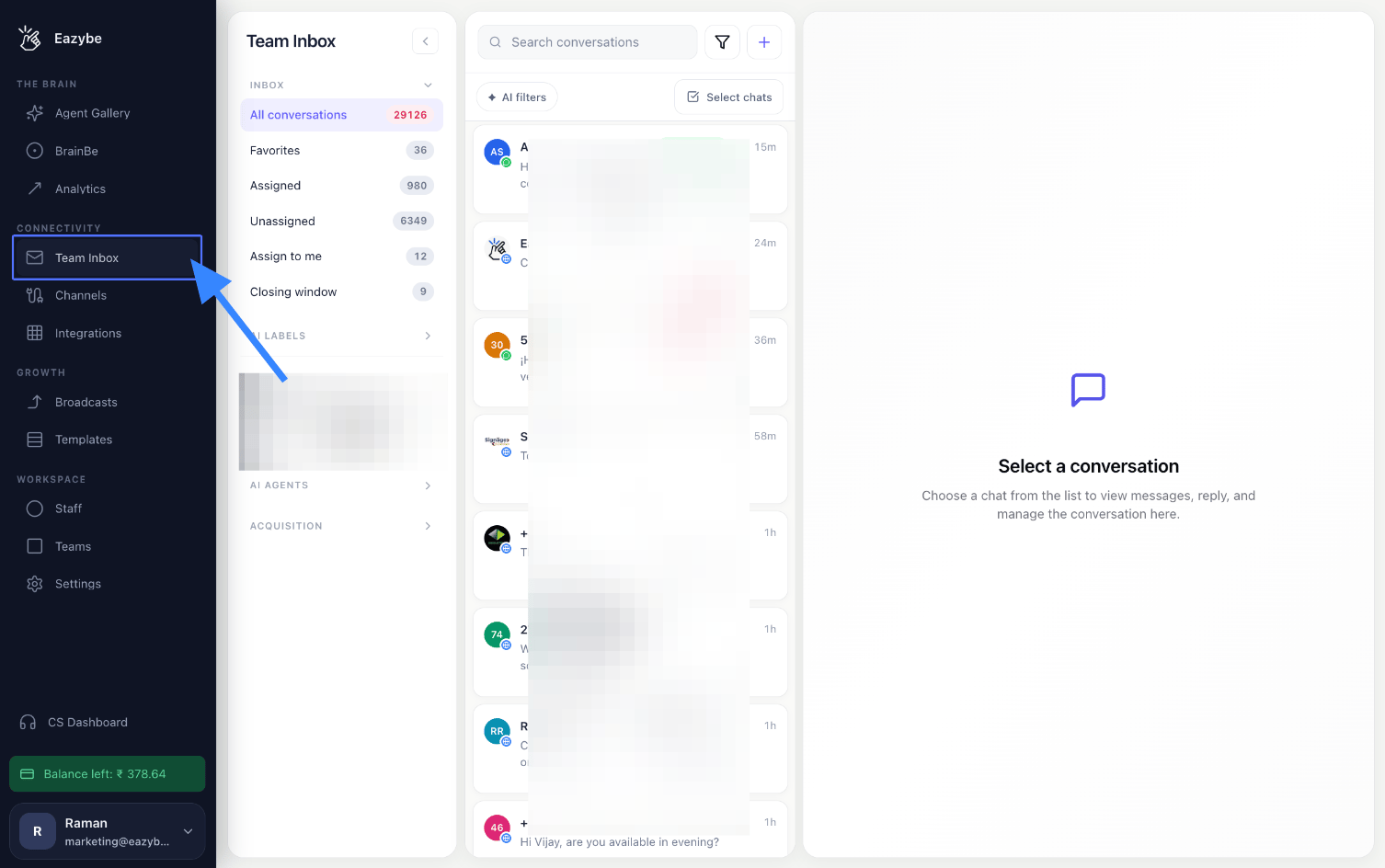
2
Open a Chat and View the User Profile
Open any chat, then open the User Profile panel on the right.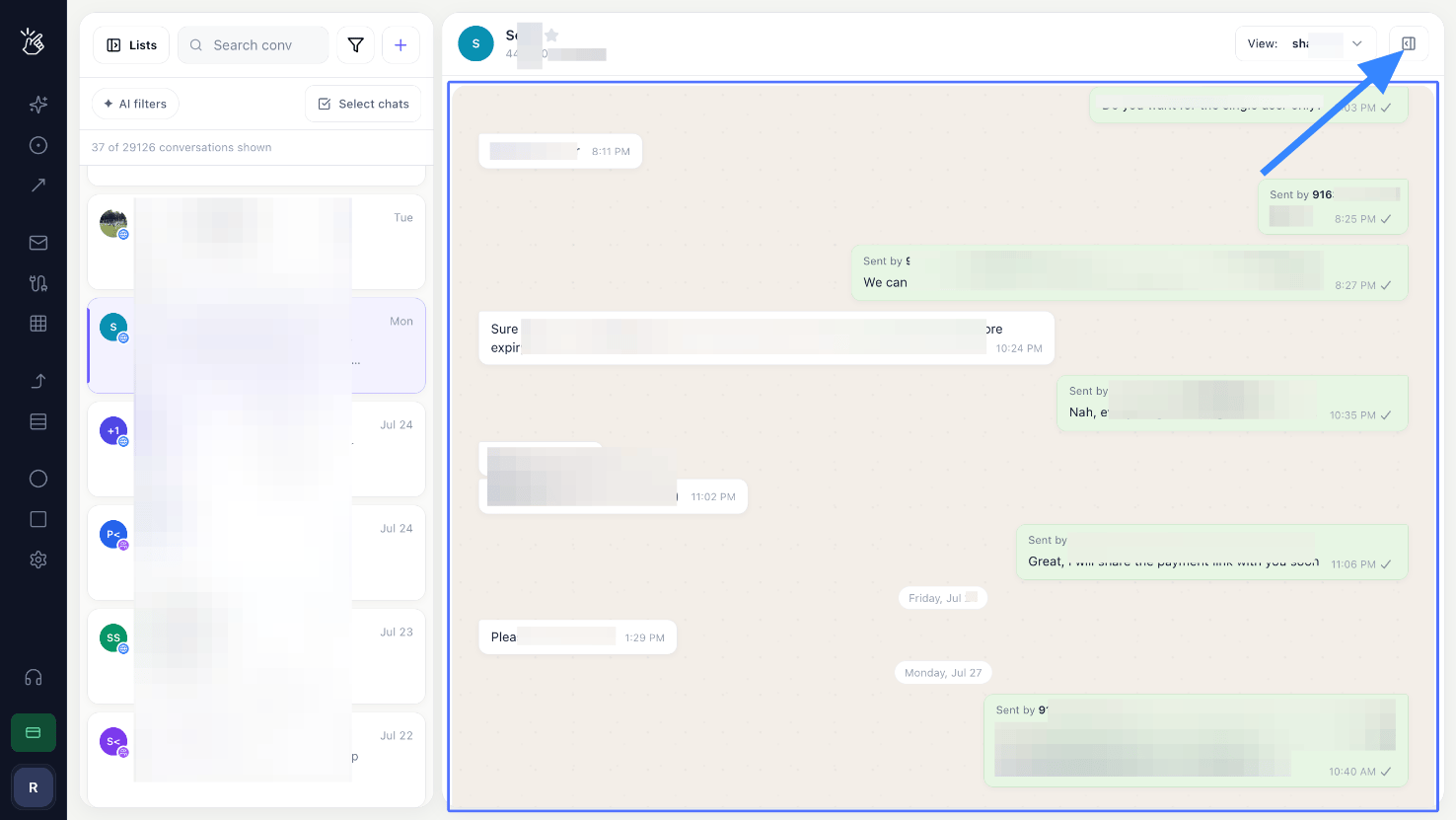
3
See Your AI Properties
The AI Properties section lists the fields created for your business.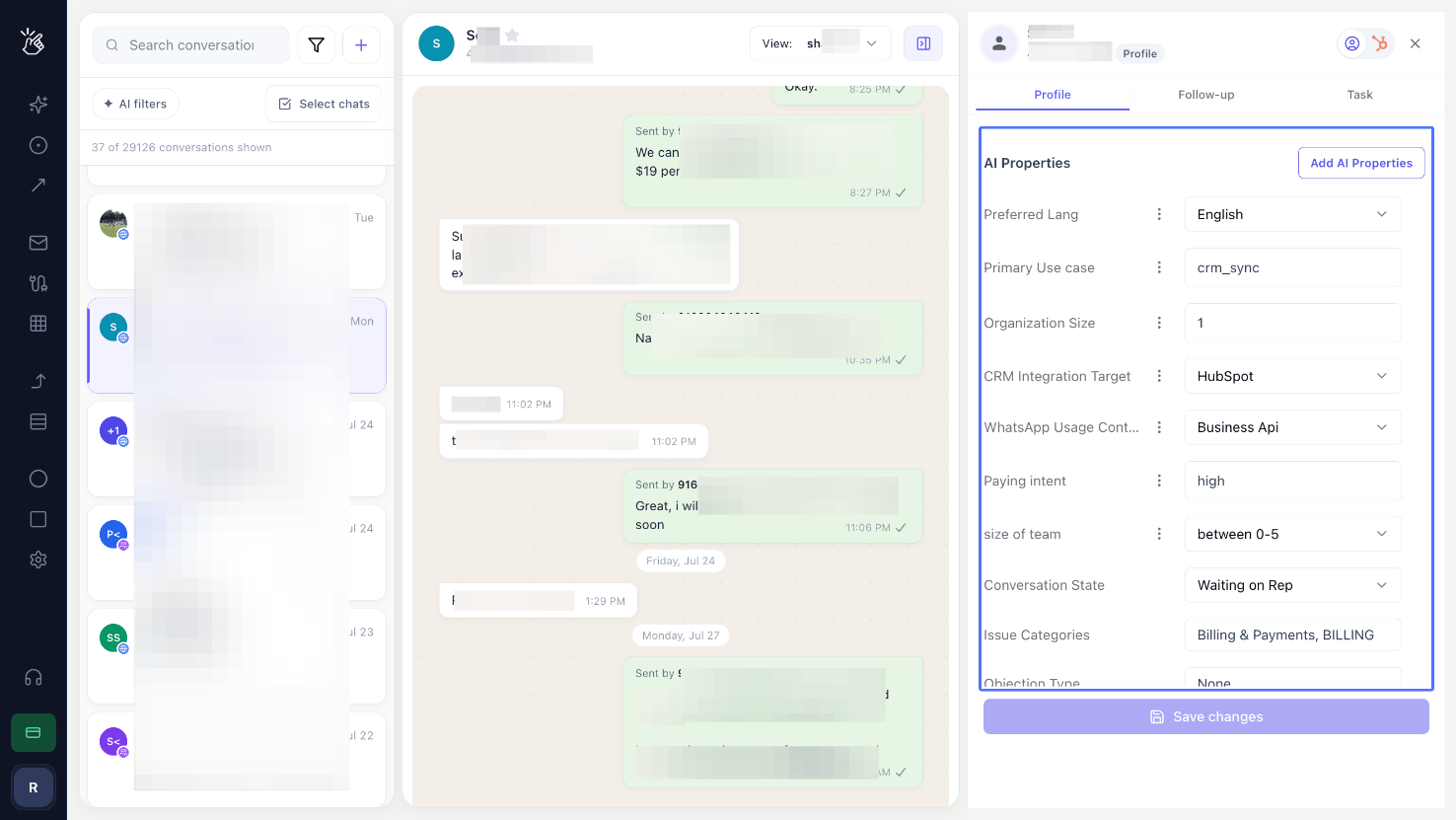
4
View Your AI Insights
Below it, AI Insights shows the brief: Summary, Intent, Urgency Reason, Next Action, and the rest of the fields analysed by BEA Radar.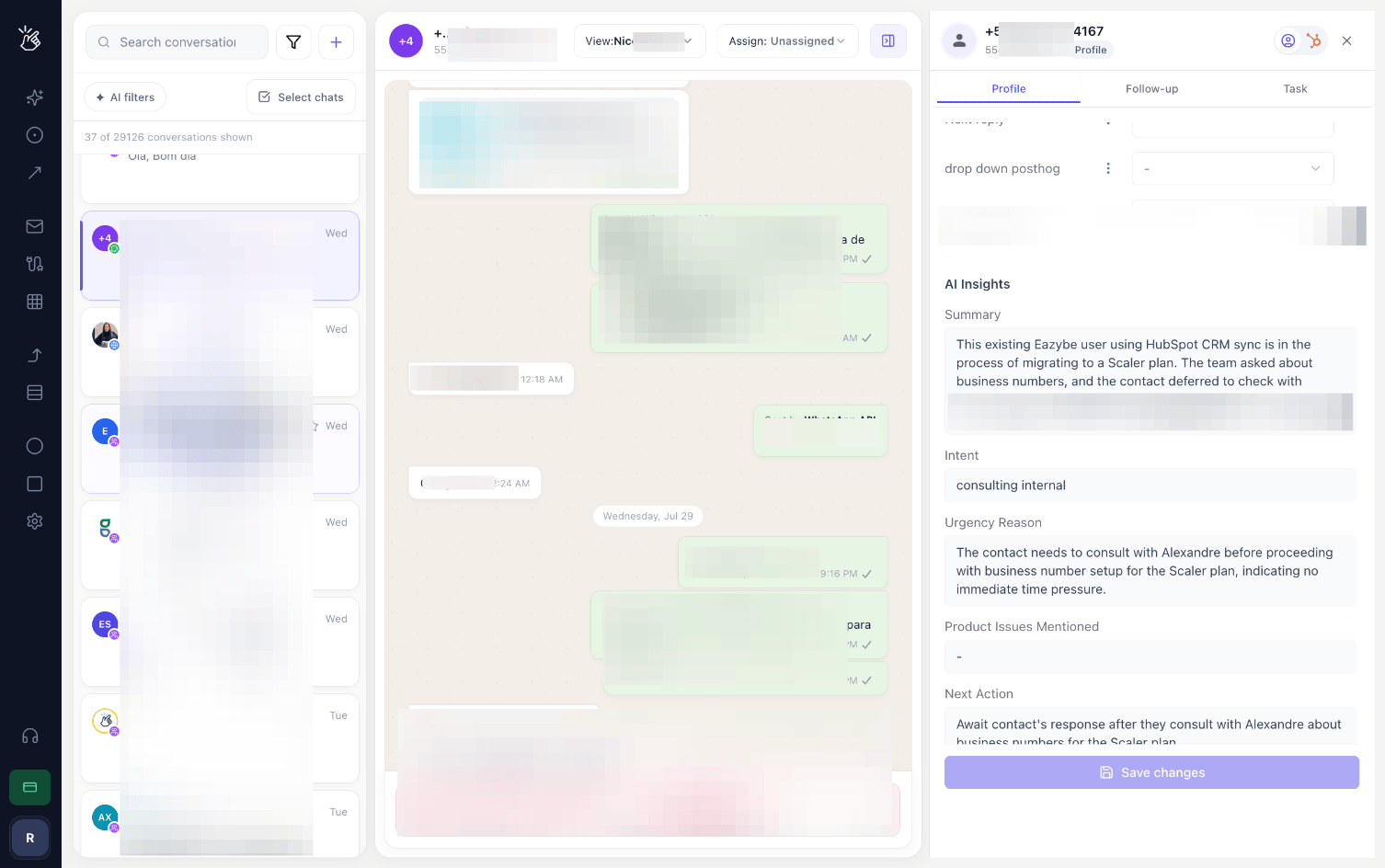
Behaviour to Be Aware Of
- The brief updates as the conversation continues. Reopening a chat later shows the current state, not the state at the time the chat first arrived.
- The brief is written automatically. There is no tagging step, no keyword list, and no rule to configure.
- The conversation is read for meaning. Fields are filled from what the conversation says, not from keyword matches.
Related
AI Properties
Add, edit, and configure the fields the AI fills in
AI Filters
Filter the inbox by any AI property