

Quickstart
Discover your IDs and send your first template message.
List phone numbers
Find the WABA and phone-number IDs used by the other endpoints.
Base path
v25.0.
Authentication
1
2
Find your bearer token
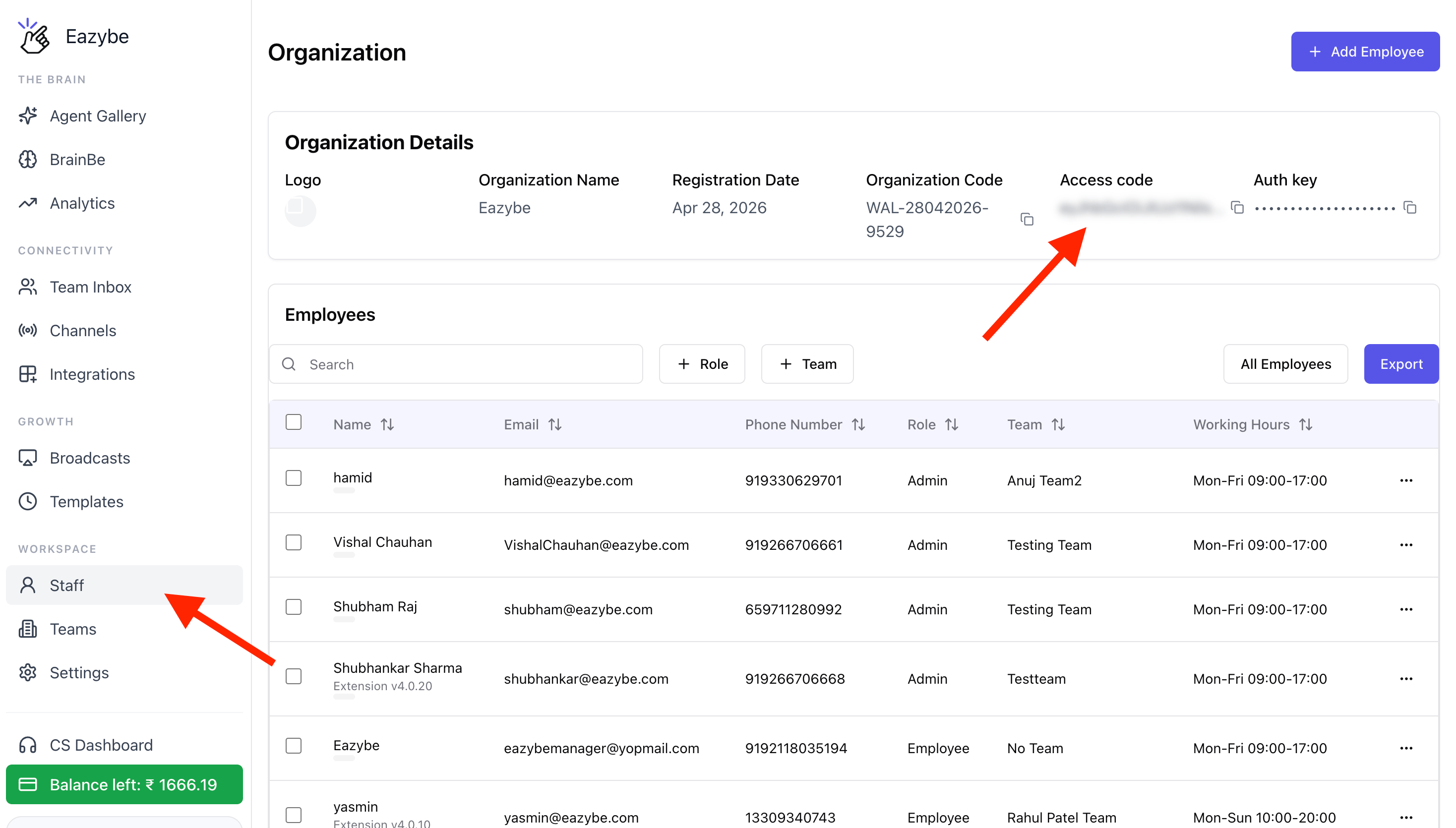
- Sign in to the Eazybe Workspace.
- In the left sidebar, go to Workspace → Staff.
- In Organization Details, find Access code and click the copy icon. This Access code is your Eazybe bearer token.
- Store the token securely on your server.
phoneNumberId or wabaId that is not connected to that organization returns 404 instead of exposing another organization’s data.
Capabilities
Resource IDs
CallGET /meta/phone-numbers first. Its response contains the two identifiers used throughout this reference:
If an organization has multiple WABAs, each appears as a separate account. A connection that needs authorization returns
status: false with an error while the remaining accounts continue to resolve.
Request conventions
GET /meta/phone-numbers is the primary wrapped response. Most other successful responses are passed through from Meta.
Errors
error.code for programmatic handling. Retry 502 responses and Meta rate-limit codes such as 130429 and 131056 with backoff. Do not retry every 4xx response because the request itself may need to be corrected.
Operational limits
- Free-form and non-template messages are available only within 24 hours of the customer’s last message. Use an approved template outside that window.
- Recipients must have opted in. Marketing messages are subject to Meta’s daily and quality-based limits.
- New templates start in
PENDINGstate and cannot be sent until Meta approves them. - Send operations are not idempotent. Record the returned WhatsApp message ID (
wamid) and guard retries in your application. - A
502can represent an unknown send outcome. Check webhook delivery events before sending the same message again. - The wrapper does not cover WhatsApp Calling, commerce/catalog management, payments, or embedded signup.