

Introduction
Eazybe’s AI-powered chat management system helps sales and support teams efficiently manage their WhatsApp conversations by prioritizing unreplied chats. This tool analyzes chat content, categorizes messages by urgency, and provides actionable notifications and filters so your team can focus on what matters most.How Eazybe AI Chat Prioritization Works
- Automatic Chat Categorization:
- Real-Time Status Updates:
- Scheduled Admin Notifications:
Step-by-Step Usage Guide
Step 1: Open Your Team Inbox
- Log in to the Eazybe workspace.
- Navigate to the Team Inbox from the sidebar menu.
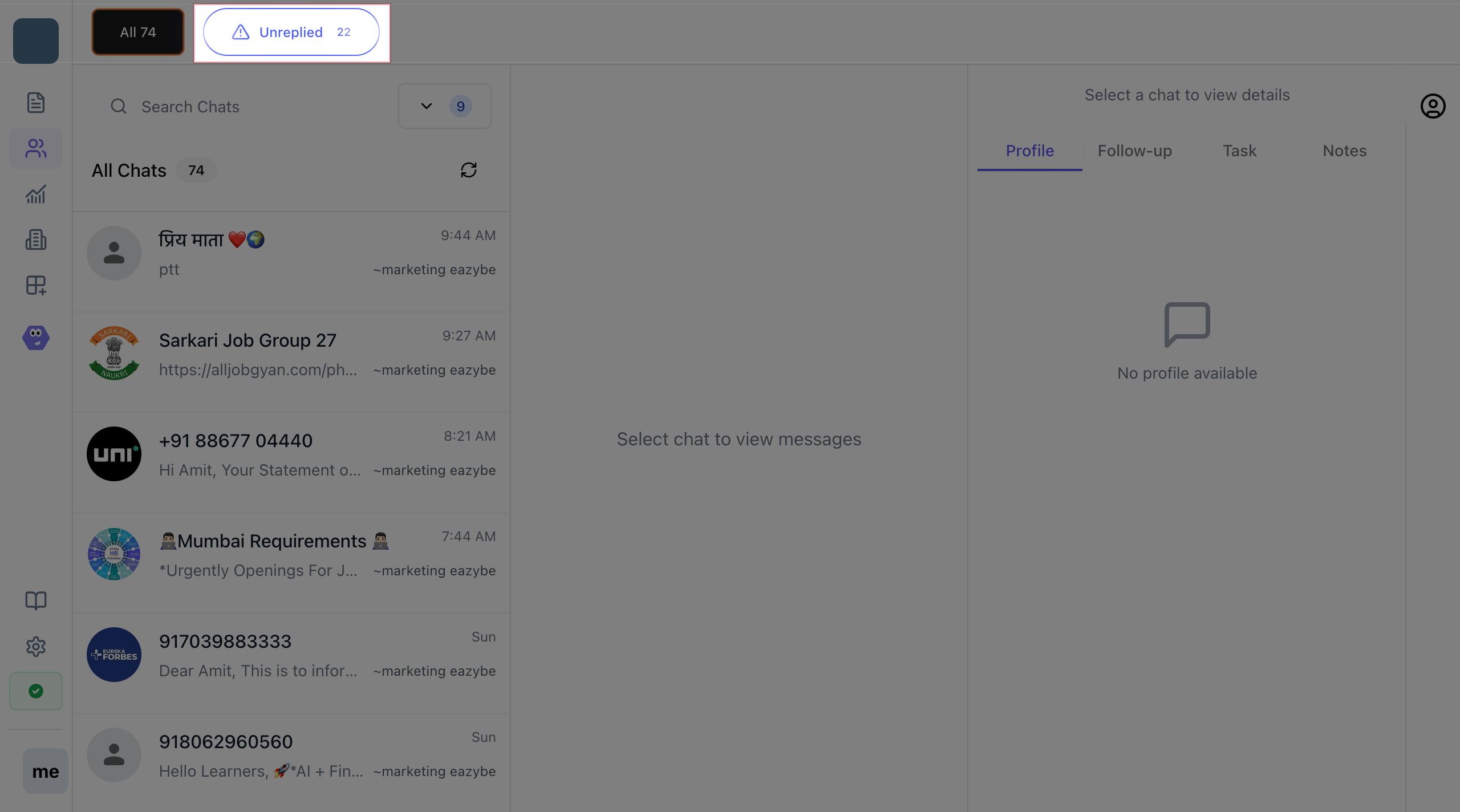
- Click on Unreplied
- View all chat conversations sorted by status, including those awaiting replies.
Step 2: Identify Critical Chats
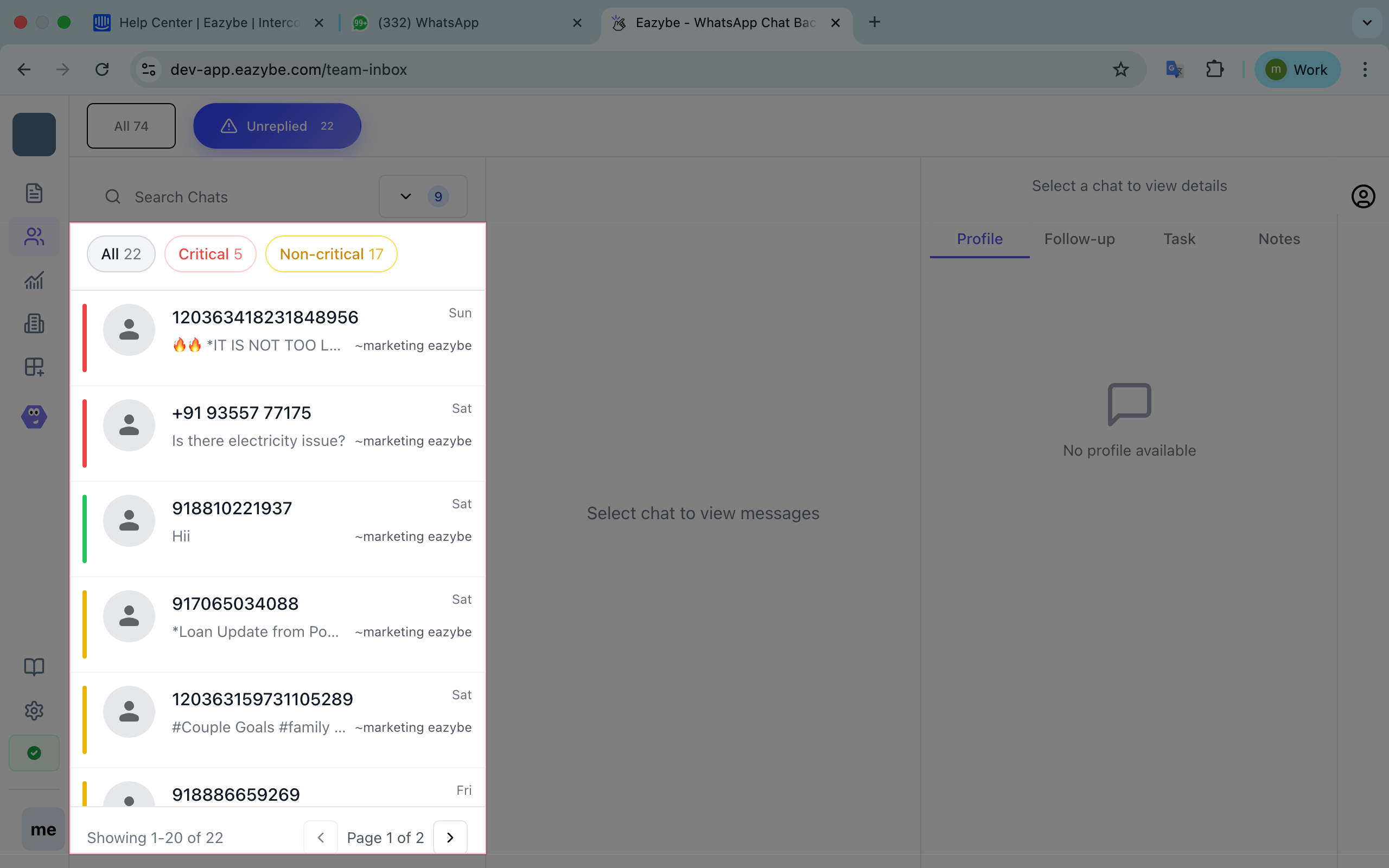
- Critical chats will have a clear red label or icon indicating high priority.
- Regularly scan this list to quickly identify issues requiring urgent attention.
- Example indicators for critical chats include complaints, billing questions, order cancellations, and high-value customer alerts.
Step 3: Filter Your Chat View
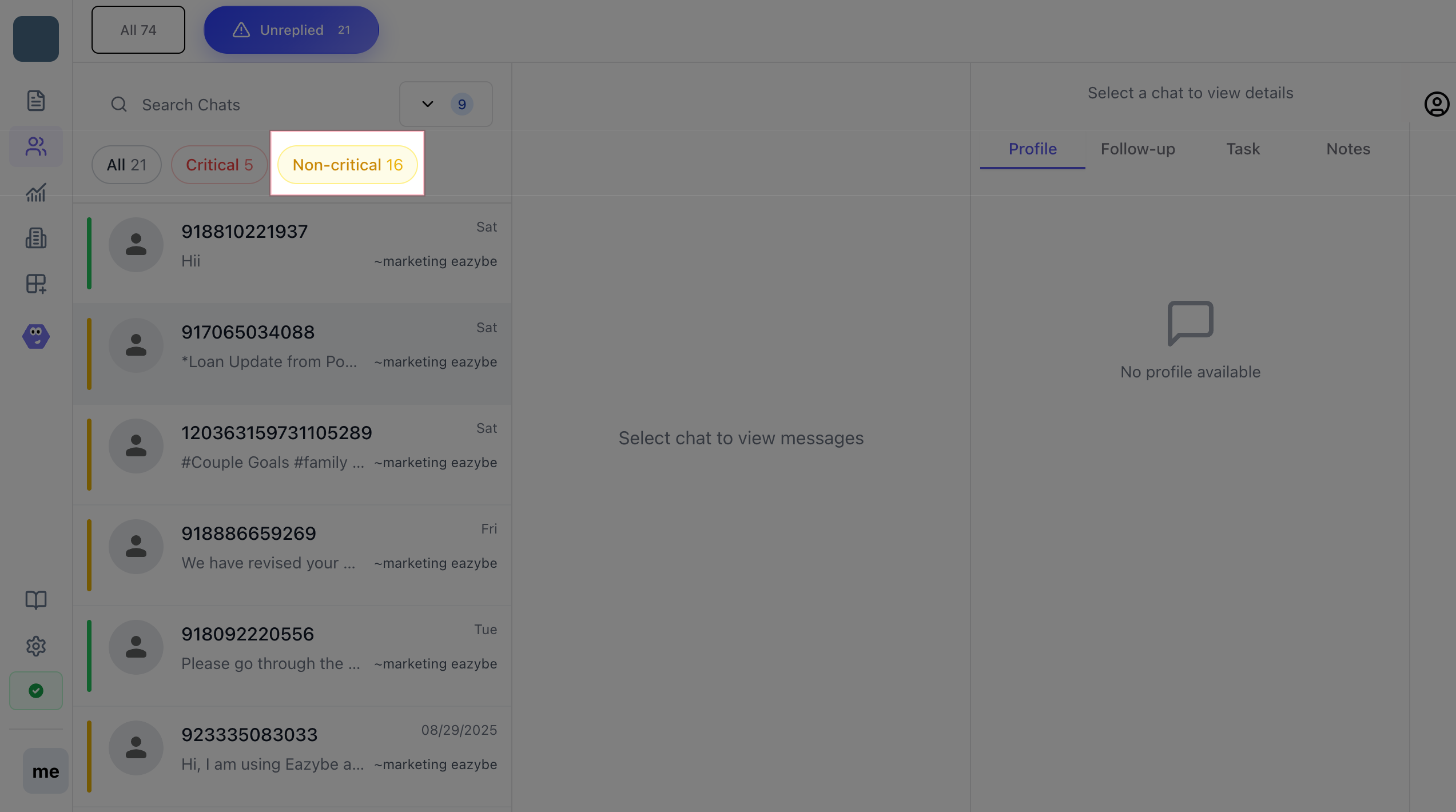
- Use the built-in filter control to toggle between viewing:
- Only critical chats
- Only non-critical chats
Administrator Features & Controls
- Receive automated WhatsApp notifications at customizable intervals with chat summary stats.
- Access detailed chat logs for performance review.
- Configure notification timings to align with business hours.
- Customize thresholds or keywords for chat prioritization (coming soon as advanced feature).