> ## Documentation Index
> Fetch the complete documentation index at: https://help.eazybe.com/llms.txt
> Use this file to discover all available pages before exploring further.
# Creating Templates
> Step-by-step guide to create WhatsApp message templates
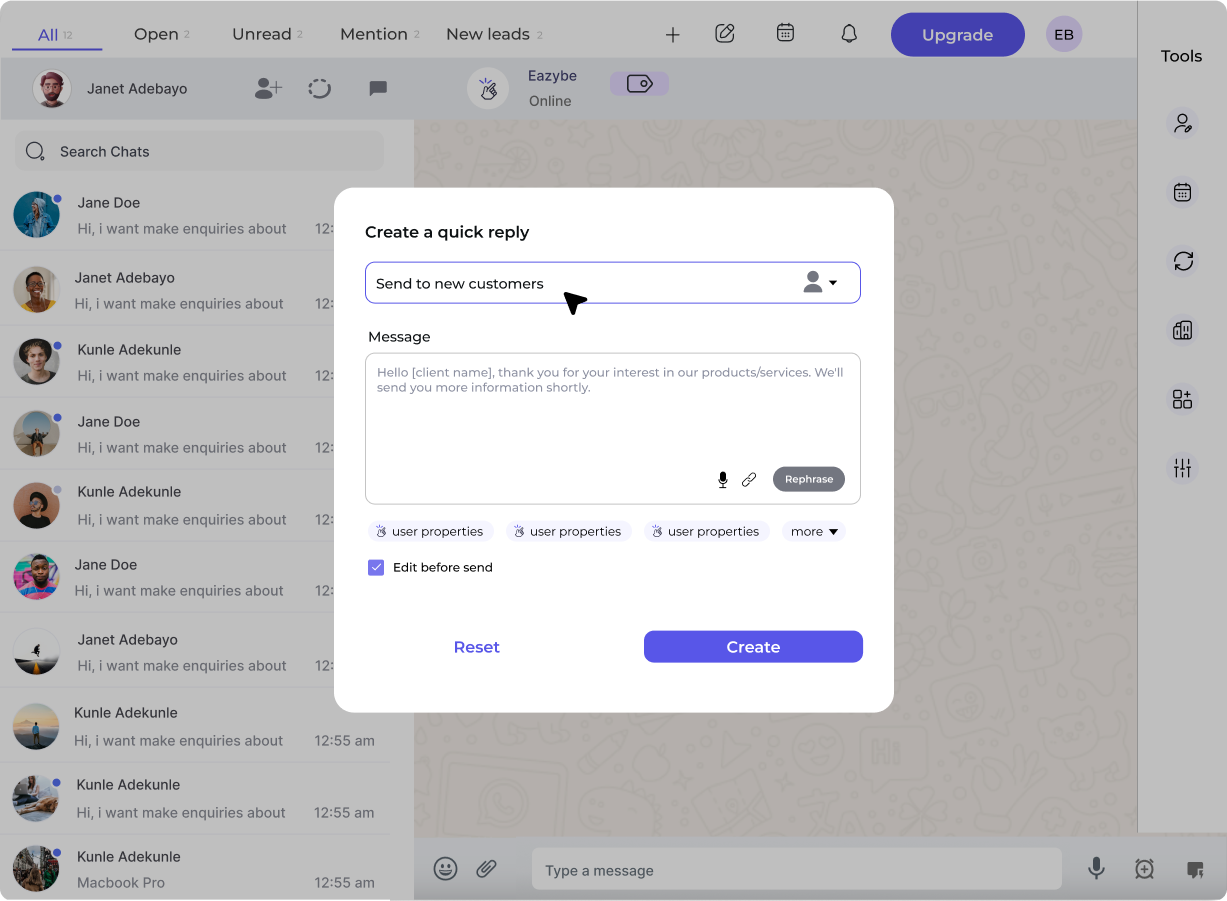 ## Create a Template
Go to **Workspace** → **WABA** → **Templates** → **Create Template**
Select the appropriate category:
* **Marketing** – Promotions, offers, announcements
* **Utility** – Order updates, reminders, alerts
* **Authentication** – OTPs, verification codes
Choose carefully! Category affects pricing and approval criteria.
Use lowercase letters, numbers, and underscores only:
* ✅ `order_confirmation`
* ✅ `summer_sale_2026`
* ❌ `Order Confirmation`
* ❌ `summer-sale`
Choose the primary language. You can add translations later.
Choose header type:
* **None** – No header
* **Text** – Short headline (up to 60 characters)
* **Image** – JPG or PNG (max 5MB)
* **Video** – MP4 (max 16MB)
* **Document** – PDF (max 100MB)
Enter your main message. Use `{{1}}`, `{{2}}`, etc. for variables:
```
Hi {{1}}! 👋
Your order #{{2}} is on its way! 🚚
Estimated delivery: {{3}}
Track your package: {{4}}
```
Emojis are allowed and can increase engagement!
Small text at the bottom (max 60 characters):
* "Reply STOP to unsubscribe"
* "Powered by Eazybe"
Up to 3 buttons:
**Quick Reply** – Predefined responses
* "Yes, I'm interested"
* "No thanks"
**Call to Action**
* Visit Website (URL)
* Call Phone Number
Click **Submit** to send template to Meta for review.
In WhatsApp Web with Eazybe extension:
Click **WABA** icon → **Templates** → **Create New**
Complete the same fields as workspace method:
* Category, Name, Language
* Header, Body, Footer
* Buttons
Preview your template, then click **Submit for Approval**
## Template Examples
### Marketing Template
```
🎉 Flash Sale Alert! 🎉
Hi {{1}}, our biggest sale of the year is HERE!
Get up to 50% OFF on all products for the next 48 hours only.
Use code: FLASH50 at checkout
Shop now 👇
```
**Buttons:**
* \[Visit Website] → [https://yourstore.com/sale](https://yourstore.com/sale)
***
### Utility Template (Order Update)
```
Hi {{1}},
Great news! Your order #{{2}} has been shipped. 📦
Courier: {{3}}
Tracking ID: {{4}}
Expected delivery: {{5}}
Track your order using the button below.
```
**Buttons:**
* \[Track Order] → {5}
***
### Authentication Template
```
Your verification code is: {{1}}
This code expires in 10 minutes. Do not share it with anyone.
```
## Variable Best Practices
| Do ✅ | Don't ❌ |
| --------------------------------------------------- | ------------------------------ |
| Use sequential numbering: `{{1}}`, `{{2}}`, `{{3}}` | Skip numbers: `{{1}}`, `{{3}}` |
| Provide sample values when submitting | Leave samples blank |
| Use variables for dynamic content | Hardcode content that changes |
| Test with real data before sending | Send without testing |
## After Submission
Your template enters **Pending** status. Meta reviews within **24-48 hours**.
Template is ready to use in broadcasts
Review rejection reason, edit template, and resubmit
Understand what Meta looks for when reviewing templates
## Create a Template
Go to **Workspace** → **WABA** → **Templates** → **Create Template**
Select the appropriate category:
* **Marketing** – Promotions, offers, announcements
* **Utility** – Order updates, reminders, alerts
* **Authentication** – OTPs, verification codes
Choose carefully! Category affects pricing and approval criteria.
Use lowercase letters, numbers, and underscores only:
* ✅ `order_confirmation`
* ✅ `summer_sale_2026`
* ❌ `Order Confirmation`
* ❌ `summer-sale`
Choose the primary language. You can add translations later.
Choose header type:
* **None** – No header
* **Text** – Short headline (up to 60 characters)
* **Image** – JPG or PNG (max 5MB)
* **Video** – MP4 (max 16MB)
* **Document** – PDF (max 100MB)
Enter your main message. Use `{{1}}`, `{{2}}`, etc. for variables:
```
Hi {{1}}! 👋
Your order #{{2}} is on its way! 🚚
Estimated delivery: {{3}}
Track your package: {{4}}
```
Emojis are allowed and can increase engagement!
Small text at the bottom (max 60 characters):
* "Reply STOP to unsubscribe"
* "Powered by Eazybe"
Up to 3 buttons:
**Quick Reply** – Predefined responses
* "Yes, I'm interested"
* "No thanks"
**Call to Action**
* Visit Website (URL)
* Call Phone Number
Click **Submit** to send template to Meta for review.
In WhatsApp Web with Eazybe extension:
Click **WABA** icon → **Templates** → **Create New**
Complete the same fields as workspace method:
* Category, Name, Language
* Header, Body, Footer
* Buttons
Preview your template, then click **Submit for Approval**
## Template Examples
### Marketing Template
```
🎉 Flash Sale Alert! 🎉
Hi {{1}}, our biggest sale of the year is HERE!
Get up to 50% OFF on all products for the next 48 hours only.
Use code: FLASH50 at checkout
Shop now 👇
```
**Buttons:**
* \[Visit Website] → [https://yourstore.com/sale](https://yourstore.com/sale)
***
### Utility Template (Order Update)
```
Hi {{1}},
Great news! Your order #{{2}} has been shipped. 📦
Courier: {{3}}
Tracking ID: {{4}}
Expected delivery: {{5}}
Track your order using the button below.
```
**Buttons:**
* \[Track Order] → {5}
***
### Authentication Template
```
Your verification code is: {{1}}
This code expires in 10 minutes. Do not share it with anyone.
```
## Variable Best Practices
| Do ✅ | Don't ❌ |
| --------------------------------------------------- | ------------------------------ |
| Use sequential numbering: `{{1}}`, `{{2}}`, `{{3}}` | Skip numbers: `{{1}}`, `{{3}}` |
| Provide sample values when submitting | Leave samples blank |
| Use variables for dynamic content | Hardcode content that changes |
| Test with real data before sending | Send without testing |
## After Submission
Your template enters **Pending** status. Meta reviews within **24-48 hours**.
Template is ready to use in broadcasts
Review rejection reason, edit template, and resubmit
Understand what Meta looks for when reviewing templates