> ## Documentation Index
> Fetch the complete documentation index at: https://help.eazybe.com/llms.txt
> Use this file to discover all available pages before exploring further.
# Mini-CRM Gorunumu
> Mini-CRM gorunumu ozelligi ile Zoho CRM islevlerine dogrudan WhatsApp icinden erisin
## Genel Bakis
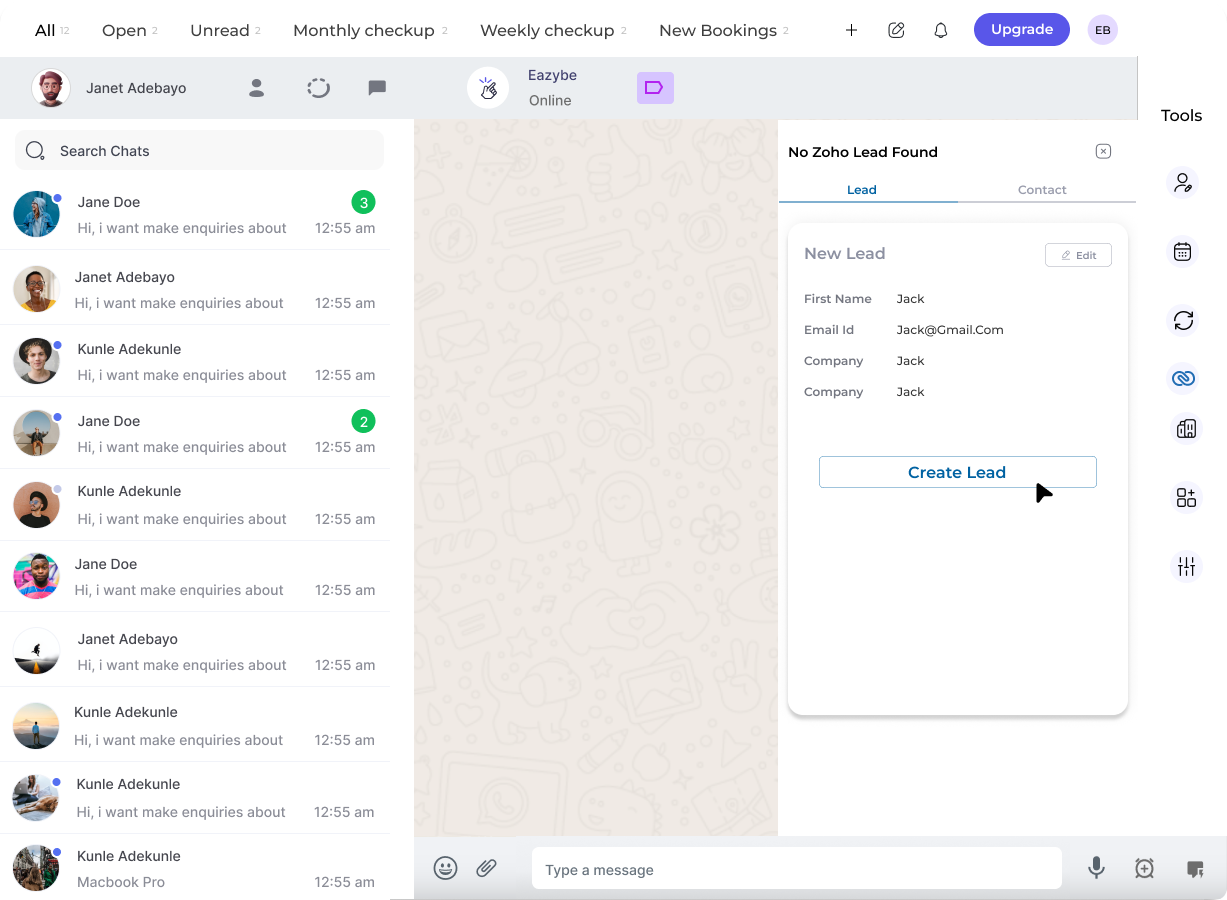
Zoho Mini-CRM Gorunumu, Zoho CRM islevlerinizi dogrudan WhatsApp arayuzunuze getirir. Bu guclu entegrasyon, mesajlasma konusmalarinizdan ayrilmadan musterileri, kisileri ve firsat takibini yonetmenizi saglar.
 ## Temel Yetenekler
WhatsApp sohbetlerinden dogrudan Zoho musterilerini olusturun, goruntuleyin ve duzenleyin
Tam profil erisimi ile Zoho kisilerini olusturun, goruntuleyin ve duzenleyin
Uygulama degistirmeden kisi firsatlarini olusturun ve yonetin
Kisilere gorev atayin ve musteri profillerine notlar ekleyin
## Yapabilecekleriniz
Mini-CRM Gorunumu ile WhatsApp icinde dogrudan asagidaki islemleri gerceklestirebilirsiniz:
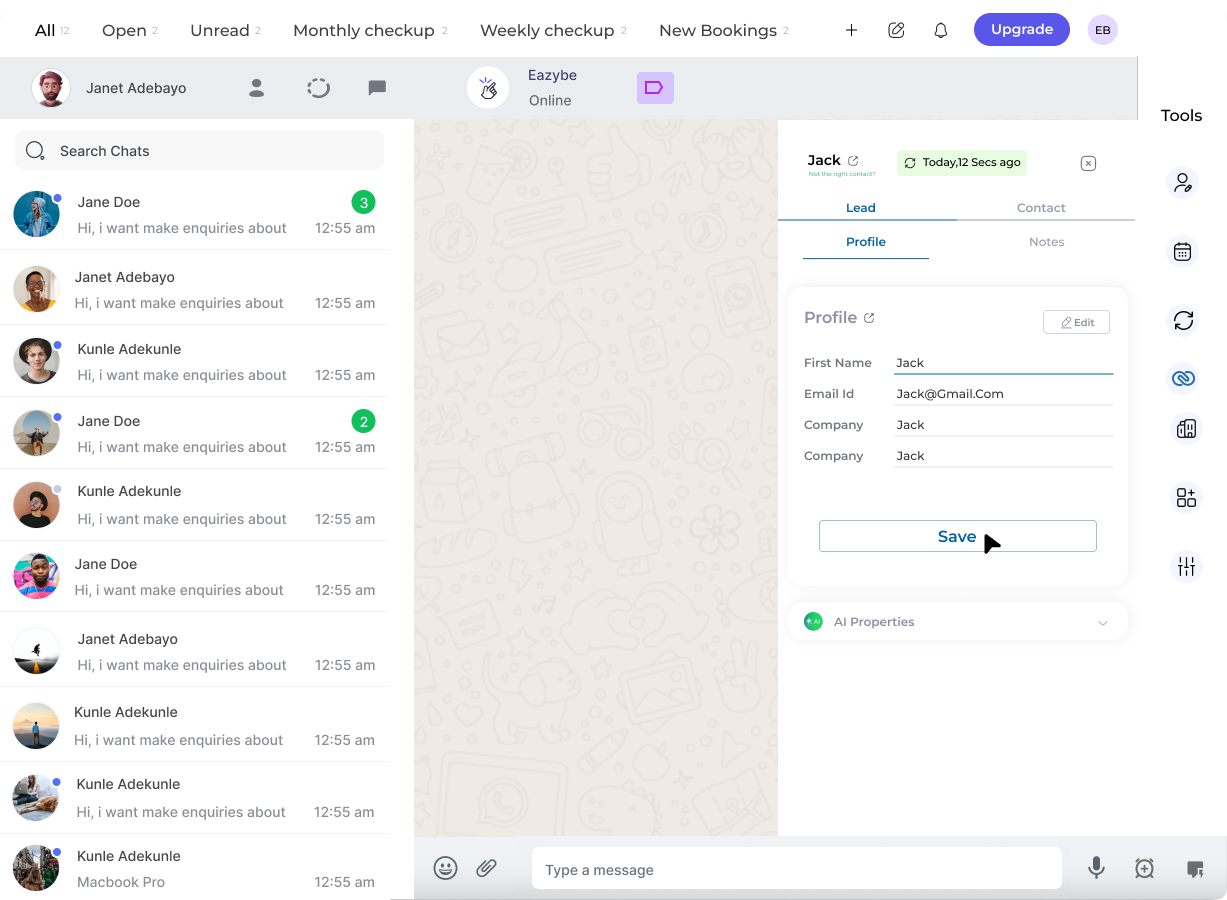
WhatsApp sohbetlerinden Zoho musterilerini olusturun ve goruntuleyin. Bilgilerinizi guncel tutmak icin musteri profillerini duzenleyin ve notlar ekleyin.
Zoho kisilerini olusturun, goruntuleyin ve duzenleyin. Tam kisi profillerine erisin ve bilgileri gercek zamanli olarak guncelleyin.
WhatsApp arayuzunden dogrudan kisilere gorev atayin, takiplerin asla kacirilmamasini saglayin.
Kisi firsatlarini olusturun ve yonetin. Uygulamalar arasinda gecis yapmadan firsat ilerlemesini takip edin.
## Temel Yetenekler
WhatsApp sohbetlerinden dogrudan Zoho musterilerini olusturun, goruntuleyin ve duzenleyin
Tam profil erisimi ile Zoho kisilerini olusturun, goruntuleyin ve duzenleyin
Uygulama degistirmeden kisi firsatlarini olusturun ve yonetin
Kisilere gorev atayin ve musteri profillerine notlar ekleyin
## Yapabilecekleriniz
Mini-CRM Gorunumu ile WhatsApp icinde dogrudan asagidaki islemleri gerceklestirebilirsiniz:
WhatsApp sohbetlerinden Zoho musterilerini olusturun ve goruntuleyin. Bilgilerinizi guncel tutmak icin musteri profillerini duzenleyin ve notlar ekleyin.
Zoho kisilerini olusturun, goruntuleyin ve duzenleyin. Tam kisi profillerine erisin ve bilgileri gercek zamanli olarak guncelleyin.
WhatsApp arayuzunden dogrudan kisilere gorev atayin, takiplerin asla kacirilmamasini saglayin.
Kisi firsatlarini olusturun ve yonetin. Uygulamalar arasinda gecis yapmadan firsat ilerlemesini takip edin.
 ## Faydalar
Bu ozellik, zaman kazandirmak, verimliligi artirmak ve satis ile destek ekiplerine ihtiyac duydaklari araclari dogrudan WhatsApp icinde saglamak icin tasarlanmistir.
| Fayda | Aciklama |
| -------------------------------- | ----------------------------------------------------- |
| **Zaman Tasarrufu** | WhatsApp ve Zoho CRM arasinda gecis yapmaya gerek yok |
| **Artirilmis Verimlilik** | Tum CRM islevlerine tek bir yerden erisin |
| **Gercek Zamanli Guncellemeler** | Konusmalar sirasinda musteri verilerini guncel tutun |
| **Sorunsuz Is Akisi** | Sohbetleri kesmeden satis gorevlerini halledin |
## Ilgili Ozellikler
Ayrintili musteri bilgilerini goruntuleyin ve yonetin
Tam kisi profili erisimi ve duzenleme
Firsatlari yonetin ve ilerlemeyi takip edin
## Faydalar
Bu ozellik, zaman kazandirmak, verimliligi artirmak ve satis ile destek ekiplerine ihtiyac duydaklari araclari dogrudan WhatsApp icinde saglamak icin tasarlanmistir.
| Fayda | Aciklama |
| -------------------------------- | ----------------------------------------------------- |
| **Zaman Tasarrufu** | WhatsApp ve Zoho CRM arasinda gecis yapmaya gerek yok |
| **Artirilmis Verimlilik** | Tum CRM islevlerine tek bir yerden erisin |
| **Gercek Zamanli Guncellemeler** | Konusmalar sirasinda musteri verilerini guncel tutun |
| **Sorunsuz Is Akisi** | Sohbetleri kesmeden satis gorevlerini halledin |
## Ilgili Ozellikler
Ayrintili musteri bilgilerini goruntuleyin ve yonetin
Tam kisi profili erisimi ve duzenleme
Firsatlari yonetin ve ilerlemeyi takip edin