> ## Documentation Index
> Fetch the complete documentation index at: https://help.eazybe.com/llms.txt
> Use this file to discover all available pages before exploring further.
# Lead Profili
> Mini-CRM gorunumunu kullanarak WhatsApp'tan dogrudan Zoho lead profil detaylarini goruntuleyin ve duzenleyin
## Genel Bakis
Profil Bolumu, bir Zoho Lead'in temel iletisim bilgilerini goruntular. Bu ozellik, WhatsApp konusmanizdan ayrilmadan lead ozelliklerini goruntulemenizi ve degistirmenizi saglar.
Mini-CRM gorunumu uzerinden profiline erismeden once lead'in Zoho'da olusturulmasi gerekmektedir.
## Lead Profiline Erisme
Lead profilini goruntlemek istediginiz kisinin WhatsApp konusmasina erisin.
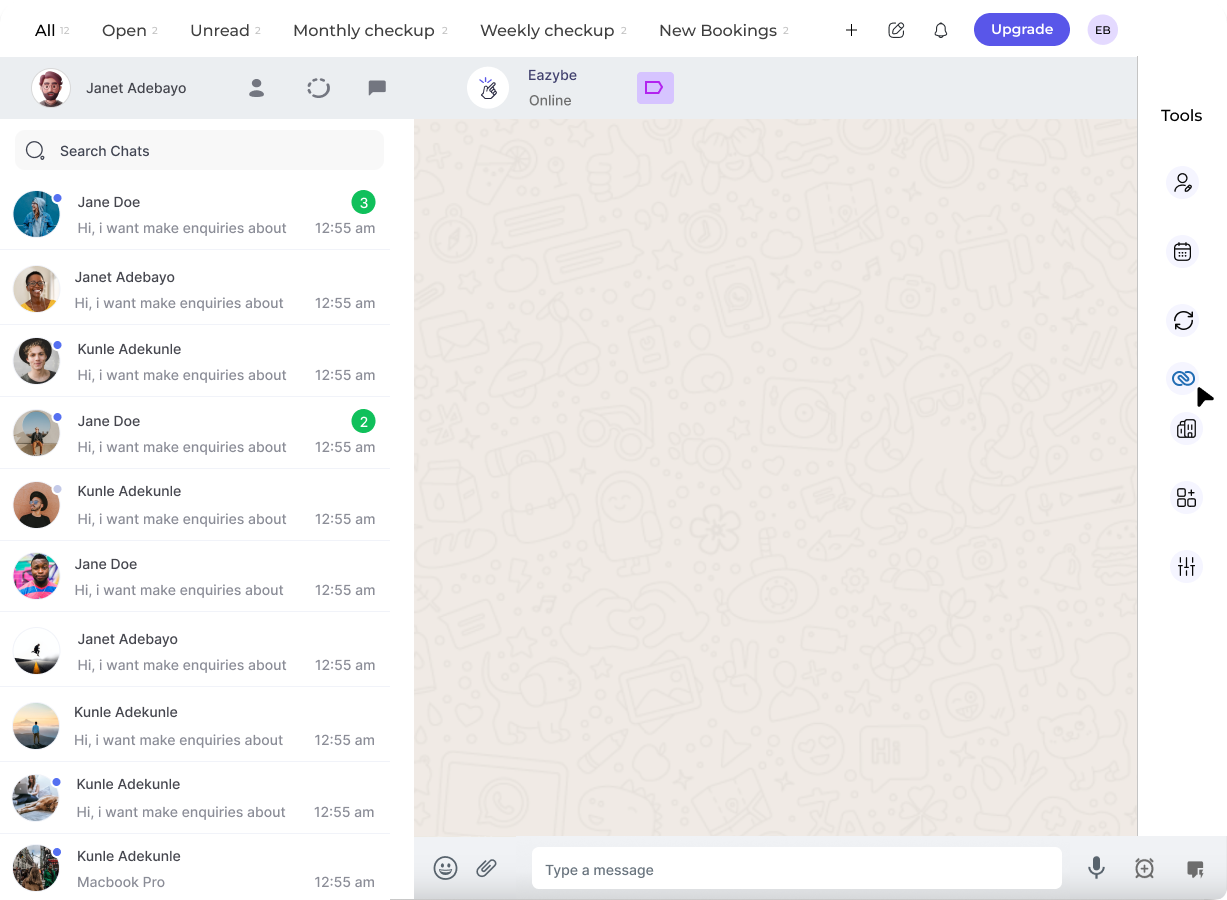 Mini-CRM panelini acmak icin Eazybe uzantisinin sag kenar cubugunda bulunan **Zoho ikonuna** tiklayin.
Profil bolumu, Zoho Mini-CRM Gorunumunun Lead Bolumundeki ilk baslik olarak gorunur. Burada tum temel iletisim bilgilerini gorebilirsiniz.
Mini-CRM panelini acmak icin Eazybe uzantisinin sag kenar cubugunda bulunan **Zoho ikonuna** tiklayin.
Profil bolumu, Zoho Mini-CRM Gorunumunun Lead Bolumundeki ilk baslik olarak gorunur. Burada tum temel iletisim bilgilerini gorebilirsiniz.
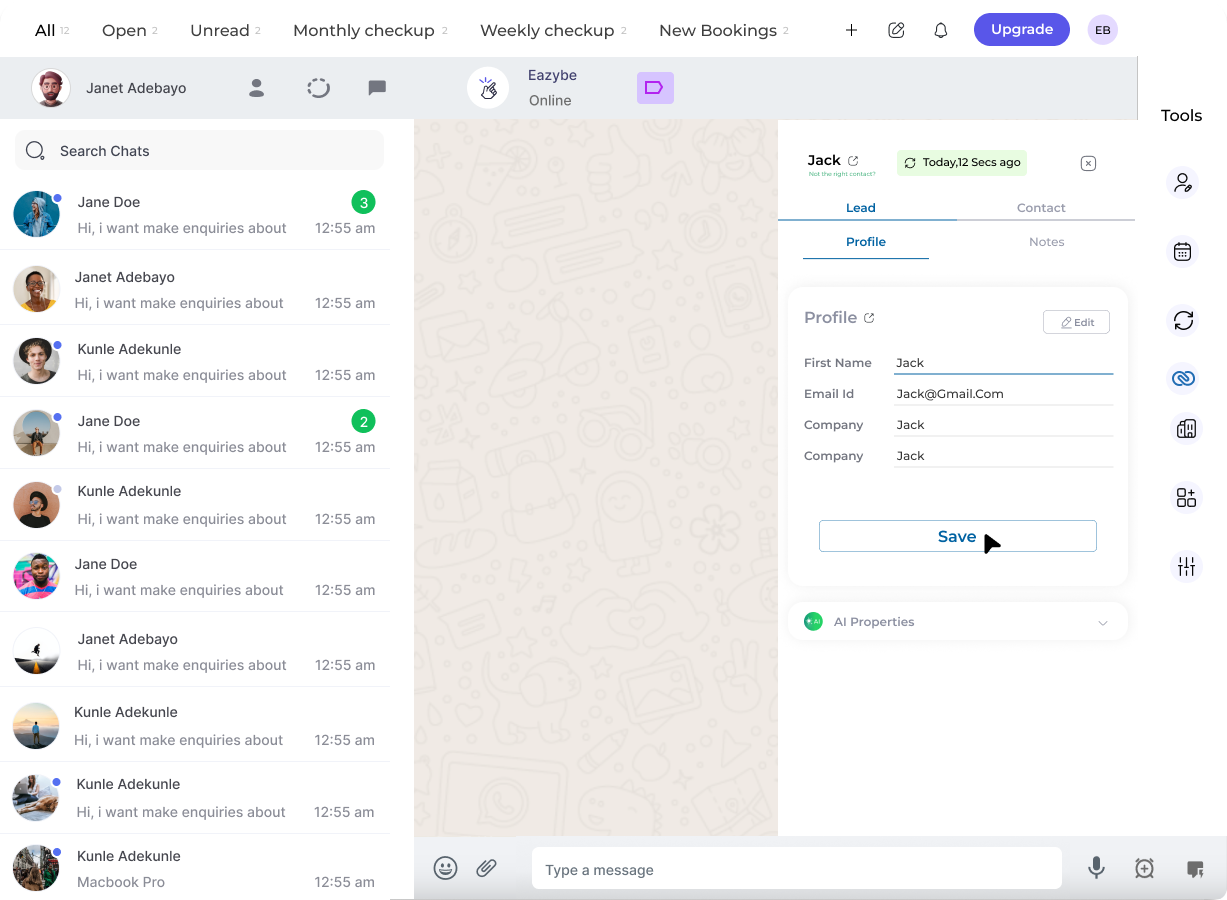 Zoho Lead'iniz icin kullanici ozelliklerini goruntuleyin ve degistirin:
* Iletisim bilgilerini guncelleyin
* Lead detaylarini degistirin
* Ozel alanlar ekleyin veya degistirin
Yapilan degisiklikleri uygulamak icin **Kaydet** butonuna tiklayin.
## Profil Bilgileri
Lead profili genellikle sunlari icerir:
| Alan | Aciklama |
| ---------------- | --------------------------- |
| **Ad** | Lead'in tam adi |
| **E-posta** | Birincil e-posta adresi |
| **Telefon** | Iletisim telefon numarasi |
| **Sirket** | Iliskili sirket adi |
| **Lead Durumu** | Pipeline'daki mevcut durum |
| **Lead Kaynagi** | Lead'in nasil elde edildigi |
Ekibinizin konusmalar sirasinda en dogru bilgilere sahip olmasini saglamak icin lead profillerinizi guncel tutun.
## Ilgili Ozellikler
WhatsApp'tan yeni lead'ler olusturun
Lead etkilesimlerini takip etmek icin notlar ekleyin
## Yardima mi Ihtiyaciniz Var?
Sorulariniz veya yardim icin **[support@eazybe.com](mailto:support@eazybe.com)** adresinden ekiple iletisime gecin
Zoho Lead'iniz icin kullanici ozelliklerini goruntuleyin ve degistirin:
* Iletisim bilgilerini guncelleyin
* Lead detaylarini degistirin
* Ozel alanlar ekleyin veya degistirin
Yapilan degisiklikleri uygulamak icin **Kaydet** butonuna tiklayin.
## Profil Bilgileri
Lead profili genellikle sunlari icerir:
| Alan | Aciklama |
| ---------------- | --------------------------- |
| **Ad** | Lead'in tam adi |
| **E-posta** | Birincil e-posta adresi |
| **Telefon** | Iletisim telefon numarasi |
| **Sirket** | Iliskili sirket adi |
| **Lead Durumu** | Pipeline'daki mevcut durum |
| **Lead Kaynagi** | Lead'in nasil elde edildigi |
Ekibinizin konusmalar sirasinda en dogru bilgilere sahip olmasini saglamak icin lead profillerinizi guncel tutun.
## Ilgili Ozellikler
WhatsApp'tan yeni lead'ler olusturun
Lead etkilesimlerini takip etmek icin notlar ekleyin
## Yardima mi Ihtiyaciniz Var?
Sorulariniz veya yardim icin **[support@eazybe.com](mailto:support@eazybe.com)** adresinden ekiple iletisime gecin