> ## Documentation Index
> Fetch the complete documentation index at: https://help.eazybe.com/llms.txt
> Use this file to discover all available pages before exploring further.
# Unreplied Chats
> AI-powered detection of unreplied and follow-up needed conversations
## Unreplied Chats Detection
Eazybe's AI Agent automatically scans your team's WhatsApp conversations to identify unreplied chats and prioritize them by urgency.
### How It Works
The AI agent analyzes every conversation and applies priority labels:
| Priority | Label | Indicators |
| ---------------- | -------- | ----------------------------------------------------------------------------- |
| **Critical** | 🔴 Red | Keywords like "urgent", "cancel", "refund", "complaint", high-value customers |
| **Non-Critical** | Standard | Regular inquiries without urgency signals |
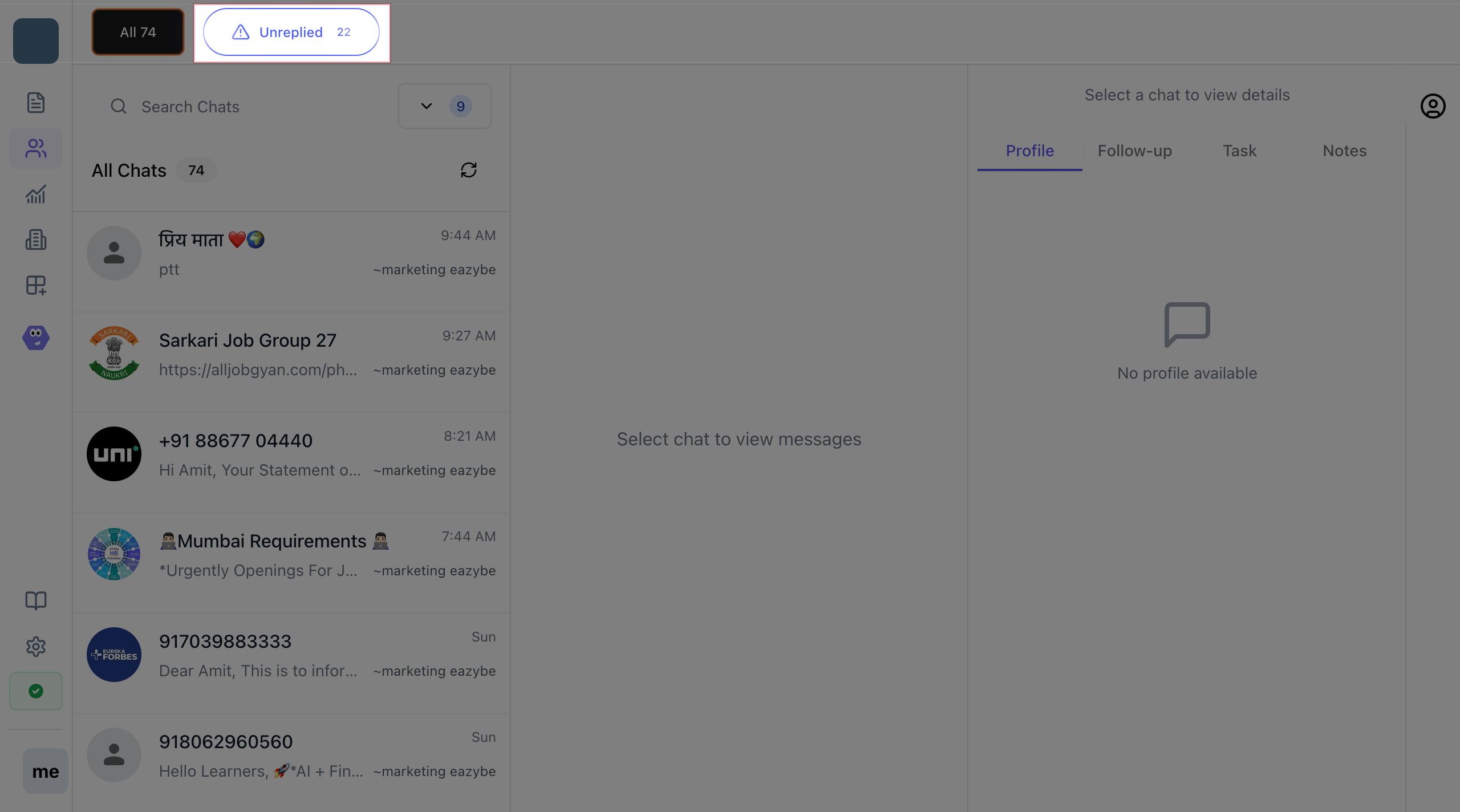
### Step 1: Open Team Inbox
1. Log in to the Eazybe workspace
2. Navigate to **Team Inbox** from the sidebar
3. Click on **Unreplied** filter
 ### Step 2: Identify Critical Chats
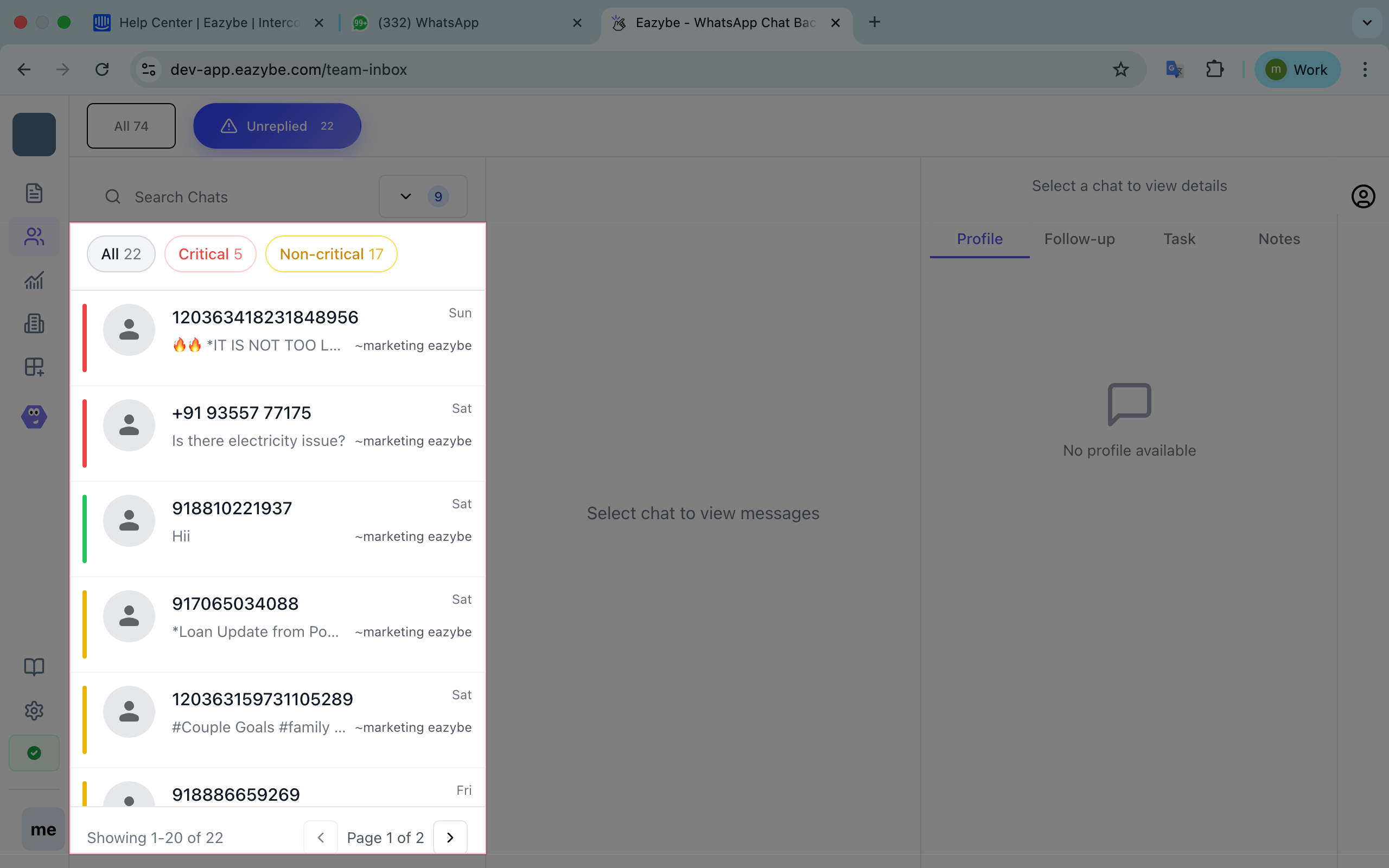
Critical chats display a **red label** indicating high priority:
* Complaints and escalations
* Billing and payment issues
* Order cancellations
* High-value customer alerts
### Step 2: Identify Critical Chats
Critical chats display a **red label** indicating high priority:
* Complaints and escalations
* Billing and payment issues
* Order cancellations
* High-value customer alerts
 ### Step 3: Filter Your View
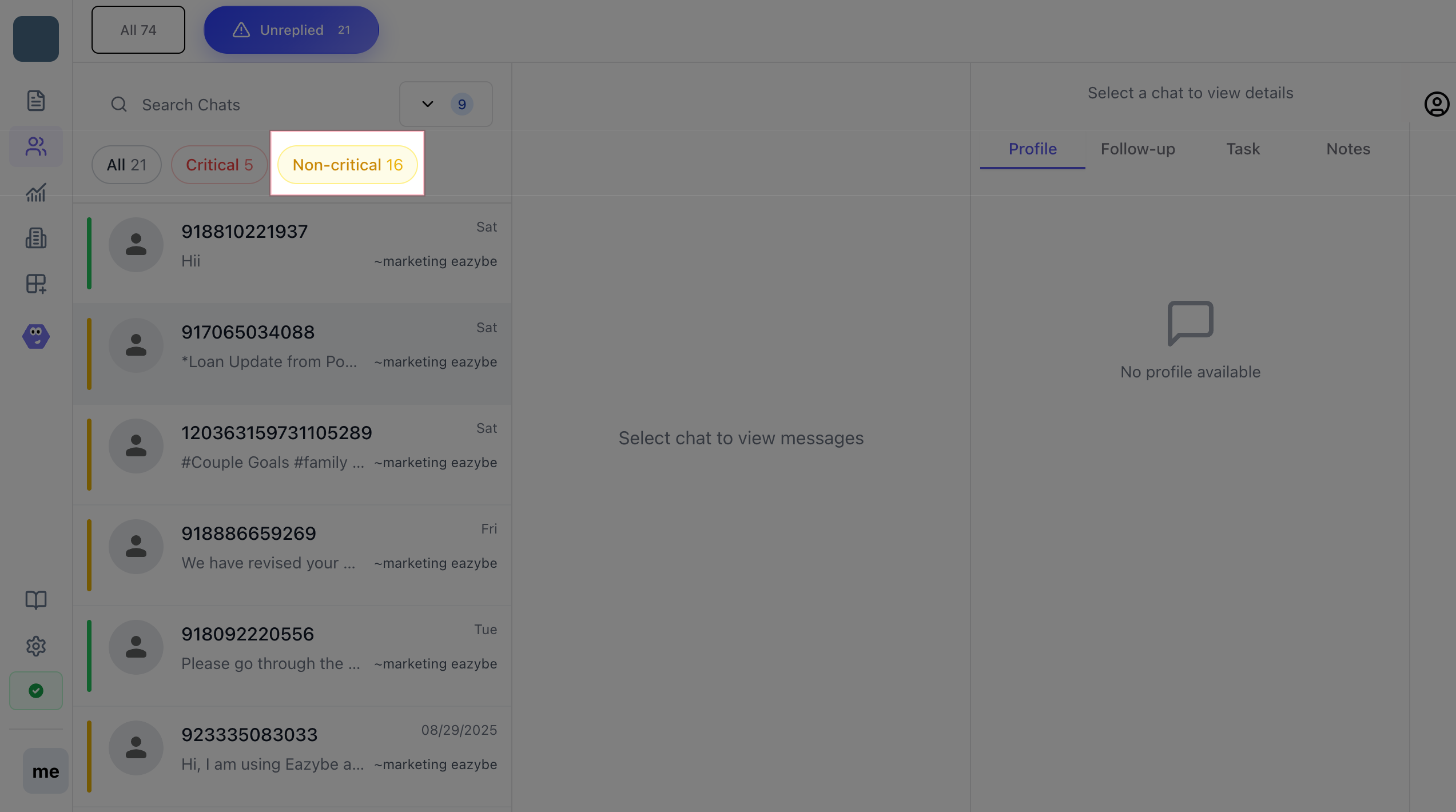
Use built-in filters to focus your workload:
* **All chats** - View everything
* **Only critical** - Focus on urgent issues
* **Only non-critical** - Handle routine inquiries
### Step 3: Filter Your View
Use built-in filters to focus your workload:
* **All chats** - View everything
* **Only critical** - Focus on urgent issues
* **Only non-critical** - Handle routine inquiries
 ### AI Detection Keywords
The AI looks for urgency indicators like:
* urgent
* immediately
* escalate
* manager
* cancel
* refund
* return
* money back
* not working
* problem
* broken
* failed
### Admin Notifications
Administrators receive automated WhatsApp summaries every 3 hours with:
* Count of unreplied chats
* Critical vs non-critical breakdown
* Team member assignments
Critical chats left unreplied for more than 4 hours trigger escalation alerts to admins.
### AI Detection Keywords
The AI looks for urgency indicators like:
* urgent
* immediately
* escalate
* manager
* cancel
* refund
* return
* money back
* not working
* problem
* broken
* failed
### Admin Notifications
Administrators receive automated WhatsApp summaries every 3 hours with:
* Count of unreplied chats
* Critical vs non-critical breakdown
* Team member assignments
Critical chats left unreplied for more than 4 hours trigger escalation alerts to admins.