> ## Documentation Index
> Fetch the complete documentation index at: https://help.eazybe.com/llms.txt
> Use this file to discover all available pages before exploring further.
# Conversation States
> Understanding open, resolved, and expired conversation states
## Conversation States
Every conversation in Revenue Inbox has a state that indicates its current status.
### State Types
| State | Icon | Description |
| ------------- | ---- | --------------------------------------- |
| **Open** | 🟢 | Active conversation awaiting response |
| **Resolved** | ✅ | Conversation marked as complete |
| **Unreplied** | 🔴 | Customer message awaiting team response |
| **Expired** | ⏰ | WABA 24-hour window closed |
### For Extension Users
If you use the Eazybe Chrome extension only:
* **No time limits** on replying
* Messages sync from WhatsApp Web
* Send any message type anytime
### For WABA Users
If you have a WhatsApp Business API account:
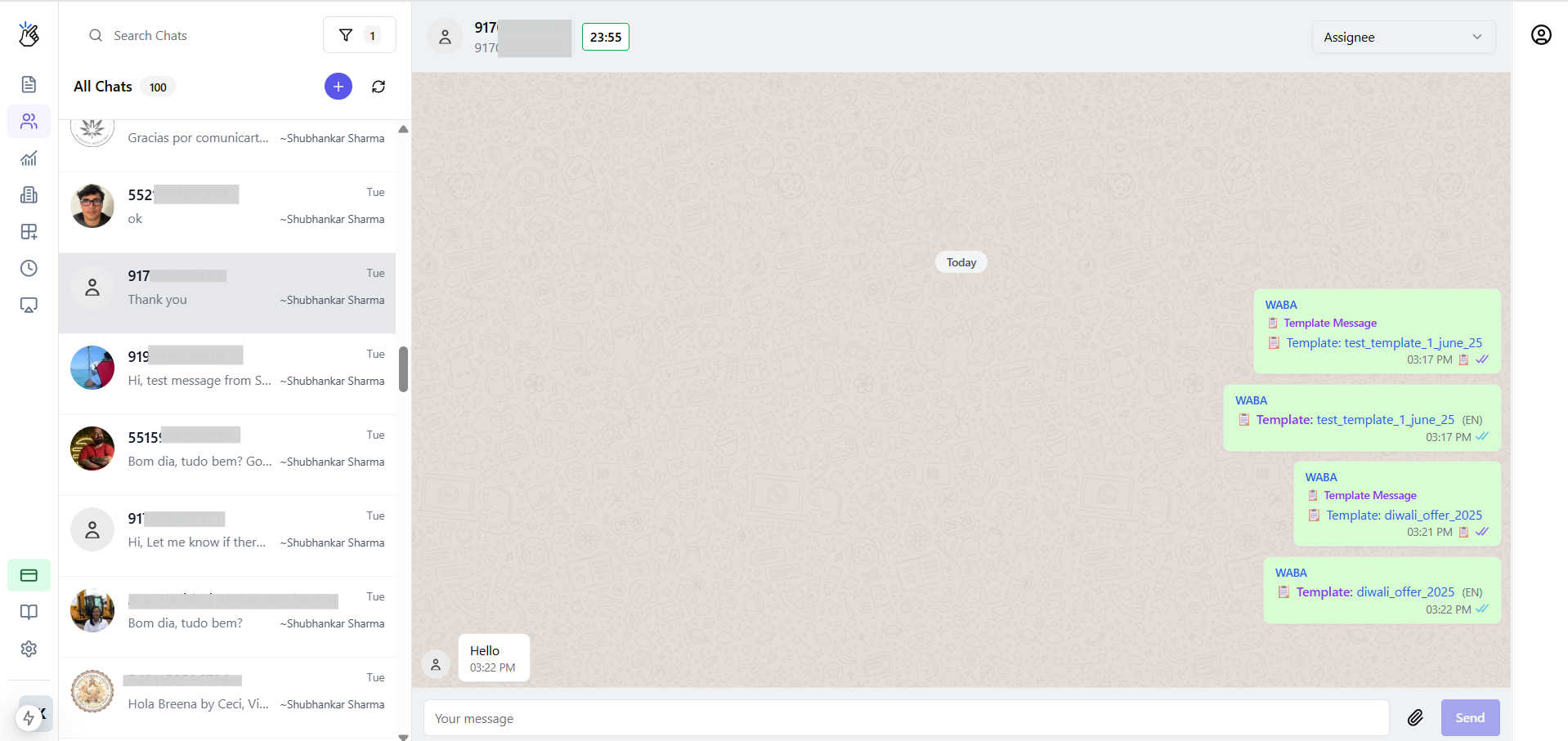
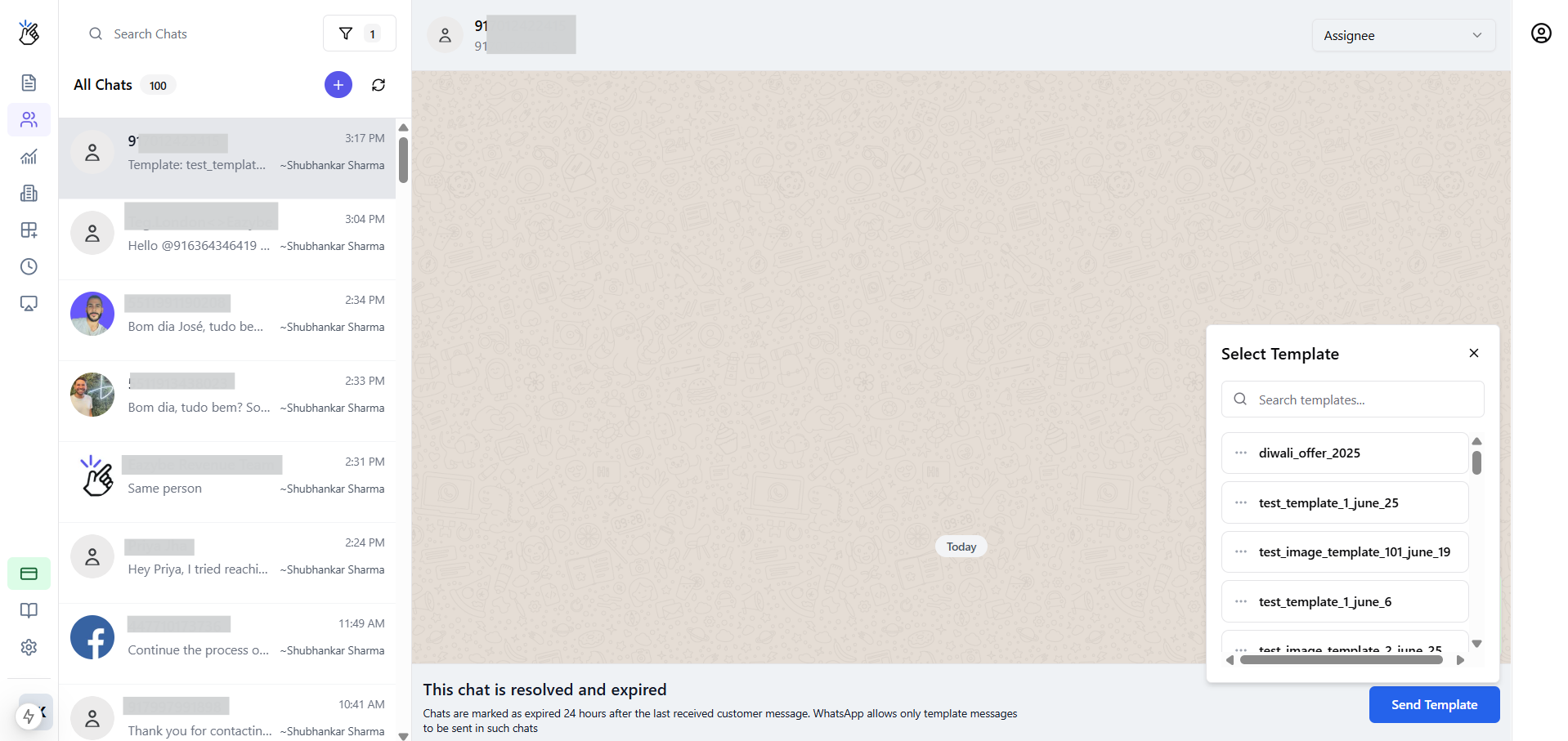
#### The 24-Hour Service Window
When a customer messages you, a 24-hour window opens:
| Window Status | What You Can Do |
| ---------------------- | ------------------------- |
| **Open** (within 24h) | Send any message freely |
| **Closed** (after 24h) | Must use Message Template |
 ### Marking Conversations Resolved
1. Open the conversation in Team Inbox
2. Click **Mark Resolved** or the ✅ icon
3. Conversation moves to Resolved filter
Resolved conversations can be reopened when the customer sends a new message.
### Marking Conversations Resolved
1. Open the conversation in Team Inbox
2. Click **Mark Resolved** or the ✅ icon
3. Conversation moves to Resolved filter
Resolved conversations can be reopened when the customer sends a new message.