> ## Documentation Index
> Fetch the complete documentation index at: https://help.eazybe.com/llms.txt
> Use this file to discover all available pages before exploring further.
# WhatsApp Business API
> Connect your official WhatsApp Business Account to unlock broadcasts, automation, and team collaboration
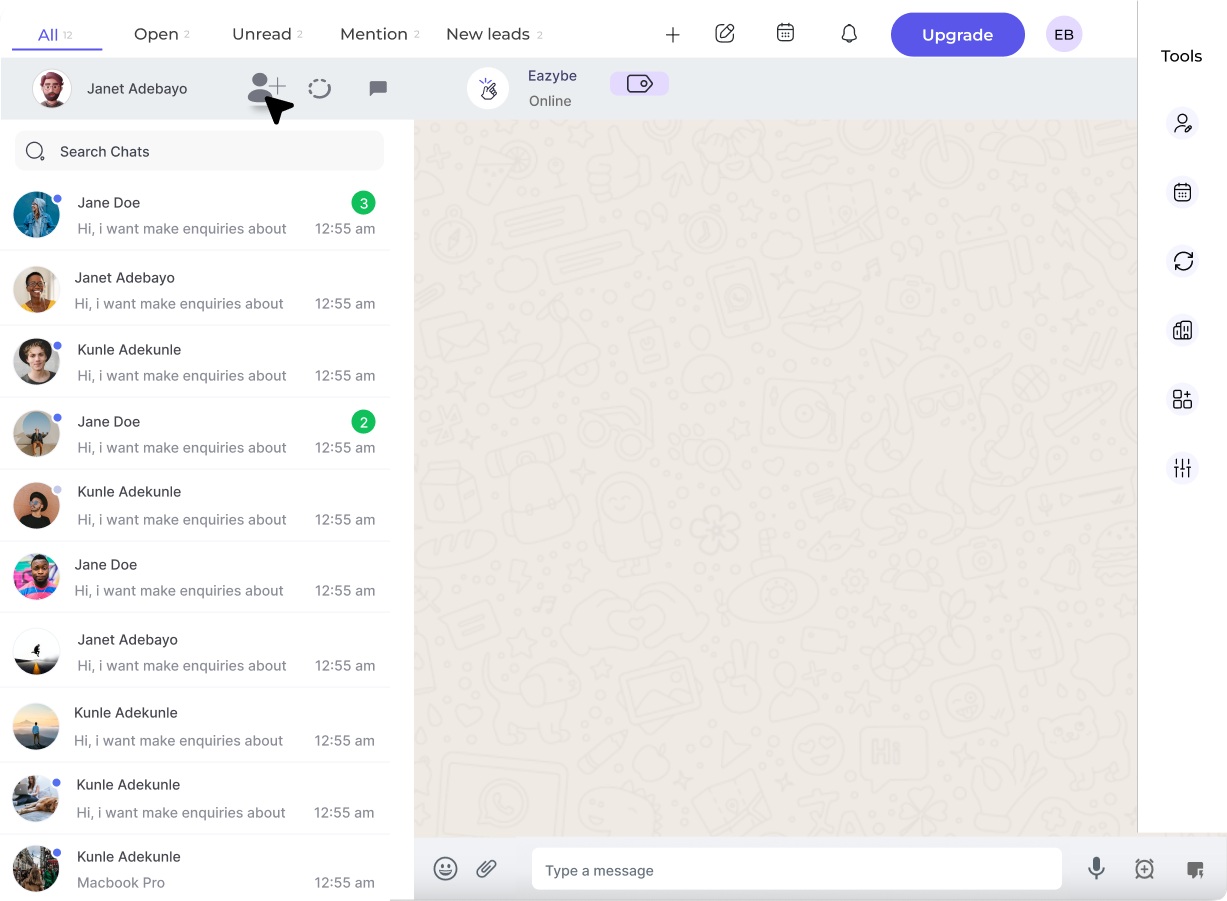 ## What is WhatsApp Business API?
The **WhatsApp Business API** (also known as WABA) is Meta's official solution for medium and large businesses to communicate with customers at scale. Unlike the regular WhatsApp Business App, the API enables:
Send promotional messages to thousands of opted-in contacts simultaneously
Multiple team members can respond to customer messages from a shared inbox
Sync conversations with HubSpot, Zoho, Salesforce, and more
Set up auto-replies, chatbots, and workflow triggers
## WABA vs Chrome Extension
| Feature | Chrome Extension | WABA |
| --------------------- | ------------------------ | ------------------------------- |
| **Connection** | QR code scan | Official Meta API |
| **Broadcasts** | Limited | Unlimited (with templates) |
| **24/7 Uptime** | Requires laptop open | Cloud-based, always on |
| **Team Access** | Via shared inbox | Direct multi-user access |
| **Message Templates** | Not required | Required for outbound |
| **Best For** | Individuals, small teams | Growing businesses, enterprises |
**Starter Credits:** Every new business connecting WABA receives **₹100 or \$1 free** credits to get started!
## Key Capabilities
### 1. Template Messages
Pre-approved message formats for reaching customers outside the 24-hour window:
* **Marketing:** Promotions, offers, announcements
* **Utility:** Order updates, shipping notifications, appointment reminders
* **Authentication:** OTPs, verification codes
### 2. 24-Hour Messaging Window
## What is WhatsApp Business API?
The **WhatsApp Business API** (also known as WABA) is Meta's official solution for medium and large businesses to communicate with customers at scale. Unlike the regular WhatsApp Business App, the API enables:
Send promotional messages to thousands of opted-in contacts simultaneously
Multiple team members can respond to customer messages from a shared inbox
Sync conversations with HubSpot, Zoho, Salesforce, and more
Set up auto-replies, chatbots, and workflow triggers
## WABA vs Chrome Extension
| Feature | Chrome Extension | WABA |
| --------------------- | ------------------------ | ------------------------------- |
| **Connection** | QR code scan | Official Meta API |
| **Broadcasts** | Limited | Unlimited (with templates) |
| **24/7 Uptime** | Requires laptop open | Cloud-based, always on |
| **Team Access** | Via shared inbox | Direct multi-user access |
| **Message Templates** | Not required | Required for outbound |
| **Best For** | Individuals, small teams | Growing businesses, enterprises |
**Starter Credits:** Every new business connecting WABA receives **₹100 or \$1 free** credits to get started!
## Key Capabilities
### 1. Template Messages
Pre-approved message formats for reaching customers outside the 24-hour window:
* **Marketing:** Promotions, offers, announcements
* **Utility:** Order updates, shipping notifications, appointment reminders
* **Authentication:** OTPs, verification codes
### 2. 24-Hour Messaging Window
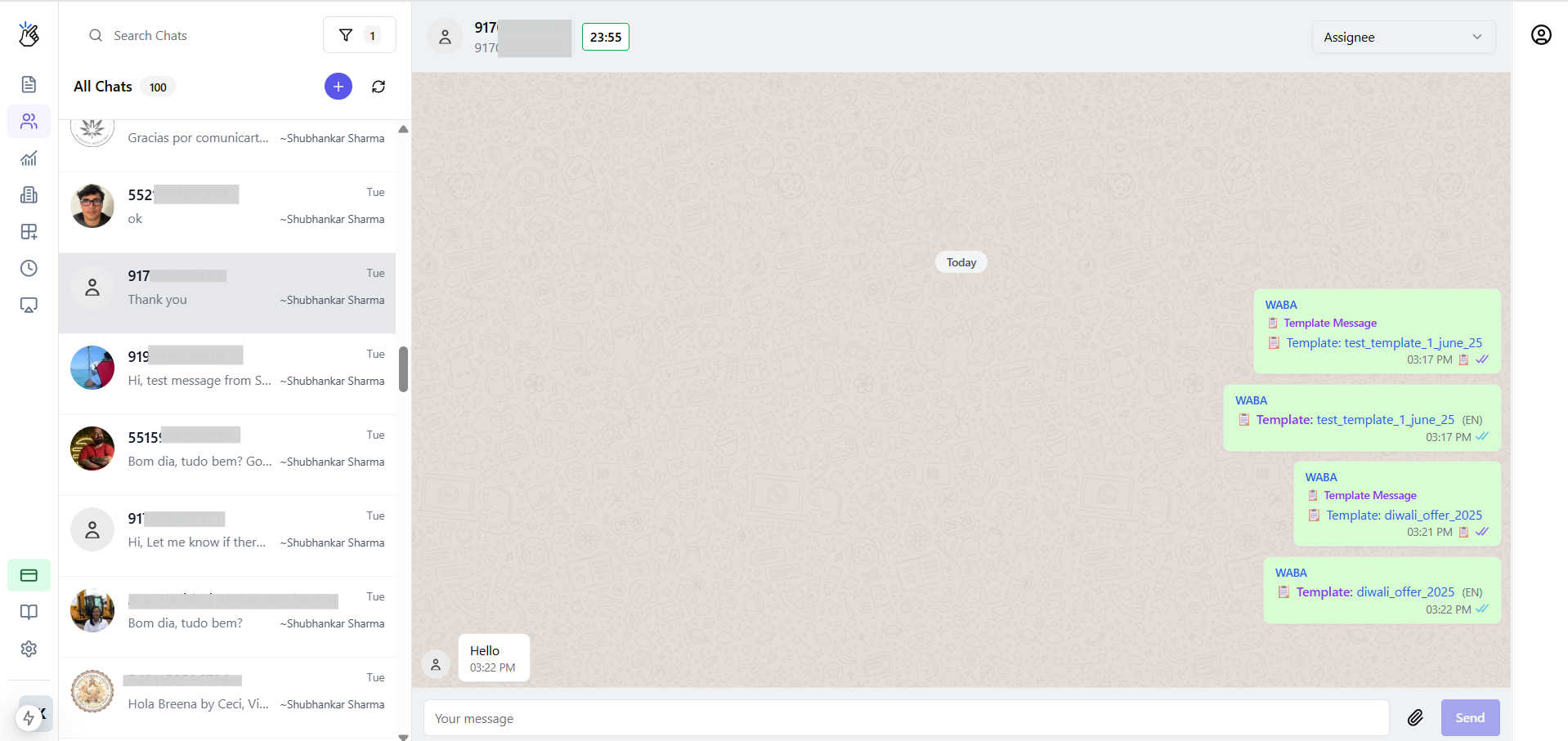 When a customer messages you, a **24-hour service window** opens where you can send any message (including free-form text) without template restrictions. After 24 hours, you must use an approved template to re-engage.
### 3. Coexistence Mode
Keep using your **WhatsApp Business App** on your phone while also connecting to the API. Messages sync between both platforms in real-time.
Use your existing WhatsApp Business number with the API without losing chat history
## Getting Started
* Meta Business Account (create during setup if needed)
* Phone number that can receive OTP
* Admin access to Facebook Business Manager
Go to Eazybe Workspace → **Settings** → **Connect WABA** and follow the embedded signup flow
Design and submit message templates for Meta approval (typically 24-48 hours)
Add credits to your Eazybe wallet to start sending broadcast messages
Upload contacts, select a template, and send your first broadcast!
## Next Steps
Step-by-step connection guide
Design message templates
Launch your first campaign
View message rates by country
When a customer messages you, a **24-hour service window** opens where you can send any message (including free-form text) without template restrictions. After 24 hours, you must use an approved template to re-engage.
### 3. Coexistence Mode
Keep using your **WhatsApp Business App** on your phone while also connecting to the API. Messages sync between both platforms in real-time.
Use your existing WhatsApp Business number with the API without losing chat history
## Getting Started
* Meta Business Account (create during setup if needed)
* Phone number that can receive OTP
* Admin access to Facebook Business Manager
Go to Eazybe Workspace → **Settings** → **Connect WABA** and follow the embedded signup flow
Design and submit message templates for Meta approval (typically 24-48 hours)
Add credits to your Eazybe wallet to start sending broadcast messages
Upload contacts, select a template, and send your first broadcast!
## Next Steps
Step-by-step connection guide
Design message templates
Launch your first campaign
View message rates by country