> ## Documentation Index
> Fetch the complete documentation index at: https://help.eazybe.com/llms.txt
> Use this file to discover all available pages before exploring further.
# Start Chat
> Learn how to start a WhatsApp chat with any number without saving it as a contact first using Eazybe's quick chat feature.
Eazybe enables you to initiate WhatsApp conversations with any number without saving it as a contact first. This is perfect for quick outreach to new leads or one-time communications.
## How to Start a New Chat
Click the **Start a new chat** icon in the Eazybe interface.
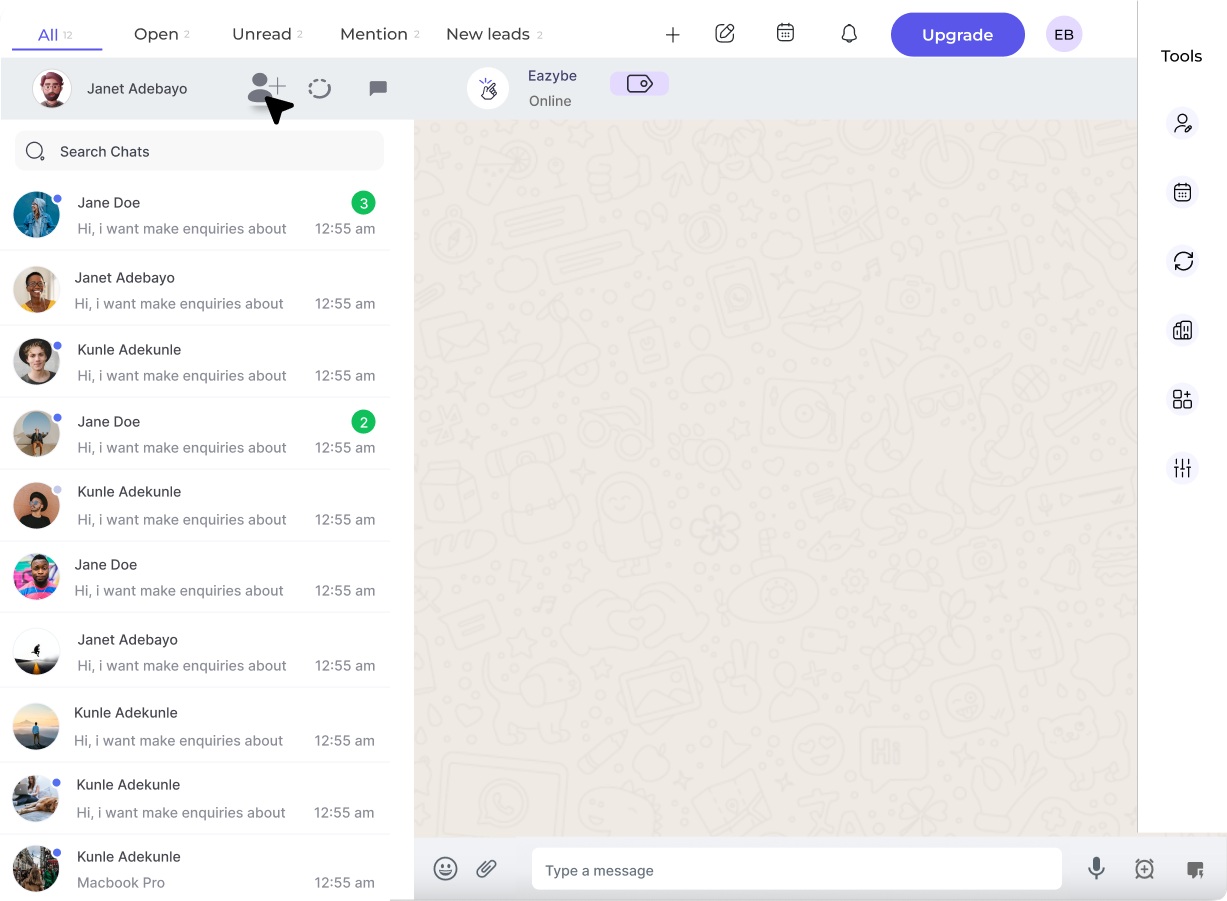 Select the country from the dropdown or include the country code prefix (e.g., +91, +1) before the number. Then enter the contact's phone number.
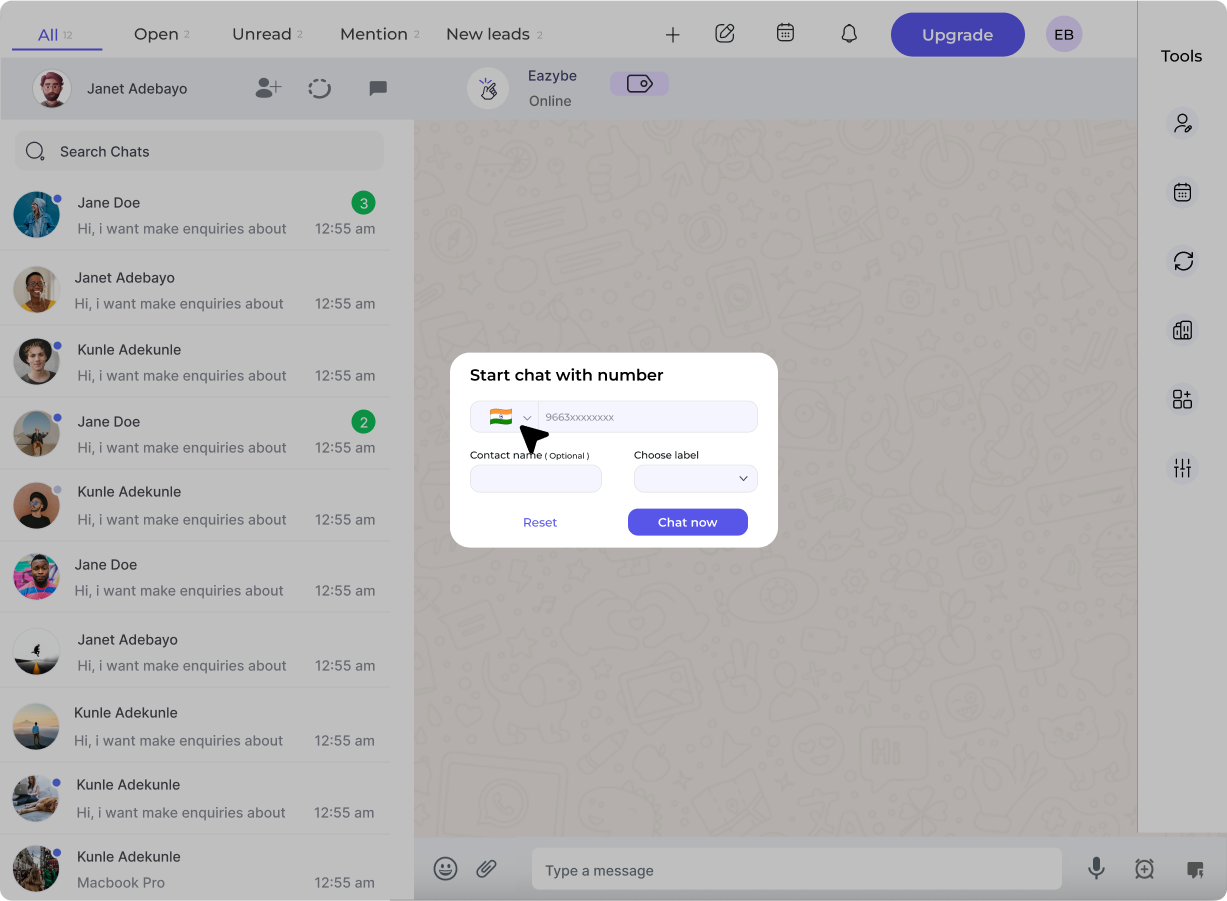 Optionally, assign a contact name for easy reference. This helps you identify the conversation later.
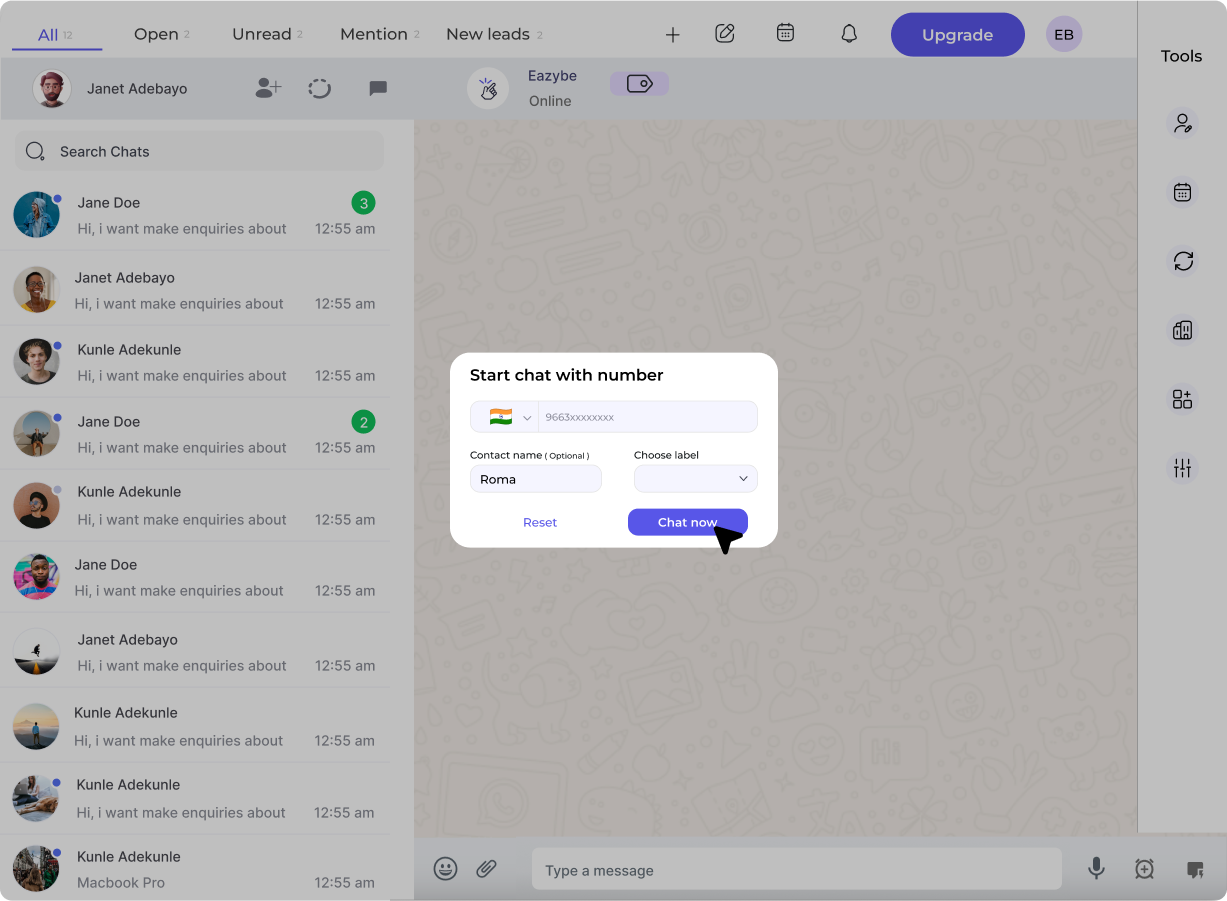
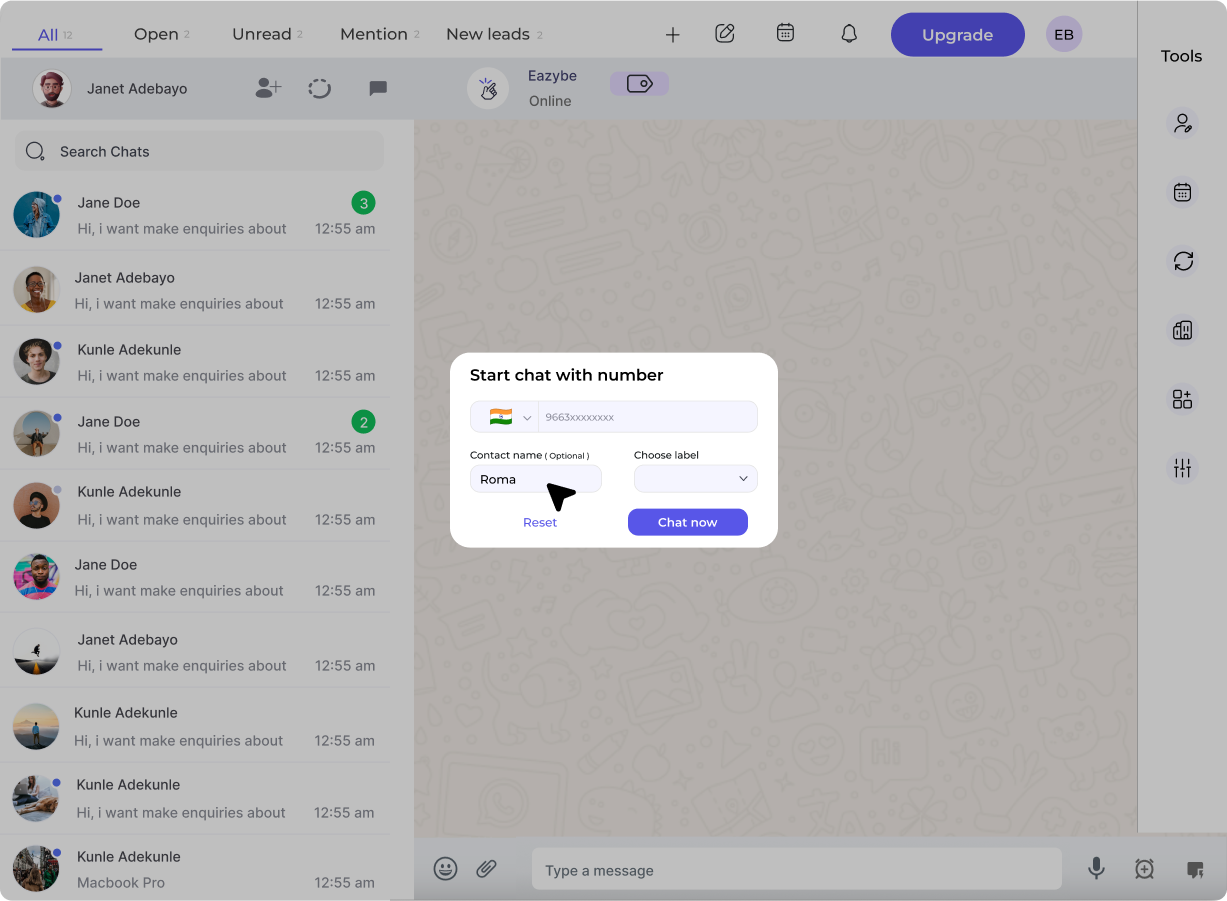 Click **Start** to begin messaging. Your conversation will open immediately.
 ## Frequently Asked Questions
You can either select the country flag from the dropdown or include the country code as a prefix before the number (e.g., +91 for India, +1 for USA).
Contact details are stored within the User Profile section. They are not automatically added to your phone contacts.
No, you can directly enter the recipient's number and start chatting without saving it to your contacts.
This feature is especially useful for sales teams who need to quickly reach out to new leads without cluttering their phone contacts.
## Frequently Asked Questions
You can either select the country flag from the dropdown or include the country code as a prefix before the number (e.g., +91 for India, +1 for USA).
Contact details are stored within the User Profile section. They are not automatically added to your phone contacts.
No, you can directly enter the recipient's number and start chatting without saving it to your contacts.
This feature is especially useful for sales teams who need to quickly reach out to new leads without cluttering their phone contacts.