> ## Documentation Index
> Fetch the complete documentation index at: https://help.eazybe.com/llms.txt
> Use this file to discover all available pages before exploring further.
# Broadcast Messages
> Learn how to send messages to multiple contacts simultaneously using the broadcast messages feature in Eazybe.
Want to send a message to multiple contacts at the same time? Eazybe's broadcast message feature makes it easy to reach your entire audience with a single action.
## How to Send Broadcast Messages
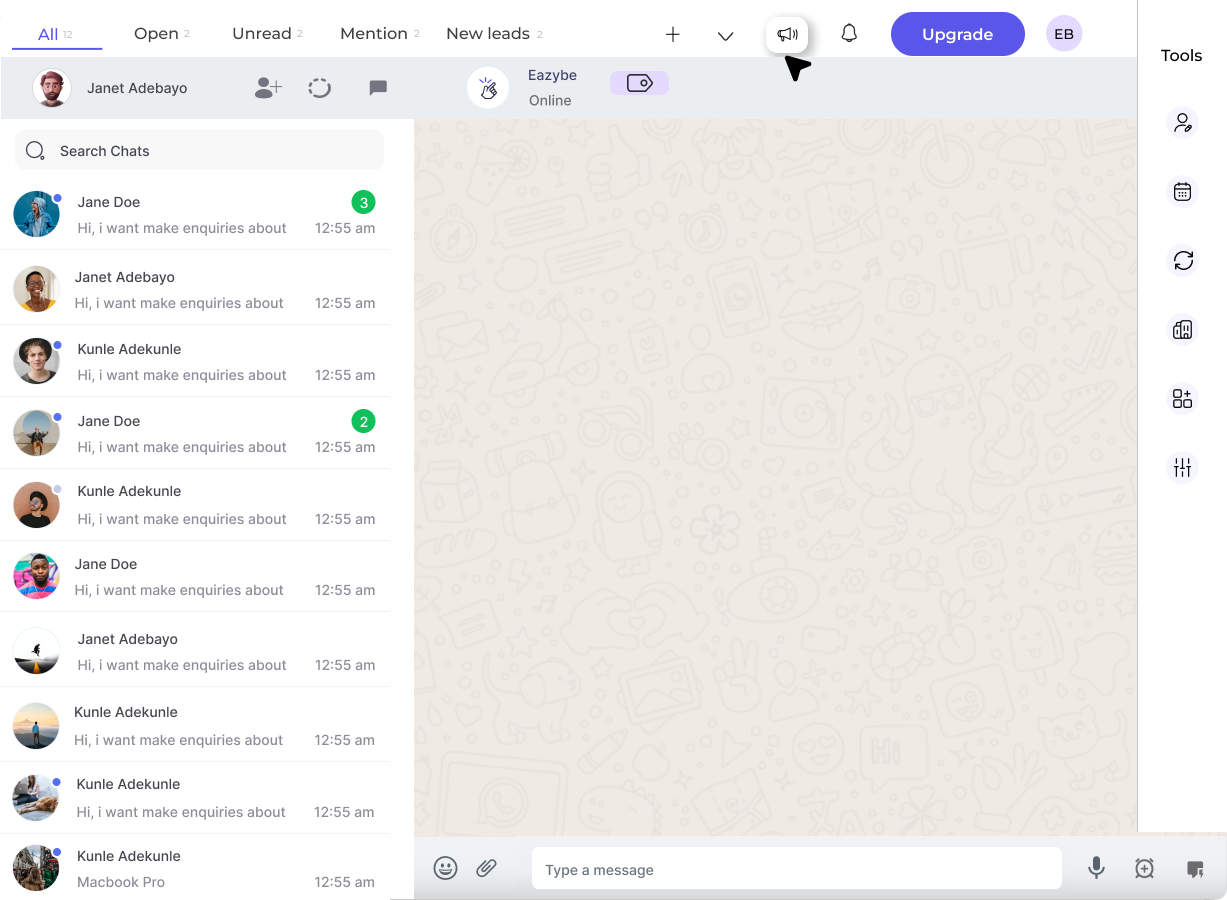
Click on the **Broadcast Messages** button in the top bar.
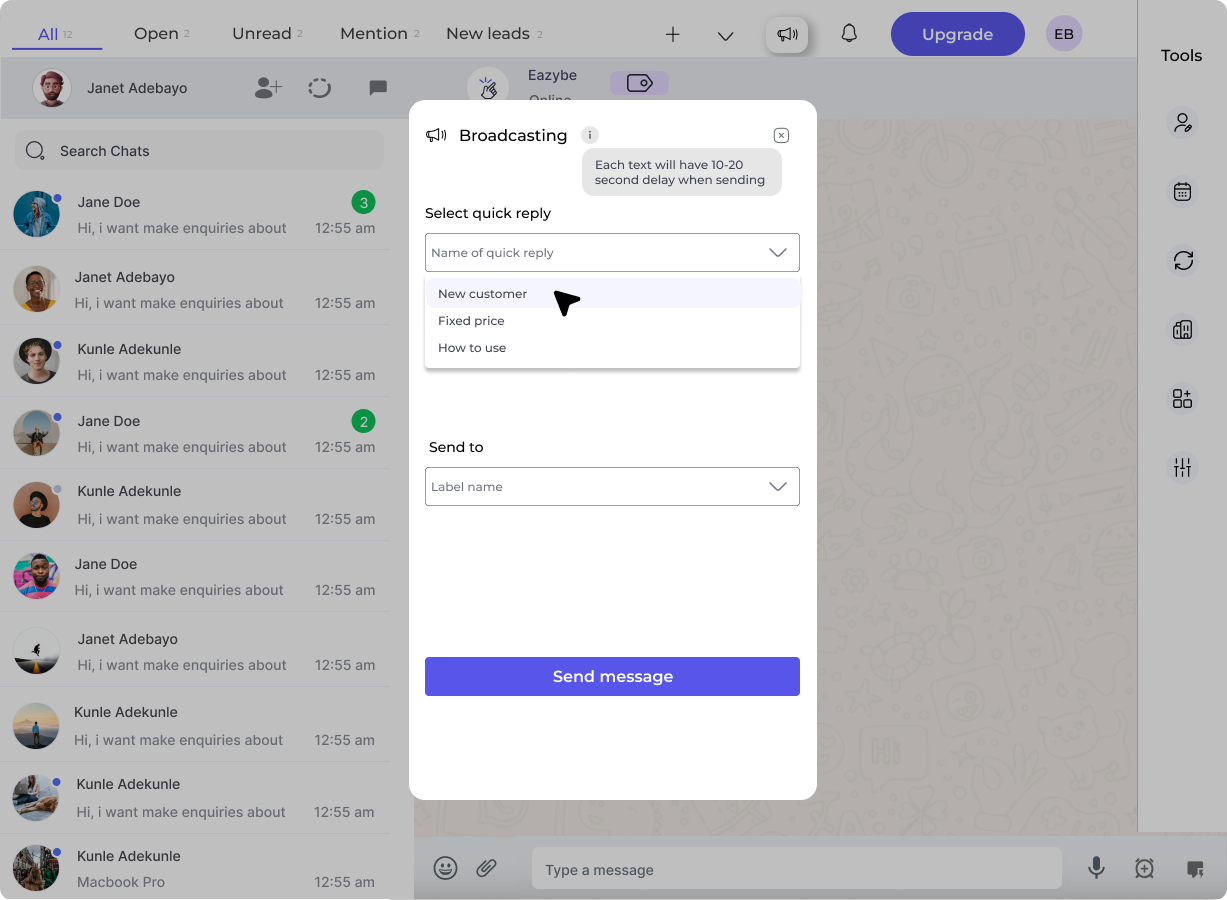
 Select the Quick Reply from the dropdown that you want to send as a broadcast.
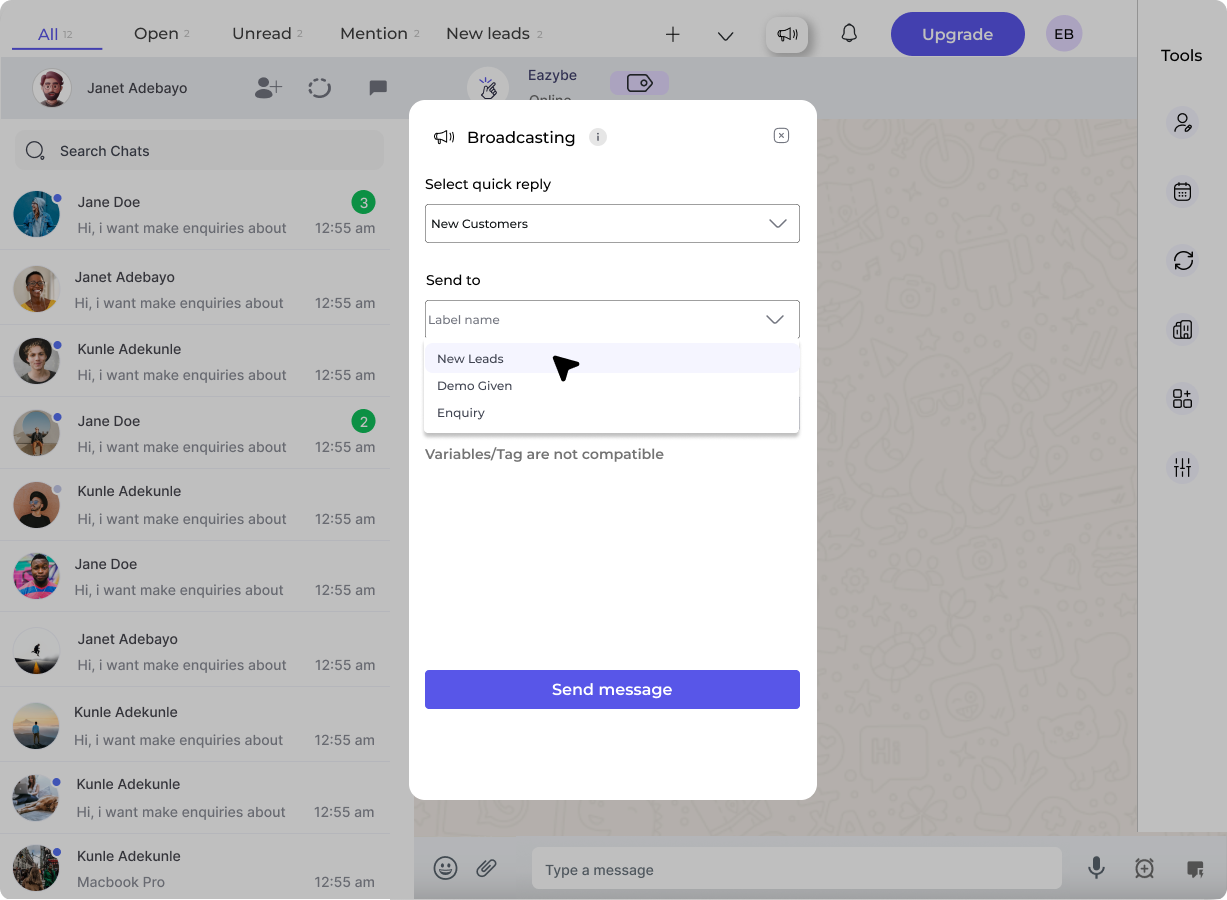
 Select the Label for which you want to send the quick reply to. This allows you to target specific groups of contacts.
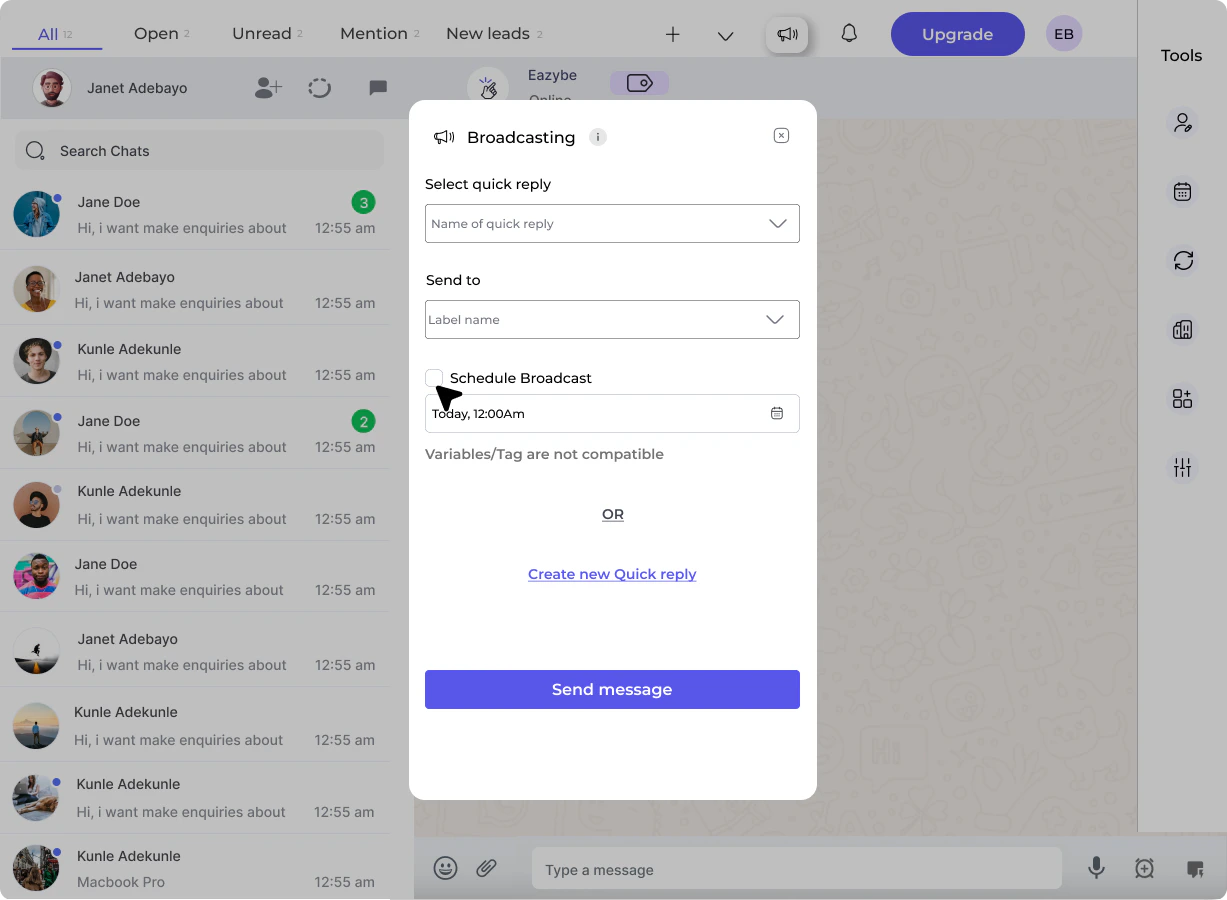
 You have two options:
* Click **Send Message** to send the selected quick reply
* Click **Create New Quick Reply** to create a new message for this broadcast
You have two options:
* Click **Send Message** to send the selected quick reply
* Click **Create New Quick Reply** to create a new message for this broadcast
 This feature should be used with caution and in a limited manner. Make sure to read the disclaimer carefully after clicking on the Send Message button.
Organize your contacts with Labels before using broadcast messages to ensure your message reaches the right audience.
This feature should be used with caution and in a limited manner. Make sure to read the disclaimer carefully after clicking on the Send Message button.
Organize your contacts with Labels before using broadcast messages to ensure your message reaches the right audience.