> ## Documentation Index
> Fetch the complete documentation index at: https://help.eazybe.com/llms.txt
> Use this file to discover all available pages before exploring further.
# User Access
> Learn how to give access to users through Zoho by managing permissions for EazyBe integration
A Zoho super-admin can invite new users and manage permissions for EazyBe integration. This guide explains how to grant access to team members through your Zoho account.
## Giving Permissions through Zoho
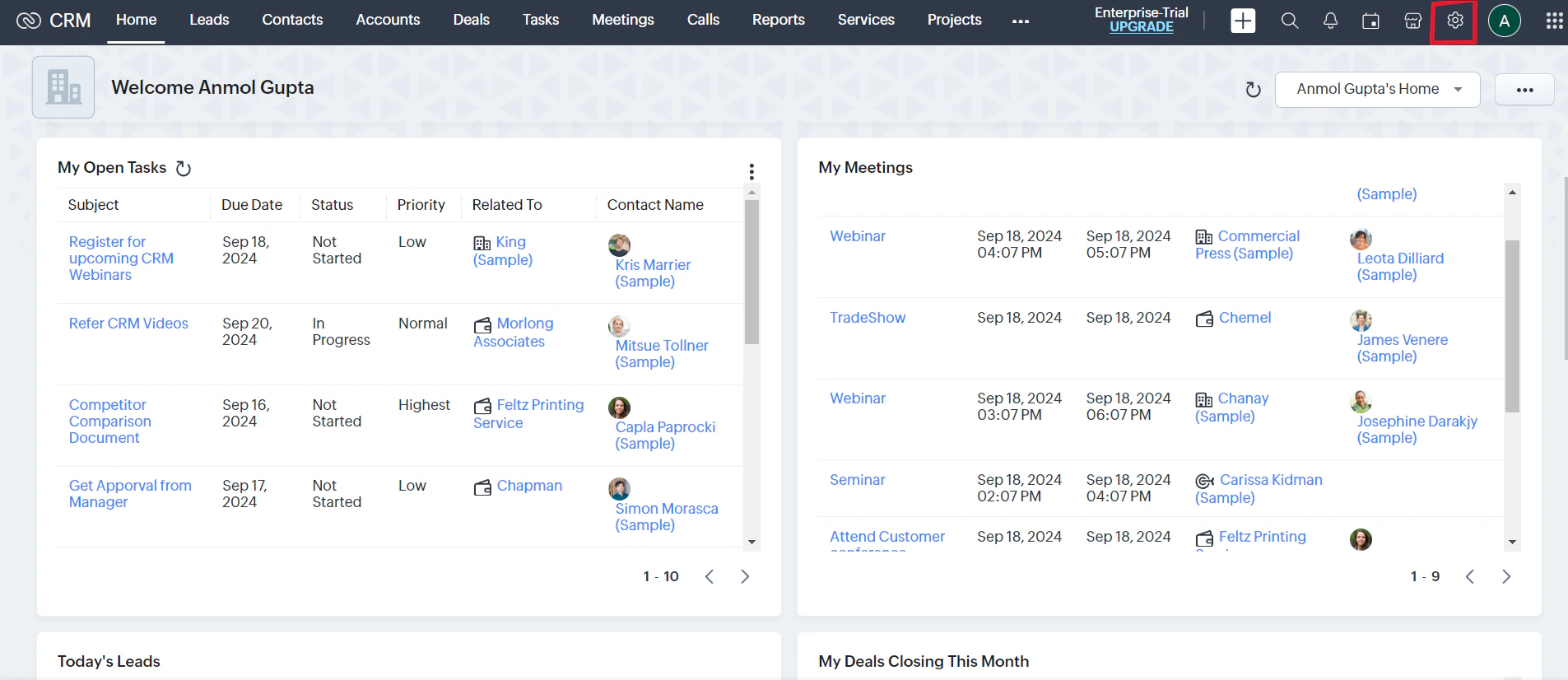
Navigate to your Zoho account and click on the **Setup icon** to access the settings page.
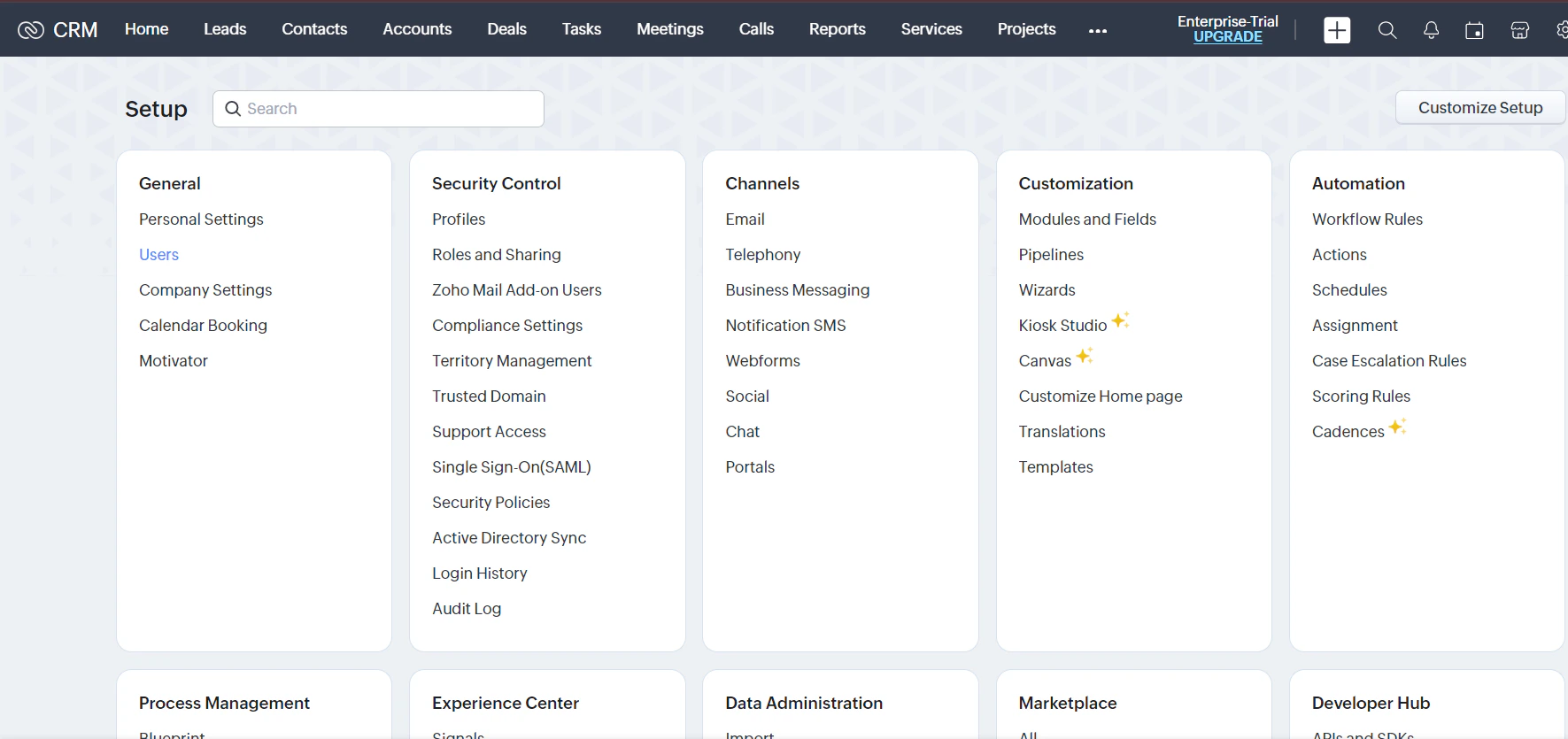
 Under the **General** header in settings, click the **Users** button to manage organization users.
 From the Users page, you have two options:
Modify roles and permissions for current users in your organization
Add new users and assign appropriate permissions during the invitation process
Assigning proper permissions ensures seamless integration between Zoho and EazyBe, allowing your team members to access the features they need.
Make sure to assign the minimum required permissions for each user role to maintain security while enabling full functionality.
## Need Help?
If you have any questions or need further assistance, feel free to reach out to our support team at [hey@eazybe.com](mailto:hey@eazybe.com).
From the Users page, you have two options:
Modify roles and permissions for current users in your organization
Add new users and assign appropriate permissions during the invitation process
Assigning proper permissions ensures seamless integration between Zoho and EazyBe, allowing your team members to access the features they need.
Make sure to assign the minimum required permissions for each user role to maintain security while enabling full functionality.
## Need Help?
If you have any questions or need further assistance, feel free to reach out to our support team at [hey@eazybe.com](mailto:hey@eazybe.com).