> ## Documentation Index
> Fetch the complete documentation index at: https://help.eazybe.com/llms.txt
> Use this file to discover all available pages before exploring further.
# Link WhatsApp Contacts
> Learn how to link WhatsApp conversations with Zoho CRM contacts for automatic chat backup and synchronization
## Overview
WhatsApp and Zoho CRM contacts connect automatically through unique phone numbers. When you create or link a contact, all WhatsApp conversations with that number are automatically backed up to your Zoho CRM.
## How Contact Linking Works
Contacts are linked automatically based on the phone number entered in Zoho CRM's **Phone** or **Mobile** fields. Ensure the number format matches the WhatsApp number format.
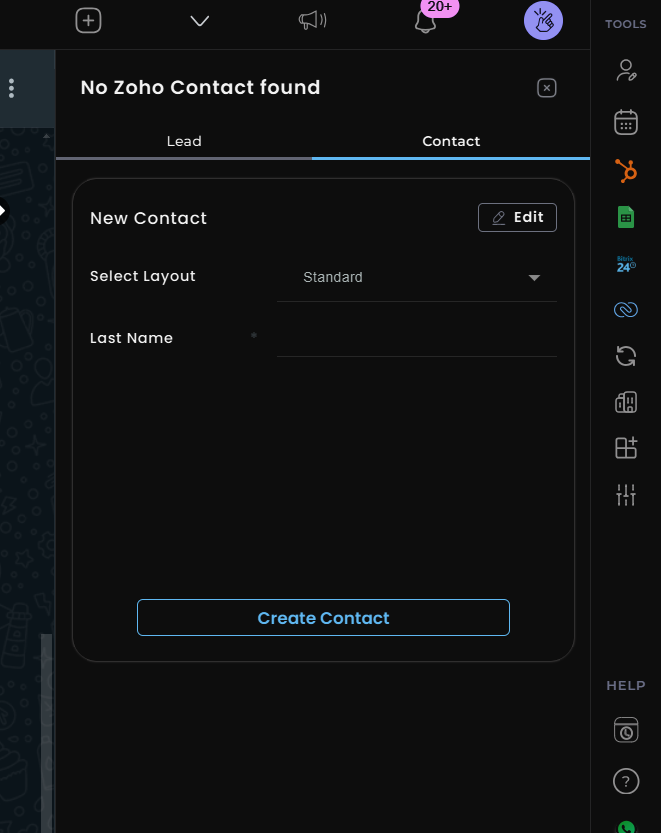
You can create a new Zoho contact directly from WhatsApp using the Eazybe extension. The contact will automatically link to the WhatsApp conversation.
 Once a contact is linked, WhatsApp chats with that contact are backed up to Zoho CRM **every 3 minutes**, ensuring your data stays synchronized.
## Linking Methods
Use the Eazybe WhatsApp extension to create a new Zoho contact. The contact automatically links to the current WhatsApp conversation.
If a contact already exists in Zoho CRM, ensure the phone number matches the WhatsApp number for automatic linking.
## Verifying Sync Status
The Eazybe workspace displays the **last sync time** for each contact, allowing you to verify that chat backups are working correctly.
## Frequently Asked Questions
WhatsApp chats are backed up to Zoho CRM every 3 minutes automatically once a contact is linked.
Use the same format as the WhatsApp number, including the country code. For example: +1234567890
Each Zoho contact can be linked to one WhatsApp number. If a contact has multiple numbers, create the link using the primary WhatsApp number.
Verify that the phone number in Zoho CRM matches the WhatsApp number exactly, including the country code. Check the Phone or Mobile field in the contact record.
Need help? Contact support at **[hey@eazybe.com](mailto:hey@eazybe.com)**
Once a contact is linked, WhatsApp chats with that contact are backed up to Zoho CRM **every 3 minutes**, ensuring your data stays synchronized.
## Linking Methods
Use the Eazybe WhatsApp extension to create a new Zoho contact. The contact automatically links to the current WhatsApp conversation.
If a contact already exists in Zoho CRM, ensure the phone number matches the WhatsApp number for automatic linking.
## Verifying Sync Status
The Eazybe workspace displays the **last sync time** for each contact, allowing you to verify that chat backups are working correctly.
## Frequently Asked Questions
WhatsApp chats are backed up to Zoho CRM every 3 minutes automatically once a contact is linked.
Use the same format as the WhatsApp number, including the country code. For example: +1234567890
Each Zoho contact can be linked to one WhatsApp number. If a contact has multiple numbers, create the link using the primary WhatsApp number.
Verify that the phone number in Zoho CRM matches the WhatsApp number exactly, including the country code. Check the Phone or Mobile field in the contact record.
Need help? Contact support at **[hey@eazybe.com](mailto:hey@eazybe.com)**