> ## Documentation Index
> Fetch the complete documentation index at: https://help.eazybe.com/llms.txt
> Use this file to discover all available pages before exploring further.
# Edit Lead Profile
> Learn how to modify and update Zoho lead profile information directly from WhatsApp
## Overview
This guide explains how to edit and modify lead information within the Eazybe WhatsApp Extension when connected to your Zoho CRM leads.
## How to Edit a Lead Profile
Open the WhatsApp chat of the respective Zoho Lead whose profile you want to edit.
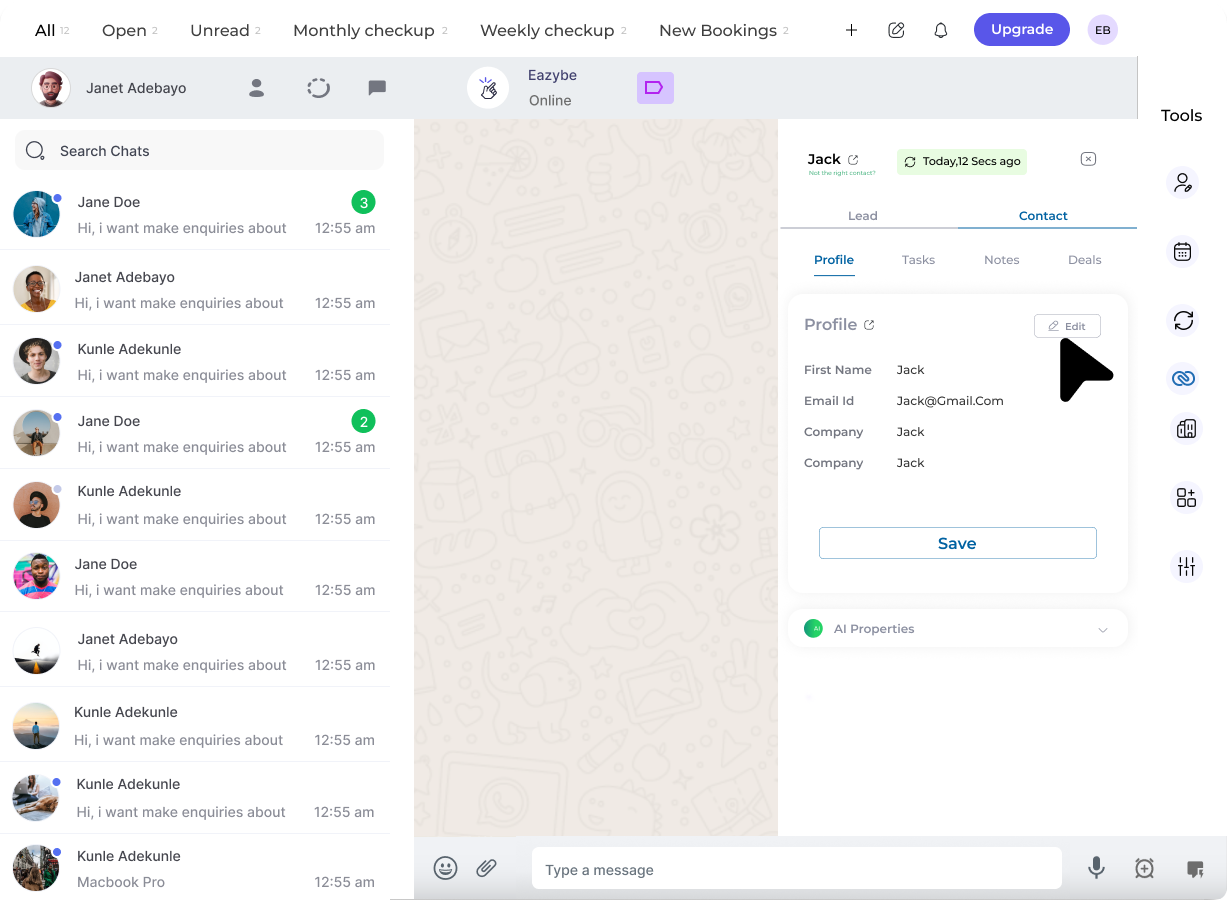 Click on the **Edit** button in the Contact Card of the Profile Section that appears in the Mini-CRM panel.
Edit or select user properties as required:
* Modify existing field values
* Update contact information
* Specify whether each selected property is required or optional
Click on the **Edit** button in the Contact Card of the Profile Section that appears in the Mini-CRM panel.
Edit or select user properties as required:
* Modify existing field values
* Update contact information
* Specify whether each selected property is required or optional
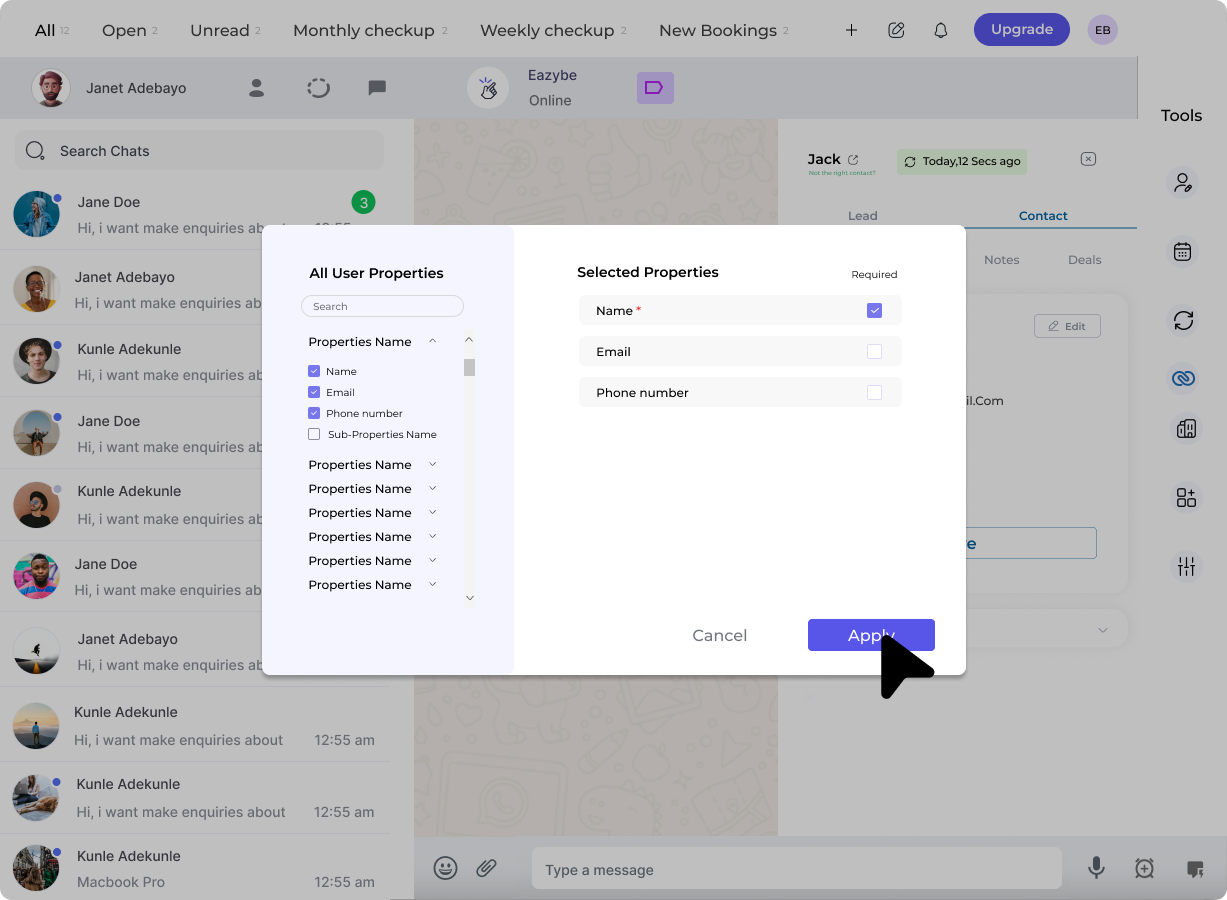 Click on **Apply** to update the Contact Card with the properties that you have selected.
Edit the properties fields as needed and click on **Save** to finalize your changes.
Remember to save your changes before navigating away to ensure all updates are properly recorded in Zoho CRM.
## Editable Fields
You can typically edit the following lead properties:
| Field | Description |
| ----------------- | ------------------------------------ |
| **Name** | Lead's full name |
| **Email** | Primary email address |
| **Phone** | Contact phone number |
| **Company** | Associated company name |
| **Lead Status** | Current status in pipeline |
| **Lead Source** | How the lead was acquired |
| **Custom Fields** | Any custom fields configured in Zoho |
## Related Features
View lead profile details
Add notes to track interactions
## Need Help?
If you have any questions or need further assistance, feel free to reach out to us at **[support@eazybe.com](mailto:support@eazybe.com)**
Click on **Apply** to update the Contact Card with the properties that you have selected.
Edit the properties fields as needed and click on **Save** to finalize your changes.
Remember to save your changes before navigating away to ensure all updates are properly recorded in Zoho CRM.
## Editable Fields
You can typically edit the following lead properties:
| Field | Description |
| ----------------- | ------------------------------------ |
| **Name** | Lead's full name |
| **Email** | Primary email address |
| **Phone** | Contact phone number |
| **Company** | Associated company name |
| **Lead Status** | Current status in pipeline |
| **Lead Source** | How the lead was acquired |
| **Custom Fields** | Any custom fields configured in Zoho |
## Related Features
View lead profile details
Add notes to track interactions
## Need Help?
If you have any questions or need further assistance, feel free to reach out to us at **[support@eazybe.com](mailto:support@eazybe.com)**