> ## Documentation Index
> Fetch the complete documentation index at: https://help.eazybe.com/llms.txt
> Use this file to discover all available pages before exploring further.
# Create Lead
> Learn how to create a new Zoho lead directly from WhatsApp using the Eazybe extension
## Overview
When a contact doesn't already exist in your Zoho CRM, you can quickly create a new lead directly from your WhatsApp conversation using the Eazybe extension. This saves time and ensures your leads are captured immediately.
## How to Create a Zoho Lead
Launch the WhatsApp conversation with the contact you want to add as a lead in Zoho CRM.
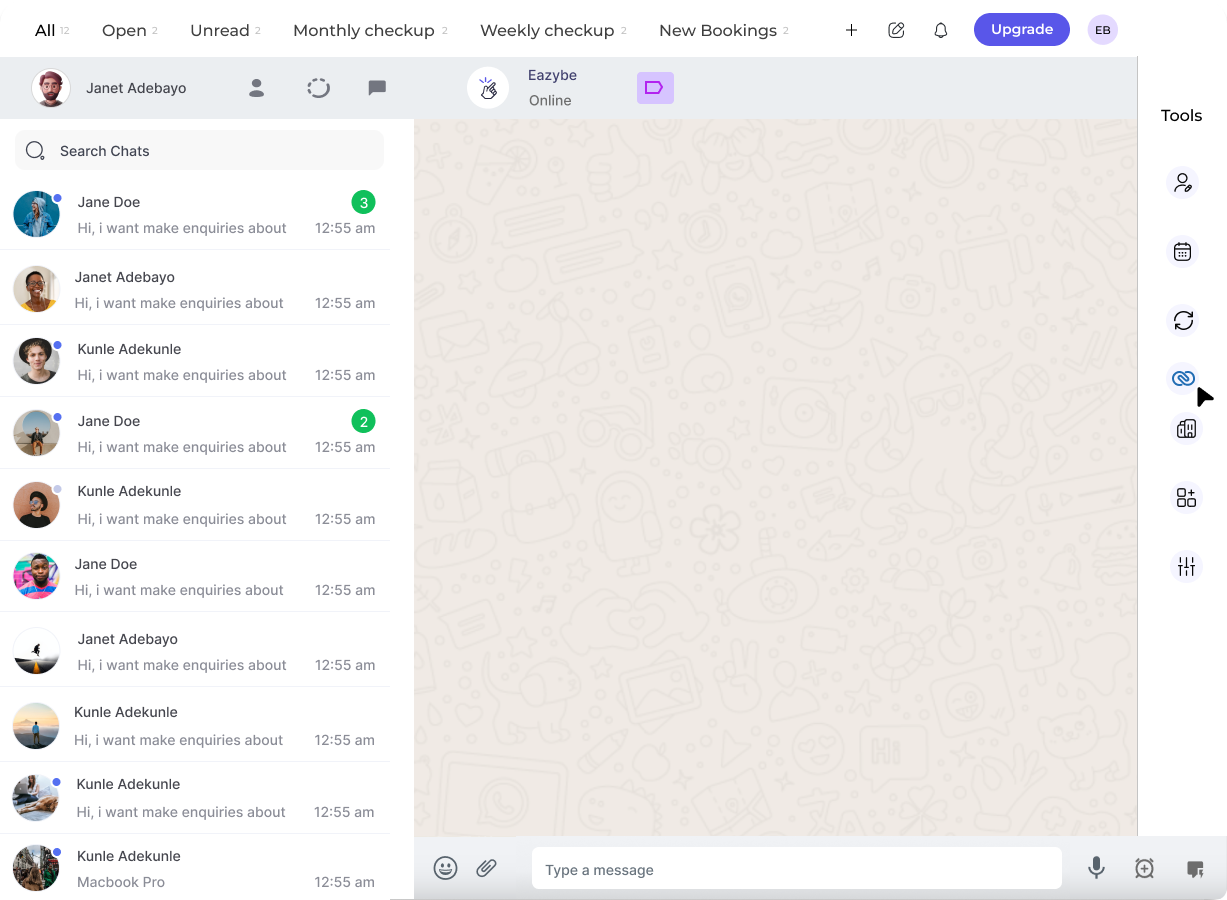 Click on the **Zoho icon** in the right sidebar of the Eazybe extension to open the Mini-CRM panel.
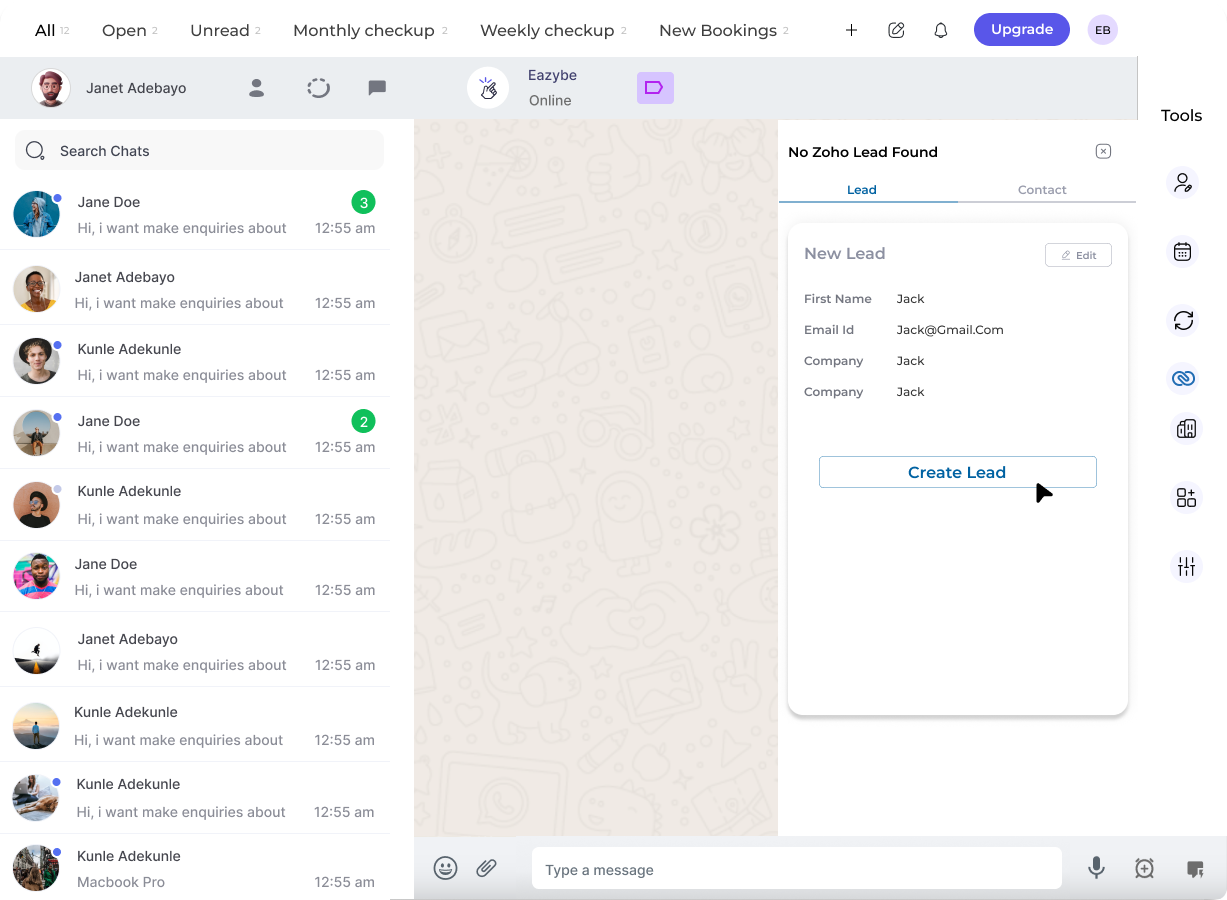 Fill in the required and necessary details for the new lead:
* Contact name
* Email address
* Phone number
* Company information
* Any additional custom fields
Once all information is entered, click on the **Create Lead** button.
Fill in the required and necessary details for the new lead:
* Contact name
* Email address
* Phone number
* Company information
* Any additional custom fields
Once all information is entered, click on the **Create Lead** button.
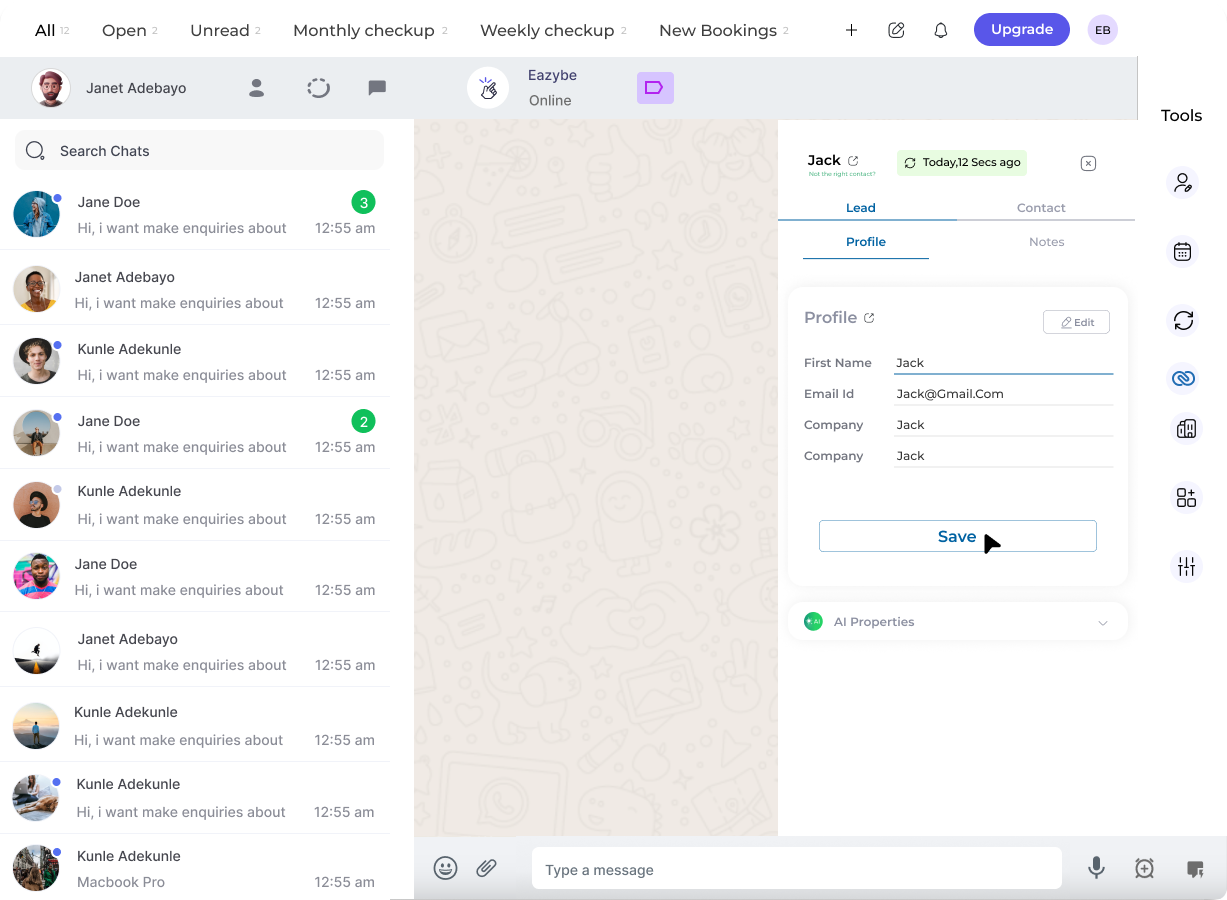 Upon successful completion, the lead is added to your Zoho CRM system. You can now manage this lead directly from the Mini-CRM view.
Make sure to fill in all required fields to ensure the lead is properly created in your Zoho CRM.
## Related Features
Update and modify lead information
Add notes to track lead interactions
Create Zoho contacts from WhatsApp
## Need Help?
If you have any questions or need further assistance, feel free to reach out to **[support@eazybe.com](mailto:support@eazybe.com)**
Upon successful completion, the lead is added to your Zoho CRM system. You can now manage this lead directly from the Mini-CRM view.
Make sure to fill in all required fields to ensure the lead is properly created in your Zoho CRM.
## Related Features
Update and modify lead information
Add notes to track lead interactions
Create Zoho contacts from WhatsApp
## Need Help?
If you have any questions or need further assistance, feel free to reach out to **[support@eazybe.com](mailto:support@eazybe.com)**