> ## Documentation Index
> Fetch the complete documentation index at: https://help.eazybe.com/llms.txt
> Use this file to discover all available pages before exploring further.
# Admin Workspace Access
> Learn how admins can access the EazyBe workspace to view team details and analytics for Zoho CRM integration
Admins have full access to the EazyBe workspace, allowing them to view and manage team details and analytics. This guide explains how to access and navigate the admin workspace.
## Viewing Team Details
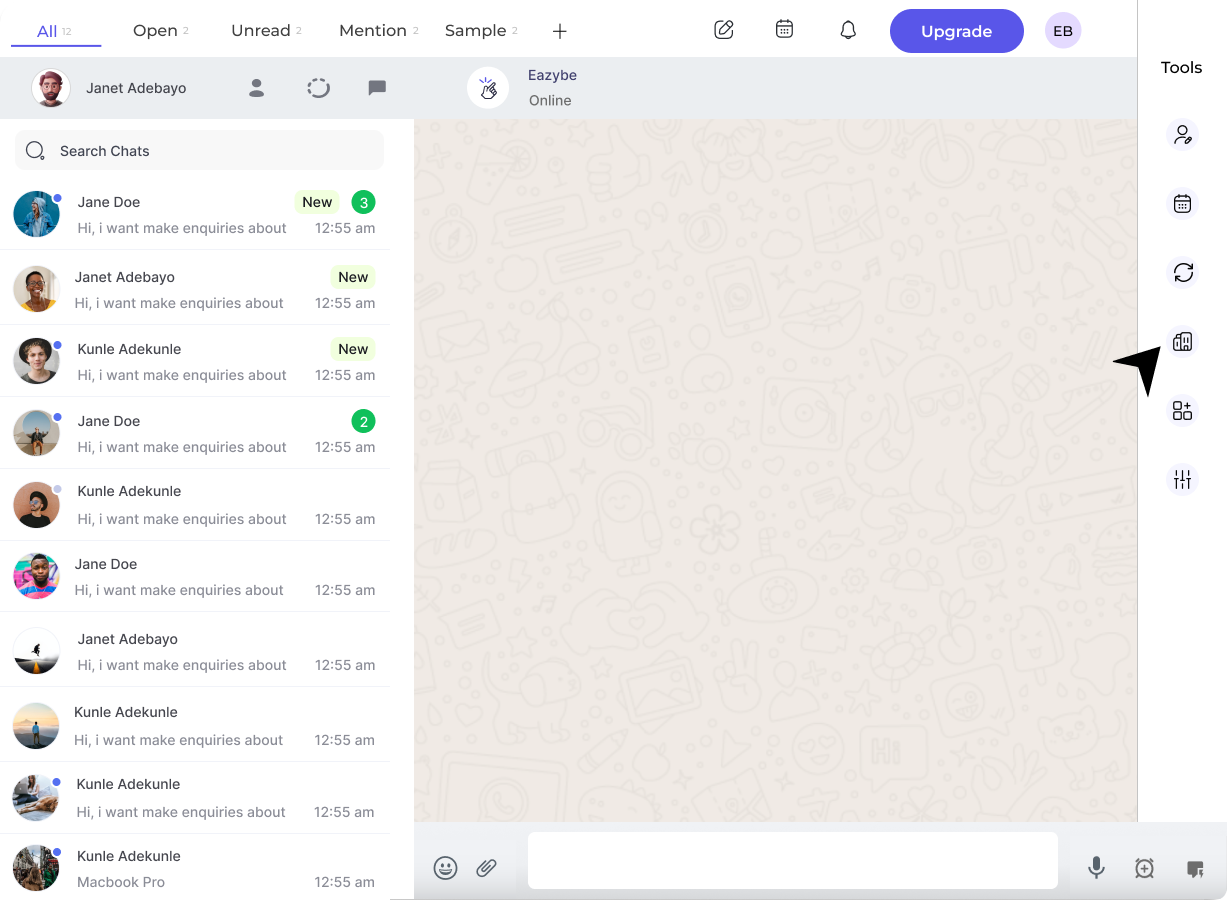
Click the **Organisation button** in the right sidebar of the EazyBe extension. This will open a new Chrome tab where the admin must log in using their credentials.
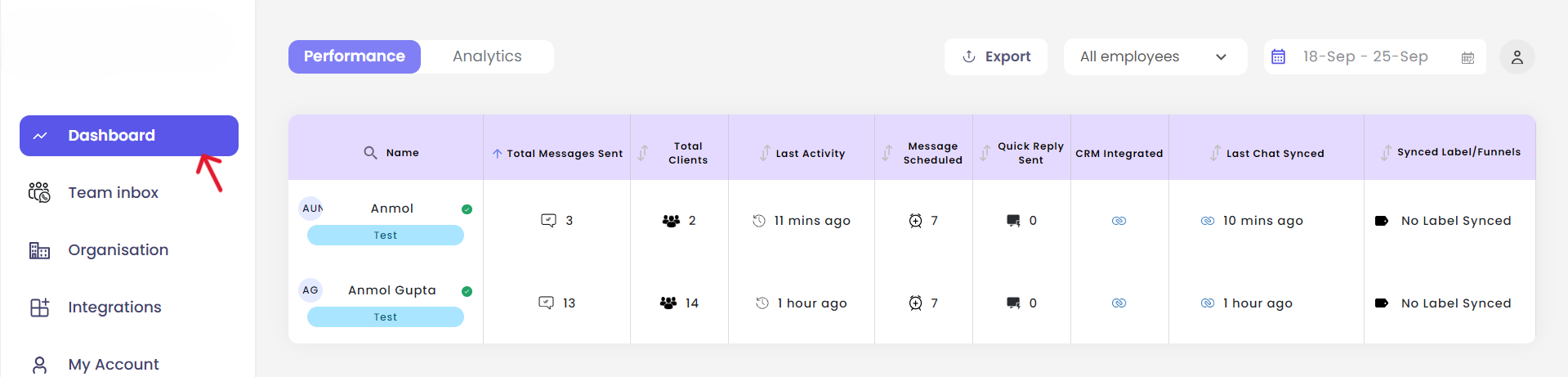
 In the workspace, click the **Dashboard button** in the left sidebar to view your team overview.
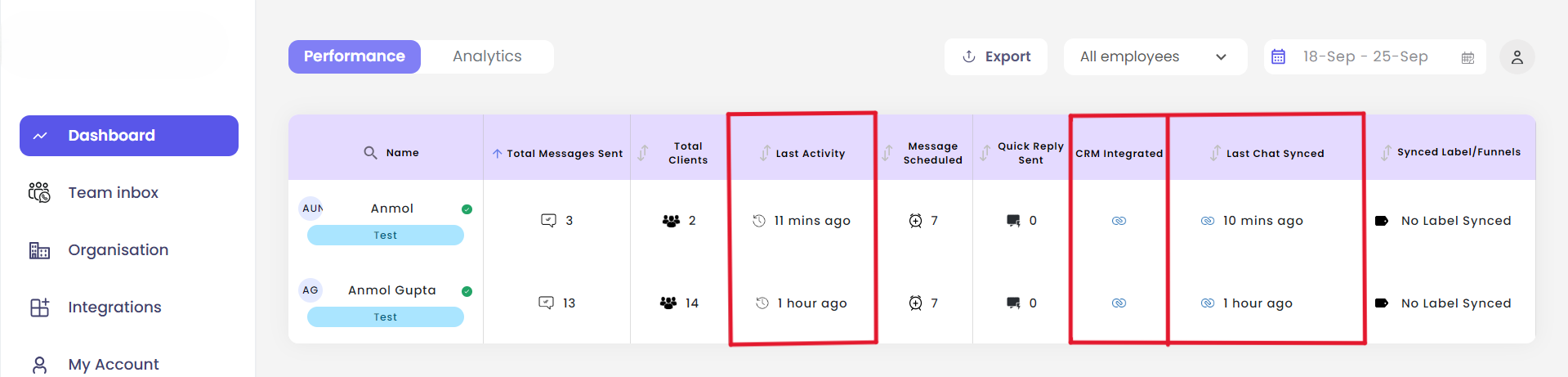
 From the dashboard, admins can view important information for all employees including:
* Last activity timestamp
* Last chat synced time
* CRM integration status
From the dashboard, admins can view important information for all employees including:
* Last activity timestamp
* Last chat synced time
* CRM integration status
 ## Analytics Overview
The **Analytics tab** provides comprehensive message analytics that can be filtered for the entire team or for individual employees.
## Analytics Overview
The **Analytics tab** provides comprehensive message analytics that can be filtered for the entire team or for individual employees.
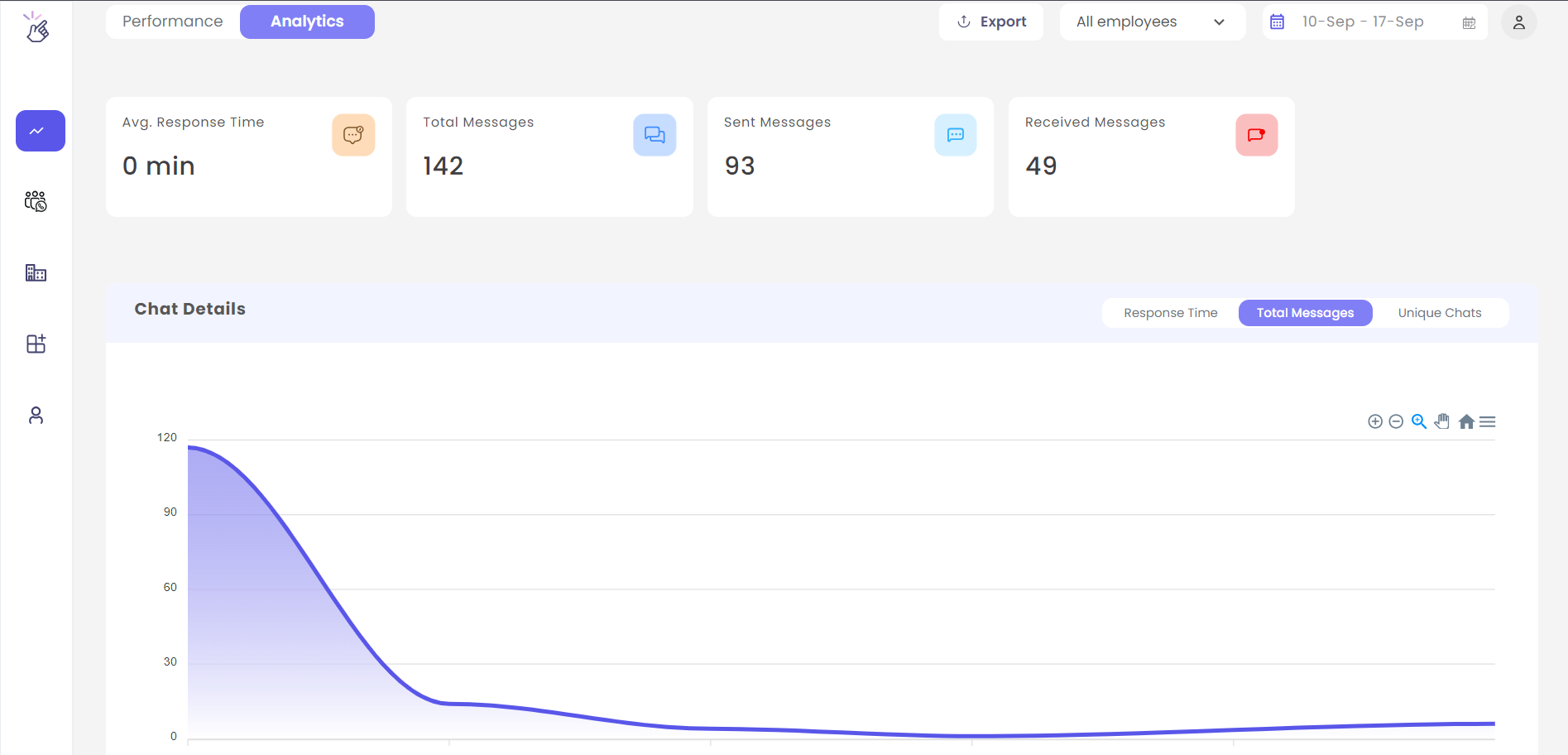 View aggregated metrics across your entire team's WhatsApp communications
Drill down into specific employee performance and activity
The analytics dashboard helps you monitor team performance, track engagement metrics, and ensure consistent communication standards across your organization.
## Need Help?
If you have any questions or need further assistance, feel free to reach out to our support team at [hey@eazybe.com](mailto:hey@eazybe.com).
View aggregated metrics across your entire team's WhatsApp communications
Drill down into specific employee performance and activity
The analytics dashboard helps you monitor team performance, track engagement metrics, and ensure consistent communication standards across your organization.
## Need Help?
If you have any questions or need further assistance, feel free to reach out to our support team at [hey@eazybe.com](mailto:hey@eazybe.com).