> ## Documentation Index
> Fetch the complete documentation index at: https://help.eazybe.com/llms.txt
> Use this file to discover all available pages before exploring further.
# Webhooks
> Connect WhatsApp to any destination with EazyBe custom webhooks
EazyBe custom webhooks allow you to easily connect WhatsApp to any destination and automatically trigger actions when WhatsApp messages are sent or received.
## Use Cases
Trigger a webhook when a team member receives a WhatsApp message
Trigger a webhook when a team member sends a WhatsApp message
## Setup Guide
Ensure you have the latest version of the EazyBe WhatsApp extension installed.
Open your WhatsApp Web account in your browser.
Navigate to the Integrations section located on the right-side bar.
Click the **Integrations** button, then click **Connect** under the Webhooks option.
Enable webhooks by clicking the toggle button in the top-right corner.
Input your destination webhook URL and save the settings.
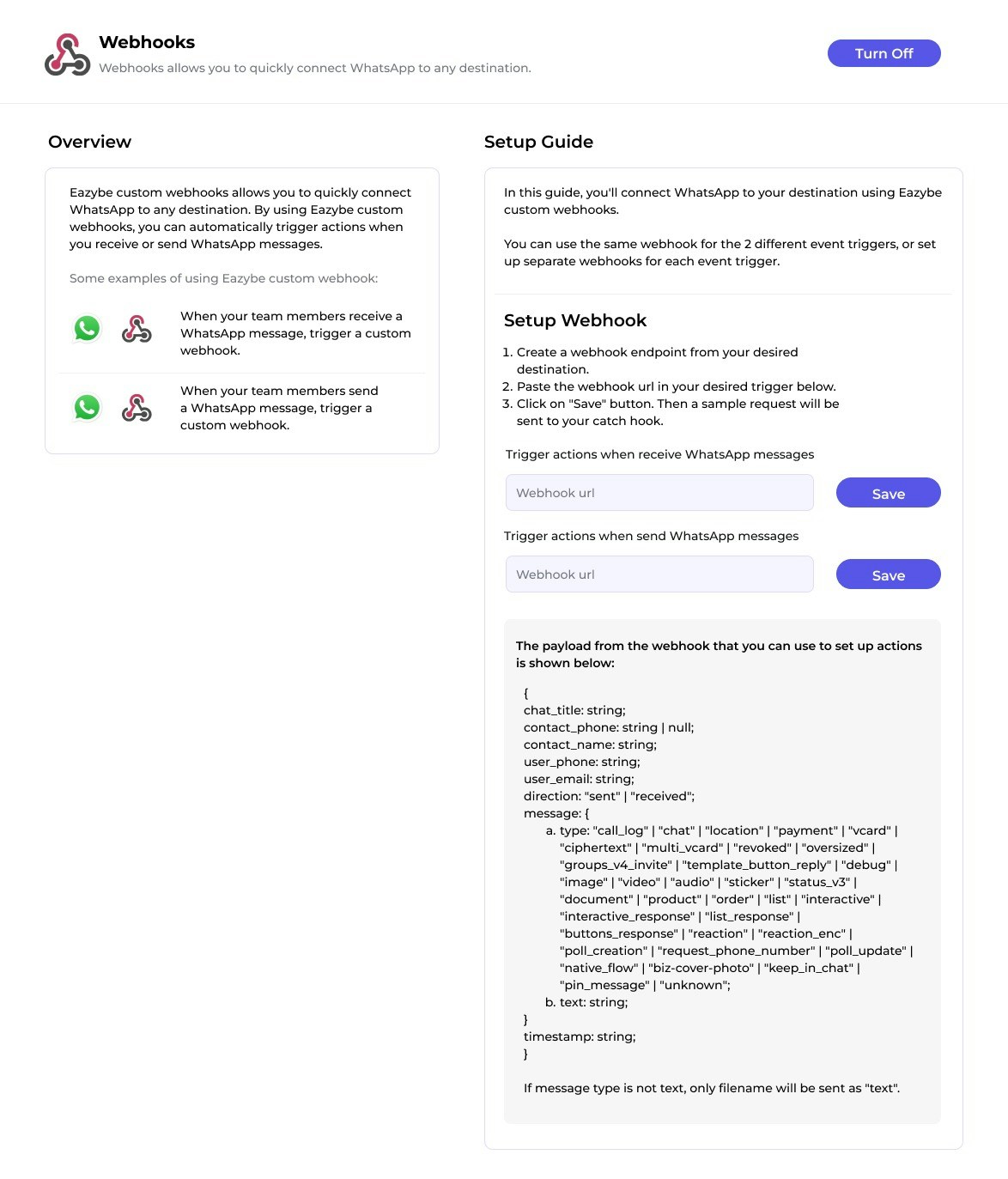 For added security, you can add an authentication token to your webhook requests.
Your webhook integration is now active and ready to receive WhatsApp events.
## Testing Your Webhook
You can create test webhooks for free using [webhook.site](https://webhook.site/) to verify your integration is working correctly.
***
If you have any questions or need further assistance, feel free to reach out to us at **[hey@eazybe.com](mailto:hey@eazybe.com)**. We're happy to help!
For added security, you can add an authentication token to your webhook requests.
Your webhook integration is now active and ready to receive WhatsApp events.
## Testing Your Webhook
You can create test webhooks for free using [webhook.site](https://webhook.site/) to verify your integration is working correctly.
***
If you have any questions or need further assistance, feel free to reach out to us at **[hey@eazybe.com](mailto:hey@eazybe.com)**. We're happy to help!