> ## Documentation Index
> Fetch the complete documentation index at: https://help.eazybe.com/llms.txt
> Use this file to discover all available pages before exploring further.
# Active User API
> Fetch a list of recently active users in your organization using the EazyBe API
The Active User API allows you to fetch a list of users who have recently been active within your organization. This is useful for monitoring team activity and engagement.
Avoid excessive polling of this API. Use responsibly to maintain system performance.
## Endpoint
```
GET https://api.eazybe.com/v2/users/public/last-active
```
## Authentication
You need to obtain the **Organization Auth Token** from your EazyBe Workspace.
Go to [workspace.eazybe.com](https://workspace.eazybe.com) and log in as an organization admin.
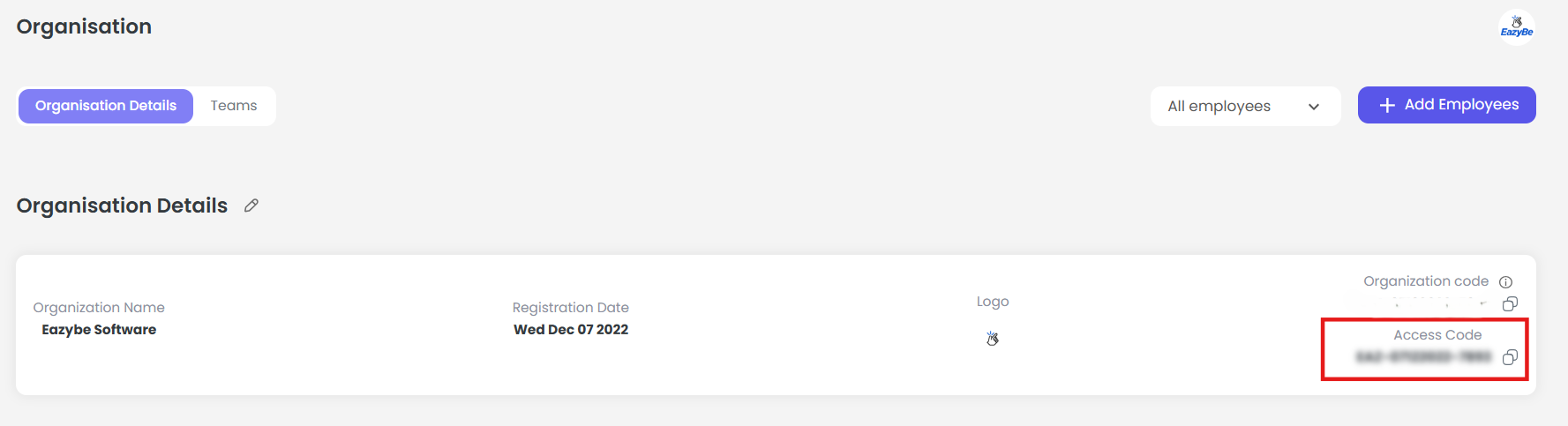
Access the Organization page from the admin dashboard.
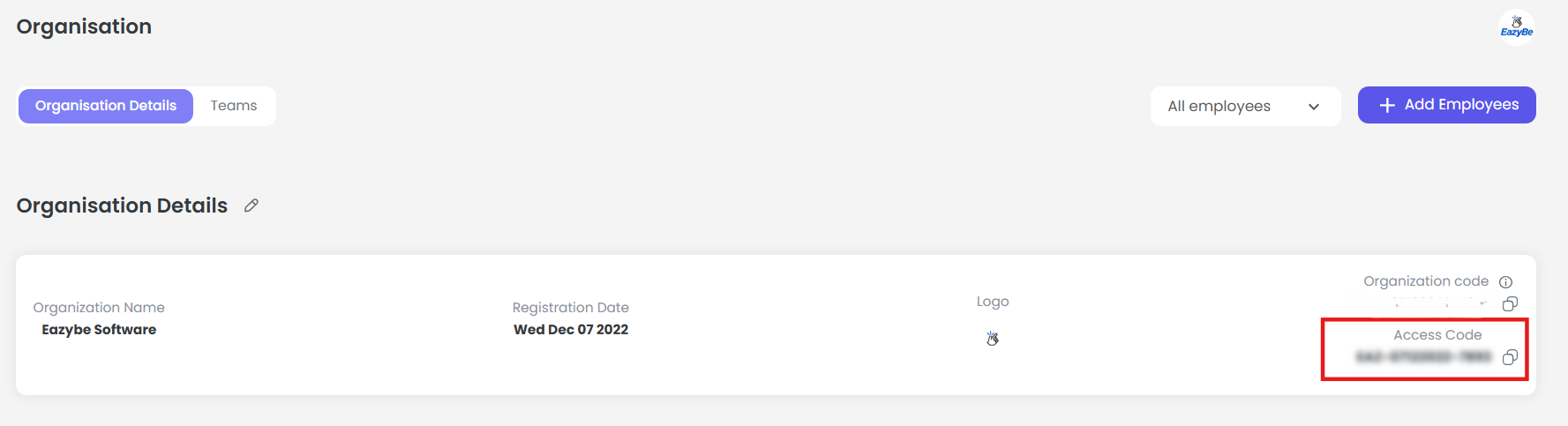 The Organization Auth Token will be displayed on this page. Copy it for API use.
 ## Headers
| Header | Value |
| --------------- | ------------------------------------- |
| `Authorization` | `Bearer YOUR_ORGANIZATION_AUTH_TOKEN` |
## Code Examples
### cURL
```bash theme={null}
curl --location 'https://api.eazybe.com/v2/users/public/last-active' \
--header 'Authorization: Bearer YOUR_ORGANIZATION_AUTH_TOKEN'
```
### Node.js with Axios
```javascript theme={null}
const axios = require('axios');
const config = {
method: 'get',
maxBodyLength: Infinity,
url: 'https://api.eazybe.com/v2/users/public/last-active',
headers: {
'Authorization': 'Bearer YOUR_ORGANIZATION_AUTH_TOKEN'
}
};
axios.request(config)
.then((response) => console.log(JSON.stringify(response.data, null, 2)))
.catch((error) => console.error(error));
```
## Response Fields
| Field | Type | Description |
| ------------- | ----------------- | ------------------------------------ |
| `id` | number | Unique identifier of the user |
| `name` | string | Full name of the user |
| `email` | string | Registered email address |
| `phone` | string | Phone number in international format |
| `last_active` | string (ISO Date) | Timestamp of user's last activity |
## Best Practices
Always use a valid Organization Auth Token
Never expose credentials in public repositories or client-side code
Minimize polling frequency to avoid rate limits
Implement proper error handling in your application
***
If you have any questions or need further assistance, feel free to reach out to us at **[hey@eazybe.com](mailto:hey@eazybe.com)**. We're happy to help!
## Headers
| Header | Value |
| --------------- | ------------------------------------- |
| `Authorization` | `Bearer YOUR_ORGANIZATION_AUTH_TOKEN` |
## Code Examples
### cURL
```bash theme={null}
curl --location 'https://api.eazybe.com/v2/users/public/last-active' \
--header 'Authorization: Bearer YOUR_ORGANIZATION_AUTH_TOKEN'
```
### Node.js with Axios
```javascript theme={null}
const axios = require('axios');
const config = {
method: 'get',
maxBodyLength: Infinity,
url: 'https://api.eazybe.com/v2/users/public/last-active',
headers: {
'Authorization': 'Bearer YOUR_ORGANIZATION_AUTH_TOKEN'
}
};
axios.request(config)
.then((response) => console.log(JSON.stringify(response.data, null, 2)))
.catch((error) => console.error(error));
```
## Response Fields
| Field | Type | Description |
| ------------- | ----------------- | ------------------------------------ |
| `id` | number | Unique identifier of the user |
| `name` | string | Full name of the user |
| `email` | string | Registered email address |
| `phone` | string | Phone number in international format |
| `last_active` | string (ISO Date) | Timestamp of user's last activity |
## Best Practices
Always use a valid Organization Auth Token
Never expose credentials in public repositories or client-side code
Minimize polling frequency to avoid rate limits
Implement proper error handling in your application
***
If you have any questions or need further assistance, feel free to reach out to us at **[hey@eazybe.com](mailto:hey@eazybe.com)**. We're happy to help!