> ## Documentation Index
> Fetch the complete documentation index at: https://help.eazybe.com/llms.txt
> Use this file to discover all available pages before exploring further.
# Setup
> How to install and connect EazyBe with your Salesforce account
This guide provides step-by-step instructions for connecting the EazyBe WhatsApp Extension with your Salesforce account and granting the necessary permissions.
## Installation Steps
Click the **Integrations** button on your EazyBe WhatsApp web extension.
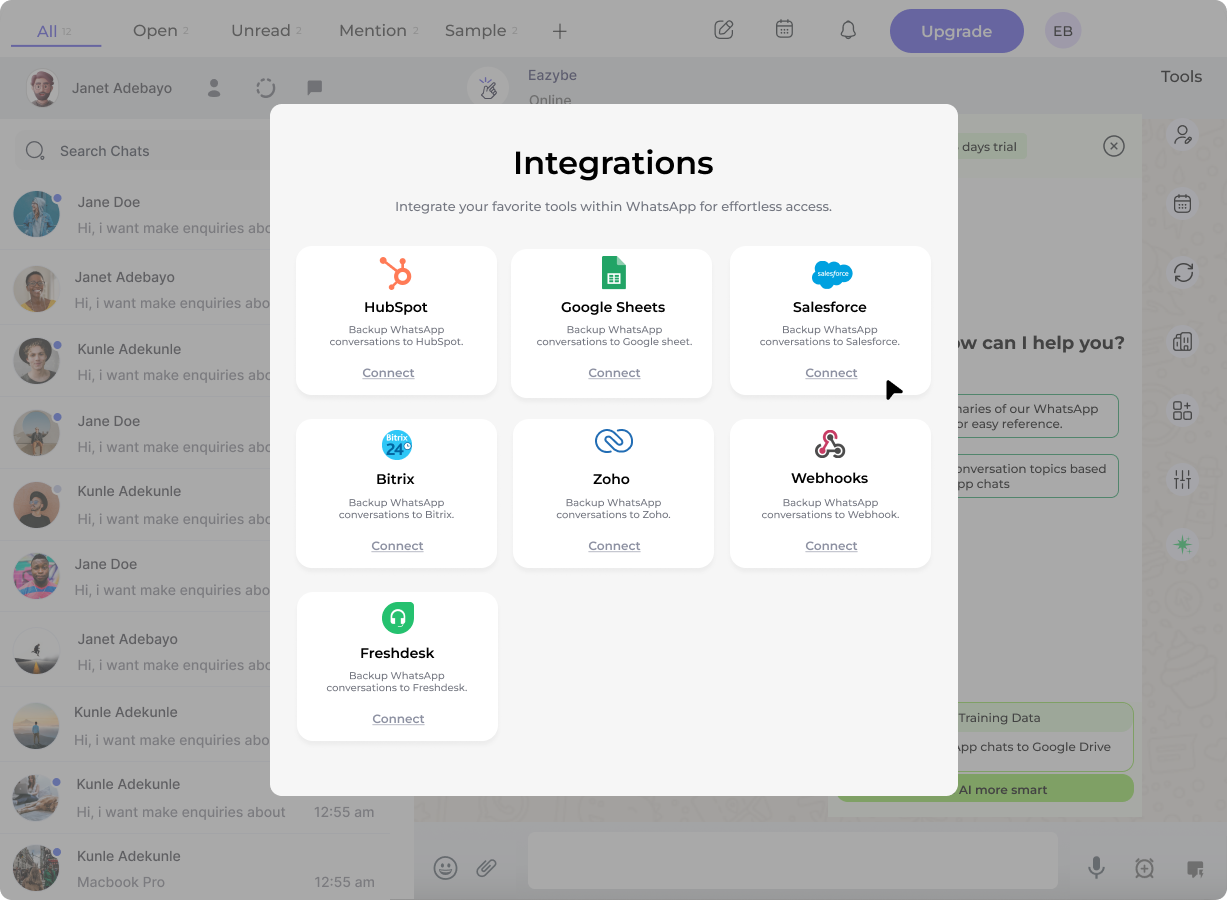
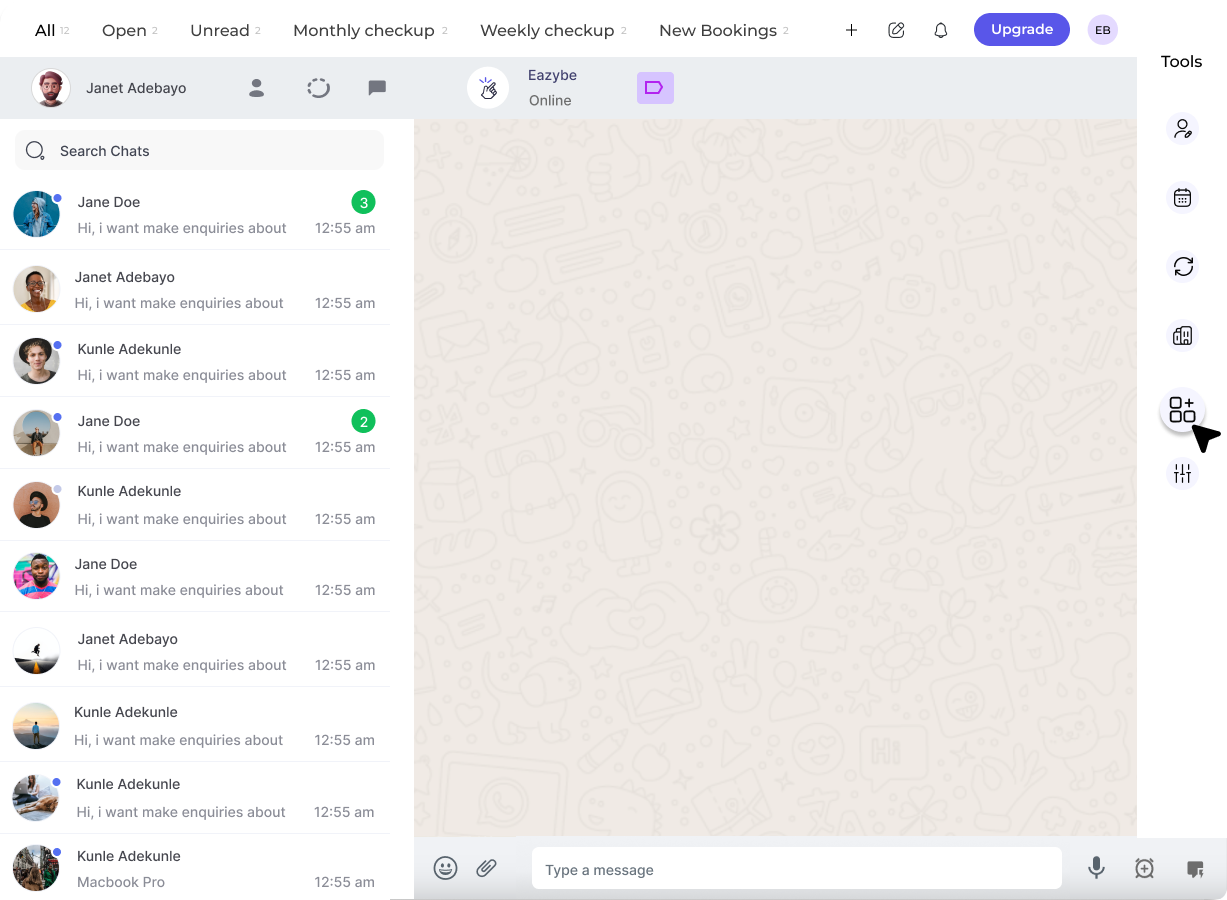 Select the **Connect** button below the Salesforce integration. This will redirect you to your Salesforce account.
 Choose the Salesforce account you wish to connect with the EazyBe extension.
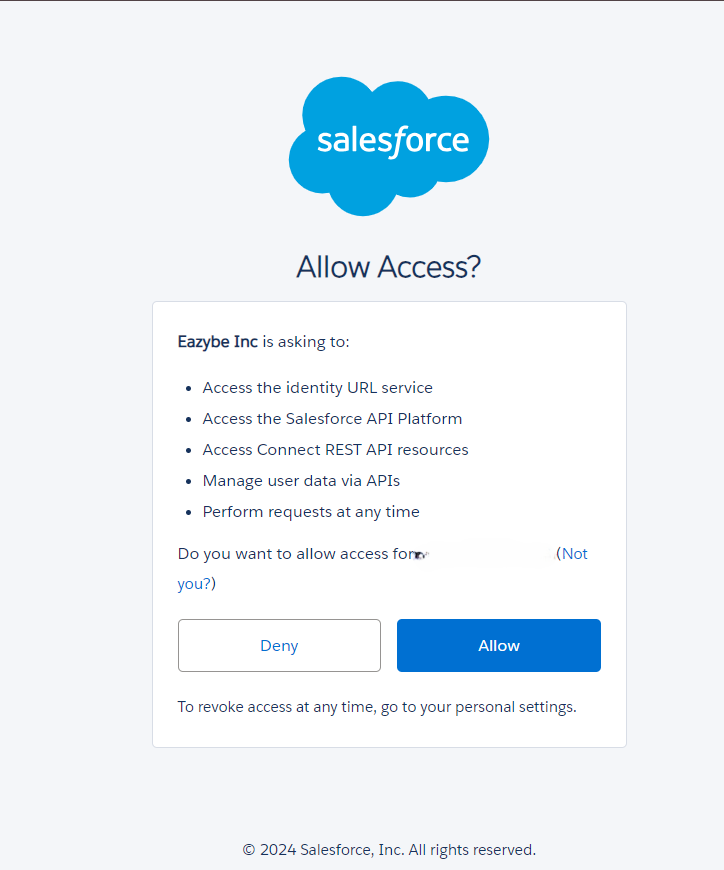 Click **Accept** to grant permissions allowing EazyBe to view and sync your WhatsApp chats with Salesforce.
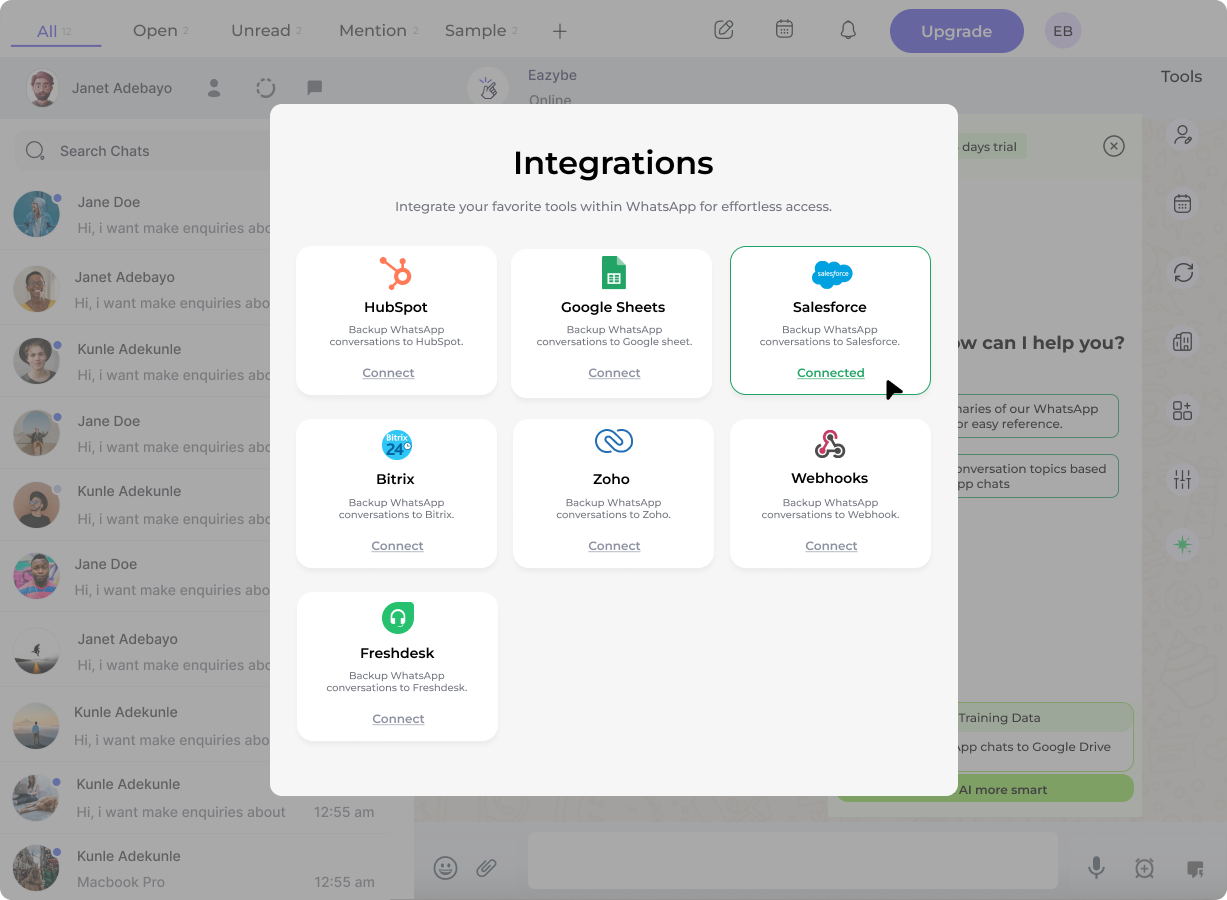 You have successfully connected your EazyBe WhatsApp Extension with Salesforce. Your WhatsApp conversations can now be synced with your Salesforce CRM.
## Need Help?
If you have any questions or need assistance, contact our support team at **[hey@eazybe.com](mailto:hey@eazybe.com)**.
You have successfully connected your EazyBe WhatsApp Extension with Salesforce. Your WhatsApp conversations can now be synced with your Salesforce CRM.
## Need Help?
If you have any questions or need assistance, contact our support team at **[hey@eazybe.com](mailto:hey@eazybe.com)**.