> ## Documentation Index
> Fetch the complete documentation index at: https://help.eazybe.com/llms.txt
> Use this file to discover all available pages before exploring further.
# Lead Event
> How to create and manage Salesforce lead events from WhatsApp using EazyBe
This guide explains how to create Events for Salesforce Leads using the EazyBe WhatsApp Extension.
## Creating a Lead Event
Navigate to the WhatsApp conversation thread containing your Salesforce Lead.
Click the Salesforce icon in the EazyBe extension's right sidebar to open the integration panel.
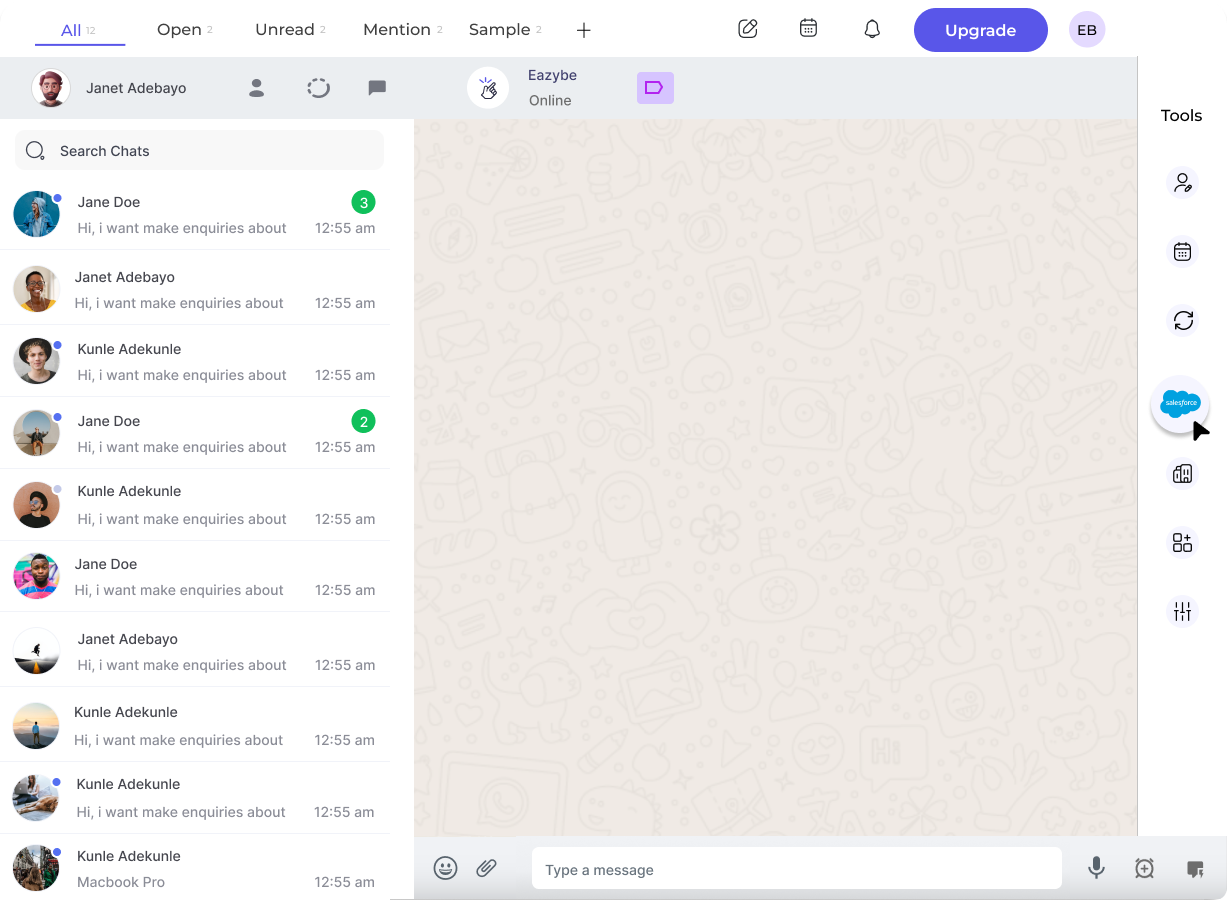 Select the **Events** header, which is the second header under the Lead section.
Click the **New Event** button to open the event creation form.
Select the **Events** header, which is the second header under the Lead section.
Click the **New Event** button to open the event creation form.
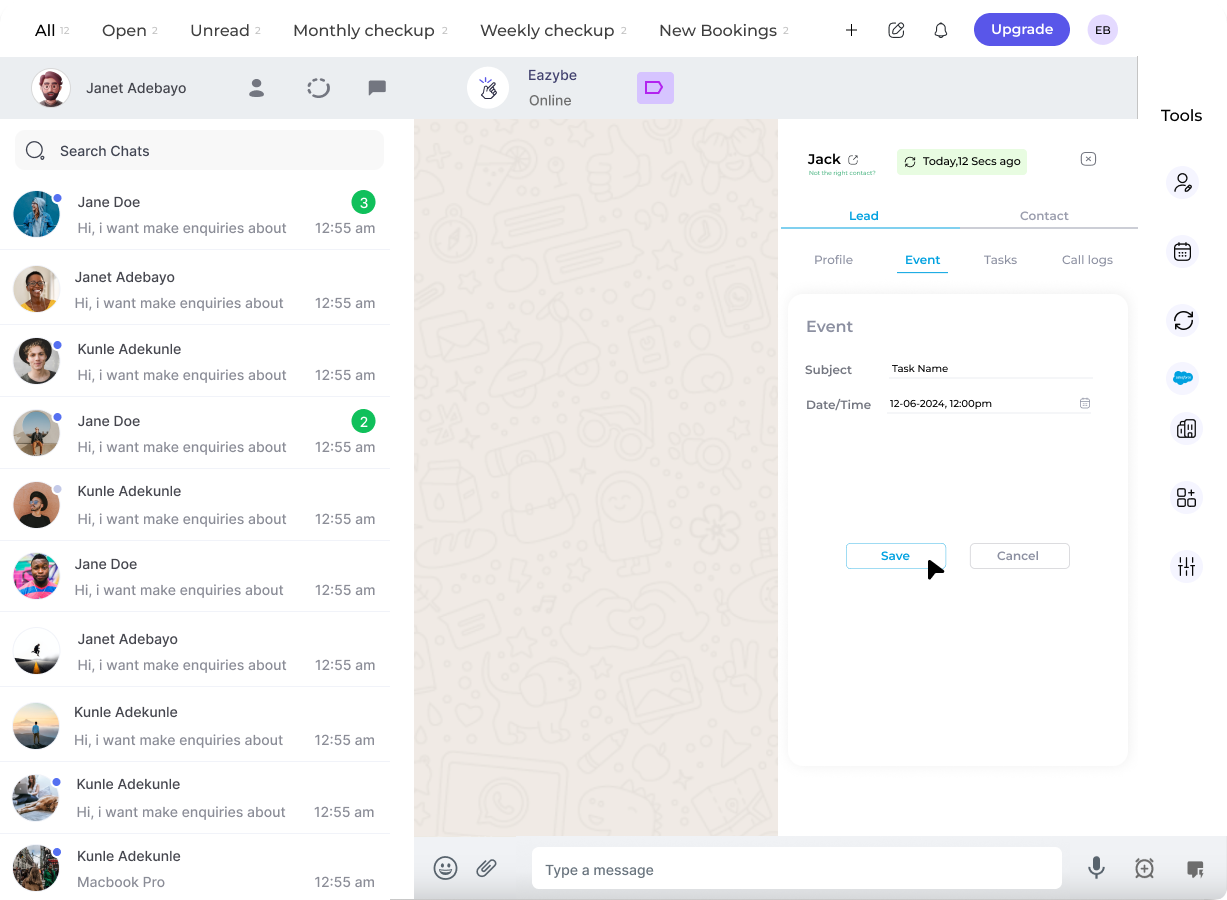
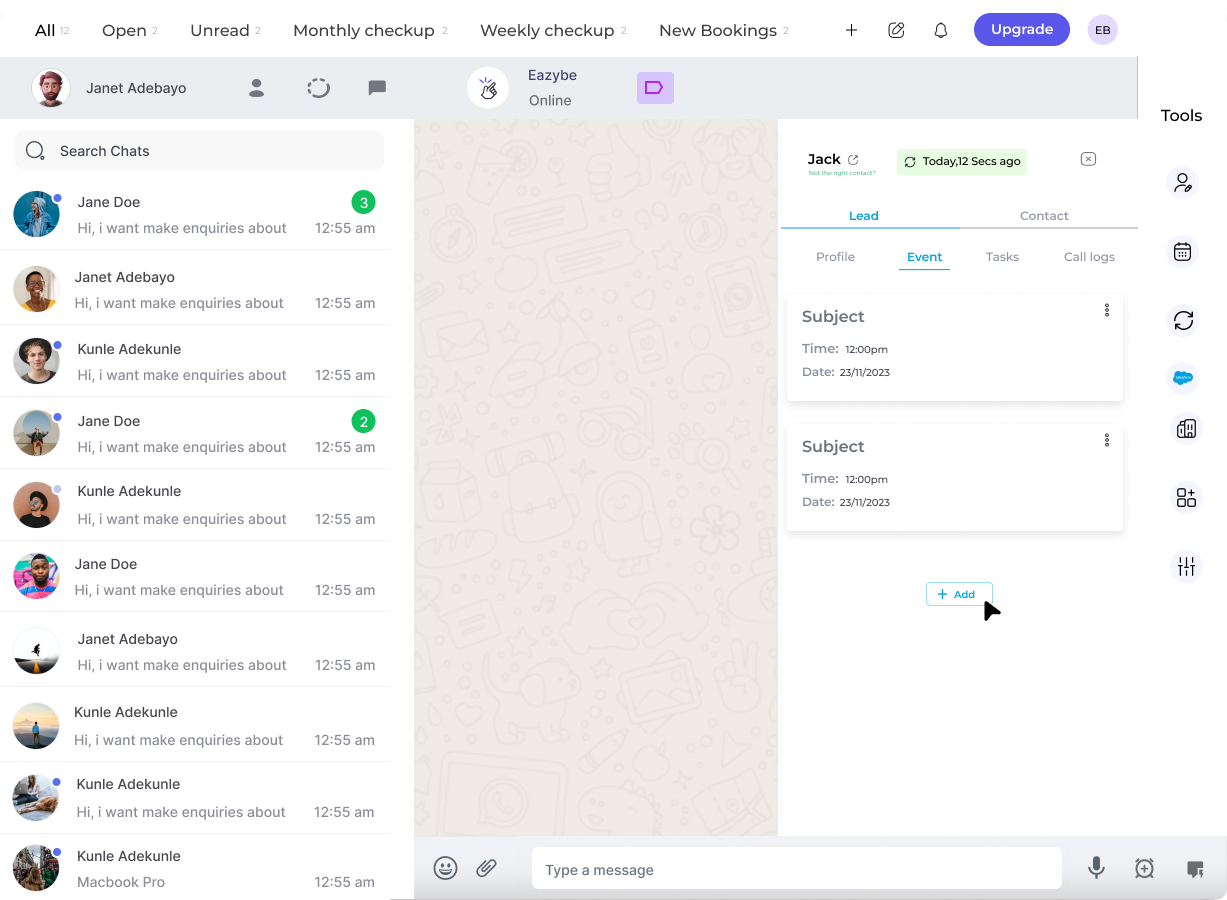 Complete the required fields for your event and click **Save Event** to create it.
 ## Managing Events
Once an event is created, you can:
* **View Event on Salesforce** - Click the "View Event on Salesforce" button to see the event in your Salesforce account
* **Edit or Delete Event** - Use the three-dot menu to edit or delete existing events
Events are synced directly to Salesforce when you save. The event information will be reflected in your Salesforce Lead record.
## Need Help?
If you have any questions or need assistance, contact our support team at **[hey@eazybe.com](mailto:hey@eazybe.com)**.
## Managing Events
Once an event is created, you can:
* **View Event on Salesforce** - Click the "View Event on Salesforce" button to see the event in your Salesforce account
* **Edit or Delete Event** - Use the three-dot menu to edit or delete existing events
Events are synced directly to Salesforce when you save. The event information will be reflected in your Salesforce Lead record.
## Need Help?
If you have any questions or need assistance, contact our support team at **[hey@eazybe.com](mailto:hey@eazybe.com)**.