> ## Documentation Index
> Fetch the complete documentation index at: https://help.eazybe.com/llms.txt
> Use this file to discover all available pages before exploring further.
# Create Lead
> How to create a new Salesforce lead from WhatsApp using EazyBe
This guide explains how to create a new lead in Salesforce directly from a WhatsApp conversation when the contact doesn't already exist in your CRM.
## Creating a New Lead
Access the conversation with the contact you want to add as a lead in Salesforce.
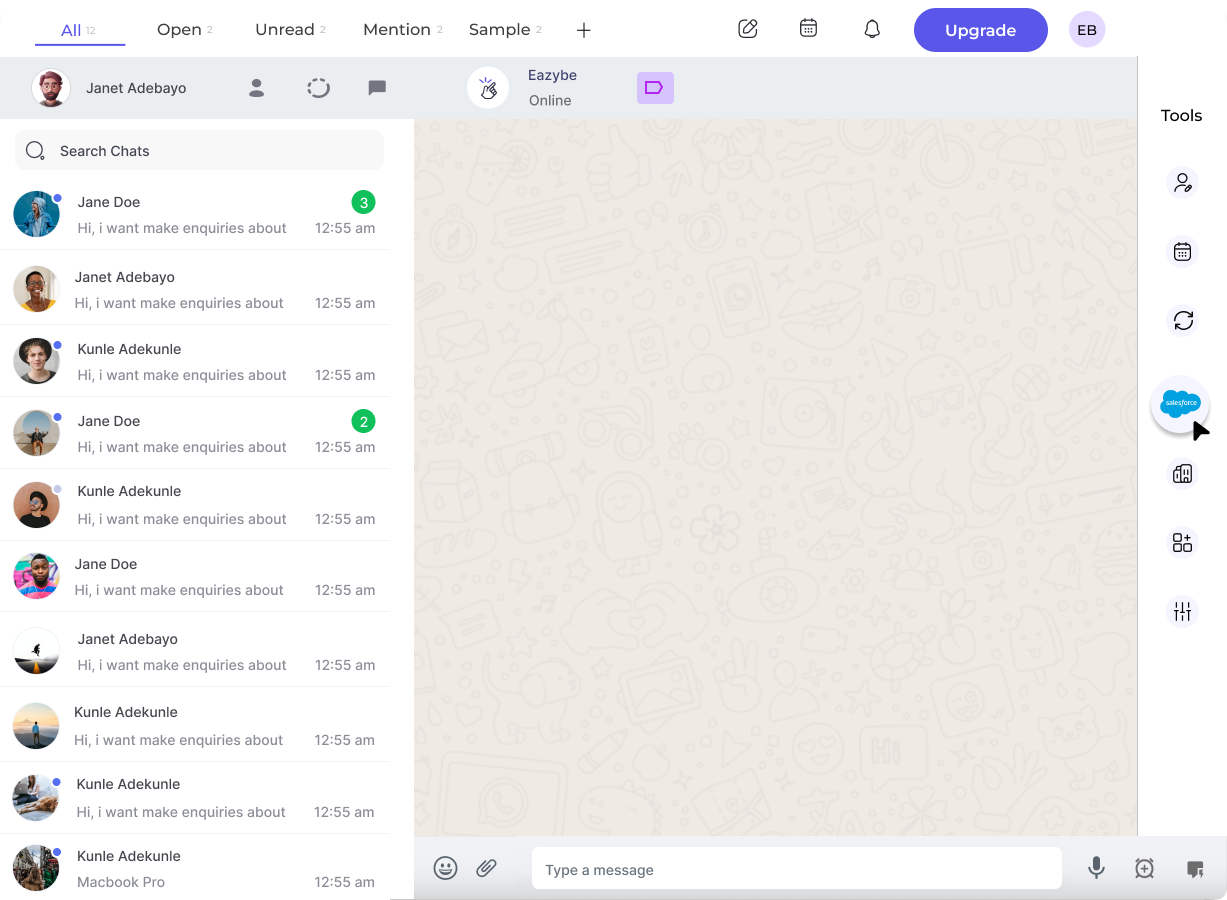 Tap the **Salesforce** icon in the EazyBe extension's right sidebar to open the Mini-CRM panel.
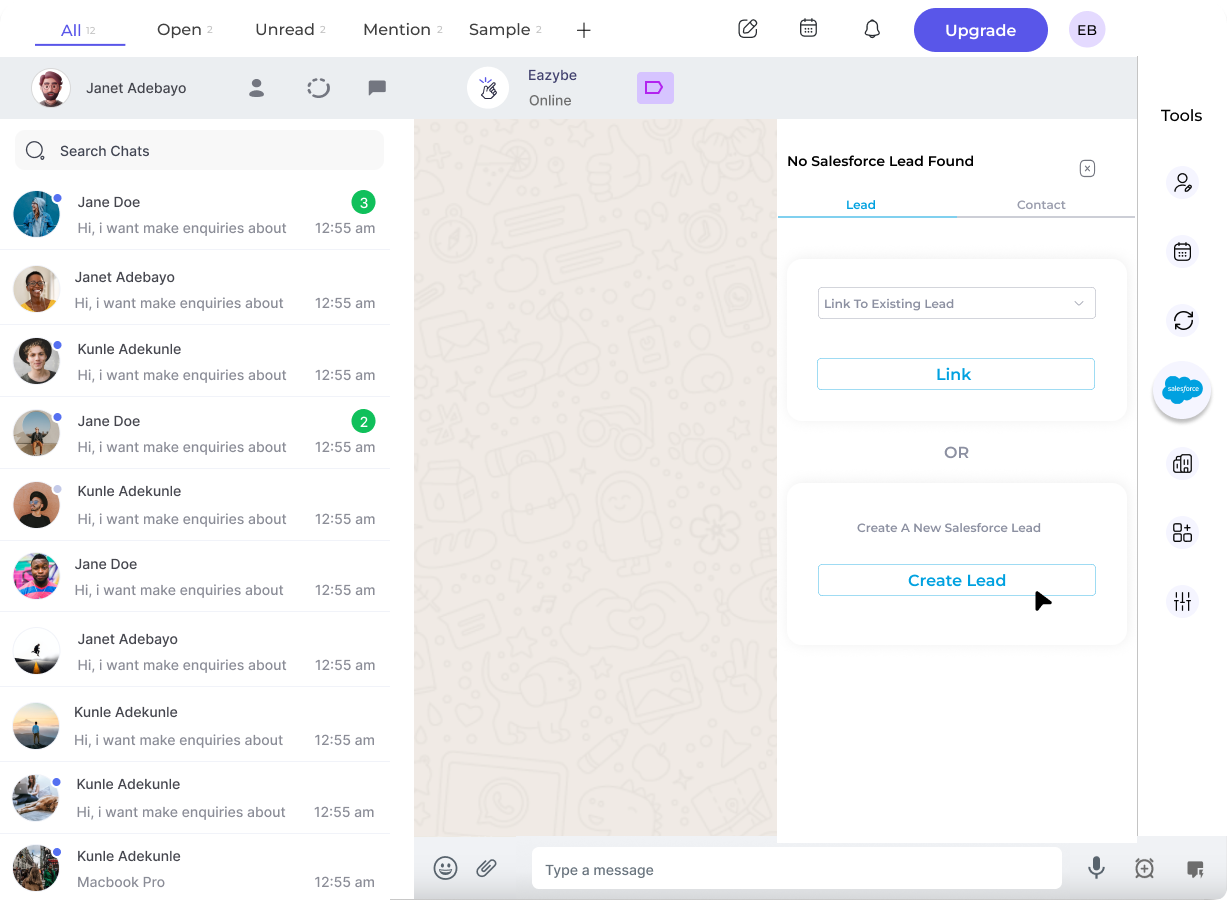 Search for the contact in Salesforce. If found, you can link to the existing record instead of creating a duplicate.
If the contact isn't in Salesforce, select **Create Lead** to add them as a new lead.
Search for the contact in Salesforce. If found, you can link to the existing record instead of creating a duplicate.
If the contact isn't in Salesforce, select **Create Lead** to add them as a new lead.
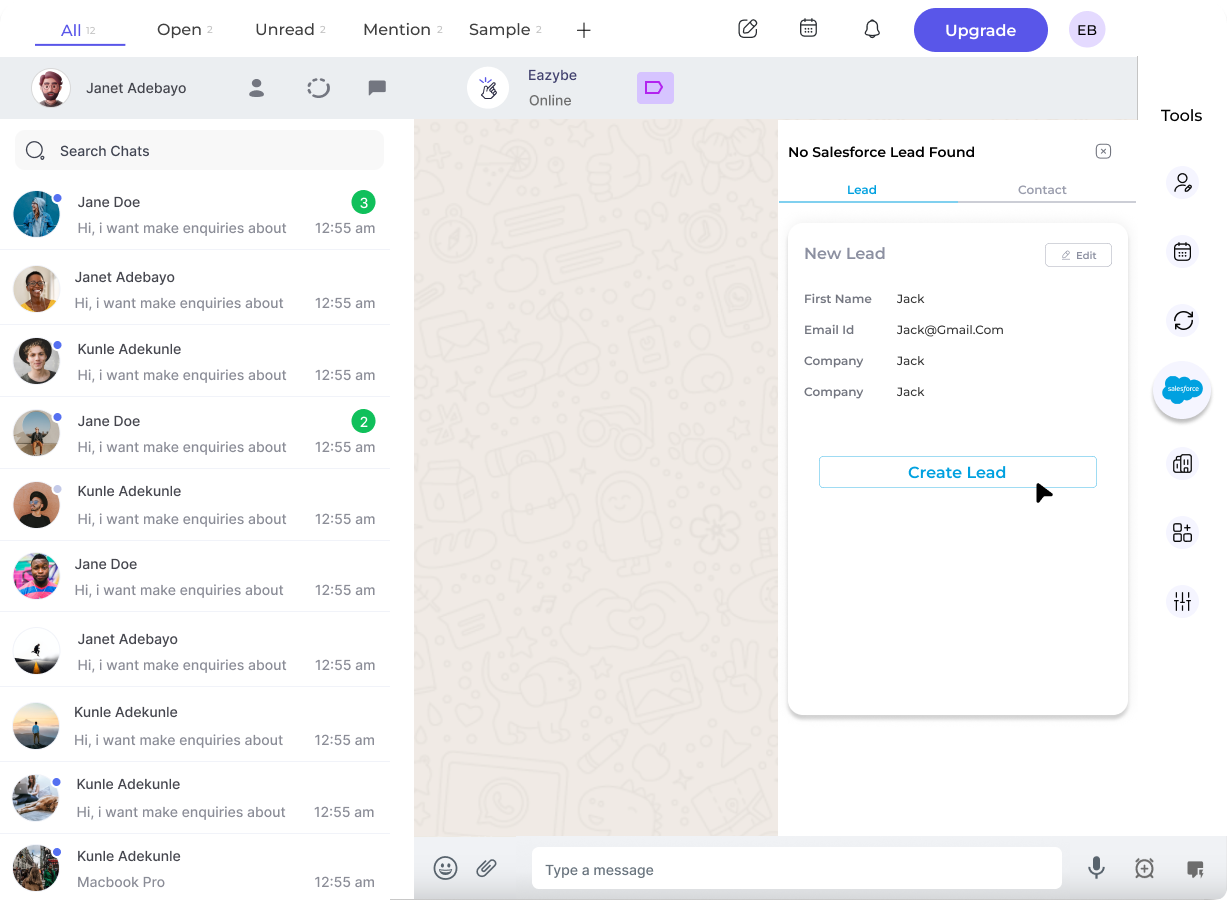 Complete the required fields for the new lead. You can customize the form by clicking the **Edit** button to add additional properties.
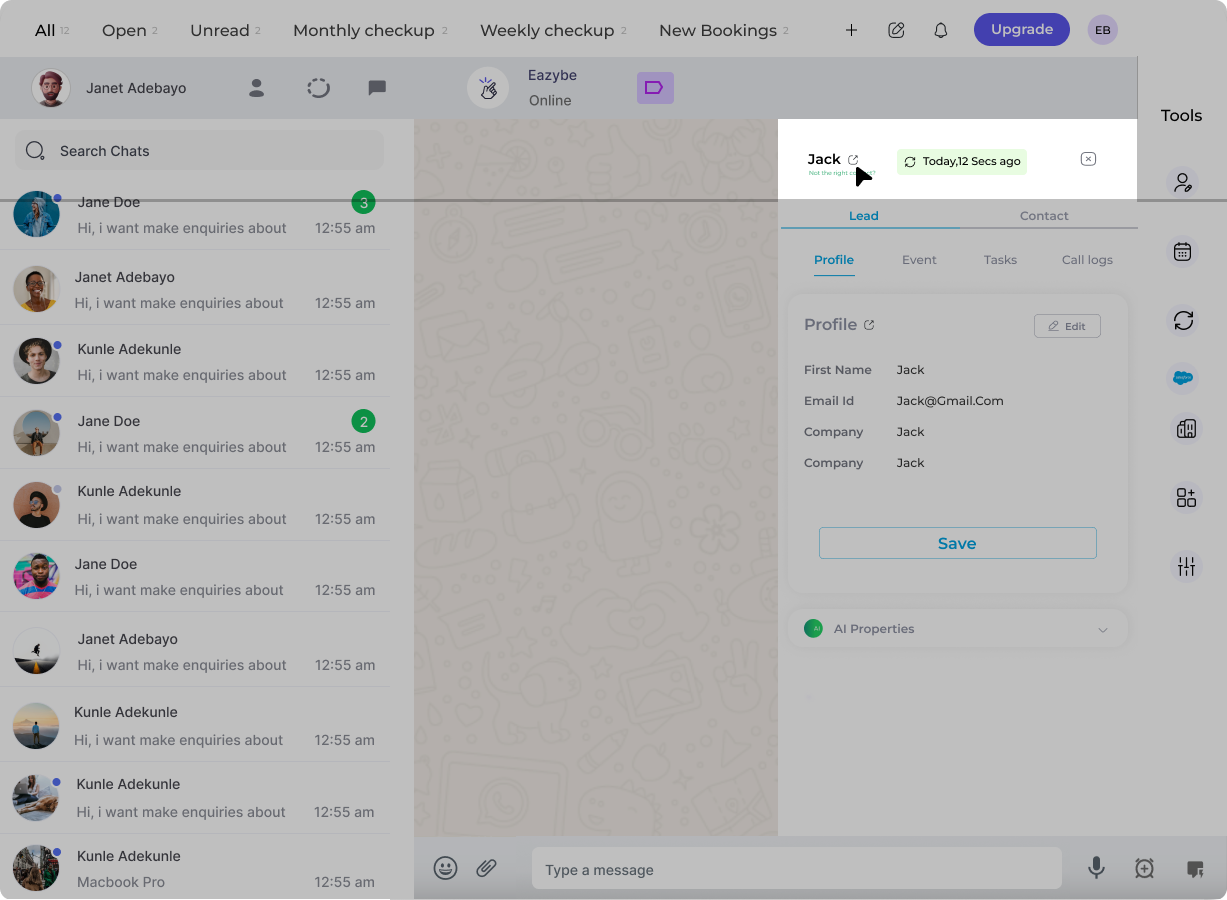 After creation, click **View Lead on Salesforce** to open the record directly in your Salesforce account.
The lead will automatically be linked to this WhatsApp conversation, and future chats will sync to Salesforce every 3 minutes.
## Need Help?
If you have any questions or need assistance, contact our support team at **[hey@eazybe.com](mailto:hey@eazybe.com)**.
After creation, click **View Lead on Salesforce** to open the record directly in your Salesforce account.
The lead will automatically be linked to this WhatsApp conversation, and future chats will sync to Salesforce every 3 minutes.
## Need Help?
If you have any questions or need assistance, contact our support team at **[hey@eazybe.com](mailto:hey@eazybe.com)**.