> ## Documentation Index
> Fetch the complete documentation index at: https://help.eazybe.com/llms.txt
> Use this file to discover all available pages before exploring further.
# Contact Call Logs
> How to add and manage Salesforce contact call logs from WhatsApp using EazyBe
This guide explains how to add Call Logs for your Salesforce Contacts using the EazyBe WhatsApp Extension. Track all your call activities directly from WhatsApp.
## Adding a Call Log
Access the WhatsApp conversation with your Salesforce Contact.
Select the Salesforce icon in the right sidebar of the extension.
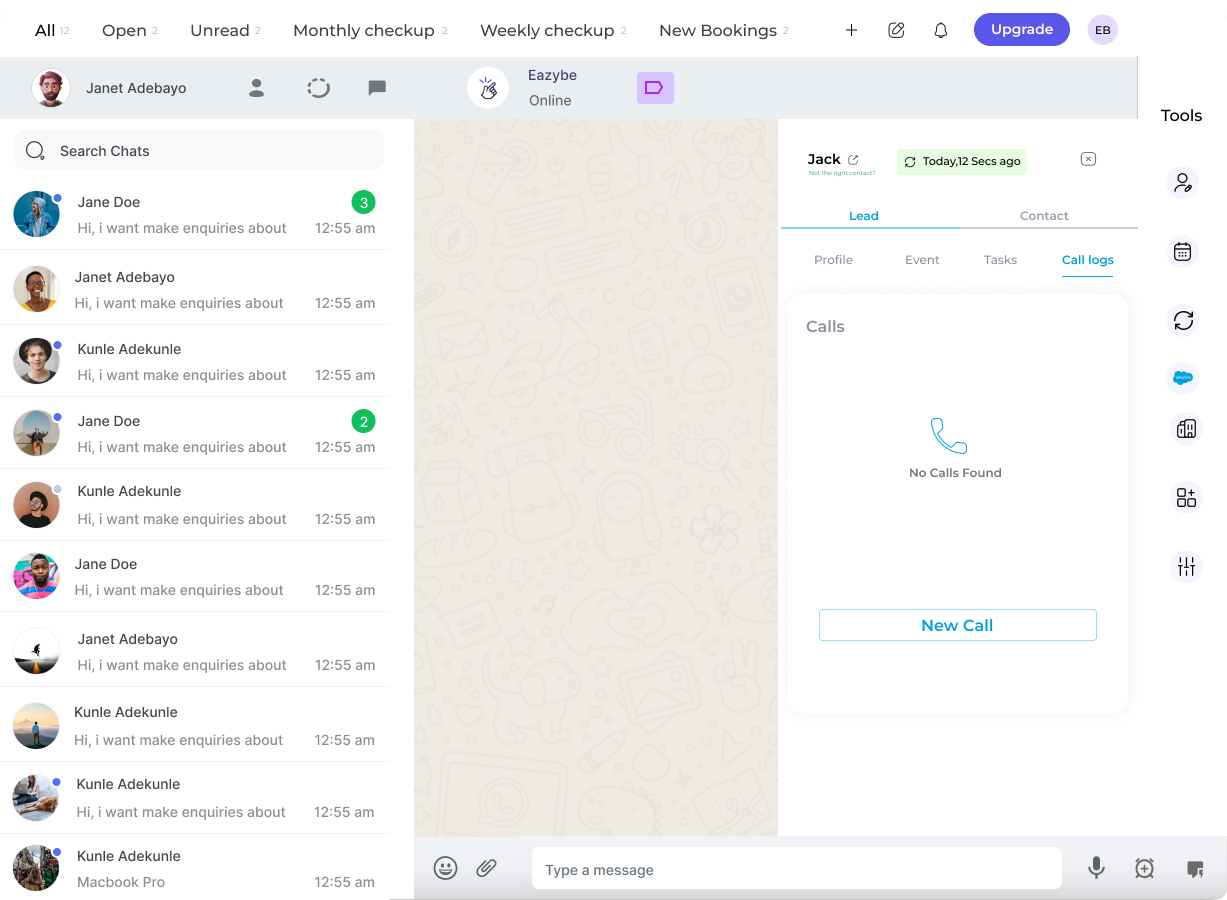
In the Contact Section, locate the **Call Logs** header at the bottom and click it.
Click the **Add Call Log** button to open the call log form.
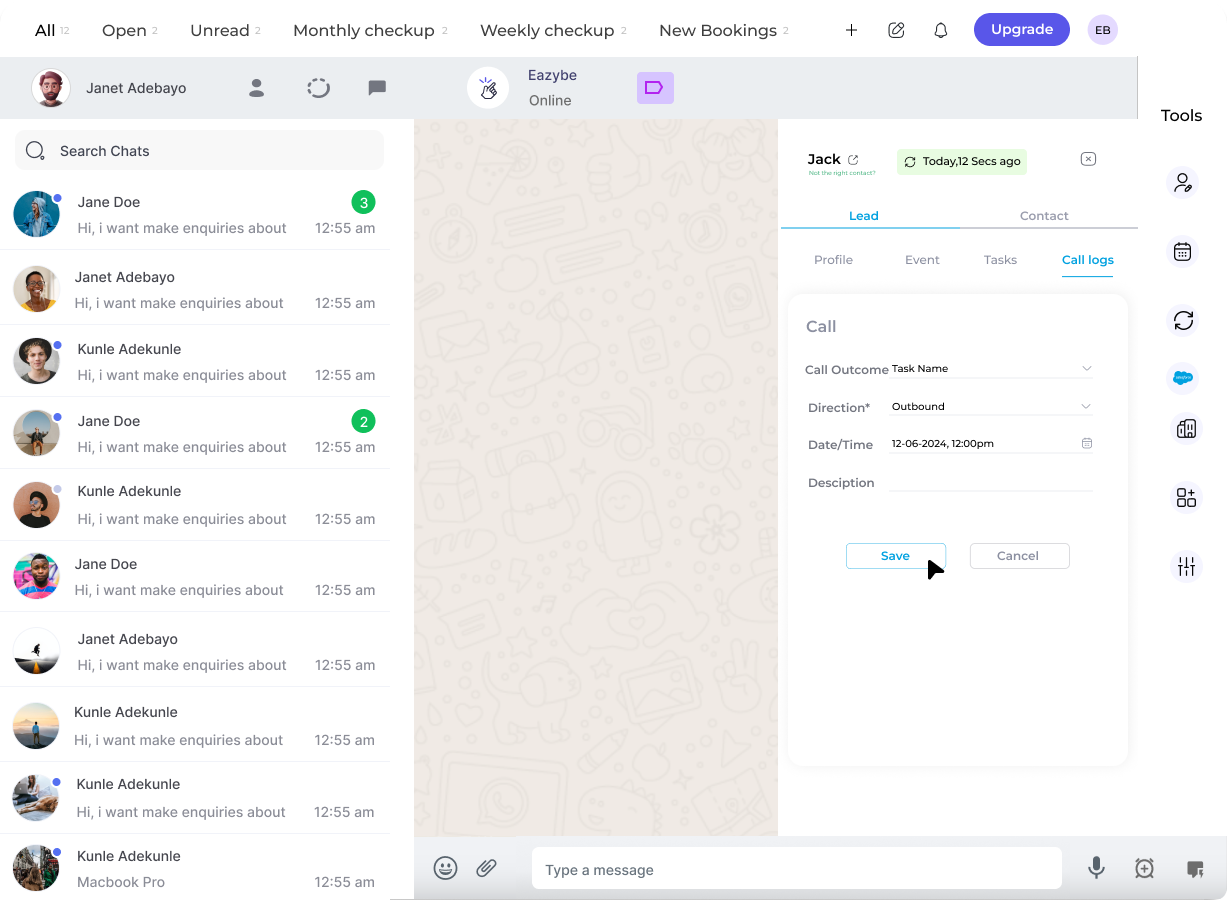
 Enter the required information and click the **Save Call Log** button.
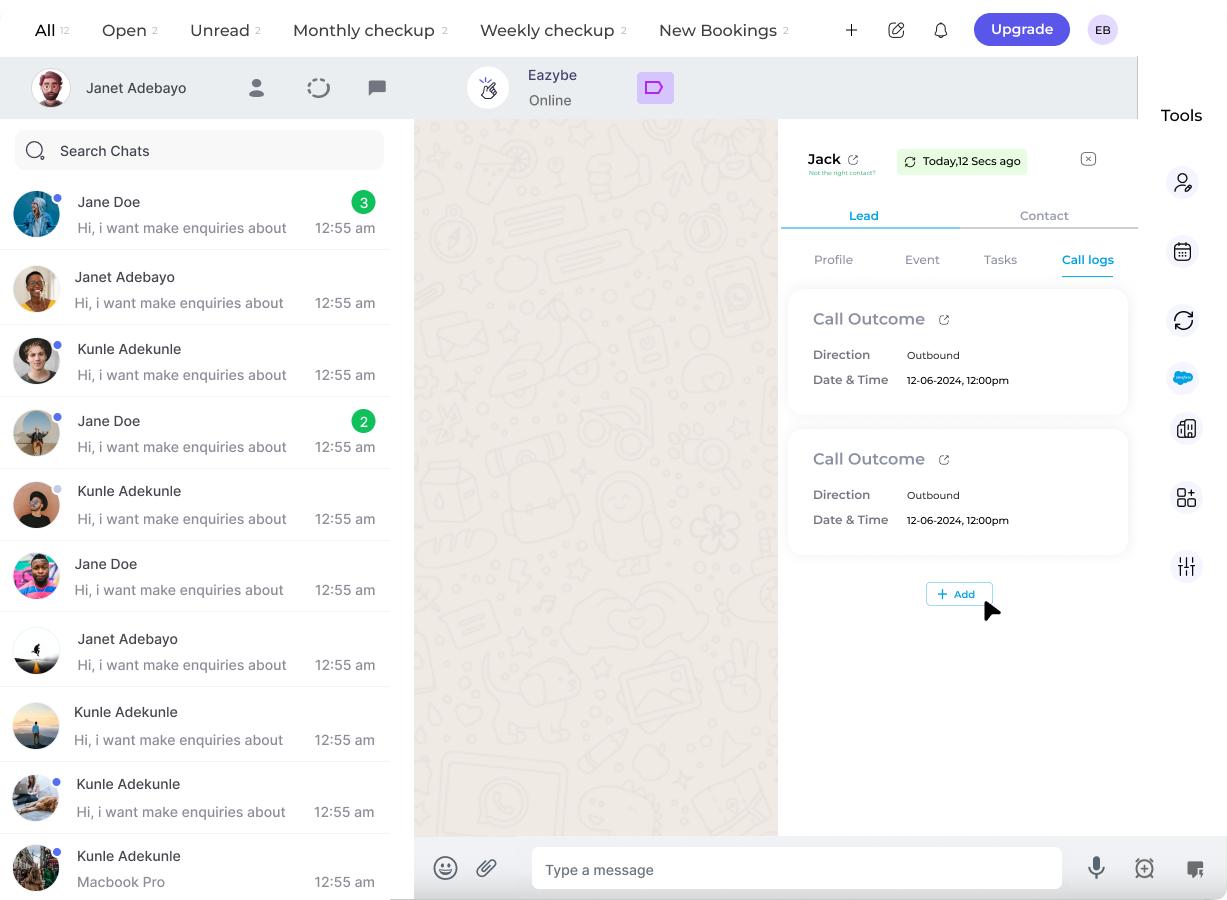
 The newly created call log becomes visible in the Call Logs section.
 ## Managing Call Logs
Once a call log is created, you can manage it using the three-dot menu next to each entry:
* **Edit** - Modify call log details
* **Delete** - Remove the call log
Call logs are synced directly to Salesforce when you save. The call log information will be reflected in your Salesforce Contact record.
## Need Help?
If you have any questions or need assistance, contact our support team at **[hey@eazybe.com](mailto:hey@eazybe.com)**.
## Managing Call Logs
Once a call log is created, you can manage it using the three-dot menu next to each entry:
* **Edit** - Modify call log details
* **Delete** - Remove the call log
Call logs are synced directly to Salesforce when you save. The call log information will be reflected in your Salesforce Contact record.
## Need Help?
If you have any questions or need assistance, contact our support team at **[hey@eazybe.com](mailto:hey@eazybe.com)**.