> ## Documentation Index
> Fetch the complete documentation index at: https://help.eazybe.com/llms.txt
> Use this file to discover all available pages before exploring further.
# Message Sync
> How WhatsApp messages are automatically synced with Salesforce
This guide explains how WhatsApp conversations are automatically synchronized with your Salesforce contacts and leads.
## Automatic Synchronization
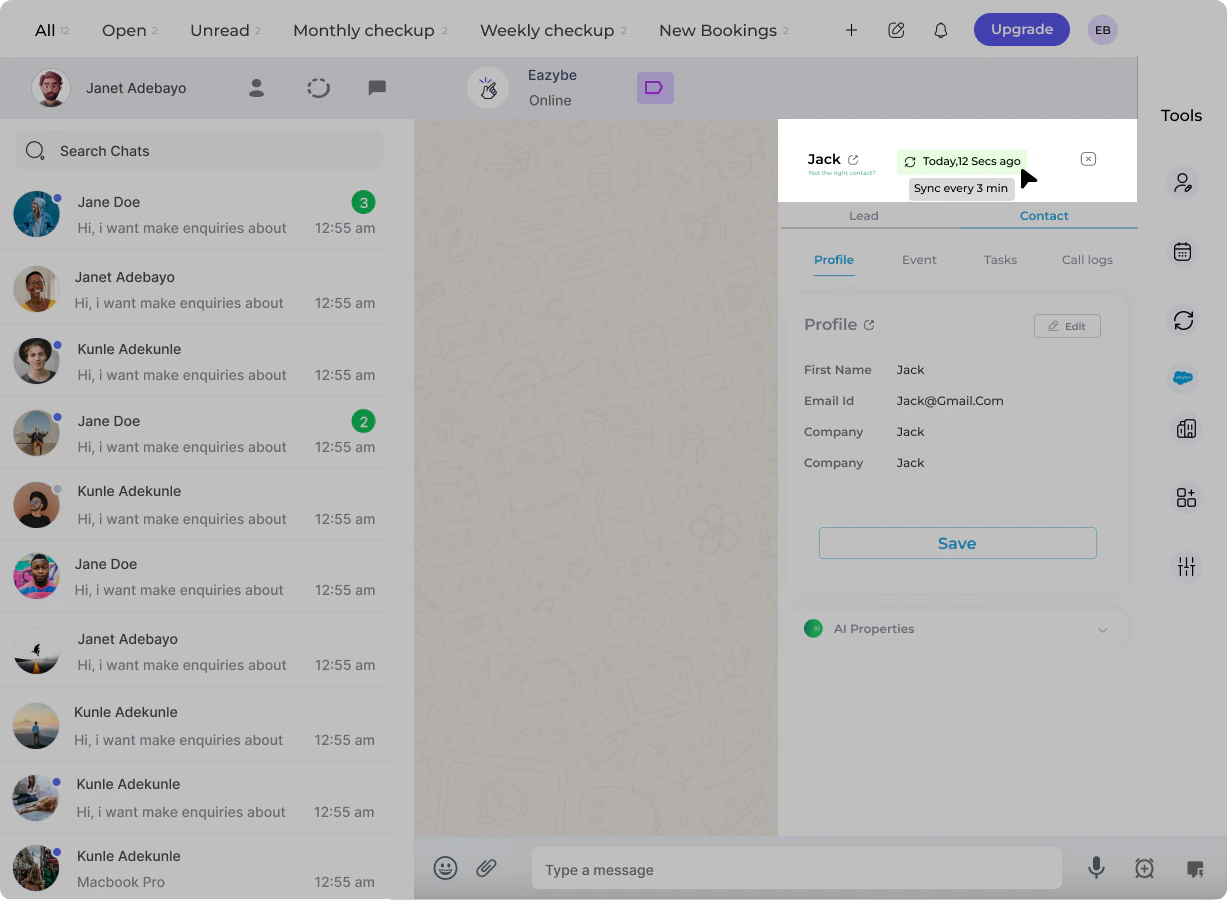
WhatsApp conversations with your Salesforce contacts or leads are automatically synced every **3 minutes**.
The last synced date and time displays in the EazyBe extension. You can verify the sync completion by clicking the icon to access the contact's Salesforce page.
 ## Initial Integration
When you first integrate Salesforce with EazyBe, the system automatically provides backup data spanning the **past 3 days**. This ensures you have recent conversation history available immediately.
## Initial Integration
When you first integrate Salesforce with EazyBe, the system automatically provides backup data spanning the **past 3 days**. This ensures you have recent conversation history available immediately.
 ## Activity Logging
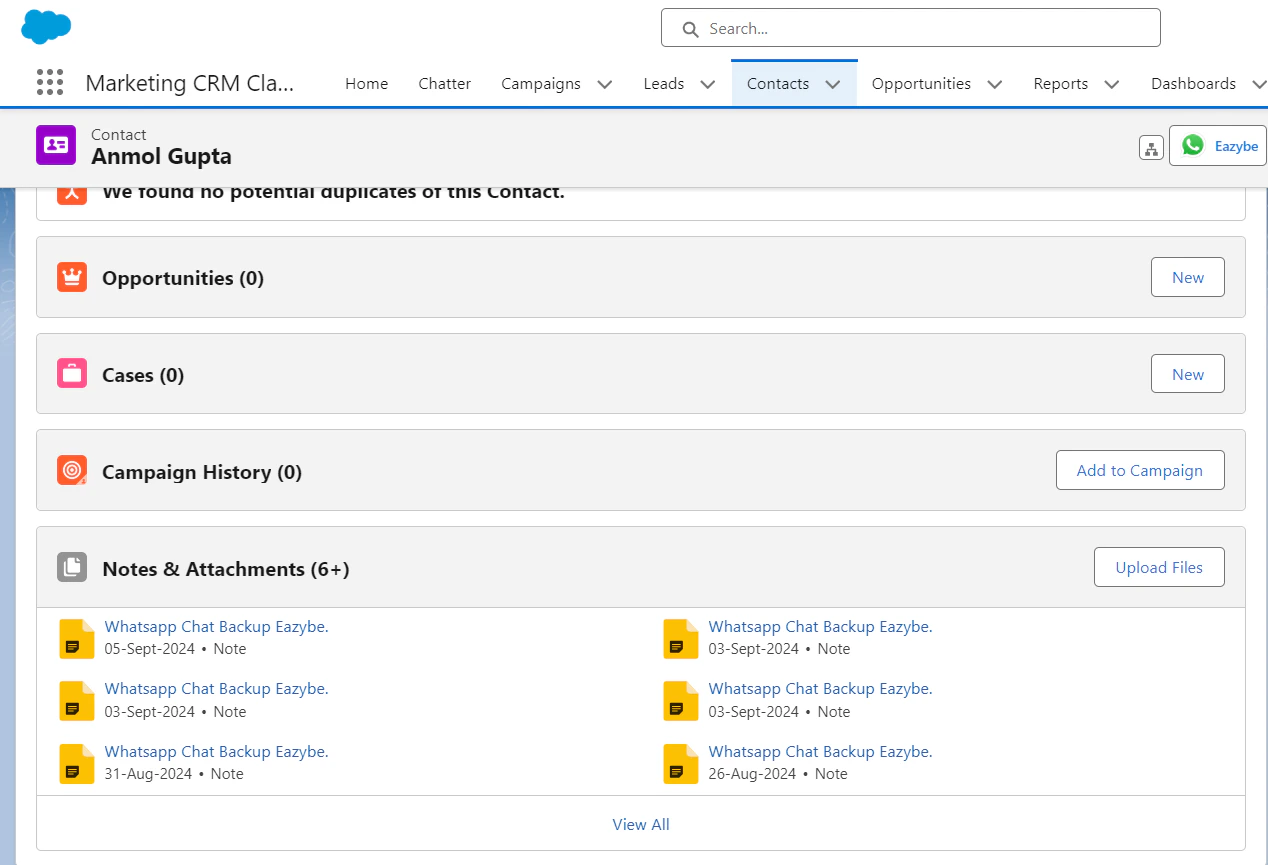
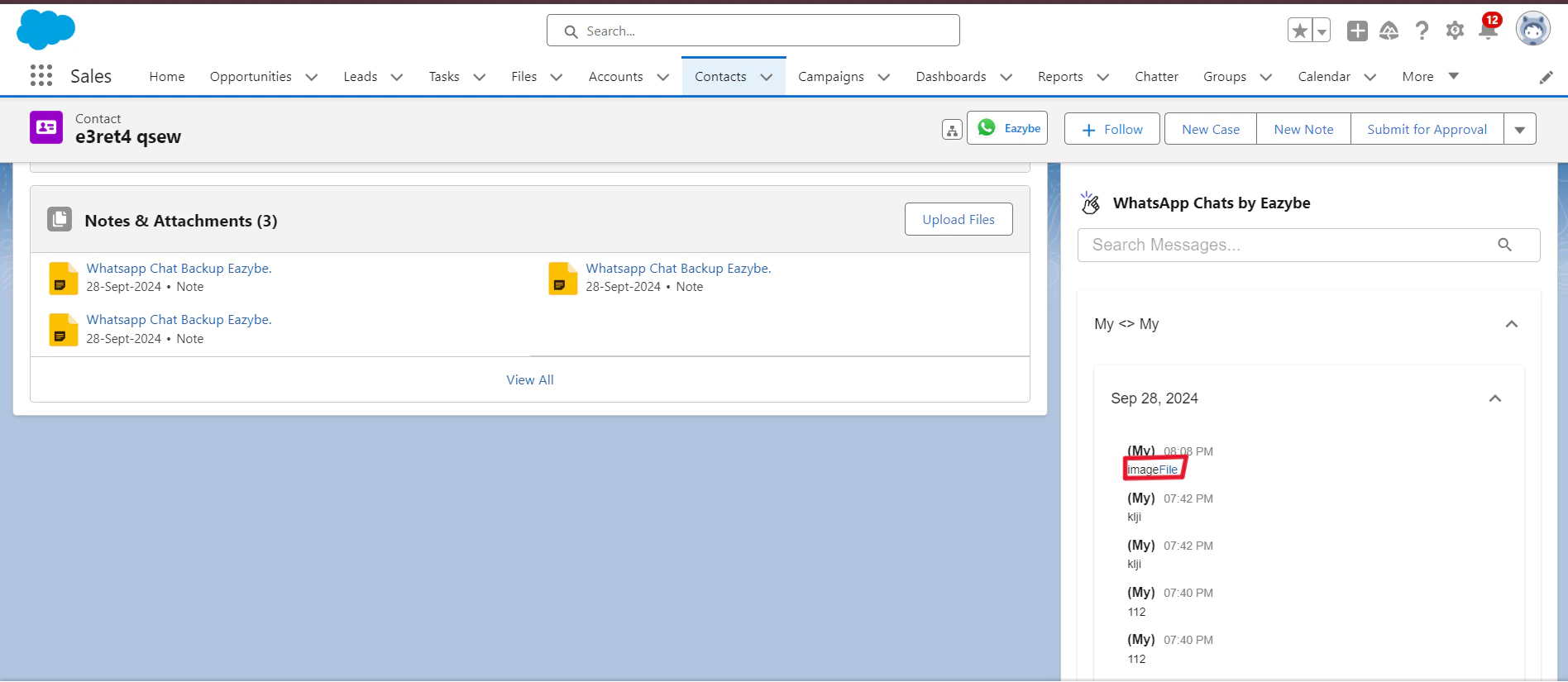
WhatsApp chats are stored in two locations within Salesforce:
For Contacts, chats appear in the Notes & Attachments section of the contact record.
## Activity Logging
WhatsApp chats are stored in two locations within Salesforce:
For Contacts, chats appear in the Notes & Attachments section of the contact record.
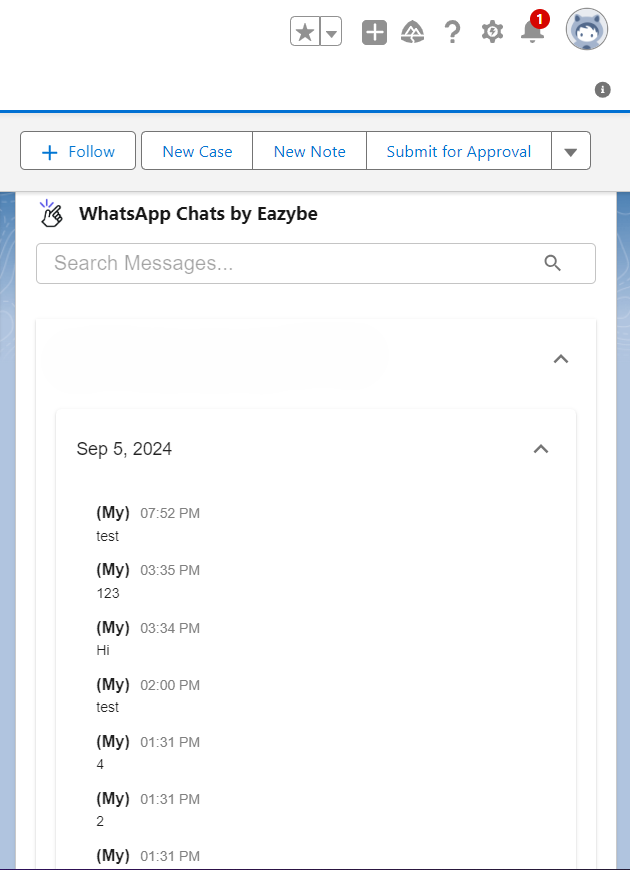 A custom activity object called **WhatsApp Chats by EazyBe** stores all conversation data for both Contacts and Leads.
 ## Attachments Backup
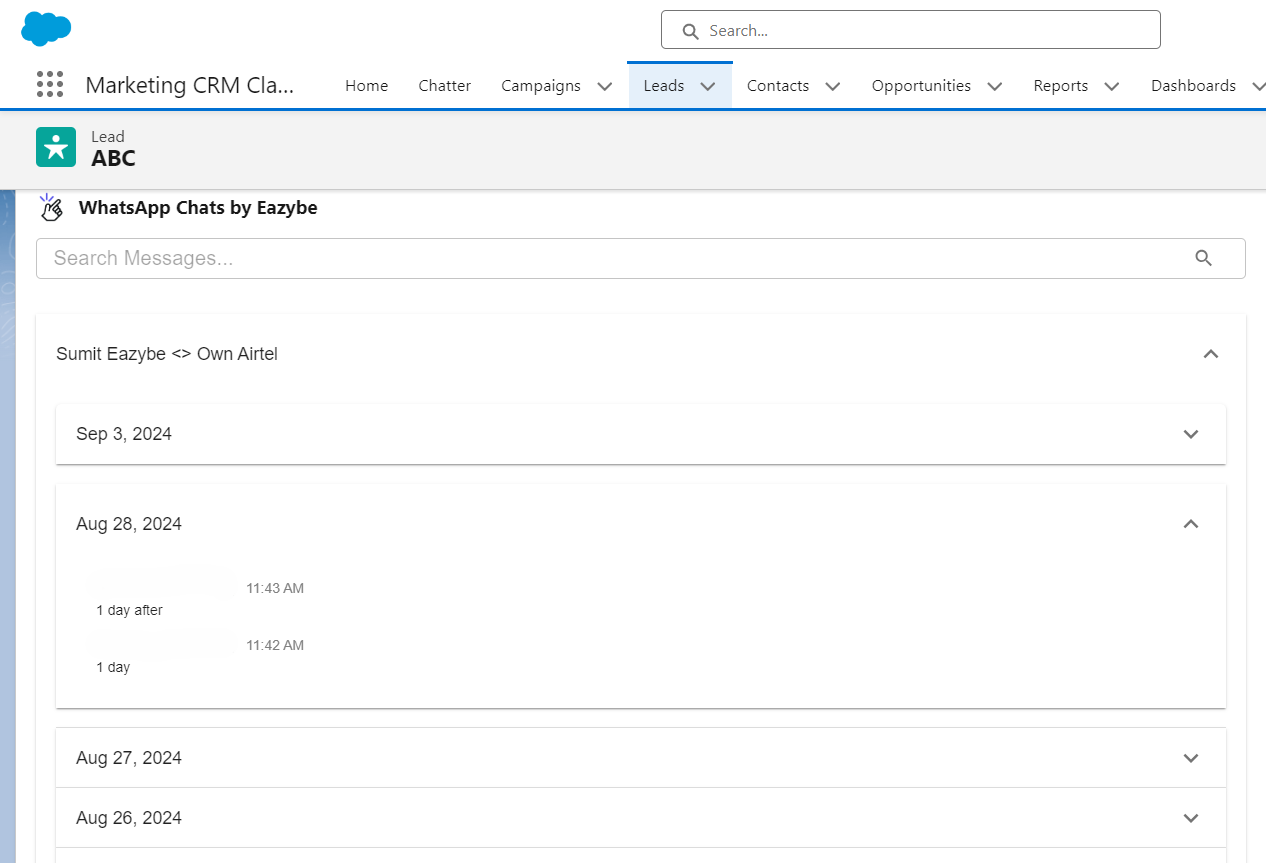
Attachments from WhatsApp conversations are stored in the **WhatsApp Chats by EazyBe** custom activity object for both Leads and Contacts pages.
## Attachments Backup
Attachments from WhatsApp conversations are stored in the **WhatsApp Chats by EazyBe** custom activity object for both Leads and Contacts pages.
 ## Need Help?
If you have any questions or need assistance, contact our support team at **[hey@eazybe.com](mailto:hey@eazybe.com)**.
## Need Help?
If you have any questions or need assistance, contact our support team at **[hey@eazybe.com](mailto:hey@eazybe.com)**.