> ## Documentation Index
> Fetch the complete documentation index at: https://help.eazybe.com/llms.txt
> Use this file to discover all available pages before exploring further.
# Backup View
> Learn where to find your WhatsApp chat backups in Salesforce after syncing with Eazybe.
You can access your WhatsApp chat backups in Salesforce through several areas.
## Salesforce Contact's Page
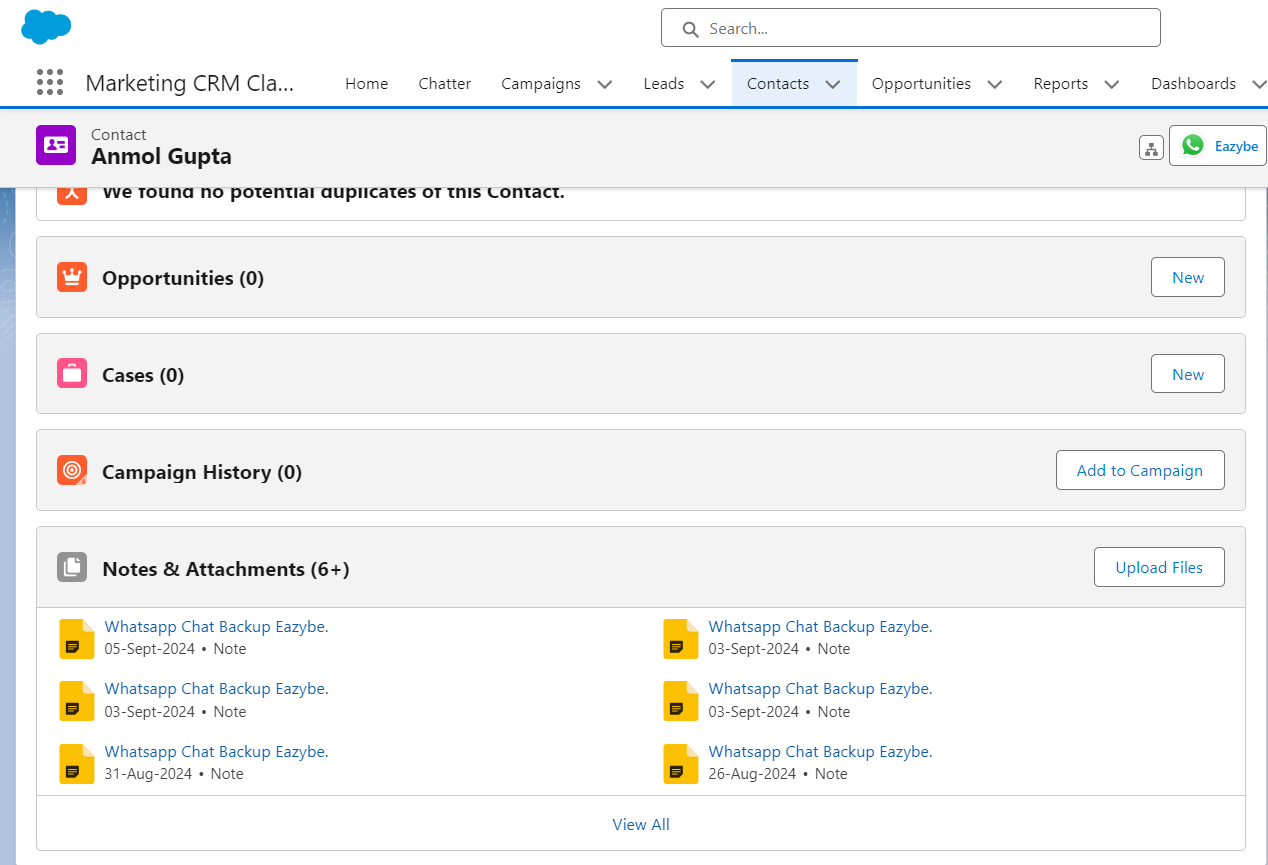
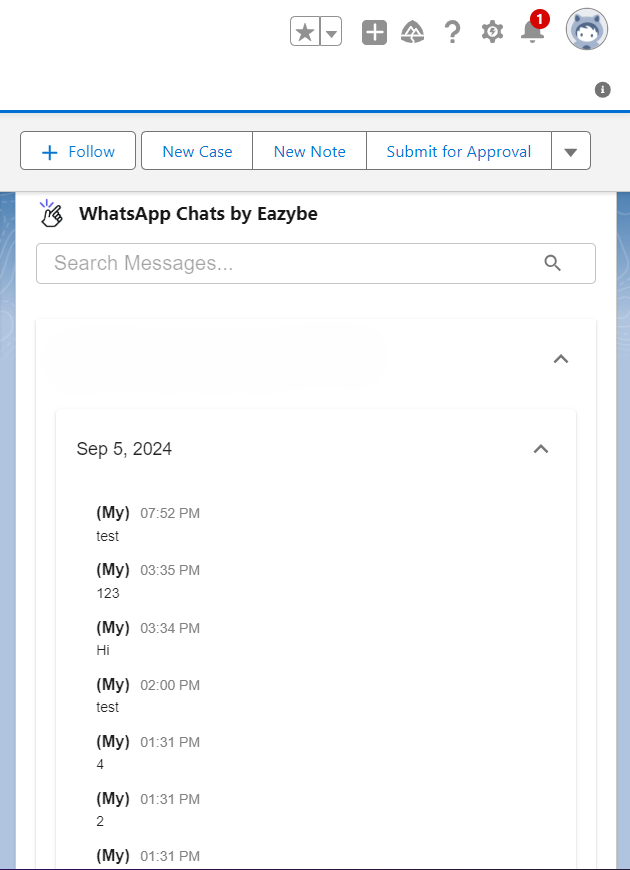
Synced WhatsApp conversations appear in two locations within respective Salesforce Contacts' Pages:
Find your synced conversations in the Notes and Attachments section.
View conversations in the custom activity object.
 ## Salesforce Lead's Page
Synced WhatsApp conversations display in the **"WhatsApp Chats by Eazybe"** custom activity object within respective Salesforce Leads' Pages.
## Salesforce Lead's Page
Synced WhatsApp conversations display in the **"WhatsApp Chats by Eazybe"** custom activity object within respective Salesforce Leads' Pages.
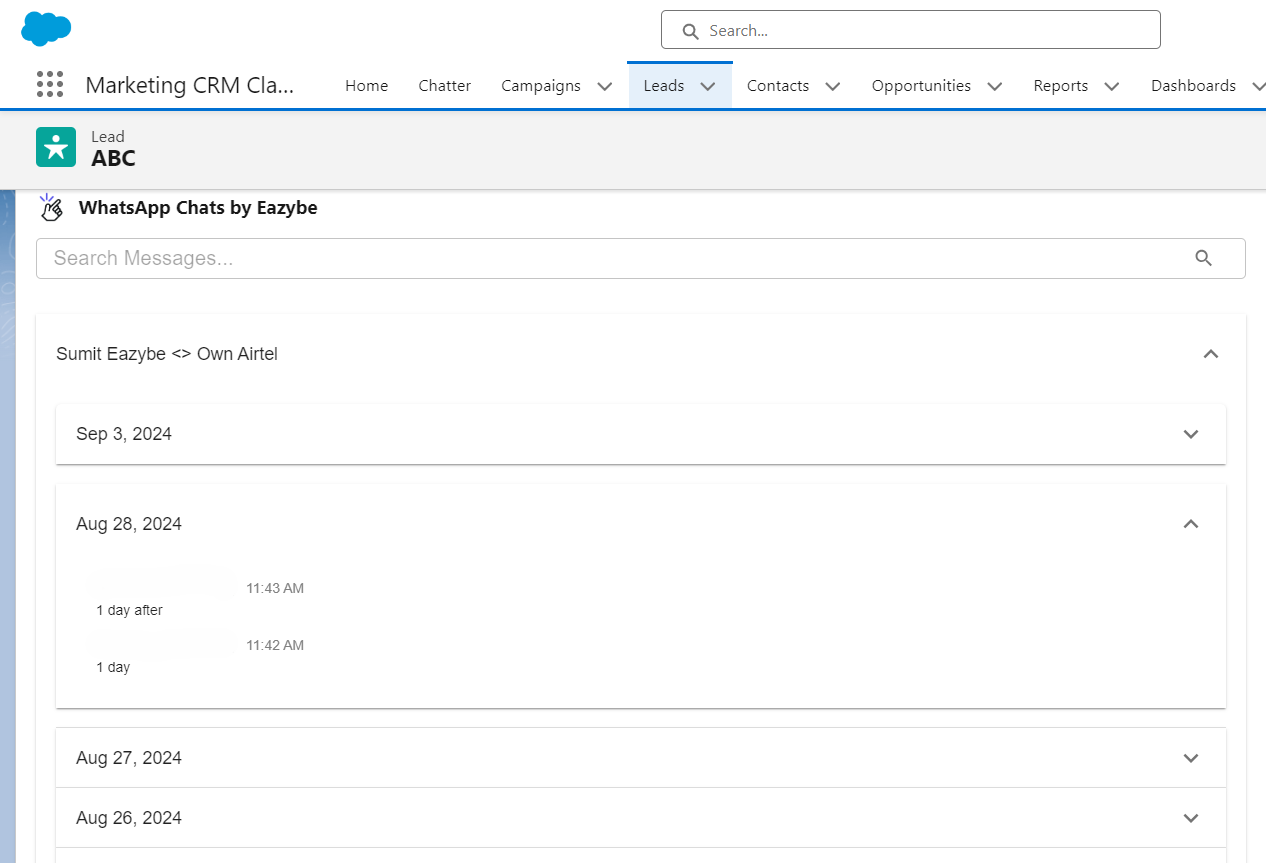 Both Contacts and Leads pages provide easy access to your synced WhatsApp conversations, helping you maintain a complete communication history within Salesforce.
## Need Help?
If you have any questions or need further assistance, feel free to reach out to us at [hey@eazybe.com](mailto:hey@eazybe.com).
Both Contacts and Leads pages provide easy access to your synced WhatsApp conversations, helping you maintain a complete communication history within Salesforce.
## Need Help?
If you have any questions or need further assistance, feel free to reach out to us at [hey@eazybe.com](mailto:hey@eazybe.com).