> ## Documentation Index
> Fetch the complete documentation index at: https://help.eazybe.com/llms.txt
> Use this file to discover all available pages before exploring further.
# Attachment Backup
> Learn about Eazybe's attachment backup support and what types of attachments are backed up in Salesforce.
Yes, Eazybe supports attachment backup! When syncing WhatsApp conversations with Salesforce, various types of attachments are automatically backed up.
## Supported Attachment Types
Photos and screenshots shared in chats
Files such as PDFs, Word documents, and spreadsheets
Voice messages and other audio recordings
Video clips shared in conversations
**Other Files**: Any other types of files that may be shared in WhatsApp chats are also backed up.
## Storage Location
Attachments from WhatsApp conversations are stored in the **"WhatsApp Chats by Eazybe"** custom activity object on both Leads and Contacts pages.
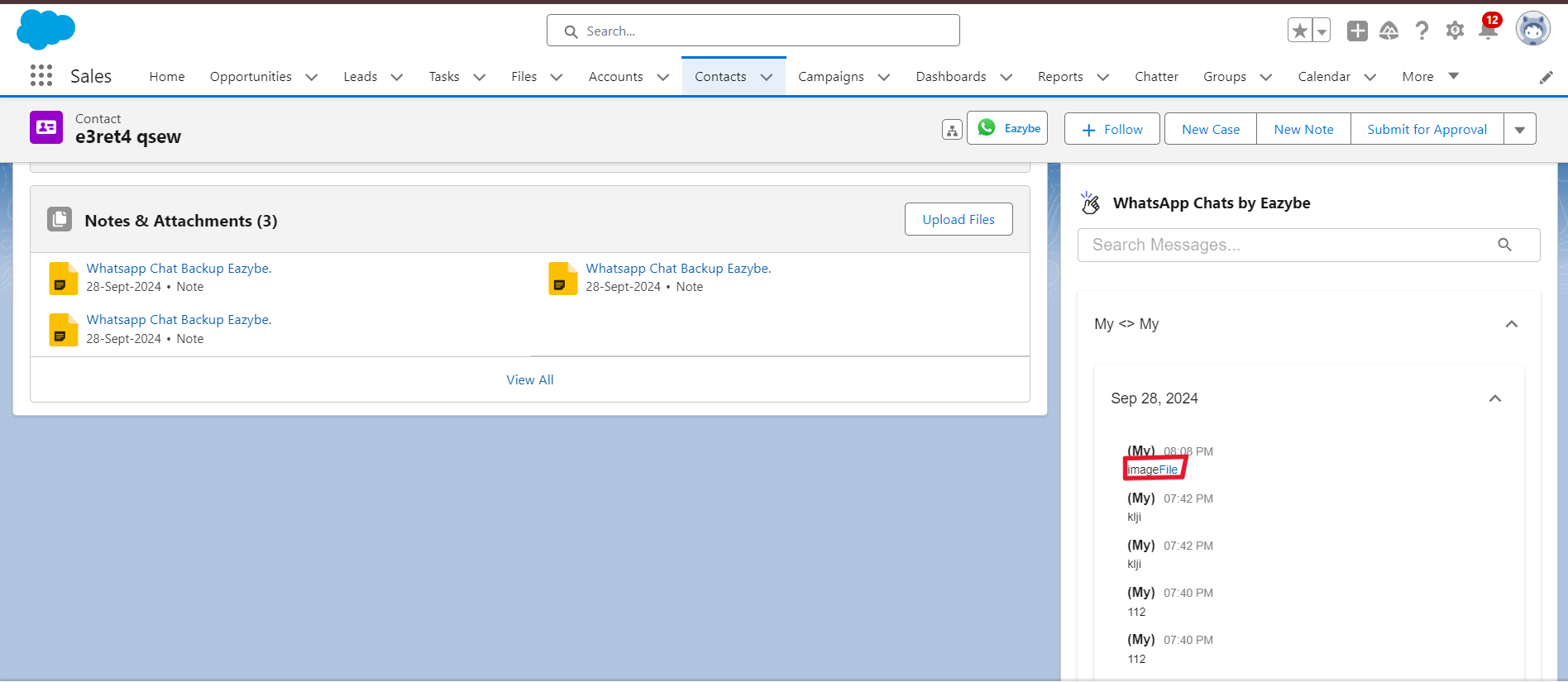 You can click the links created for attachments to download your backed-up files directly from Salesforce.
## Need Help?
For questions or assistance, contact us at [hey@eazybe.com](mailto:hey@eazybe.com).
You can click the links created for attachments to download your backed-up files directly from Salesforce.
## Need Help?
For questions or assistance, contact us at [hey@eazybe.com](mailto:hey@eazybe.com).