> ## Documentation Index
> Fetch the complete documentation index at: https://help.eazybe.com/llms.txt
> Use this file to discover all available pages before exploring further.
# Admin Workspace Access
> Learn how administrators can access and monitor the Eazybe workspace to oversee team performance and organizational information in Salesforce integration.
Administrators have comprehensive access to the Eazybe workspace, enabling them to monitor and oversee team performance metrics and organizational information.
## Viewing Team Details
Click the **Organisation** button located in the right sidebar.
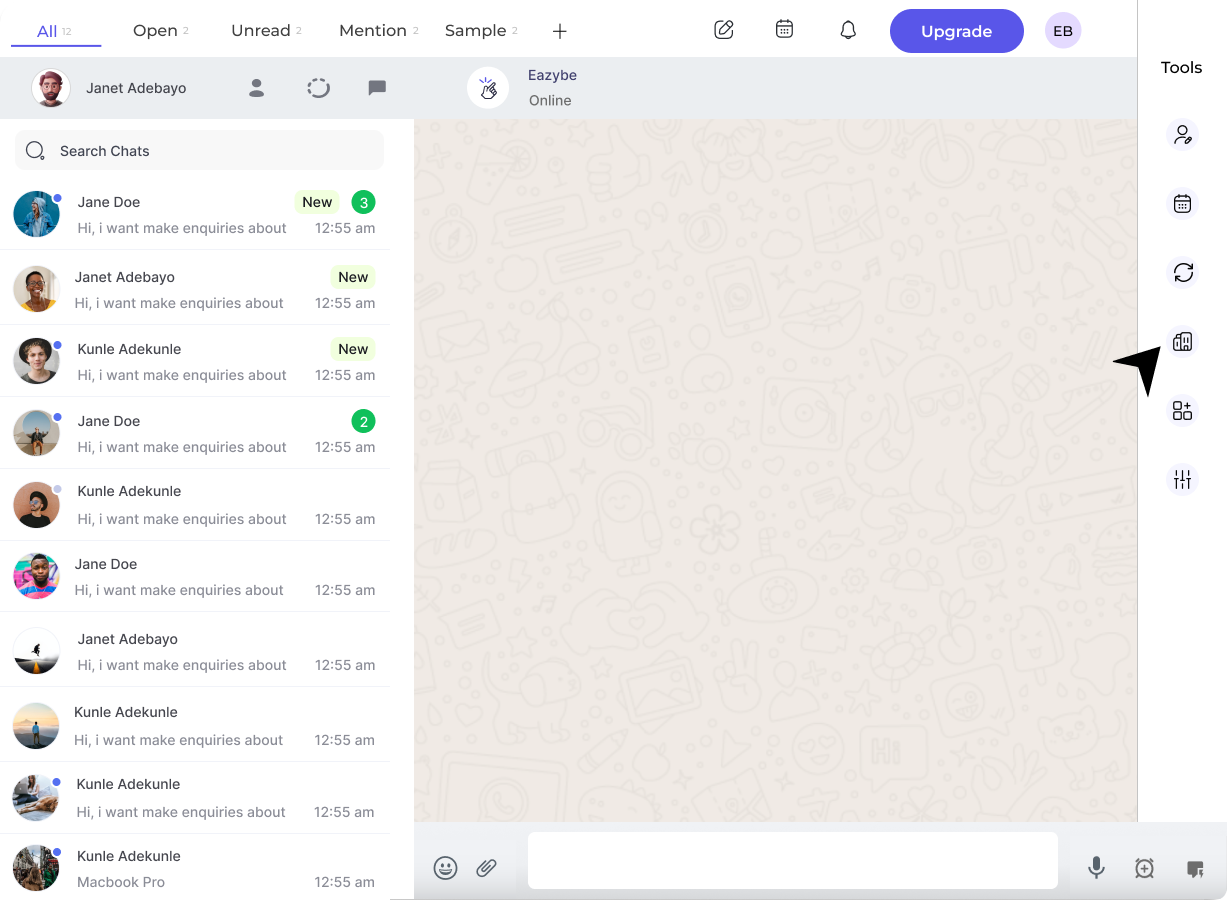 This action opens a new Chrome tab. Administrator credentials are required for login.
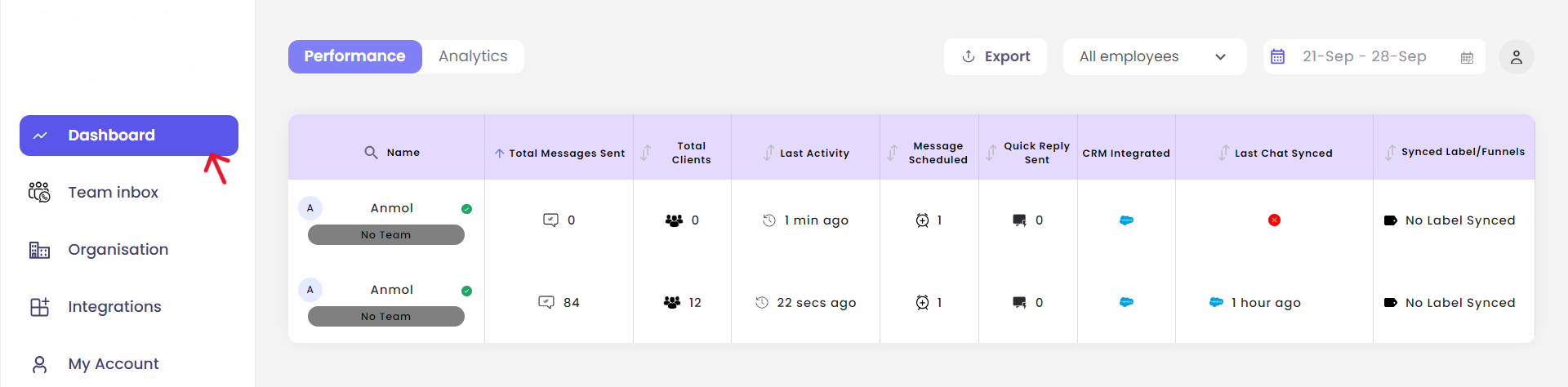
In the workspace, locate and click the **Dashboard** button in the left sidebar.
This action opens a new Chrome tab. Administrator credentials are required for login.
In the workspace, locate and click the **Dashboard** button in the left sidebar.
 ## Check Team Details
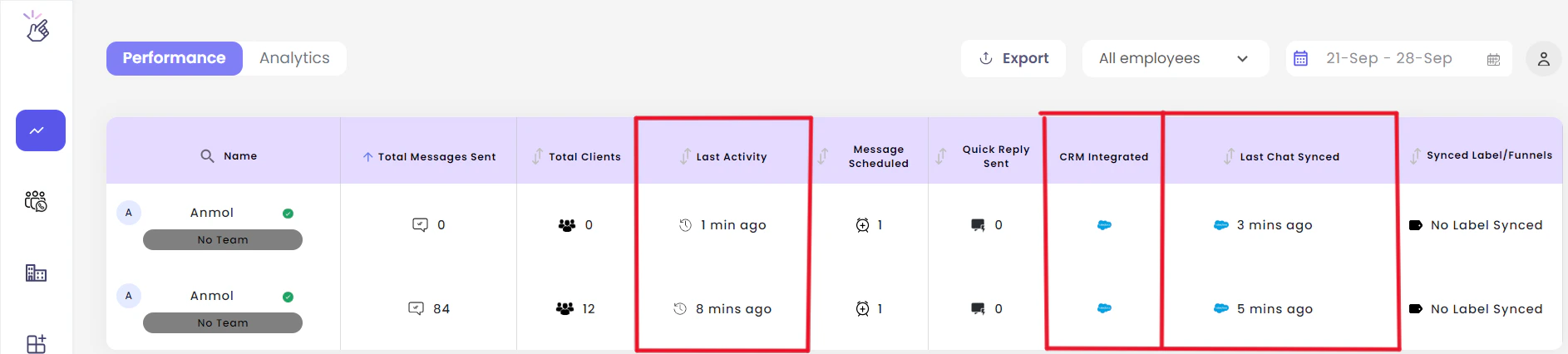
Admins can monitor the following information:
* **Last activity** of team members
* **Last chat synced time**
* **CRM integrations** status across the organization
## Check Team Details
Admins can monitor the following information:
* **Last activity** of team members
* **Last chat synced time**
* **CRM integrations** status across the organization
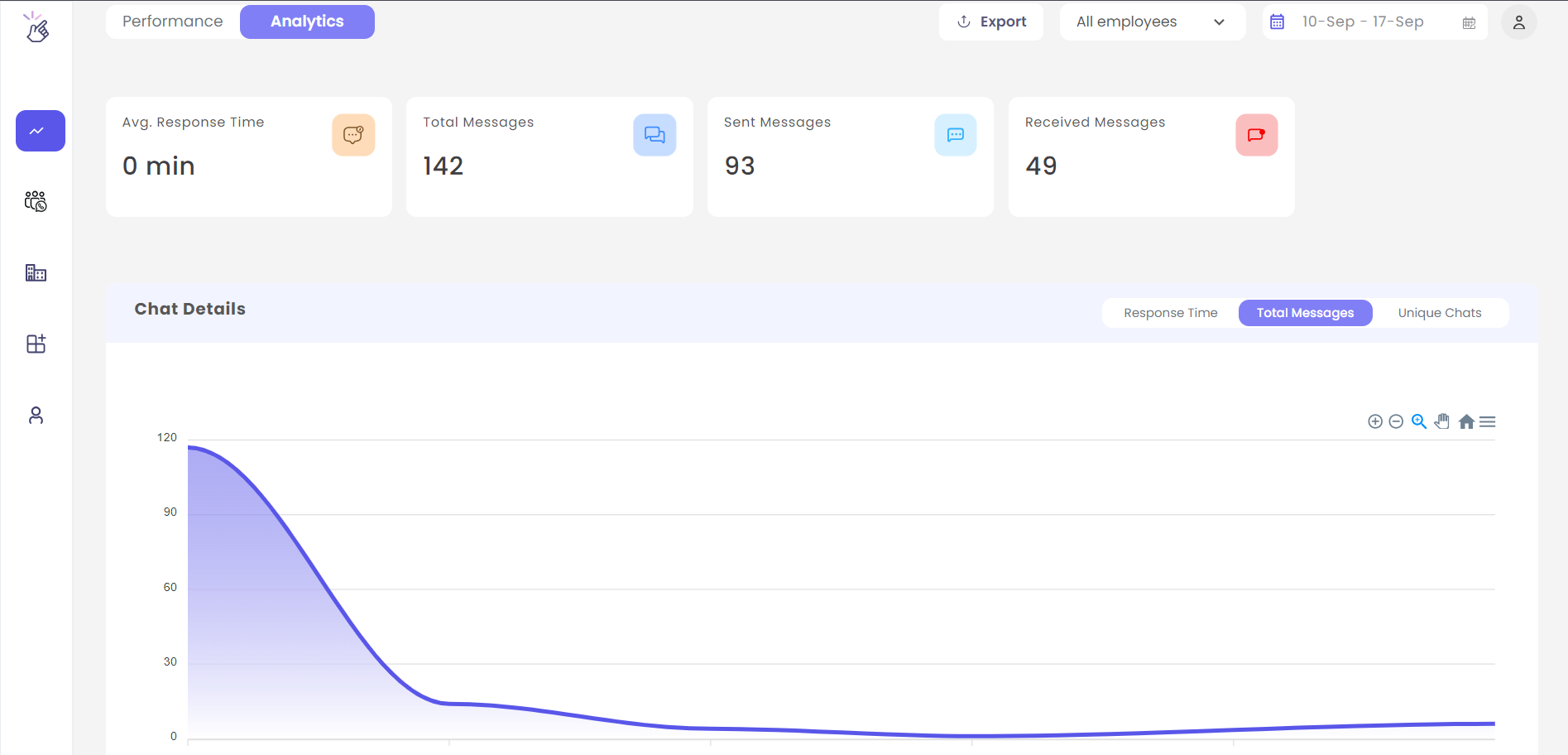
 The **Analytics** tab provides detailed messaging analytics for either the entire team or specific personnel.
 ## Need Help?
For additional support, contact us at [hey@eazybe.com](mailto:hey@eazybe.com).
## Need Help?
For additional support, contact us at [hey@eazybe.com](mailto:hey@eazybe.com).