> ## Documentation Index
> Fetch the complete documentation index at: https://help.eazybe.com/llms.txt
> Use this file to discover all available pages before exploring further.
# Lead Notes
> Create and manage follow-up notes for LeadSquared leads directly from WhatsApp
Create and manage follow-up notes within the EazyBe LeadSquared Mini-CRM view to preserve important conversations and key messages for future reference.
## Creating and Managing Notes
Open the WhatsApp conversation with the contact that exists on LeadSquared.
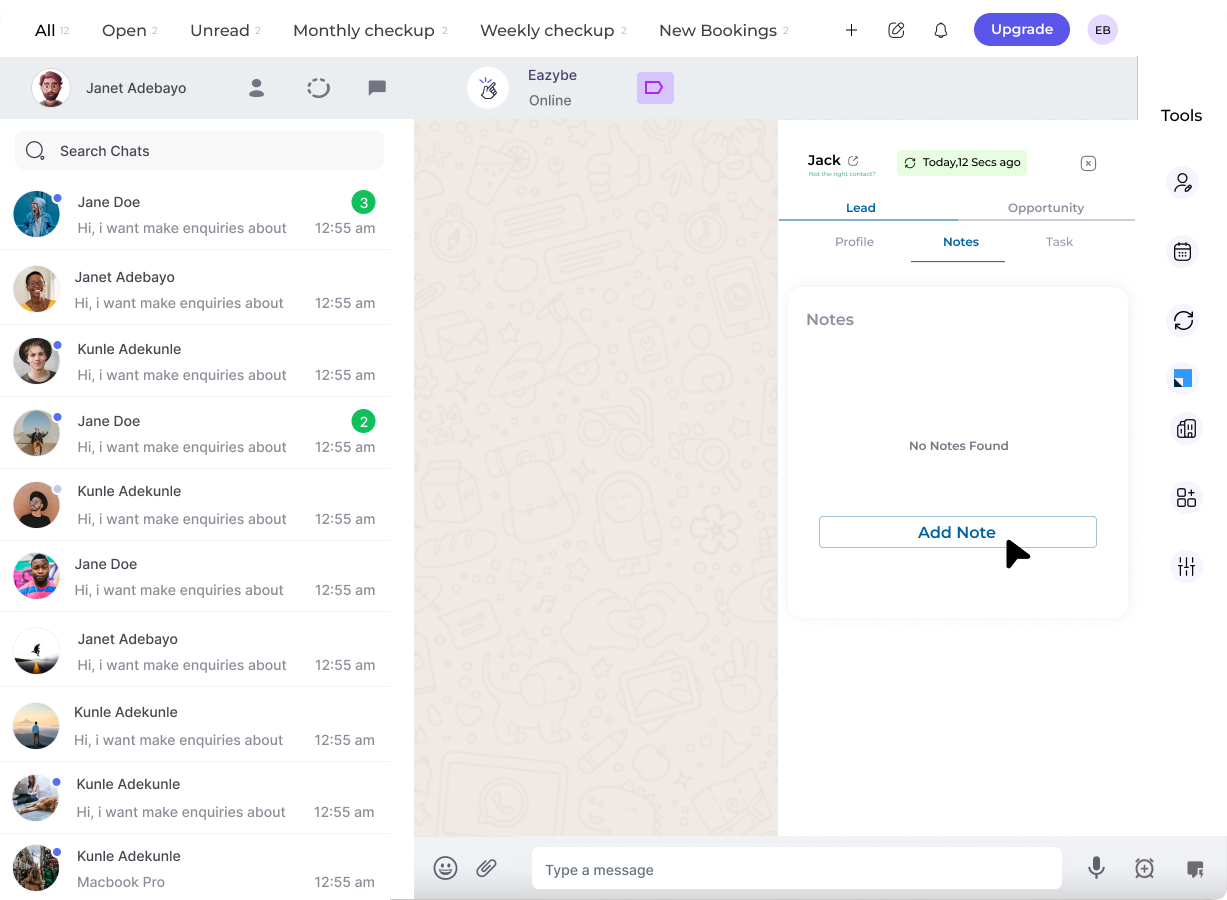 Click the **LeadSquared icon** in the right sidebar and navigate to the **second section** in the top bar to access the Notes area.
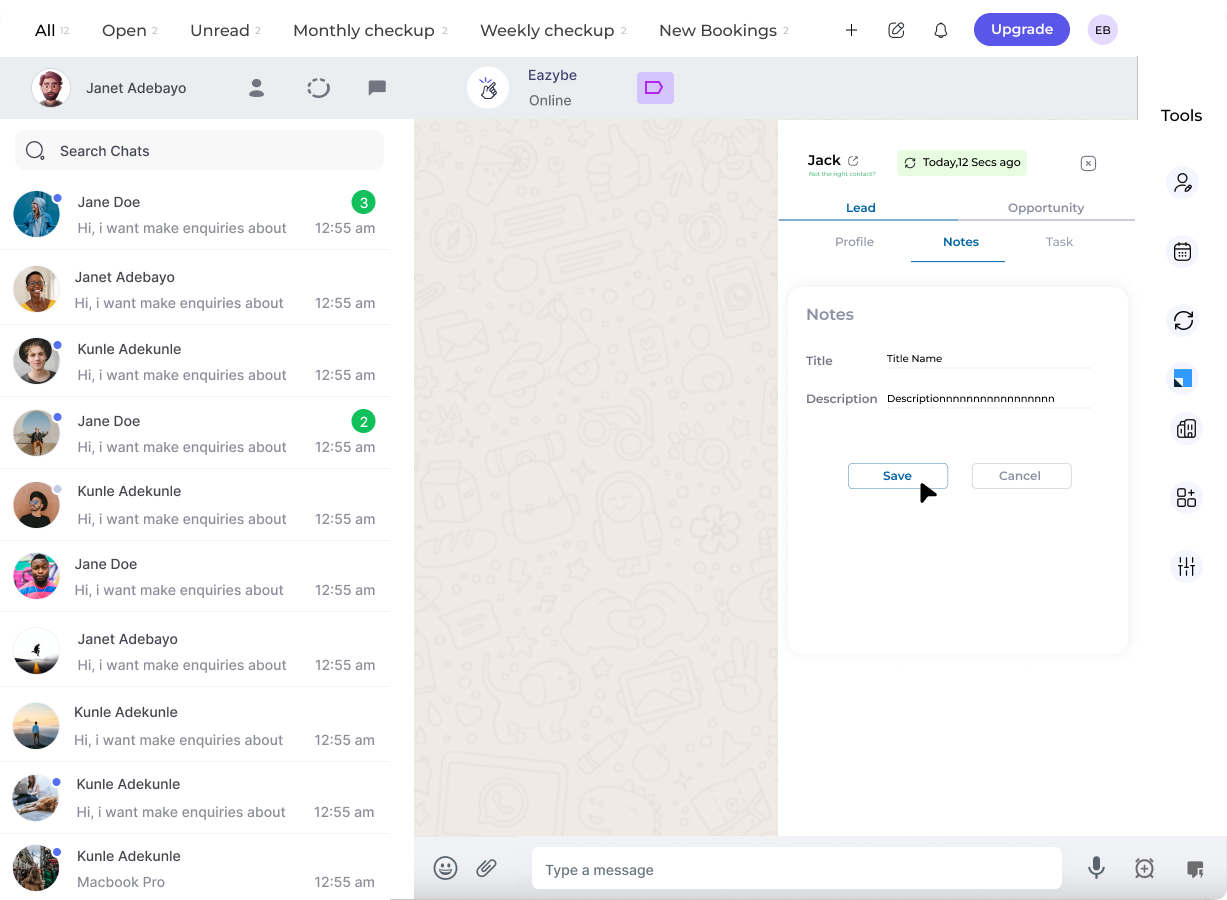 Click the **"Add Note"** button for the respective lead to create a new note.
Input your note content and click **"Save"**. The timestamp is automatically recorded for your reference.
Click the **"Add Note"** button for the respective lead to create a new note.
Input your note content and click **"Save"**. The timestamp is automatically recorded for your reference.
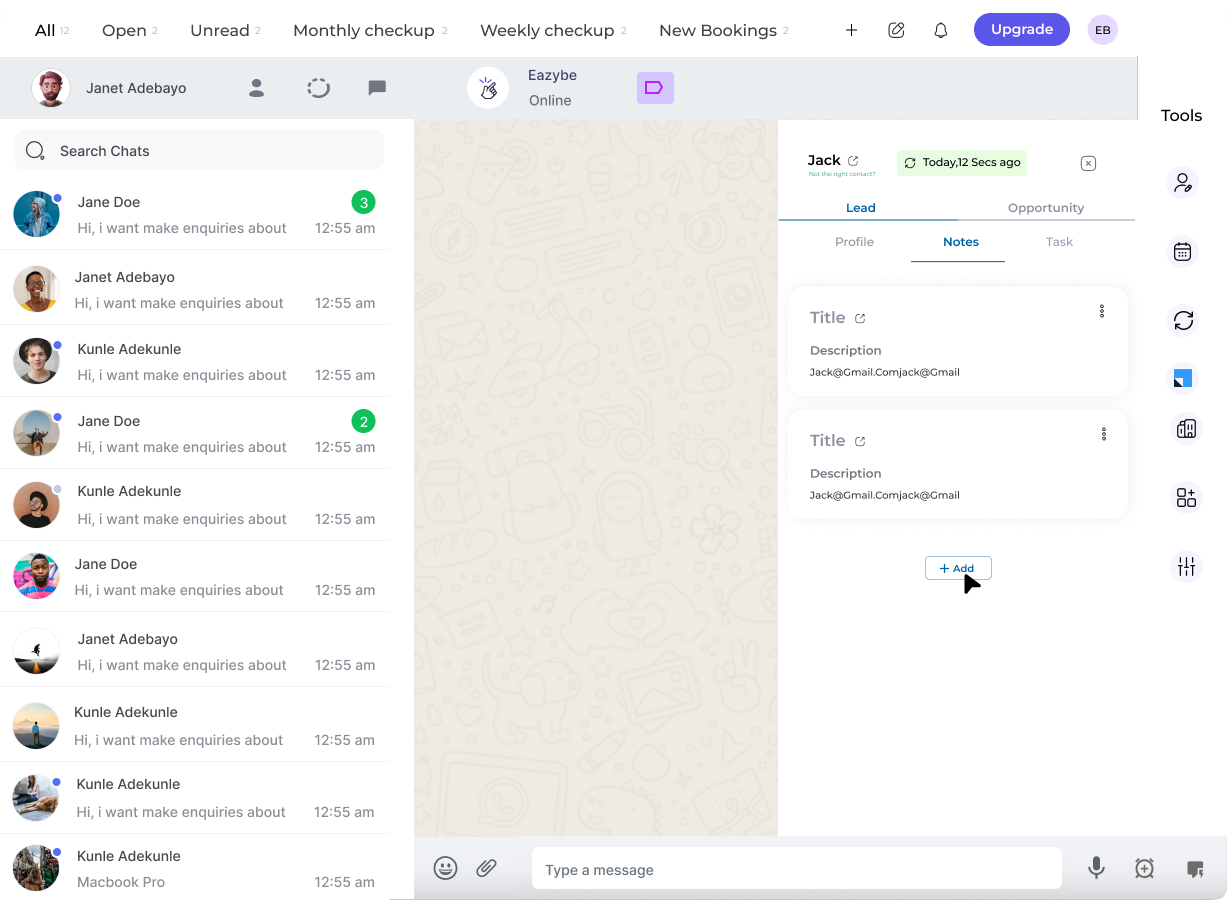 Use the **three-dot menu** next to any note to modify or remove it as needed.
Add additional notes by repeating the **"Add Note"** action. All notes are preserved with their timestamps.
You can also create notes for **LeadSquared Opportunities** using the same process, helping you track important details across all your CRM records.
Use notes to capture key conversation points, follow-up reminders, and important customer details that you want to reference later in your sales process.
Use the **three-dot menu** next to any note to modify or remove it as needed.
Add additional notes by repeating the **"Add Note"** action. All notes are preserved with their timestamps.
You can also create notes for **LeadSquared Opportunities** using the same process, helping you track important details across all your CRM records.
Use notes to capture key conversation points, follow-up reminders, and important customer details that you want to reference later in your sales process.