> ## Documentation Index
> Fetch the complete documentation index at: https://help.eazybe.com/llms.txt
> Use this file to discover all available pages before exploring further.
# Administrator Dashboard
> View detailed analytics on leads connected to your LeadSquared account from the administrator dashboard
The LeadSquared Administrator Dashboard provides detailed analytics on the leads connected to your LeadSquared account. It offers comprehensive insights to help you track lead activities and measure engagement.
## Dashboard Sections
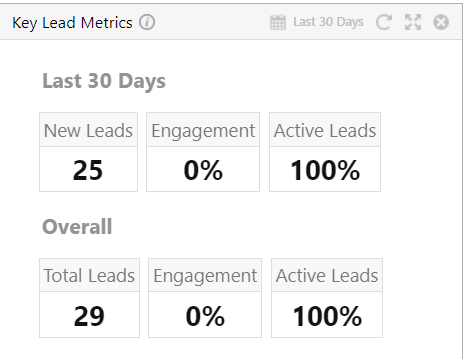
### 1. Key Lead Metrics
Get insights into new leads, engagement levels, and active lead percentages.
 ### 2. Lead by Sources
View different acquisition channels and understand where your leads are coming from within specified timeframes.
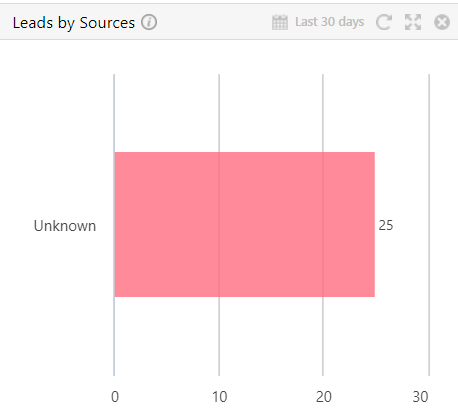
### 2. Lead by Sources
View different acquisition channels and understand where your leads are coming from within specified timeframes.
 ### 3. Overall Lead Funnel
Get an overview of active stages and track lead progression through your sales funnel.
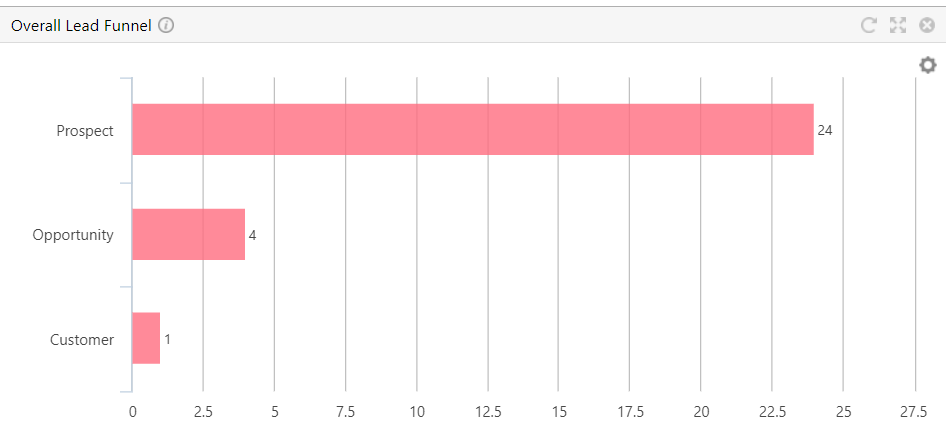
### 3. Overall Lead Funnel
Get an overview of active stages and track lead progression through your sales funnel.
 ### 4. Top New Leads
Highlights the most promising prospects within given time periods.
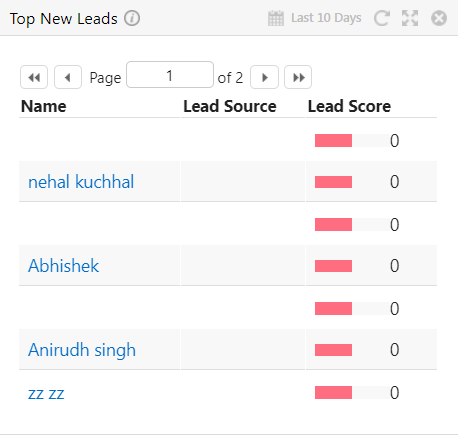
### 4. Top New Leads
Highlights the most promising prospects within given time periods.
 ### 5. Recently Sent Email Campaigns
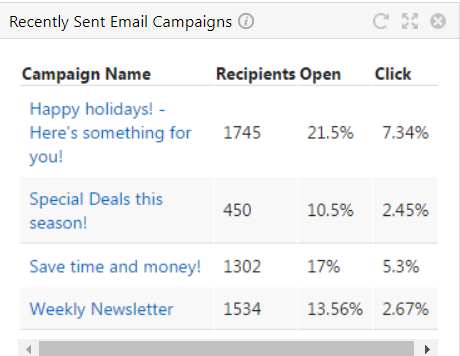
Coverage of recent email efforts with recipient counts, open rates, and click-through data.
### 5. Recently Sent Email Campaigns
Coverage of recent email efforts with recipient counts, open rates, and click-through data.
 ### 6. Email Summary
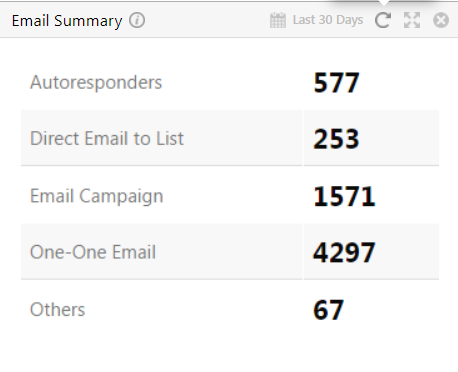
Overview of emails sent across various channels.
### 6. Email Summary
Overview of emails sent across various channels.
 You can create custom dashlets by clicking on the **Add Dashlet** button in the top right corner of the dashboard.
## Need Help?
If you have questions or need assistance, contact support at **[hey@eazybe.com](mailto:hey@eazybe.com)**.
You can create custom dashlets by clicking on the **Add Dashlet** button in the top right corner of the dashboard.
## Need Help?
If you have questions or need assistance, contact support at **[hey@eazybe.com](mailto:hey@eazybe.com)**.