> ## Documentation Index
> Fetch the complete documentation index at: https://help.eazybe.com/llms.txt
> Use this file to discover all available pages before exploring further.
# Admin Access
> Learn how administrators can access the EazyBe workspace to view and manage team details and analytics
Administrators can access the EazyBe workspace to view and manage team details and analytics for the LeadSquared integration.
## Viewing Team Details
Click the **Organisation** button in the right sidebar to open a new tab.
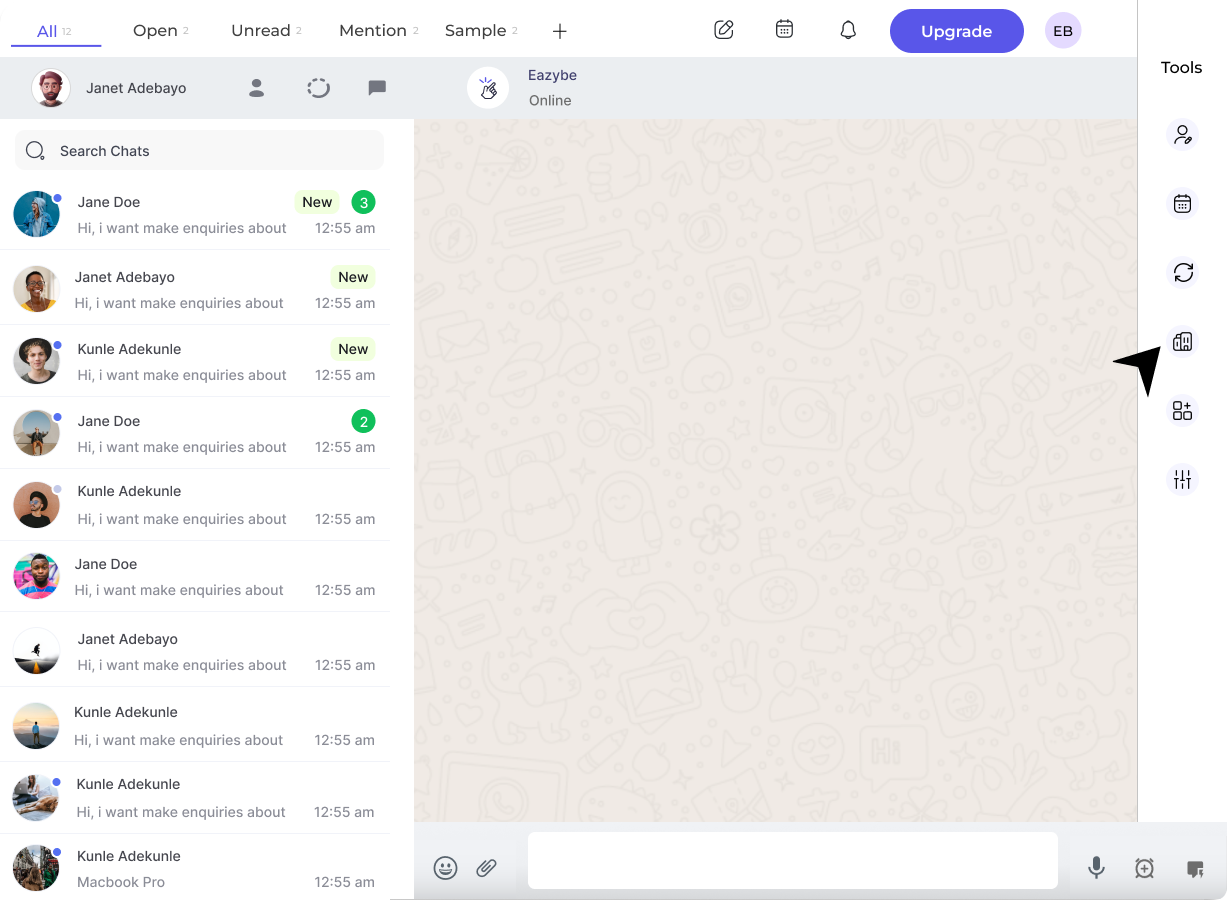 Log in using your admin credentials. The Organisation page will load after successful authentication.
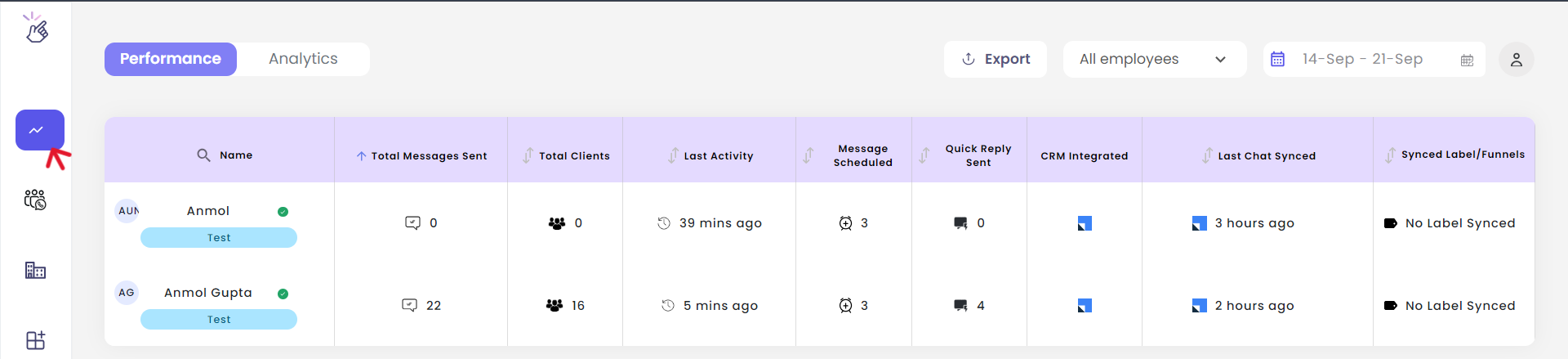 In the workspace, click the **Dashboard** button in the left sidebar.
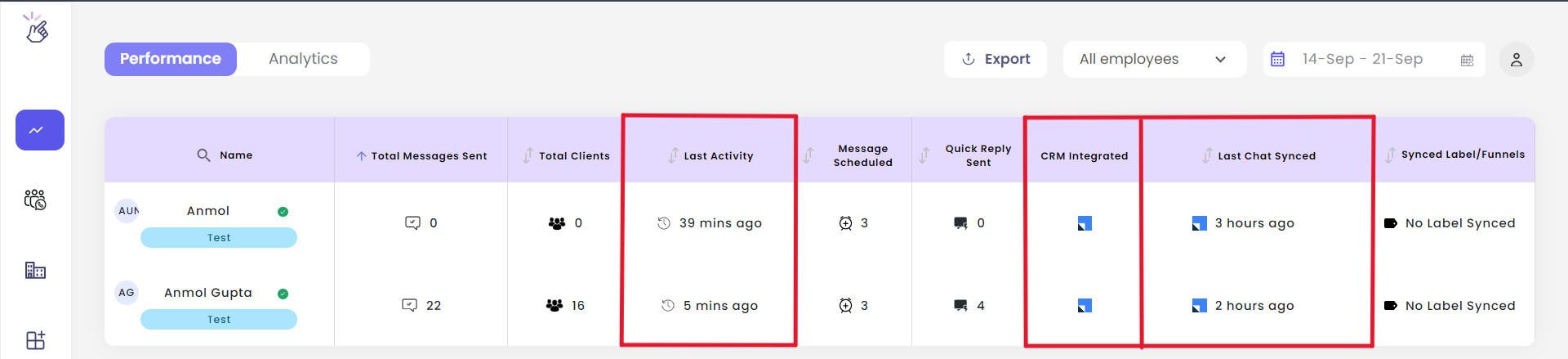 View important team information including:
* **Last activity** - When team members were last active
* **Last chat synced time** - Most recent sync timestamp
* **CRM integrations** - Connected integrations for all employees
View important team information including:
* **Last activity** - When team members were last active
* **Last chat synced time** - Most recent sync timestamp
* **CRM integrations** - Connected integrations for all employees
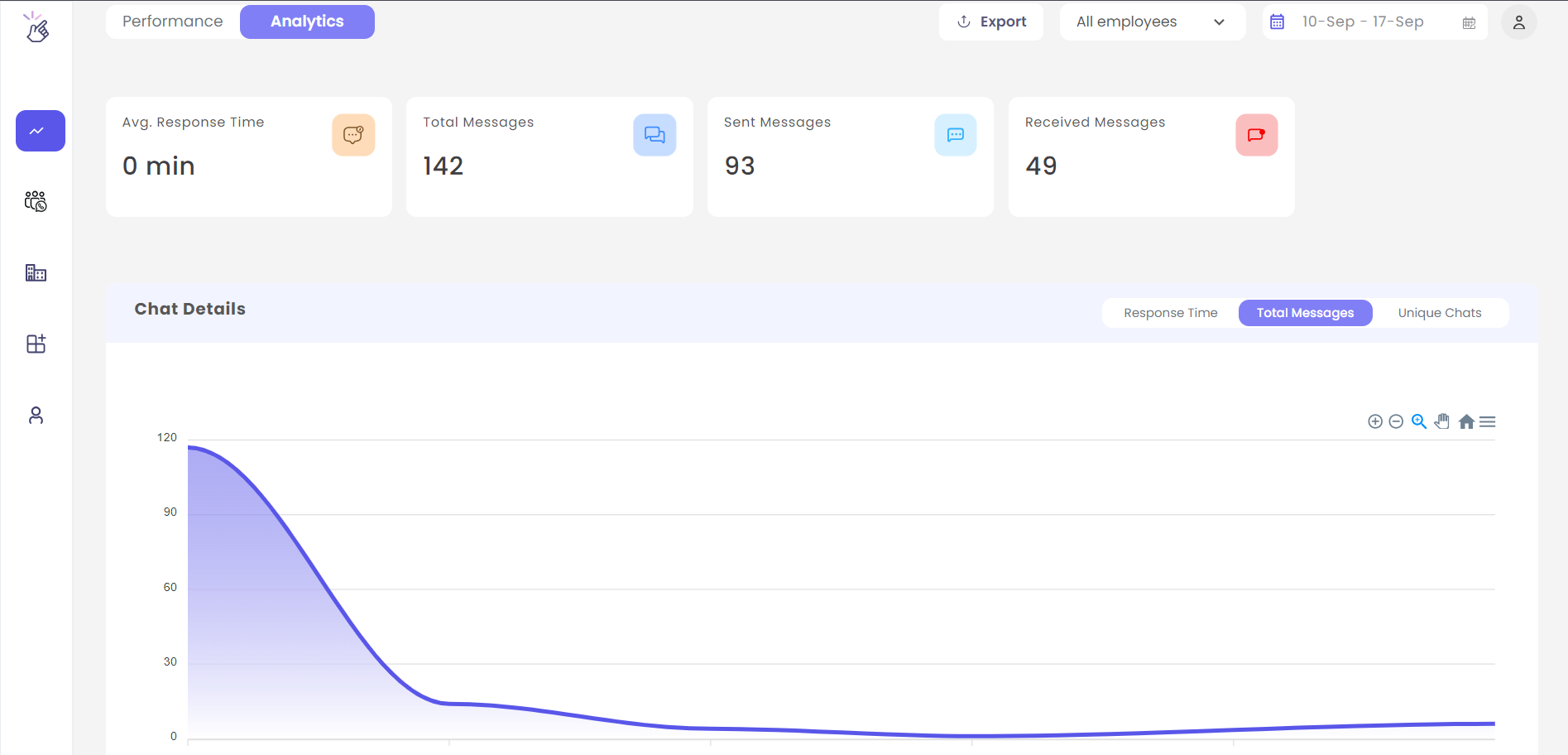 Access the **Analytics** tab for comprehensive message analytics, either team-wide or for individual team members.
Only users with admin credentials can access the Organisation page and view team-wide analytics.
## Need Help?
If you have questions or need further assistance, contact support at **[hey@eazybe.com](mailto:hey@eazybe.com)**.
Access the **Analytics** tab for comprehensive message analytics, either team-wide or for individual team members.
Only users with admin credentials can access the Organisation page and view team-wide analytics.
## Need Help?
If you have questions or need further assistance, contact support at **[hey@eazybe.com](mailto:hey@eazybe.com)**.