> ## Documentation Index
> Fetch the complete documentation index at: https://help.eazybe.com/llms.txt
> Use this file to discover all available pages before exploring further.
# Last Sync Time
> Where to check the last sync time for your team using HubSpot integration
## Where Can I Check the Last Sync Time for My Team?
Admins can verify synchronization timestamps for their entire team through the **Eazybe Workspace Dashboard**.
***
## How to Check Last Sync Time
Log in to your Eazybe Workspace account using your admin credentials.
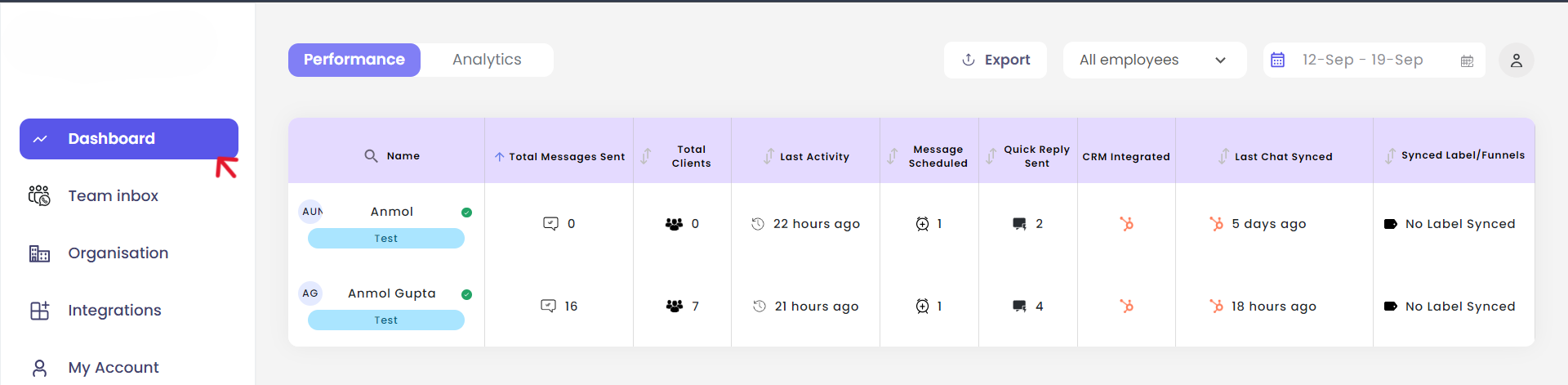 Click on the **Dashboard** button to view comprehensive team data and synchronization information.
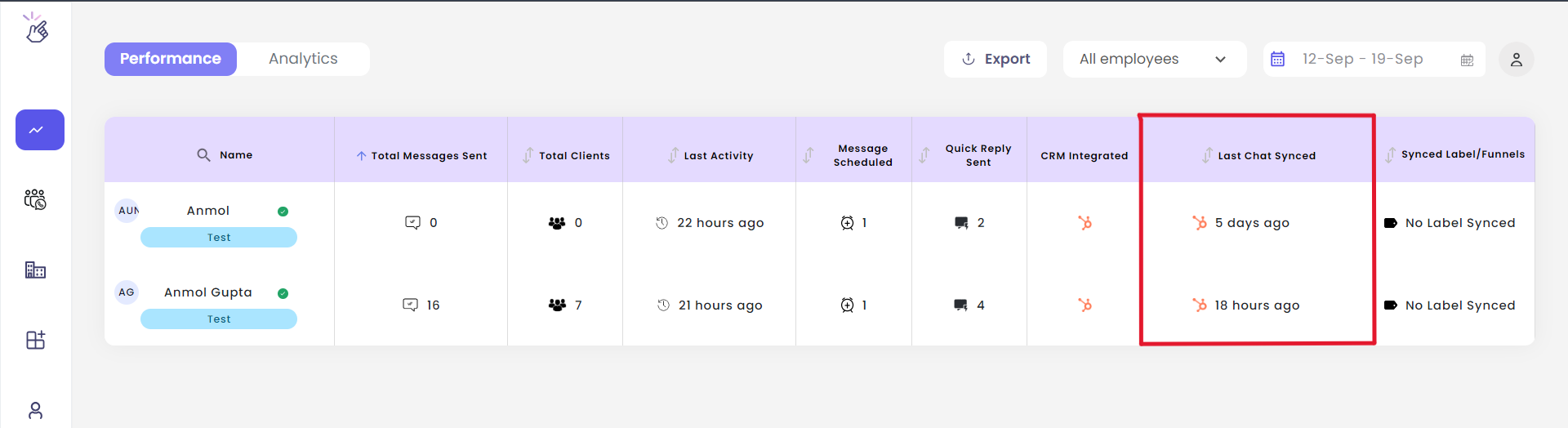
Locate the **"Last Chat Synced"** column in the team overview table. This column displays the HubSpot chat sync timestamps for all team members.
Click on the **Dashboard** button to view comprehensive team data and synchronization information.
Locate the **"Last Chat Synced"** column in the team overview table. This column displays the HubSpot chat sync timestamps for all team members.
 ***
## What You Can See
View the last synchronization time for each team member at a glance.
Get a comprehensive view of your entire team's HubSpot sync activity.
Only organization administrators have access to view the team's sync status in the Eazybe Workspace dashboard.
***
## Need Help?
If you encounter any issues or need further assistance, reach out to our support team at **[hey@eazybe.com](mailto:hey@eazybe.com)**. We're happy to help!
***
## What You Can See
View the last synchronization time for each team member at a glance.
Get a comprehensive view of your entire team's HubSpot sync activity.
Only organization administrators have access to view the team's sync status in the Eazybe Workspace dashboard.
***
## Need Help?
If you encounter any issues or need further assistance, reach out to our support team at **[hey@eazybe.com](mailto:hey@eazybe.com)**. We're happy to help!