> ## Documentation Index
> Fetch the complete documentation index at: https://help.eazybe.com/llms.txt
> Use this file to discover all available pages before exploring further.
# Stop Sync
> How to stop syncing WhatsApp chats for particular contacts while keeping them in HubSpot
## Can I Stop Sync for Particular Contacts?
Yes! You have two options to control syncing for specific contacts:
Unlink the contact if you no longer want it to appear on HubSpot at all.
Keep the contact in HubSpot but stop backing up their chat conversations using the "Don't Sync" feature.
***
## How to Stop Chat Backup for Specific Contacts
If you want to keep the contact in HubSpot but stop syncing their chat history, follow these steps:
Create a new label specifically for contacts you don't want to sync.
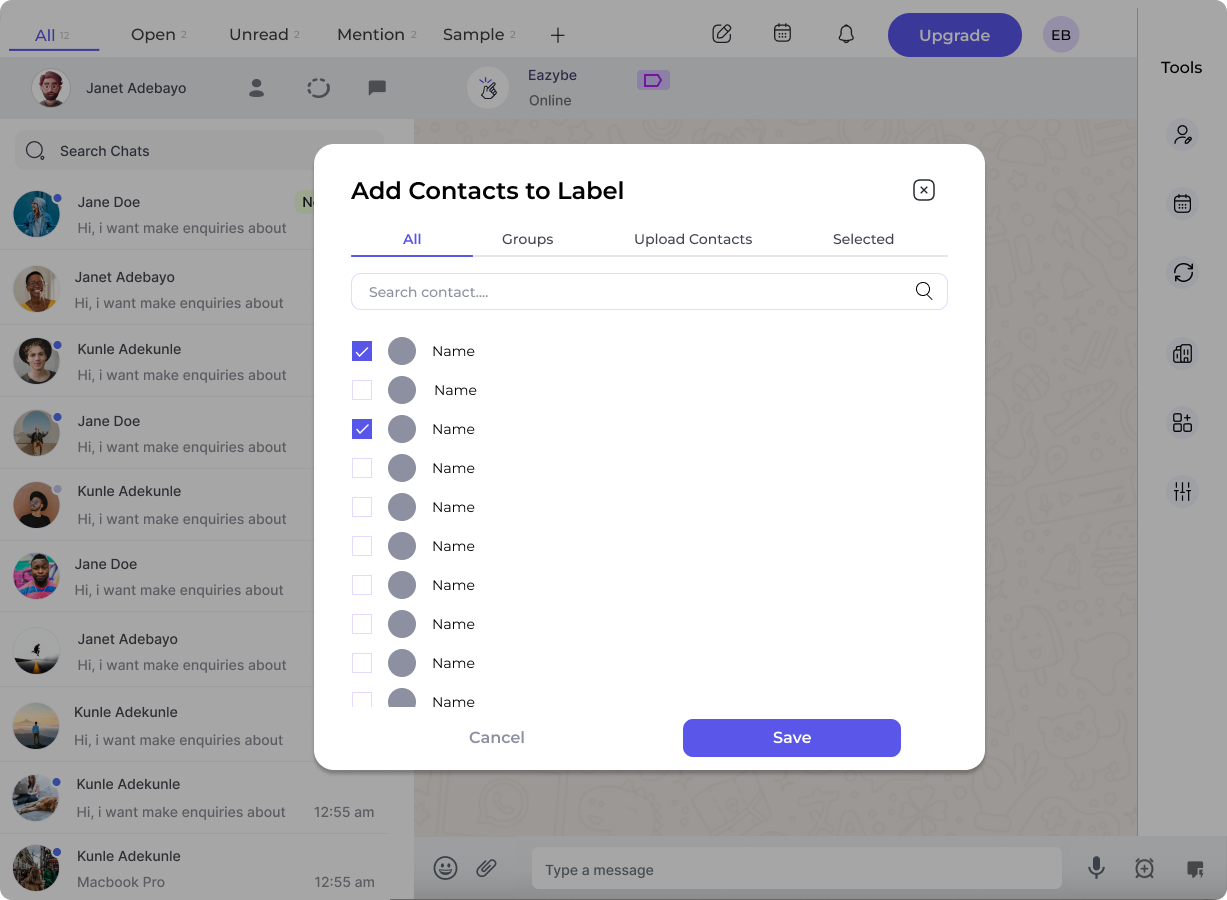
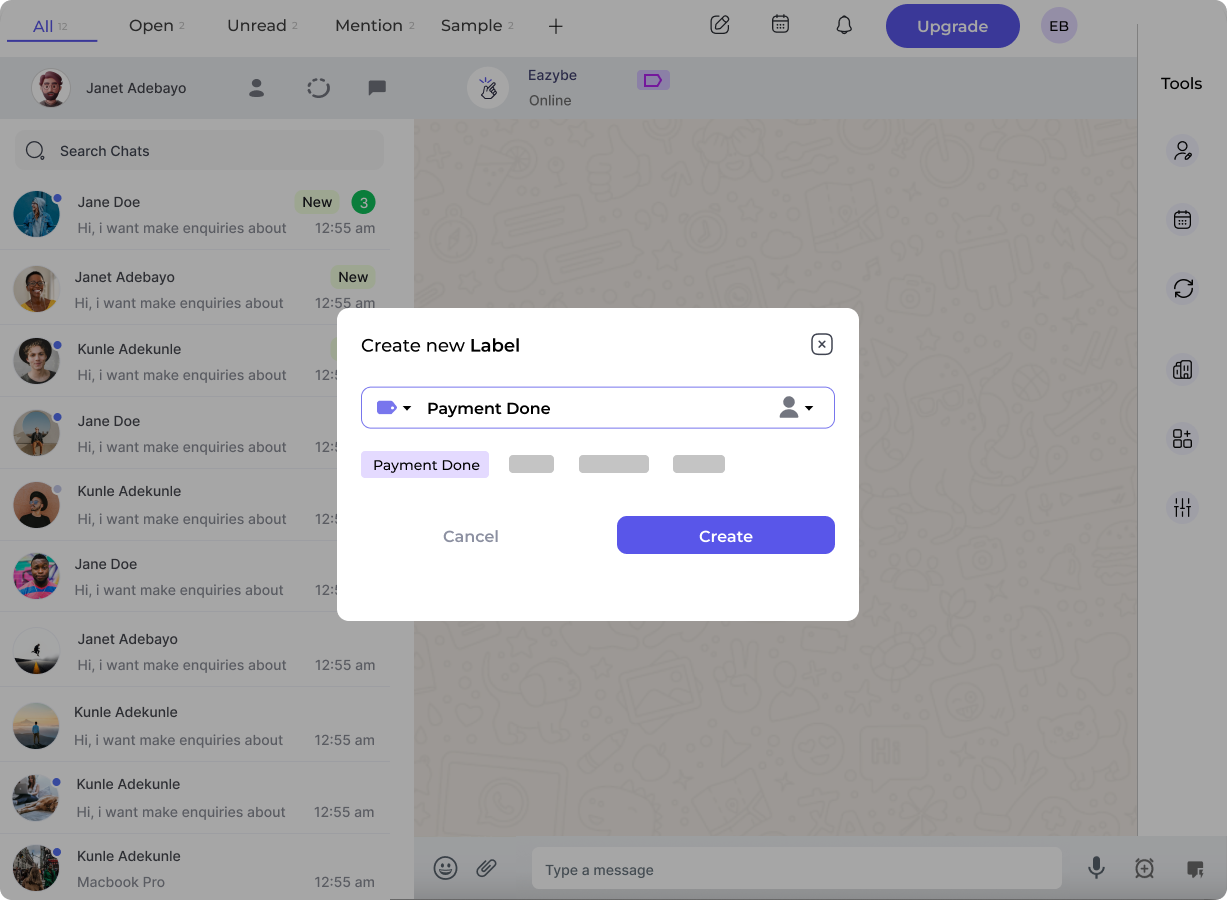 Add the contacts you want to exclude from syncing to this label.
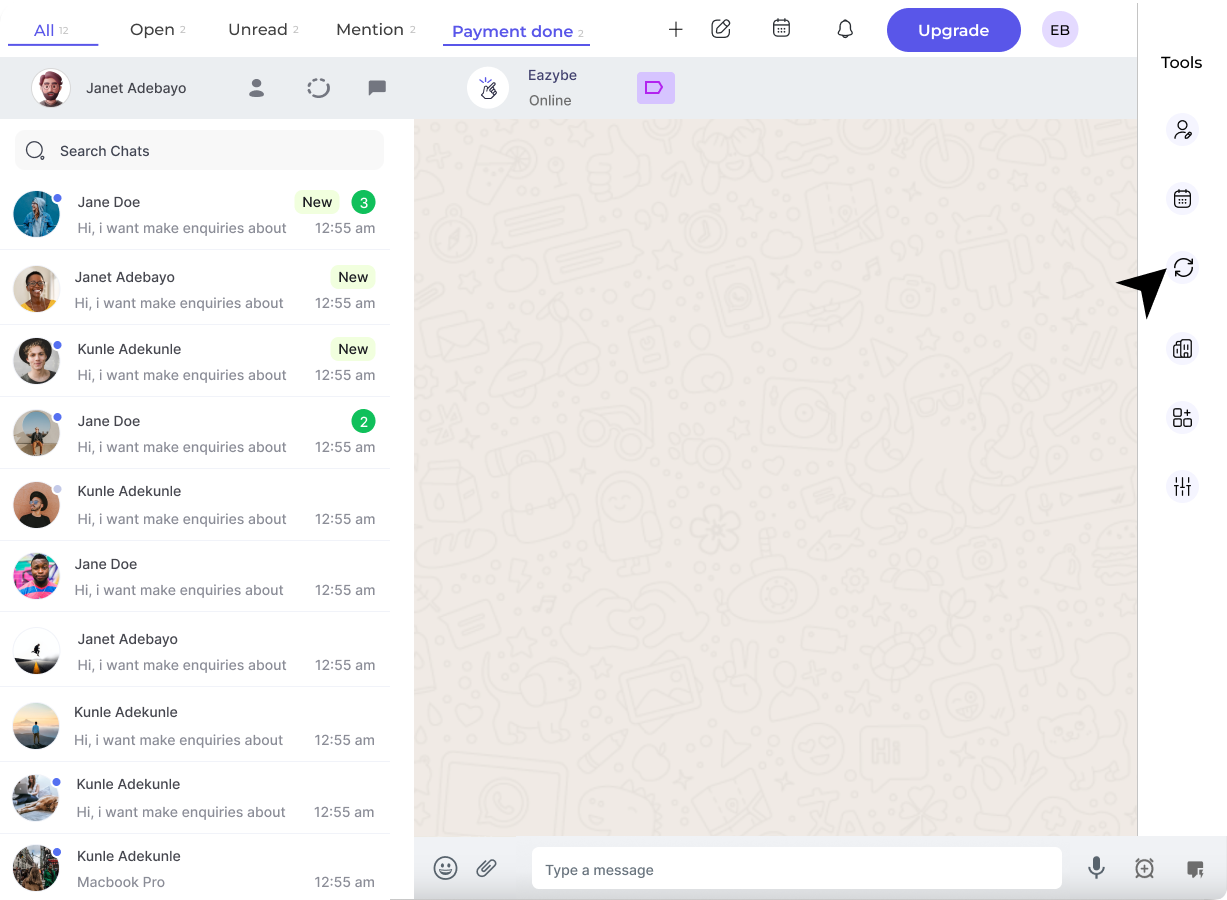
 Go to the **Backup and Sync** section in the sidebar.
 Click the **Don't Sync** button for the label you created. This will prevent chat backups for all contacts in that label.
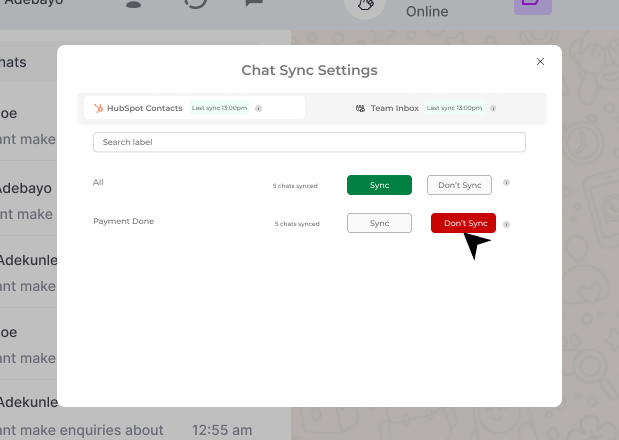 Contacts in a "Don't Sync" label will remain in HubSpot, but their new WhatsApp conversations will not be backed up.
***
## Need Help?
If you have any questions or need further assistance, reach out to us at **[hey@eazybe.com](mailto:hey@eazybe.com)**. We're happy to help!
Contacts in a "Don't Sync" label will remain in HubSpot, but their new WhatsApp conversations will not be backed up.
***
## Need Help?
If you have any questions or need further assistance, reach out to us at **[hey@eazybe.com](mailto:hey@eazybe.com)**. We're happy to help!