> ## Documentation Index
> Fetch the complete documentation index at: https://help.eazybe.com/llms.txt
> Use this file to discover all available pages before exploring further.
# Required Integration Permissions
> Learn what permissions are required for the HubSpot integration with Eazybe WhatsApp extension
## What Permissions Are Required for the Integration?
During the HubSpot integration setup, necessary permissions will be requested to ensure smooth operation of the Eazybe WhatsApp Chrome Extension.
Your **super-admin** must grant two critical permissions for the integration to work properly:
* **File** permission
* **Apps Marketplace** permission
These permissions are essential for smooth syncing and backup of your WhatsApp chats using the Eazybe WhatsApp Chrome Extension.
***
## Required Permissions
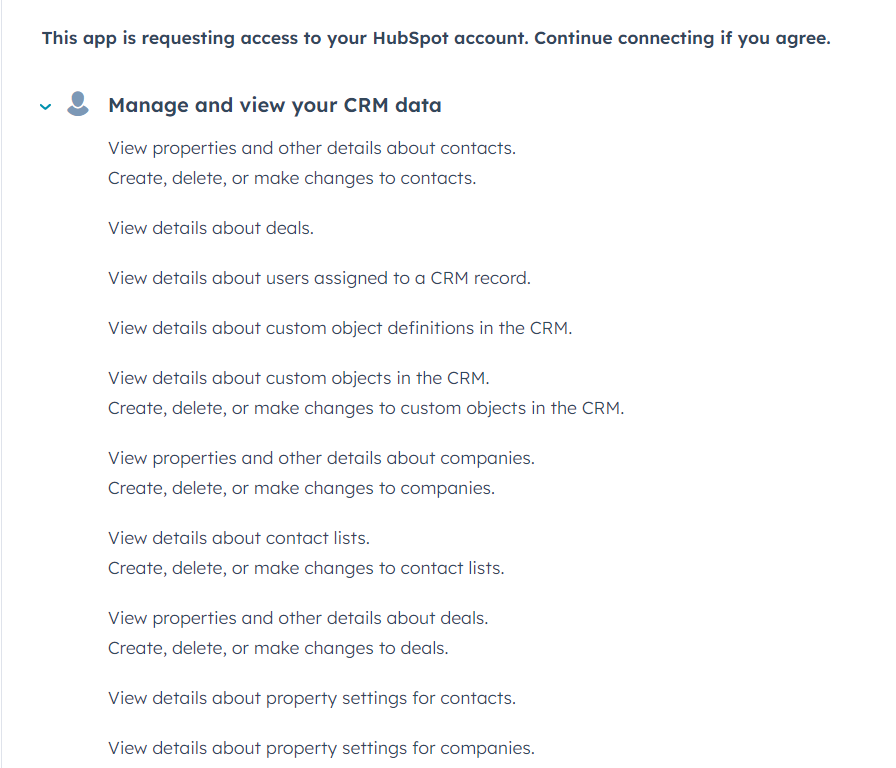 Review the list of permissions carefully. Each permission enables specific functionality within the integration.
***
## Completing the Integration
Carefully review all the permissions listed in the integration dialog.
Select the checkboxes to acknowledge each permission from the provided list.
Review the list of permissions carefully. Each permission enables specific functionality within the integration.
***
## Completing the Integration
Carefully review all the permissions listed in the integration dialog.
Select the checkboxes to acknowledge each permission from the provided list.
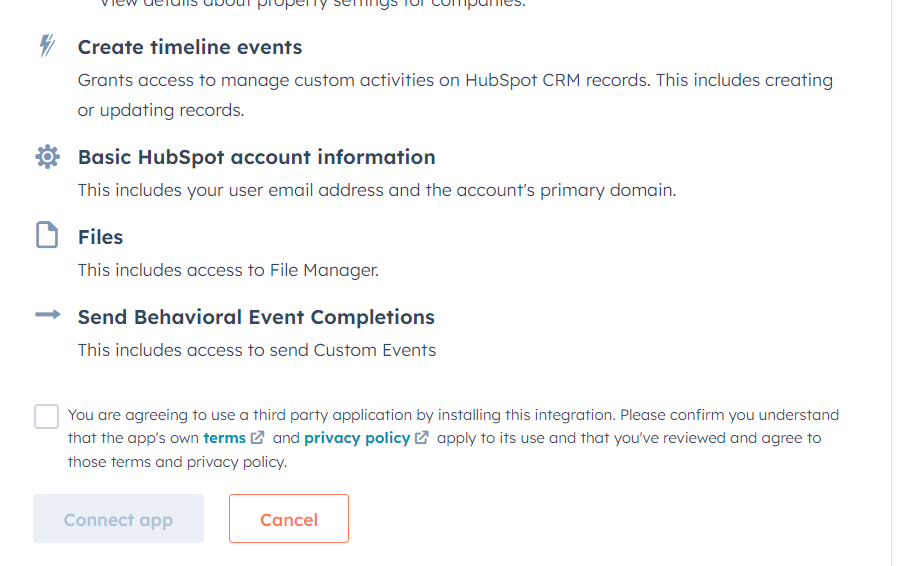 Click the **Connect App** button to complete the integration successfully.
***
## Need Help?
If you have questions about permissions or need assistance, reach out to our support team at **[hey@eazybe.com](mailto:hey@eazybe.com)**
Click the **Connect App** button to complete the integration successfully.
***
## Need Help?
If you have questions about permissions or need assistance, reach out to our support team at **[hey@eazybe.com](mailto:hey@eazybe.com)**