> ## Documentation Index
> Fetch the complete documentation index at: https://help.eazybe.com/llms.txt
> Use this file to discover all available pages before exploring further.
# Dynamic WhatsApp Labels
> Automatically organize WhatsApp contacts using dynamic labels synced with HubSpot CRM properties in real-time
## About Dynamic Labels
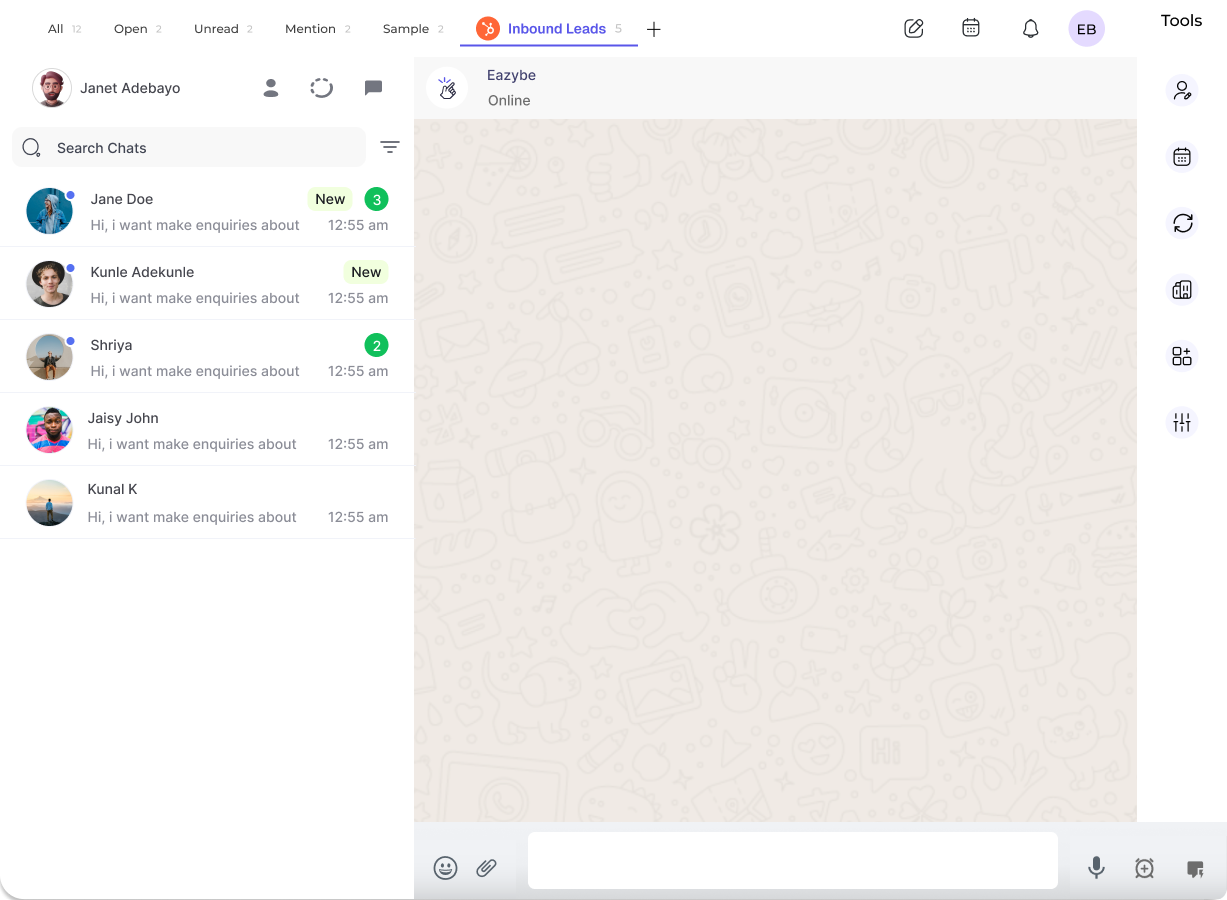
Dynamic Labels are WhatsApp labels that are automatically generated based on rules you define using HubSpot properties. When a contact matches the specified criteria, they are automatically added to the label. Similarly, when a contact no longer meets the criteria, they are automatically removed.
This ensures your WhatsApp communication stays aligned with the most current customer information in your CRM.
***
## Creating a Dynamic Label
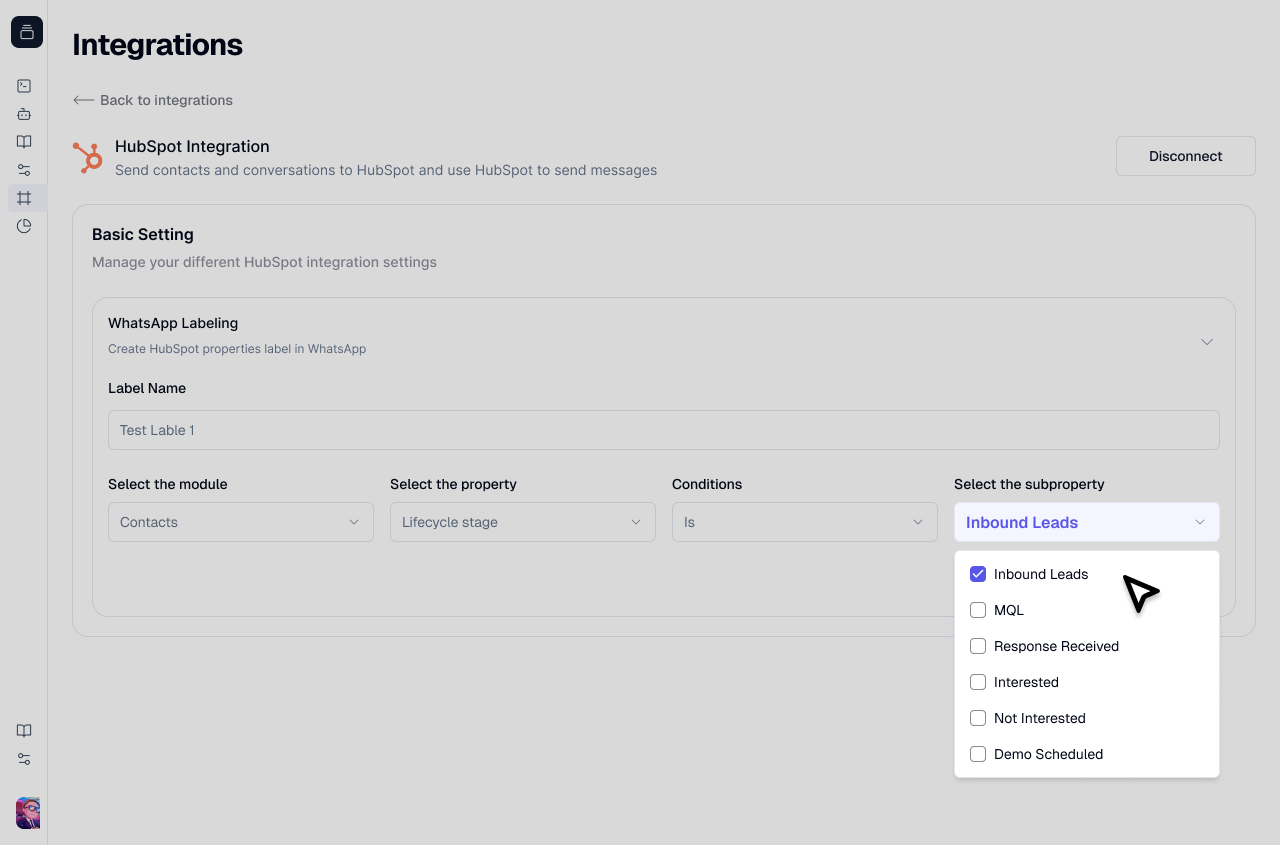
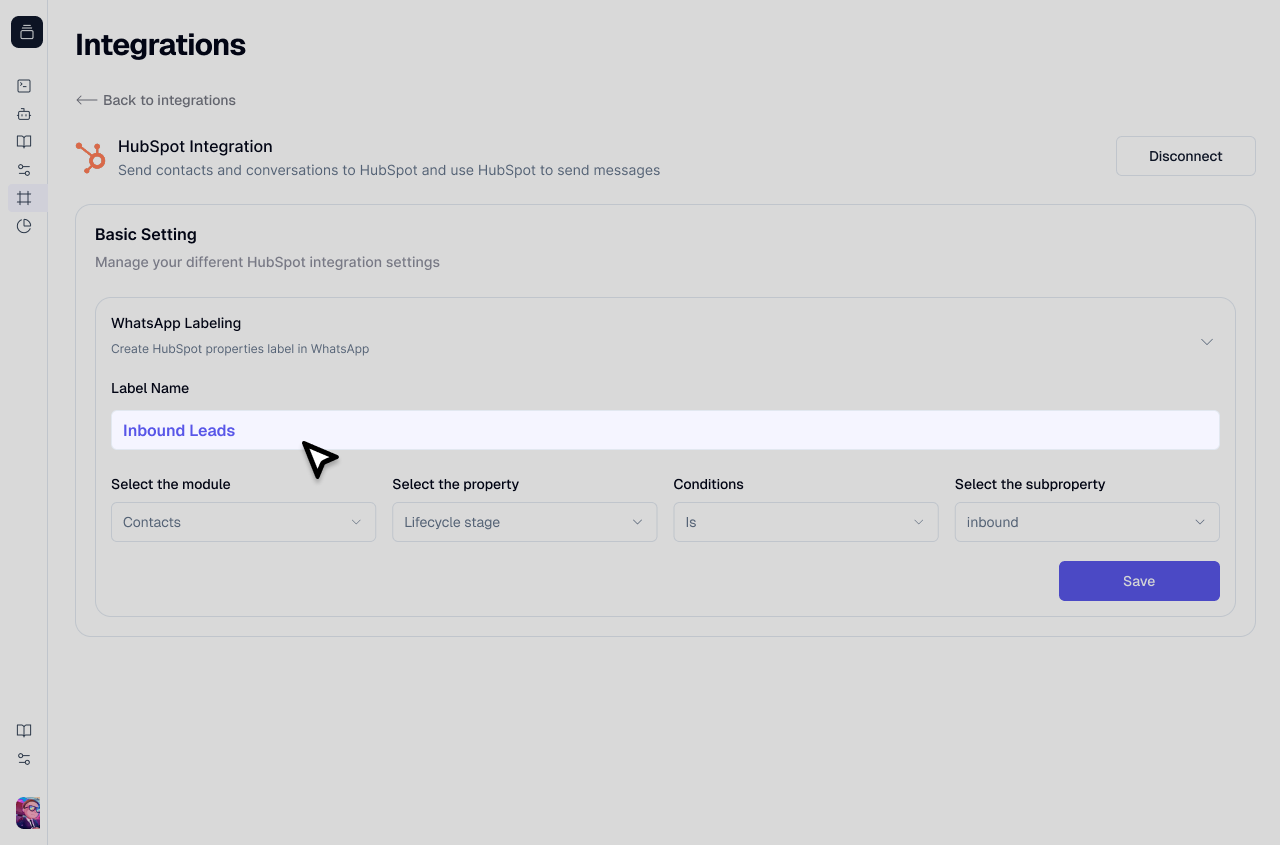
Enter a descriptive name for your label that clearly identifies its purpose.
Use clear, descriptive names like "New Leads," "VIP Customers," or "High-Value Prospects" for easy identification.
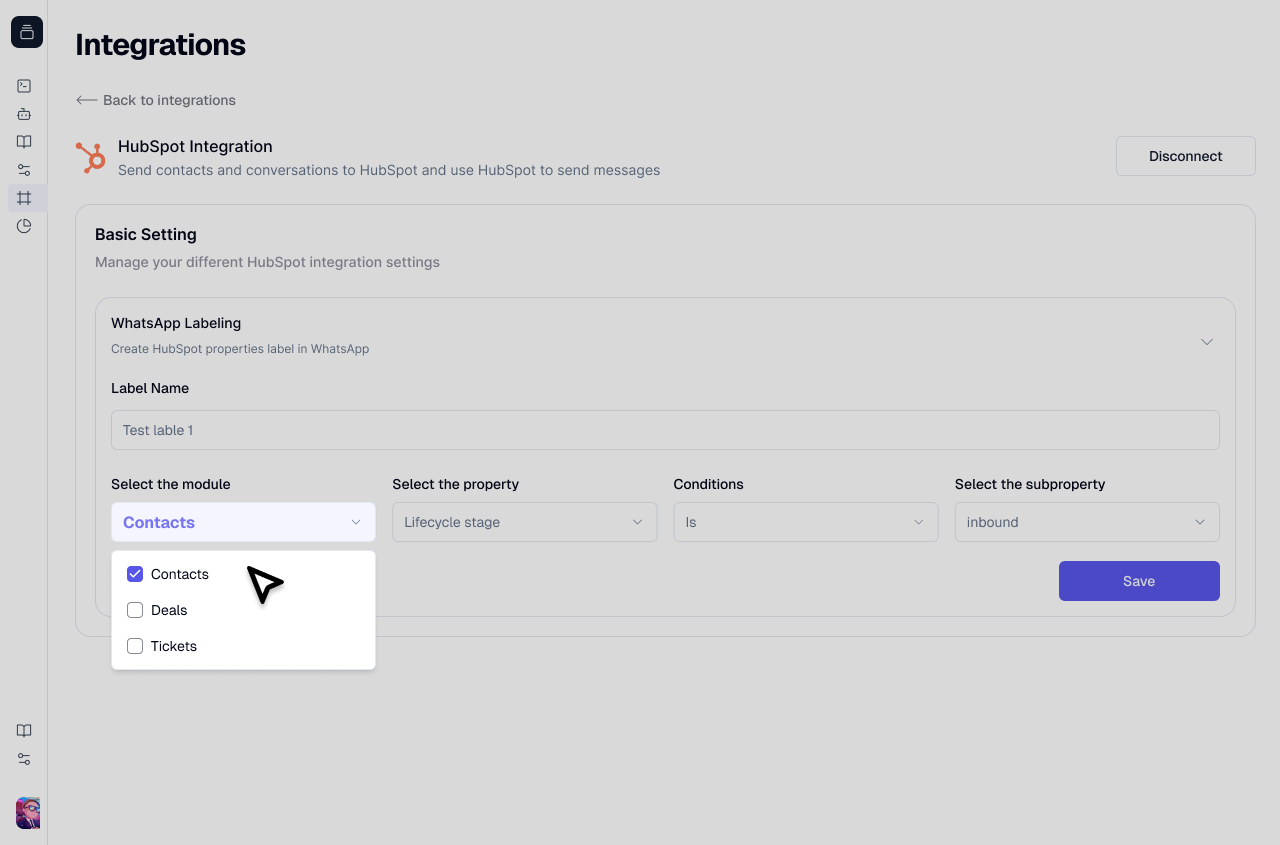
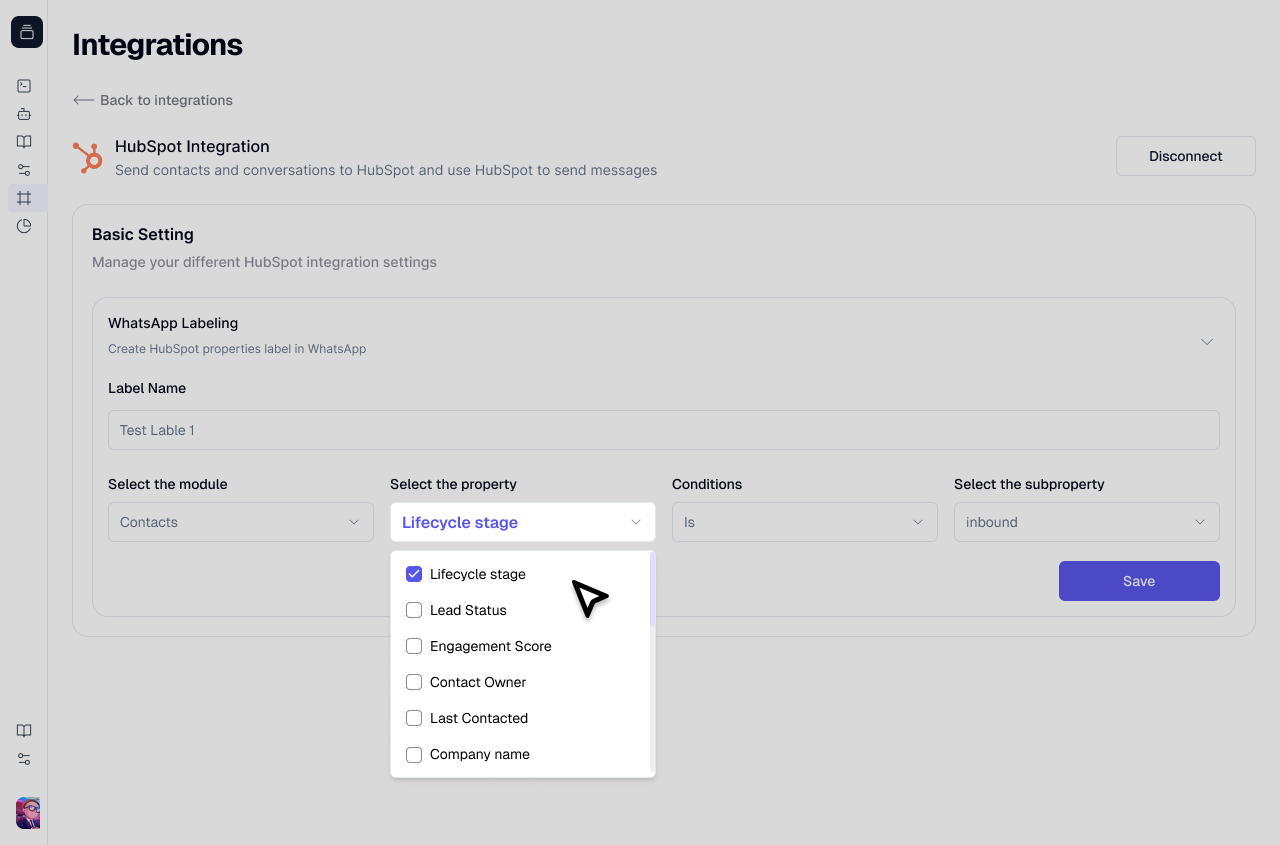
Choose the HubSpot module (e.g., Contacts) that contains the property you want to use for filtering.
Then select the specific property from that module.
Common properties include: Lifecycle Stage, Deal Stage, Region, Lead Status, and custom properties you've created in HubSpot.
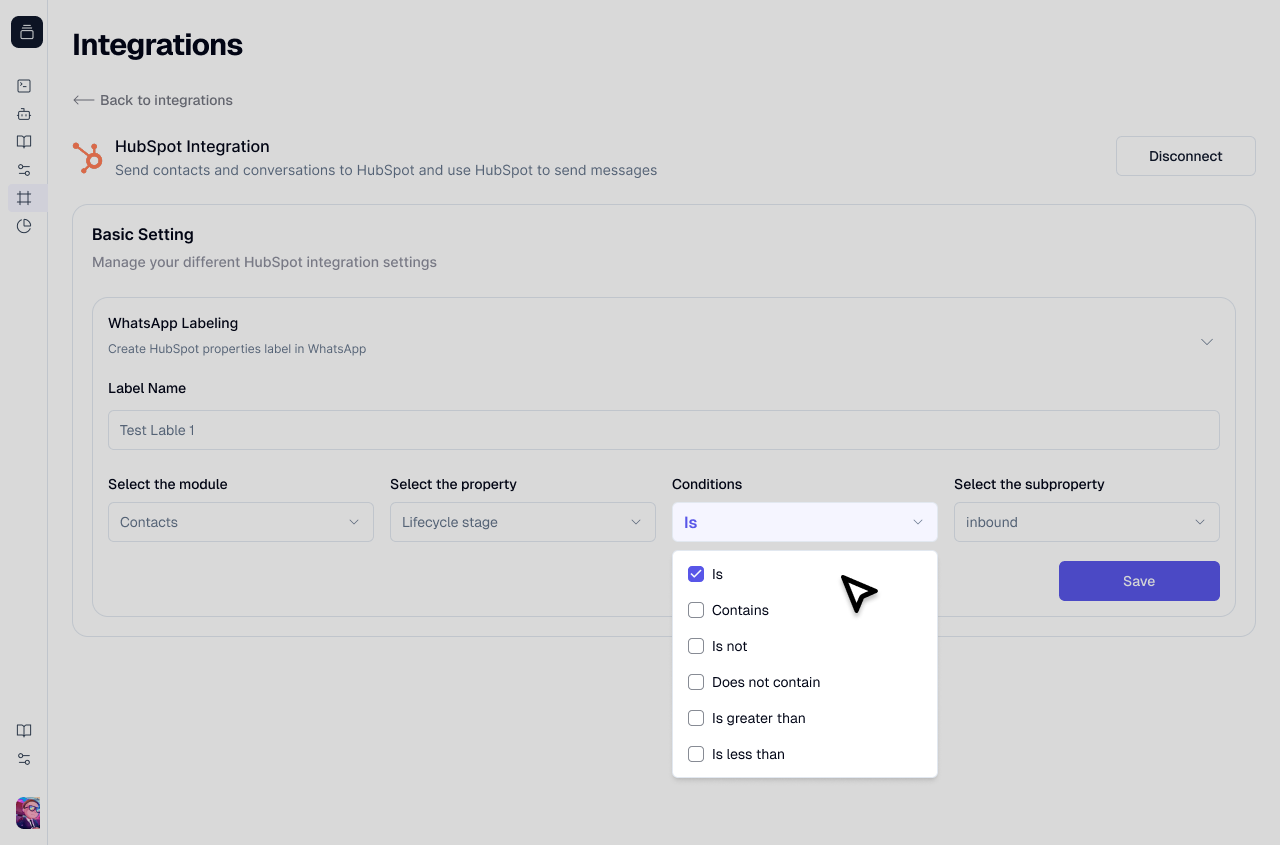
Choose a condition that determines how the property value should be evaluated:
Available conditions:
* **is equal to** - Exact match
* **is not equal to** - Excludes specific value
* **contains** - Partial match
* **does not contain** - Excludes partial match
Specify the value that contacts must match (or not match) based on your condition.
Examples: "Customer", "Marketing Qualified Lead", "Lead", or any value relevant to your selected property.
Click **Save** to create your dynamic label. The label will be automatically created in WhatsApp, and all contacts meeting your criteria will be added.
***
## Benefits of Dynamic Labels
Eliminate manual label management. Contacts are automatically categorized based on their CRM data.
Labels update instantly as HubSpot records change, ensuring your WhatsApp organization always reflects current data.
Send messages to the right customer segments with confidence, knowing labels are always accurate.
Reduce time spent searching for contacts. Dynamic labels keep your conversations organized automatically.
 Then select the specific property from that module.
 Available conditions:
* **is equal to** - Exact match
* **is not equal to** - Excludes specific value
* **contains** - Partial match
* **does not contain** - Excludes partial match
Available conditions:
* **is equal to** - Exact match
* **is not equal to** - Excludes specific value
* **contains** - Partial match
* **does not contain** - Excludes partial match