> ## Documentation Index
> Fetch the complete documentation index at: https://help.eazybe.com/llms.txt
> Use this file to discover all available pages before exploring further.
# Backup View
> Where to see the backup of your WhatsApp chats in HubSpot
## Where Can I See My WhatsApp Chat Backups in HubSpot?
Your WhatsApp chat backups are accessible in **three primary locations** within HubSpot's interface.
***
## Backup Locations
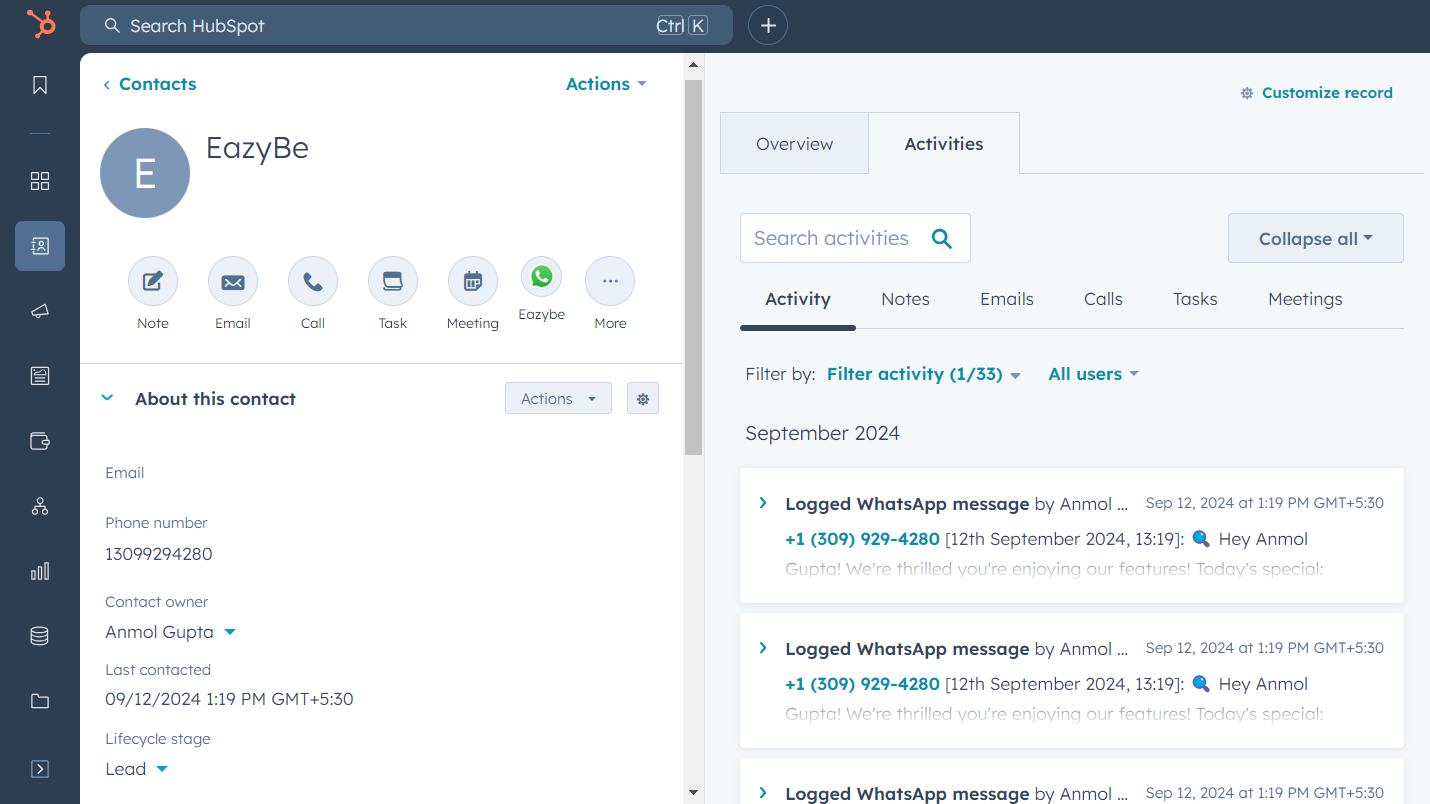
Synced WhatsApp conversations appear in the **WhatsApp Activity section** of the HubSpot contact's timeline. This allows you to access all message backups and interaction records for each contact.
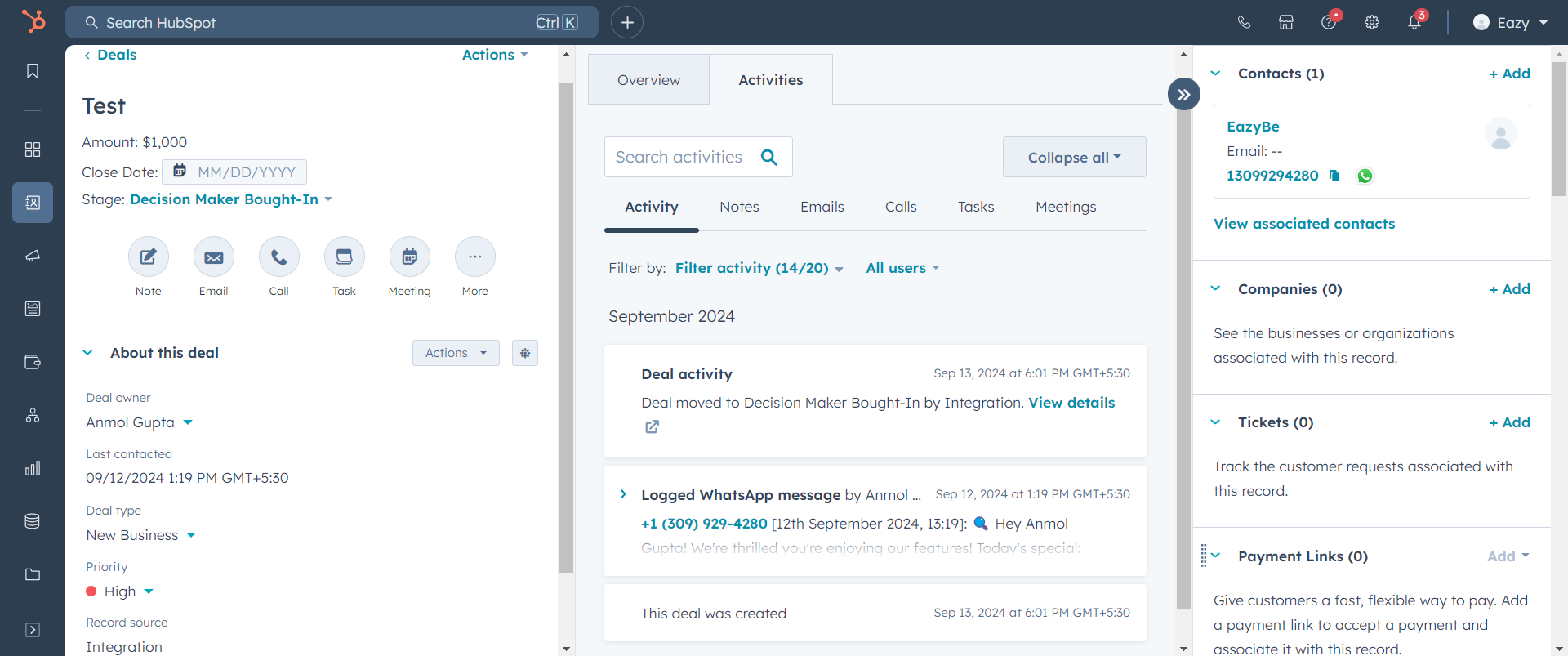
 When a contact has associated deals, their chat records display in the **latest deal on the Deals Page**. This helps you track conversations related to specific business opportunities.
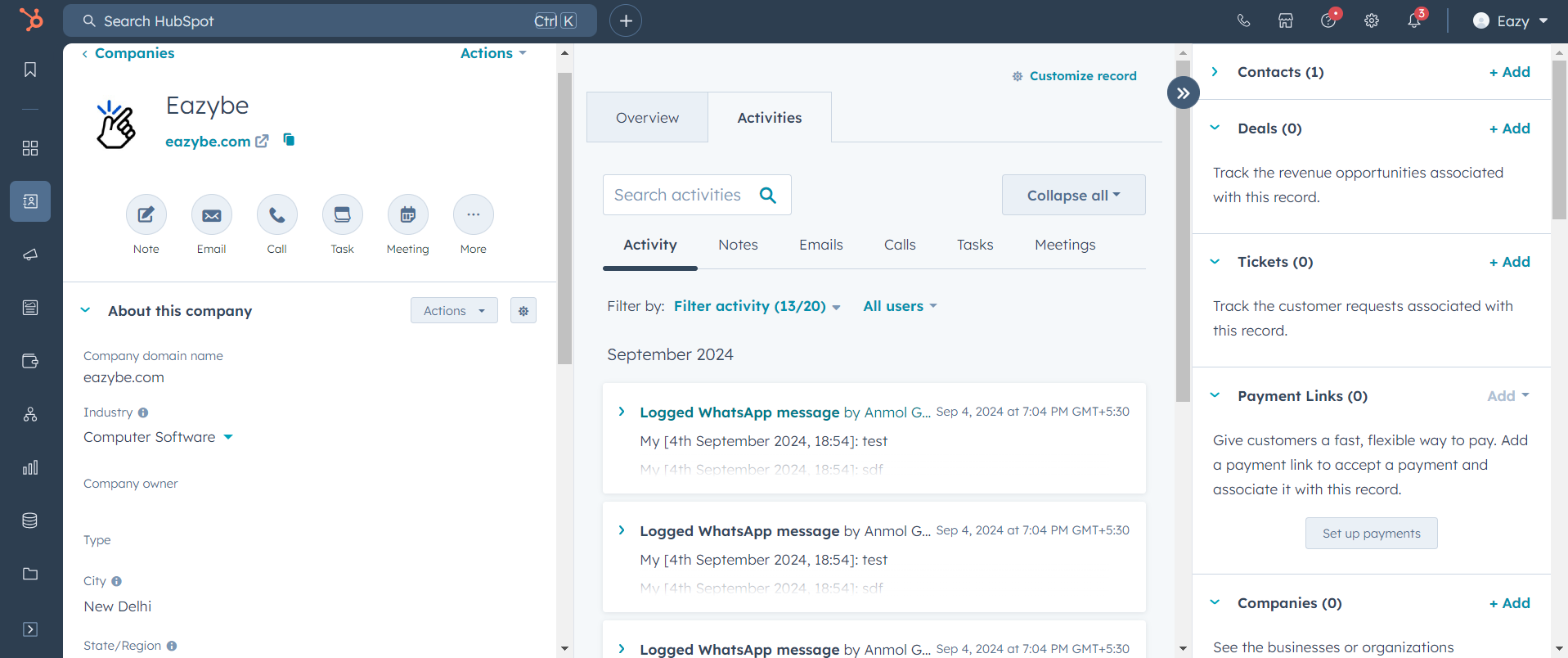
 Chat data also appears on the **Company profile page** within HubSpot, giving you a comprehensive view of all communications at the company level.
 ***
## Summary
View individual chat history in the WhatsApp Activity section.
Access conversation records linked to specific deals.
See all communications at the company level.
***
## Need Help?
If you encounter any issues or need further assistance, reach out to our support team at **[hey@eazybe.com](mailto:hey@eazybe.com)**. We're happy to help!
***
## Summary
View individual chat history in the WhatsApp Activity section.
Access conversation records linked to specific deals.
See all communications at the company level.
***
## Need Help?
If you encounter any issues or need further assistance, reach out to our support team at **[hey@eazybe.com](mailto:hey@eazybe.com)**. We're happy to help!