> ## Documentation Index
> Fetch the complete documentation index at: https://help.eazybe.com/llms.txt
> Use this file to discover all available pages before exploring further.
# Attachment Backup
> Does Eazybe support attachments backup and what attachment types are backed up in HubSpot
## Does Eazybe Support Attachments Backup?
**Yes!** Eazybe provides comprehensive backup support for multiple file formats when syncing WhatsApp conversations with HubSpot.
***
## Supported Attachment Types
Photos and screenshots shared in chats are fully backed up.
Files such as PDFs, Word documents, and spreadsheets are preserved.
Voice messages and other audio recordings are included in backups.
Video clips shared in conversations are backed up.
**Other Files:** Any other types of files shared in WhatsApp chats are also backed up to HubSpot.
***
## Where Are Attachments Stored?
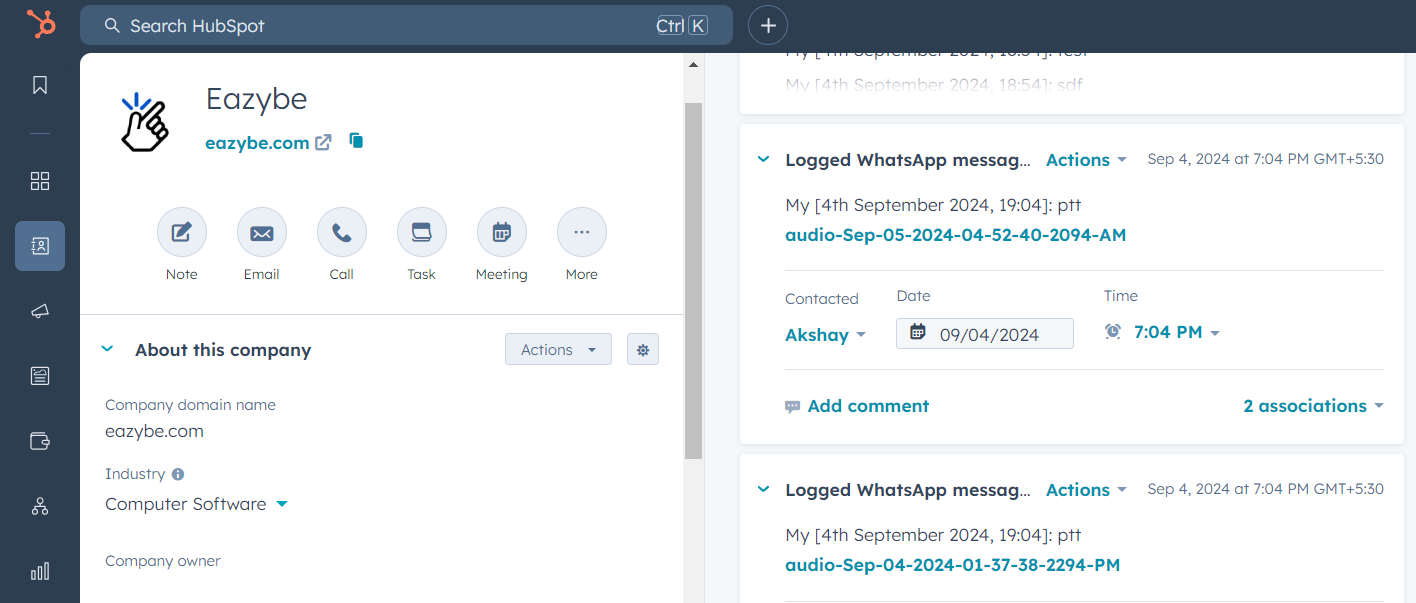
All backed up files are preserved within the **WhatsApp Activity object** linked to each contact's HubSpot record. This creates a comprehensive archive of conversations and attachments.
 ***
## Need Help?
If you have any questions or need further assistance, feel free to reach out to our support team at **[hey@eazybe.com](mailto:hey@eazybe.com)**. We're happy to help!
***
## Need Help?
If you have any questions or need further assistance, feel free to reach out to our support team at **[hey@eazybe.com](mailto:hey@eazybe.com)**. We're happy to help!